- Top Pick: Acer Nitro V 15.6in Gaming Laptop ANV15-52-73D8 Black
- Best Value: ASUS ROG Strix G16 (2025) Gaming Laptop, 16” FHD+ 16:10 165Hz/3ms, NVIDIA® GeForce RTX™ 5060, Intel® Core™ i7 Processor 14650HX, 16GB DDR5, 1TB Gen 4 SSD, Wi-Fi 7, Windows 11 Home, G615JMR-AS74
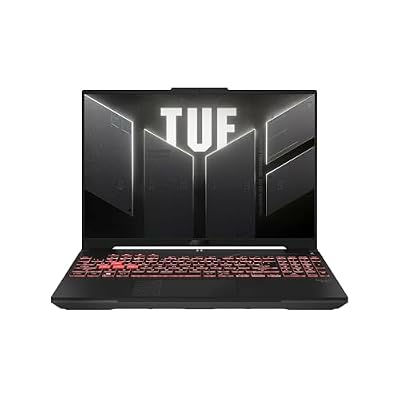
- Premium Choice: ASUS TUF Gaming A16 Laptop: AMD Ryzen 7 7445HS, 16" Full HD+ 145Hz Display, NVIDIA GeForce RTX 4050, 16GB DDR5 RAM, 512GB SSD, Backlit Keyboard, Windows 11
🛒 Best Price Today on Amazon
Prime members get fast, free shipping on everything above, plus member-only deals. New members get a 30-day free trial — cancel anytime.
Gaming Laptops Under $1000 in 2026: What to Expect
The $1,000 gaming laptop market in 2026 is fiercely competitive. At this price you can grab a laptop with a mobile RTX 5060 Ti or RTX 4070 GPU, 144Hz IPS display, 16GB RAM, and 512GB–1TB SSD. These machines handle 1080p gaming at high settings comfortably in most titles.
As an Amazon Associate we earn from qualifying purchases at no extra cost to you.








What GPU to Expect
| Price | GPU Tier | 1080p Performance | Battery Life |
|---|---|---|---|
| $700–$800 | RTX 4060 Laptop / RTX 5050 | 60–90 FPS High | 3–4 hrs gaming |
| $850–$950 | RTX 4070 Laptop / RTX 5060 | 90–120 FPS High | 3–4 hrs gaming |
| $950–$1000 | RTX 5060 Ti Laptop | 100–140 FPS High | 2–4 hrs gaming |
Top Gaming Laptop Picks Under $1000
1. ASUS TUF Gaming A15 (RTX 4070 Laptop)
The ASUS TUF A15 is still the best value at this price. Ryzen 7 processor, RTX 4070 Laptop GPU (at full 115W TGP), 16GB DDR5, 1TB SSD, and a 144Hz IPS display. The TUF series puts thermal performance ahead of looks — thicker chassis, better sustained performance. Best value for pure gaming performance per dollar under $1,000.
The TUF A15 also passes MIL-STD-810H durability testing, so it shrugs off the knocks of daily transport better than flashier rivals. Both the RAM and SSD are user-accessible, meaning you can jump to 32GB or add a second drive down the line without buying a new machine. It runs a little warm and heavy, but for raw frames per dollar nothing else at this price touches it.
2. Lenovo IdeaPad Gaming 3i (RTX 4060)
Lenovo’s most accessible gaming laptop, frequently discounted below $800. The RTX 4060 Laptop GPU delivers solid 1080p 60+ FPS gaming. The budget chassis and display (often 120Hz TN) are compromises, but performance per dollar is excellent. Best for budget-minded buyers who put gaming performance ahead of build quality.
Look for the IPS-display configurations rather than the base TN panel if you can find them on sale, as the viewing angles and color are dramatically better for the same GPU. The keyboard is comfortable for both gaming and typing essays, and the cooling is adequate for its class. It’s the go-to recommendation for someone who wants to spend as little as possible while still gaming at a genuinely good 1080p.
3. MSI Cyborg 15 (RTX 4070 Laptop)
The MSI Cyborg 15 sports a semi-transparent chassis design, RTX 4070 Laptop GPU, and an IPS 144Hz display. Good thermal management with a dual-fan setup. It runs a touch louder than the TUF under load but delivers consistent gaming performance. Available for $950–$1,050 with current sales.
The Cyborg’s appeal is that it delivers RTX 4070 performance in a lighter, thinner body than the chunky TUF, making it the more portable of the two. The trade-off is a slightly lower sustained GPU wattage and louder fans when you push it hard. If you value carrying a slimmer laptop and don’t mind a headset to cover fan noise, it’s a strong pick at this budget.
Key Specs to Check in Gaming Laptops
| Spec | Minimum | Recommended | Why It Matters |
|---|---|---|---|
| GPU TGP (Total Graphics Power) | 80W | 115W+ | Higher wattage = full performance |
| Display refresh rate | 120Hz | 144Hz IPS | Smoothness in gaming |
| RAM | 16GB DDR5 | 16GB DDR5 (upgradeable) | Modern game requirements |
| Storage | 512GB NVMe | 1TB NVMe | Modern game install sizes |
| Cooling | Dual fan | Vapor chamber | Sustained performance |
Important: GPU TGP Matters More Than GPU Model
The same GPU model (say the RTX 5060 Ti) can swing 40–60% in performance between laptops depending on TGP (Total Graphics Power). A 60W RTX 5060 Ti performs like an RTX 4060, while a 115W RTX 5060 Ti delivers proper RTX 5060 Ti performance. Always check the specific TGP — not just the GPU model name.
Manufacturers rarely print the TGP prominently on the box, so check the detailed spec sheet or a trusted review before buying. The figure to look for is “Maximum Graphics Power” or “TGP” measured in watts; anything at or above 115W means you’re getting the full chip, while sub-90W configurations are quietly cut down. Two laptops with the identical GPU name and a $200 price gap almost always differ in TGP — that hidden number, not the sticker, is what determines your frame rate.
New vs Previous-Gen: Where the Value Is
Under $1,000, the smart play in 2026 is often a full-power previous-generation card rather than a cut-down current one. A 115W RTX 4070 Laptop will outperform a 60W RTX 5060 Ti in raw rasterization despite the newer name, and it costs less as retailers clear stock. The newer 50-series chips add DLSS 4 Multi Frame Generation, which is a genuine benefit in supported titles, but for pure performance-per-dollar the discounted full-TGP 40-series laptops remain the value champions. Weigh whether the newer upscaling features matter to the games you actually play before paying the premium.
What gaming laptop GPU should I look for under $1000?
Is 16GB RAM enough for a gaming laptop in 2026?
How long do gaming laptop batteries last?
Can I upgrade a gaming laptop’s GPU?
Should I buy a previous-gen or current-gen laptop under $1000?
Is an IPS or TN display better for a budget gaming laptop?
Frequently Asked Questions
What can a gaming laptop under $1000 handle?
Under 1000 dollars you can expect solid 1080p gaming at 144Hz, typically with an RTX 5060 GPU, a capable CPU, 16GB of RAM, and a 512GB or 1TB SSD. These laptops run most modern games at medium to high settings smoothly, making them a great entry point for players who want reliable performance without overspending.
Is 1080p 144Hz good enough for gaming?
Yes, 1080p at 144Hz remains an excellent gaming standard, offering smooth, responsive gameplay that suits both competitive and casual play. It is easier to drive than higher resolutions, so budget GPUs sustain high frame rates. For most players on a budget, a sharp 1080p 144Hz display delivers a genuinely enjoyable and fluid experience.
What GPU should I look for under $1000?
The RTX 5060 is the target GPU in this price range, handling 1080p high settings and even light 1440p with DLSS assistance. Occasionally you may find previous generation cards at a discount. Avoid laptops with severely power limited GPUs, and check reviews to confirm the graphics card runs at a healthy wattage for its class.
How much RAM do budget gaming laptops include?
Most sub 1000 dollar gaming laptops include 16GB of RAM, which is adequate for current games and moderate multitasking. Ensure the model has an accessible RAM slot so you can upgrade to 32GB affordably down the line. Avoid laptops with soldered 8GB configurations, as that amount is no longer sufficient for smooth modern gaming.
What compromises come with a budget gaming laptop?
Budget gaming laptops typically compromise on build materials, display brightness and color, battery life, and cooling headroom compared to pricier models. The GPU may run at lower wattage, and storage is often smaller. These tradeoffs are acceptable for the price, but check reviews to avoid models with poor thermals or noticeably dim, inaccurate screens.