
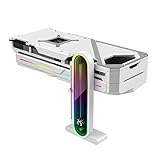
- Top Pick: Temperature Displaying GPU Stand ARGB Infinity Graphics Card Support Adjustable 5V 3PIN Video Card Holder Anti-sag Bracket Magnetic Base Display Card Brace Rack PC Graphic Card Accessories (White)
- Best Value: GSCOLER ARGB GPU Support Bracket with CPU & GPU Temp Display, Universal Graphics Card Support, Multi Angle Adjustable GPU Sag Bracket for Video Cards, GPU Stand Built-in 5V3PIN Addressable RGB Strip
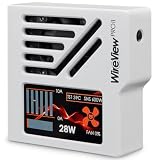
- Premium Choice: RANSANX 3.5 Inch IPS USB Mini Screen No Installation AIDA64 Pc Case
🛒 Best Price Today on Amazon
Prime members get fast, free shipping on everything above, plus member-only deals. New members get a 30-day free trial — cancel anytime.
What Are Normal GPU Temperatures?
Few numbers tell you more about a GPU’s health than its temperature. Let it run too hot and you invite throttling, instability, and eventually dead silicon. Keep it in the normal band and you protect performance, stability, and the card’s lifespan. Below we cover the temperature ranges you want, the ceilings you shouldn’t cross, and the cooling tweaks that actually move the needle on 2026 GPUs.
As an Amazon Associate we earn from qualifying purchases at no extra cost to you.






GPU Temperature Ranges — What’s Normal?
| Scenario | Normal Temp Range | Concern Threshold |
|---|---|---|
| Idle (desktop) | 30–50°C | Above 60°C idle |
| Light gaming / 1080p | 55–70°C | Above 85°C |
| Heavy gaming (1440p/4K) | 70–83°C | Above 90°C |
| Rendering / GPU compute | 75–85°C | Above 93°C |
| GPU memory (GDDR6X) | 80–100°C | Above 110°C |
Maximum Safe Temperatures by GPU
| GPU | TjMax (Core) | Memory TMax | Throttle Temp |
|---|---|---|---|
| NVIDIA RTX 5000 series | 89°C | 110°C (GDDR7) | 83°C |
| NVIDIA RTX 4000 series | 89°C | 110°C (GDDR6X) | 83°C |
| AMD RX 9000 series | 95°C (Edge) / 110°C (Hotspot) | 100°C | 90°C Edge |
| AMD RX 7000 series | 95°C (Edge) / 110°C (Hotspot) | 100°C | 90°C Edge |
Note: AMD reports a Junction (Hotspot) figure that always sits 10–20°C above the Edge reading. That’s expected — AMD throttles at 110°C Junction, which works out to roughly 90°C Edge. Don’t line that Junction number up against NVIDIA’s core temp.
How to Lower GPU Temperatures
1. Increase Fan Speed
Build a custom fan curve in MSI Afterburner: hit 70% speed by 70°C and 90% by 80°C. Out of the box, most reference coolers spin their fans too gently in the name of quiet operation. Bumping fan speed 10–15% typically shaves 5–10°C off temps and barely changes the noise.
2. Improve Case Airflow
Aim for positive pressure — more intake than exhaust — so a steady stream of cool air washes over the card. Make sure the case pulls air in up front and pushes it out the top and rear. Don’t overlook cabling either; a tangle of cables chokes GPU airflow. That card needs space to breathe.
3. Undervolt Your GPU
Dropping voltage trims both power draw and heat. Inside MSI Afterburner’s V/F curve editor, pin a stable clock at a lower voltage. Plenty of RTX 4000/5000 and RX 7000/9000 cards hold 1800-2100MHz core at 900-950mV instead of the stock 1050-1100mV, knocking 30-60W off draw and 5-12°C off temps.
4. Add More Case Fans
A typical mid-tower takes 4–6 fans. Slotting in 2-3 more 120mm or 140mm units (intake at the front, exhaust up top) can pull ambient case temps down 5–8°C, which feeds straight into lower GPU temps. Budget Arctic or Noctua fans are some of the best value cooling buys around.
5. Replace Thermal Pads (Advanced)
On premium AIB coolers more than 2 years old, the thermal pads over VRAM and VRMs can stiffen and lose contact. Swapping in something like Thermal Grizzly Minus Pad 8 can shed 10–20°C from VRAM temps — especially worth it on RTX 3080/3090 Ti cards notorious for hot GDDR6X.
What temperature should my GPU be while gaming?
Why is my GPU running hotter than before?
Does undervolting a GPU reduce performance?
Is 90°C too hot for a GPU?
Frequently Asked Questions
What is a normal GPU temperature while gaming?
Most modern GPUs run comfortably between 60 and 75 degrees Celsius under gaming load. Anything in this range is healthy. Temperatures in the low 80s are still acceptable for many cards, though improving airflow helps longevity and keeps fan noise down.
What is the maximum safe GPU temperature?
Modern cards are rated to operate safely up to around 90 to 95 degrees Celsius on the core before throttling to protect themselves. Sustained temperatures near this limit are not dangerous but indicate cooling that could be improved for better performance and lifespan.
Why is my GPU running hot?
Common causes include dust-clogged fans and heatsinks, poor case airflow, aged thermal paste, a high ambient room temperature, or an aggressive overclock. Cleaning the card, improving case ventilation, and checking that fan curves are working usually bring temperatures back down significantly.
Does the core or memory temperature matter more?
Both matter. The core temperature is what most software reports, but memory junction and hotspot temperatures can run much higher and cause throttling on some cards. Monitoring hotspot and VRAM temps gives a fuller picture, especially on memory-heavy modern GPUs.
How can I lower GPU temperatures?
Improve case airflow with well-placed intake and exhaust fans, clean dust regularly, and ensure the card has breathing room. Setting a more aggressive fan curve, undervolting the GPU, or repasting an older card can all meaningfully reduce operating temperatures.
Ready to decide? Our #1 pick for 2026 is the Idle (desktop).
Live price & availability on Amazon.











