
Finding a 144hz white gaming monitor that combines smooth gameplay, attractive styling, and dependable specifications can be harder than choosing a conventional black display. Some white models offer exactly 144Hz, while others support 180Hz and provide additional performance headroom. Resolution, panel technology, adaptive sync, connectivity, and stand adjustment matter just as much as appearance. For most gamers, a 27-inch 1440p IPS monitor is an appealing starting point, but compact Full HD displays and USB-C-equipped productivity models also deserve consideration. This guide compares six verified white-finish monitors and explains which specifications matter for different gaming setups.
- Quick verdict: Which 144Hz white gaming monitor is best?
- Quick comparison of 144Hz white gaming monitors
- How we selected these monitors
- MSI PRO MAX 271QPHW E14: Best native 144Hz all-rounder
- ASUS ROG Strix XG27ACS-W: Best balanced QHD gaming choice
- MSI MAG 274QRFW: Best straightforward 180Hz QHD display
- GIGABYTE M27QA ICE: Best white monitor for multi-PC setups
- Pixio PX248 Prime V2 White: Best compact Full HD option
- Acer SA243Y P1 White: Best minimalist exact-144Hz option
- Buying guide: Choosing the right white gaming display
- Frequently asked questions about 144Hz white monitors
- Final verdict: Which white gaming monitor should you buy?
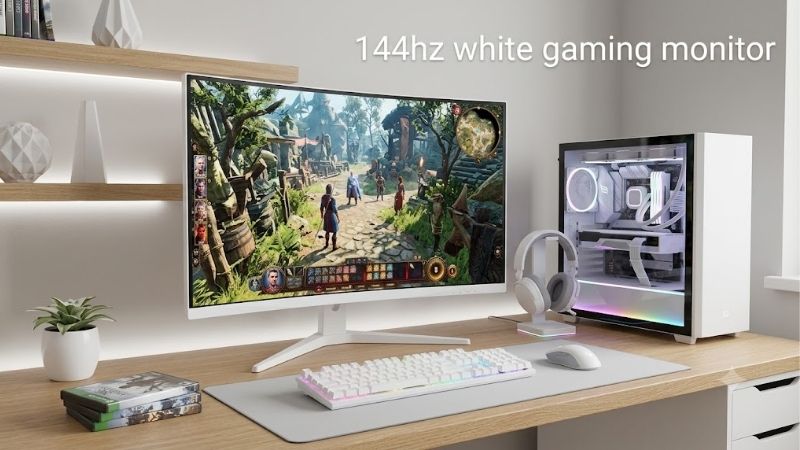
Quick verdict: Which 144Hz white gaming monitor is best?
The MSI PRO MAX 271QPHW E14 is a compelling option for buyers specifically seeking a native 144Hz white monitor. It combines a 27-inch 1440p IPS panel with AMD FreeSync, an adjustable stand, a built-in KVM function, and USB-C connectivity with up to 65W power delivery.
However, buyers who do not require exactly 144Hz may find a faster gaming-focused model more appropriate.
Here are the six recommendations:
-
MSI PRO MAX 271QPHW E14 — Best exact-144Hz option for gaming and productivity.
-
ASUS ROG Strix XG27ACS-W — Best balanced 1440p gaming choice with refresh headroom.
-
MSI MAG 274QRFW — Best for a straightforward 180Hz QHD gaming setup.
-
GIGABYTE M27QA ICE — Best for gamers switching between multiple computers.
-
Pixio PX248 Prime V2 White — Best compact Full HD gaming option.
-
Acer SA243Y P1 White — Best minimalist 23.8-inch 144Hz alternative.
The last five models are alternatives that meet or exceed the 144Hz refresh-rate requirement. They should not be mistaken for monitors with an identical native maximum refresh rate.
These recommendations concern technical suitability, not verified price rankings. Actual US prices and retailer availability need to be compared before deciding which offers the strongest value.
Quick comparison of 144Hz white gaming monitors
| Model | Screen | Resolution | Maximum refresh rate | Main advantage | Main limitation |
|---|---|---|---|---|---|
| MSI PRO MAX 271QPHW E14 | 27-inch IPS | 1440p | 144Hz | USB-C 65W and KVM | Not primarily esports-focused |
| ASUS XG27ACS-W | 27-inch Fast IPS | 1440p | 180Hz | Balanced gaming features | USB-C charging limited to 7.5W |
| MSI MAG 274QRFW | 27-inch Rapid IPS | 1440p | 180Hz | QHD high-refresh gaming | HDMI limited to 144Hz at QHD |
| GIGABYTE M27QA ICE | 27-inch IPS | 1440p | 180Hz | KVM and USB connectivity | USB-C power limited to 10W |
| Pixio PX248 Prime V2 White | 24-inch Fast IPS | 1080p | 180Hz | Compact competitive setup | Less desktop space than QHD |
| Acer SA243Y P1 White | 23.8-inch IPS | 1080p | 144Hz | Slim white design | Limited connectivity and adjustment |
Maximum refresh rates are manufacturer specifications. Actual supported modes can depend on the video input, connected device, and display configuration.
How we selected these monitors
Verified white finishes and identifiable models
A white gaming monitor should genuinely suit a white-themed setup. We prioritize models offered in identifiable white color variants rather than assuming a dark monitor has a white edition.
Model suffixes matter because products with similar names can have different refresh rates, panels, and connectivity.
For example, the MSI MAG 274QRFW is rated at 180Hz, while the MAG 274QRFW E20 is a separate 200Hz variant. This roundup specifically considers the standard MAG 274QRFW.
Refresh rate, resolution, and realistic gaming use
Every featured model supports at least 144Hz, but higher advertised refresh rates do not automatically produce better results.
Resolution determines pixel detail and GPU workload. Response behavior influences ghosting and motion clarity. Variable refresh rate compatibility helps maintain smooth presentation when frame rates fluctuate.
We evaluate these characteristics alongside ergonomics, video-input limitations, and practical desktop requirements.
This is a research-based comparison using published specifications. No unsupported claims of laboratory testing, measured input lag, or long-term ownership experience are made.
MSI PRO MAX 271QPHW E14: Best native 144Hz all-rounder
A white 144Hz gaming monitor for work and entertainment
The MSI PRO MAX 271QPHW E14 is particularly suitable for gamers who also use their monitor for productivity.
Its 27-inch IPS panel provides 2560 × 1440 resolution and a native maximum refresh rate of 144Hz. The combination offers more workspace and finer detail than conventional Full HD displays while remaining practical for many midrange gaming PCs.
MSI specifies 300-nit typical brightness, a 1500:1 contrast ratio, and AMD FreeSync technology.
The specified response times are 4ms gray-to-gray and 1ms MPRT. Those figures describe different measurements and should not be compared as though they represent identical behavior.
For players upgrading from a 60Hz monitor, the increase to 144Hz can be substantial, provided their system produces sufficiently high frame rates.
USB-C power delivery and KVM functionality
Its strongest differentiating features are the integrated KVM capability and USB-C connection with 65W power delivery.
A compatible laptop can send video through USB-C while receiving charging power. The KVM feature also allows compatible computers to share a connected keyboard and mouse.
This makes the display appealing for hybrid setups containing a personal gaming desktop and a work laptop.
The monitor provides two HDMI 2.0b inputs, DisplayPort 1.2a, USB-C, and USB hub connections. MSI specifies 1440p at up to 144Hz through HDMI, DisplayPort, and USB-C.
Its stand supports height, tilt, swivel, and pivot adjustment, while the 75 × 75mm VESA mounting pattern accommodates compatible monitor arms.
However, 65W charging may be insufficient for power-hungry gaming laptops. The product’s HDR Ready designation also does not establish advanced HDR contrast performance.
Buy if: You want exactly 144Hz, QHD resolution, white styling, and useful laptop connectivity.
Skip if: You exclusively play competitive shooters and prioritize the highest possible refresh rate.
An alternative is the ASUS XG27ACS-W, which sacrifices substantial USB-C charging capability but offers a faster 180Hz gaming panel.
ASUS ROG Strix XG27ACS-W: Best balanced QHD gaming choice
1440p clarity with additional refresh headroom
The ASUS ROG Strix XG27ACS-W is a strong alternative for buyers who search for a 144Hz display but would welcome higher refresh capability.
The monitor combines a 27-inch 2560 × 1440 Fast IPS panel with a maximum 180Hz refresh rate.
It supports Adaptive-Sync, AMD FreeSync, G-SYNC Compatible operation, and ASUS Extreme Low Motion Blur Sync.
These features address different aspects of motion presentation, although their effectiveness depends on configuration and actual panel behavior.
A manufacturer-rated 1ms gray-to-gray response time should not be interpreted as every pixel transition completing within 1ms.
The panel provides a useful balance for fast multiplayer games, single-player titles, and ordinary computer work.
DisplayPort versus HDMI refresh-rate limits
Connection selection matters with this model.
ASUS specifies up to 180Hz through DisplayPort 1.4 or USB-C DisplayPort Alternate Mode. HDMI 2.0 is specified to support up to 144Hz.
That means a buyer using a compatible HDMI connection can target 144Hz without requiring the maximum 180Hz operating mode.
The monitor also includes a headphone output, adjustable height, and 100 × 100mm VESA mounting.
USB-C delivers only 7.5W, making it unsuitable as the primary charging solution for most laptops.
The manufacturer lists DisplayHDR 400 certification, but the IPS panel’s stated typical 1000:1 contrast ratio means dark-scene presentation will differ substantially from that of a capable OLED display.
Buy if: You want 1440p gaming, a white exterior, broad adaptive-sync compatibility, and room to move beyond 144Hz.
Skip if: Your main priority is high-wattage USB-C laptop charging or deep OLED-style blacks.
MSI MAG 274QRFW: Best straightforward 180Hz QHD display
Gaming-focused features without unnecessary complexity
The MSI MAG 274QRFW offers a 27-inch Rapid IPS panel with a maximum 180Hz refresh rate and native 2560 × 1440 resolution.
It supports AMD FreeSync, has a manufacturer-stated 1ms gray-to-gray response time, and carries VESA DisplayHDR 400 certification.
MSI specifies 400-nit typical brightness, a 1000:1 typical contrast ratio, and 95% DCI-P3 color gamut coverage under its stated measurement convention.
These characteristics make it worth considering for gamers wanting a high-resolution white monitor with an emphasis on refresh rate and visual presentation.
However, a broad color gamut is not the same as verified color accuracy. Users doing color-sensitive work should consider independent calibration measurements.
The importance of model suffixes and video inputs
The standard MAG 274QRFW operates at up to 180Hz through DisplayPort 1.4a.
Its HDMI 2.0b connections support up to 144Hz at 2560 × 1440.
That difference is useful for buyers targeting a conventional 144Hz gaming configuration while maintaining the option to use a faster connection later.
The monitor offers height, swivel, pivot, and tilt adjustments and supports 75 × 75mm VESA mounting.
It does not provide the same integrated USB-C docking arrangement found on the MSI PRO MAX productivity-oriented model.
Also, shoppers should distinguish the standard 180Hz MAG 274QRFW from the MAG 274QRFW E20, a different 200Hz product.
Buy if: You primarily want a white 27-inch QHD monitor for PC gaming, without paying for features you may not use.
Skip if: You rely heavily on USB-C laptops, shared USB peripherals, or integrated KVM functionality.
GIGABYTE M27QA ICE: Best white monitor for multi-PC setups
A gaming display with productivity-friendly controls
The GIGABYTE M27QA ICE combines a 27-inch 1440p SuperSpeed IPS panel with a maximum 180Hz refresh rate.
Its standout feature is an integrated KVM switch, designed to let multiple connected devices share keyboard and mouse peripherals.
That can simplify desks where a personal gaming computer sits alongside a separate productivity machine.
GIGABYTE also specifies 95% DCI-P3 color gamut coverage, although coverage alone cannot establish professional color accuracy.
The panel’s 1440p resolution provides approximately 109 pixels per inch, making it suitable for viewing game details, desktop interfaces, and multiple document windows.
When connectivity matters more than refresh-rate differences
For a gamer splitting time between different computers, the convenience of the KVM feature may outweigh the difference between 144Hz and 180Hz.
The display includes HDMI, DisplayPort, USB-C with DisplayPort Alternate Mode, and USB connections associated with its peripheral-sharing features.
Its USB-C power delivery is limited to 10W. That is not adequate for normal charging requirements on many modern laptops.
Users should also check how KVM switching is configured, particularly when combining USB-C and HDMI or DisplayPort sources.
The M27QA ICE is not necessarily the right option for someone seeking advanced HDR performance or the lowest measurable competitive latency. Those claims would require additional independent measurements.
Buy if: You want a white QHD gaming display with a convenient way to share peripherals between computers.
Skip if: You want one USB-C cable to handle substantial laptop charging or do not need the KVM functionality.
Pixio PX248 Prime V2 White: Best compact Full HD option
Why a 24-inch gaming monitor still makes sense
The Pixio PX248 Prime V2 White offers a 24-inch-class Full HD gaming experience with a manufacturer-advertised 180Hz Fast IPS panel.
Its compact screen size can be advantageous for competitive gaming setups, particularly where players prefer keeping most of the screen within their central field of view.
At approximately 24 inches, 1920 × 1080 resolution also provides more comfortable pixel density than the same resolution spread across a 27-inch panel.
The lower resolution places less pixel-rendering demand on a graphics card compared with QHD, although frame rates still depend on CPU performance, GPU capability, and game settings.
What to consider before buying
The monitor is appropriate for users prioritizing compactness and responsive gaming over a larger desktop workspace.
It may be less suitable for simultaneous document windows, detailed creative work, or anyone who wants higher-resolution image quality.
Pixio’s US product listing identifies a white variant, but the checked listing showed it as sold out. That limits its usefulness as an immediately purchasable recommendation.
The exact currently supplied video-input revision and all supported timing combinations should be reconfirmed with the seller before purchase.
Buy if: You prefer a compact white monitor, Full HD gaming, and a refresh rate above 144Hz.
Skip if: You need 1440p clarity, more screen space, or confirmed immediate US availability.
Acer SA243Y P1 White: Best minimalist exact-144Hz option
A slim design suited to smaller desks
The Acer SA243Y P1 White is a 23.8-inch Full HD IPS monitor featuring a maximum 144Hz refresh rate.
Unlike several more gaming-oriented models, its appeal comes partly from the slim design and straightforward feature set.
Acer specifies 250-nit brightness, a 1500:1 contrast ratio, AdaptiveSync, and 99% sRGB gamut coverage.
Its 1920 × 1080 resolution is reasonable for a screen of this size and places lower demands on graphics hardware than QHD.
For lighter gaming, everyday browsing, and compact white PC setups, that combination can be practical.
Connectivity and mounting limitations
Acer’s published specification for this exact white variant lists HDMI and VGA connections.
HDMI supports Full HD at up to 144Hz, while the VGA connection is limited to 75Hz at the same resolution.
The monitor supports tilt adjustment and 100 × 100mm VESA mounting, but the included stand does not provide height adjustment.
It also lacks built-in speakers.
The manufacturer’s listing was verified through Acer’s Singapore store, so US distribution and retailer availability remain unconfirmed. Singapore warranty terms should not be assumed to apply in the United States.
Buy if: You want a simple 23.8-inch white IPS display offering a genuine 144Hz refresh rate over HDMI.
Skip if: You require DisplayPort, a fully adjustable stand, integrated speakers, or confirmed US support.
Buying guide: Choosing the right white gaming display
Is 144Hz enough for modern PC gaming?
For many gamers, 144Hz provides an effective balance between smoothness and hardware requirements.
A 144Hz display refreshes approximately every 6.94 milliseconds, while a 60Hz display refreshes approximately every 16.67 milliseconds.
The resulting improvement in available frame updates can make mouse movement, camera rotation, and rapid gameplay feel more responsive.
However, a monitor cannot create additional rendered game frames on its own. If a game runs at 70 FPS, buying a 180Hz monitor will not automatically make it run at 180 FPS.
Higher refresh rates also provide diminishing returns when measured by refresh interval.
| Refresh rate | Time between refreshes |
|---|---|
| 60Hz | 16.67ms |
| 120Hz | 8.33ms |
| 144Hz | 6.94ms |
| 165Hz | 6.06ms |
| 180Hz | 5.56ms |
| 240Hz | 4.17ms |
These are theoretical intervals, not measured monitor latency or complete pixel response times.
For gaming systems capable of sustaining 100–160 FPS, a 144Hz-class monitor can be a sensible target.
Should you choose 1080p or 1440p?
Resolution affects both clarity and graphics processing demand.
At Full HD, a monitor displays approximately 2.07 million pixels. At QHD, that increases to approximately 3.69 million pixels.
That is roughly 78% more pixels for the GPU to render at QHD, before considering other performance variables.
A 24-inch Full HD monitor offers approximately 92 pixels per inch, while a 27-inch QHD monitor offers about 109 pixels per inch.
QHD is generally preferable for detailed desktop work and games with fine textures, assuming the graphics card can sustain acceptable performance.
Full HD remains practical for less powerful systems and players prioritizing frame rates.
Does IPS guarantee fast gaming performance?
No. IPS describes a category of LCD panel technology, not a specific measured response-time result.
Two IPS monitors can behave differently because of their panel design, overdrive settings, and refresh-rate tuning.
A manufacturer may advertise a 1ms response time under particular conditions that do not represent typical performance.
Overshoot is another consideration. Aggressive pixel overdrive can introduce visible inverse ghosting, even when nominal transition times become shorter.
Where available, independent response-time testing across different refresh rates is more informative than relying only on the fastest advertised figure.
Why Adaptive-Sync matters
Variable refresh rate technology allows compatible monitors to synchronize their refresh behavior with the frame delivery of a connected graphics system.
This can reduce visible tearing and certain forms of stuttering when game frame rates fluctuate.
AMD FreeSync and G-SYNC Compatible terminology may appear on different models, but the exact supported operating range and certification status are model-specific.
For example, the MSI PRO MAX 271QPHW E14 specifies a FreeSync operating range of 48–144Hz.
Buyers should confirm that their graphics card, cable, connection, and display settings support the desired combination.
Choose the right video connection
DisplayPort and HDMI do not necessarily provide identical maximum operating modes on a monitor.
Several 180Hz QHD models support only 144Hz at QHD through their HDMI inputs.
That is not necessarily a disadvantage for someone specifically targeting 144Hz, but it matters when seeking the maximum refresh rate.
USB-C also deserves careful attention. Some monitors provide video input without substantial power delivery.
A 7.5W or 10W USB-C connection should not be treated like a 65W laptop charging connection.
Before buying, check the exact port specifications for both the monitor and computer.
Match the monitor to your white setup
White gaming monitors can have different combinations of white rear panels, stands, accents, and front bezels.
A product marketed as white may still use dark borders around the display panel.
Check official product photographs from multiple angles if visual consistency matters.
For dual-monitor setups, also confirm compatible stand heights, screen dimensions, VESA mounting patterns, and external arm clearance.
Two monitors from different manufacturers may appear similar in marketing images but use noticeably different shades of white.
Frequently asked questions about 144Hz white monitors
Can a 180Hz white gaming monitor run at 144Hz?
Generally, yes, provided the monitor and connected device support a compatible 144Hz display timing.
Many 180Hz monitors specifically list 144Hz support through HDMI.
The exact supported modes should be checked in the product’s official specifications or timing table.
Is a 144Hz white monitor good for competitive FPS games?
Yes. A properly configured 144Hz display can provide responsive gameplay in competitive titles such as Counter-Strike 2, Valorant, and Overwatch 2.
Players pursuing the highest possible refresh rates may prefer faster displays, but pixel response, frame-rate consistency, and system latency remain important.
Do white gaming monitors perform differently from black ones?
Not because of their exterior color.
When two color variants share identical internal hardware and firmware, their fundamental performance should be similar.
However, product variants sometimes differ in specifications, so matching the exact model code is important.
Is a 27-inch 144Hz monitor better than a 24-inch model?
Neither size is universally better.
A 27-inch QHD display offers more detailed desktop space, while a 24-inch Full HD monitor may better suit compact desks and less powerful gaming systems.
Viewing distance and intended use influence the choice.
Can a 144Hz monitor work with a PS5 or Xbox Series X?
A compatible monitor can work with these consoles, but their high-refresh gaming output typically targets up to 120Hz rather than 144Hz.
Console compatibility depends on HDMI capabilities, supported resolutions, VRR implementation, and accepted display timings.
The presence of a 144Hz label alone does not establish full console feature compatibility.
Should I prioritize refresh rate or resolution?
Choose based on the games you play most.
For competitive multiplayer titles, frame rate and motion clarity may be more important. For story-driven games and general productivity, higher resolution can provide greater everyday benefits.
A 27-inch QHD monitor operating at 144–180Hz offers a practical compromise for many gaming desktops.
Final verdict: Which white gaming monitor should you buy?
The MSI PRO MAX 271QPHW E14 is an appealing choice for shoppers who specifically want a native 144Hz white monitor that can handle gaming, laptop use, and everyday productivity.
For a more gaming-focused 1440p experience, the ASUS ROG Strix XG27ACS-W and MSI MAG 274QRFW provide additional refresh-rate headroom. The GIGABYTE M27QA ICE is particularly attractive when shared peripherals and multi-computer operation are important.
Gamers preferring compact Full HD screens should consider the Pixio PX248 Prime V2 White or Acer SA243Y P1 White, subject to regional availability.
Ultimately, the best choice is the display whose resolution, refresh-rate support, video inputs, and physical design fit your actual setup. A suitable 144Hz monitor can remain useful for years without requiring the highest refresh rate advertised on the market.









