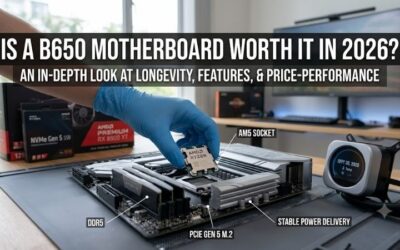
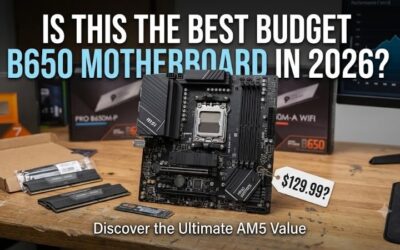
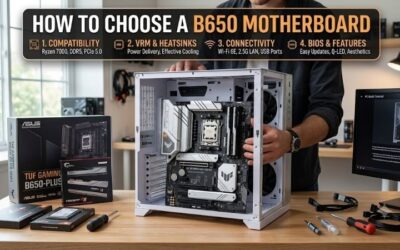
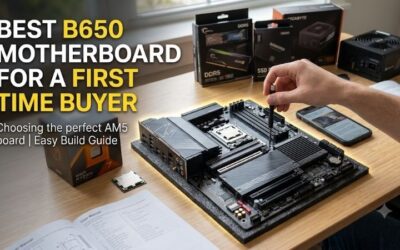
What to look for in a b650 motherboard becomes clearer when you compare compatibility instead of marketing claims. Your chosen board might support your processor yet lack sufficient storage connections or expansion space. This guide explains the practical differences that determine whether a motherboard suits your planned build.
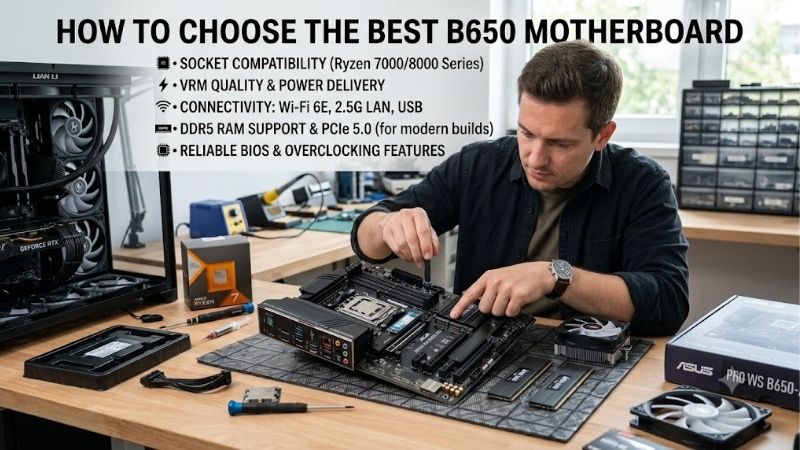
How to Choose a B650 Motherboard
Understanding what to look for in a b650 motherboard requires checking processor support, physical dimensions, storage bandwidth, and peripheral connections. These four criteria distinguish the recommendations below. Each selection serves a different build, helping you prioritize useful features before comparing current prices.
Processor Support and VRM Cooling
Processor compatibility depends on the exact Ryzen model and installed firmware, not simply the AM5 socket. Check the manufacturer’s processor support table for the required BIOS version. Older inventory may need updating before startup. All four recommendations include firmware flashing without an already functioning processor.
When assessing what to look for in a b650 motherboard, examine voltage-regulator cooling alongside compatibility. Extended rendering workloads create different demands than occasional gaming sessions. Advertised phase counts cannot establish sustained temperatures. Consider the MSI MAG B650 TOMAHAWK WIFI for its substantial VRM heatsinks.
Case Dimensions and Memory Planning
Physical dimensions determine case compatibility and expansion flexibility. ATX provides additional layout space, while micro-ATX fits smaller enclosures and retains four memory sockets. Mini-ITX prioritizes compact dimensions over additional expansion slots. Confirm motherboard support against your enclosure’s specifications.
Memory planning matters when deciding what to look for in a b650 motherboard: DDR4 cannot transfer into these DDR5 boards. Choose the ASRock B650M Pro RS WiFi for four memory sockets in micro-ATX, or the ASRock B650I Lightning WiFi for Mini-ITX dimensions. Choose Lightning when compact dimensions outweigh room for extra expansion.
M.2 Storage and Expansion Bandwidth
Storage planning requires checking M.2 connections rather than counting sockets alone. Their supported bandwidth can differ, and processor selection sometimes changes availability. PCIe 5.0 storage benefits large transfer workloads, but its presence does not establish faster gaming. Compare specifications against your intended drives.
Graphics bandwidth and storage bandwidth are separate specifications. PCIe 5.0 SSD support does not guarantee a matching graphics connection, and processor-dependent restrictions require attention. For three M.2 sockets and a Gen5 storage option with compatible processors, shortlist the GIGABYTE B650 AORUS ELITE AX V2 for your ATX build.
USB, Networking, and Cooling Connections
Peripheral connectivity includes rear USB connections, internal case headers, networking, and cooling connections. USB-C describes connector shape without guaranteeing transfer speed or display capability. Compare individual specifications rather than connector appearance. Wi-Fi 6E requires a compatible router to access its 6GHz spectrum.
When reviewing what to look for in a b650 motherboard, match peripherals with available connections before purchasing. External storage, microphones, webcams, and cooling equipment have different requirements. Adapters increase total cost and consume space. Choose the MSI MAG B650 TOMAHAWK WIFI when a rear 20Gbps USB-C connection is valuable.
Top Picks
These recommendations translate what to look for in a b650 motherboard into distinct choices for general ATX builds, compact value, Gen5 storage, and Mini-ITX systems. Their rankings reflect specifications and tradeoffs rather than hands-on benchmarking. Compare listings, exact model identifiers, and seller terms before purchasing.
| Product | Best For | Key Spec | Watch Out For |
|---|---|---|---|
| MSI MAG B650 TOMAHAWK WIFI | Best Overall | Three Gen4 M.2 sockets; six SATA ports | No Gen5 M.2; M2_3 shares bandwidth with PCI_E2 |
| ASRock B650M Pro RS WiFi | Best Value | Micro-ATX; four DDR5 sockets; Gen5 primary M.2 | Third M.2 is Gen4 x2; front USB-C is 5Gbps |
| GIGABYTE B650 AORUS ELITE AX V2 | Best For Gen5 Storage | Gen5 primary M.2 with compatible CPUs; 20Gbps front USB-C header | Secondary PCIe slots run at Gen3 x1 |
| ASRock B650I Lightning WiFi | Best For Mini-ITX Builds | 17 × 17cm; two M.2 sockets | Two SATA ports; discontinued model |
MSI MAG B650 TOMAHAWK WIFI: Best Overall
The MSI MAG B650 TOMAHAWK WIFI earns Best Overall for ATX buyers prioritizing versatile connectivity. Three PCIe 4.0 x4 M.2 sockets and six SATA connections accommodate substantial storage expansion. Wi-Fi 6E and 2.5GbE provide networking flexibility, while rear 20Gbps USB-C supports compatible external storage without relying on case headers.
Its principal limitation is missing PCIe 5.0 storage support, making other selections preferable for Gen5 SSD workloads. MSI specifies bandwidth sharing between M2_3 and PCI_E2: simultaneous installation reduces both connections to x2. Choose this motherboard for its USB connections, while accounting for that expansion restriction.
ASRock B650M Pro RS WiFi: Best Value
The ASRock B650M Pro RS WiFi earns Best Value when its selling price undercuts comparable ATX options. Its micro-ATX dimensions retain four DDR5 sockets, Wi-Fi 6E, and 2.5GbE networking. Three M.2 connections accommodate multiple drives, including a primary socket supporting PCIe 5.0 x4 with a compatible processor configuration.
Its third M.2 connection supports PCIe 4.0 x2 rather than x4, restricting peak bandwidth for sufficiently fast drives. The internal front USB-C header additionally supports only 5Gbps transfers. Those compromises matter for frequent external backups, but can be acceptable when the purchase saving funds additional memory capacity or storage space.
GIGABYTE B650 AORUS ELITE AX V2: Best For Gen5 Storage
The GIGABYTE B650 AORUS ELITE AX V2 earns Best For Gen5 Storage in an ATX system. Its three M.2 connections include a PCIe 5.0 x4 socket with Ryzen 7000 or 9000 processors. A 20Gbps front USB-C header complements compatible enclosures, providing useful flexibility for large-file workflows involving internal drives and external storage.
Its two secondary full-length PCIe slots operate at PCIe 3.0 x1, limiting expansion cards requiring greater bandwidth. Verify capture-card and network-card requirements before assuming physical fit means sufficient bandwidth. Purchase the exact V2 model, since similar AORUS identifiers can conceal different layouts and port specifications.
ASRock B650I Lightning WiFi: Best For Mini-ITX Builds
The ASRock B650I Lightning WiFi earns Best For Mini-ITX Builds requiring a 17cm-square motherboard. Two DDR5 sockets, Wi-Fi 6E, and 2.5GbE provide essential connectivity within compact dimensions. Its Gen5 and Gen4 M.2 connections accommodate separate system and storage drives without occupying the single graphics expansion slot.
Compact dimensions impose expansion compromises: only two SATA connections and no spare PCIe slot remain after GPU installation. ASRock also identifies this motherboard as discontinued since November 2025. Consider remaining inventory only after checking warranty coverage, available support, and pricing against newer Mini-ITX alternatives.
Frequently Asked Questions
Questions about what to look for in a b650 motherboard usually concern compatibility, upgrades, and unnecessary spending. These answers address processor support, graphics bandwidth, memory selection, and purchase priorities. Board manuals remain essential for exceptions because chipset branding cannot describe every connection.
Does B650 Support Ryzen 9000 Processors?
Yes, many B650 motherboards support Ryzen 9000 processors, including these four recommendations, provided their firmware supports the specific model. Consult the CPU support table for the minimum required BIOS version. Socket compatibility alone cannot establish startup support, especially with newer CPUs or older retail inventory.
If updating is required, follow the manufacturer’s flashback procedure using the specified firmware file, USB format, and designated connection. Maintain uninterrupted power until completion. Firmware recovery belongs in what to look for in a b650 motherboard because compatible older inventory may otherwise require another processor before startup.
Do I Need PCIe 5.0 For My Graphics Card?
No, PCIe 5.0 graphics support is unnecessary for compatibility with newer graphics cards. PCIe backward compatibility allows those cards to operate through Gen4 connections. Performance differences depend on graphics-card lane width and workload, so avoid assuming every GPU configuration experiences identical bandwidth limitations.
All four recommendations provide Gen4 graphics connections; buyers requiring Gen5 graphics should choose another motherboard. Processor restrictions also matter because certain Ryzen 8000 models expose fewer graphics lanes. A physically full-length expansion socket does not establish a full x16 connection with every compatible processor.
Is DDR5-6000 Required For a B650 Motherboard?
No, DDR5-6000 is not mandatory, and advertised overclocked memory speeds are not universal guarantees. EXPO profiles simplify configuration, but stability depends on CPU memory-controller capability, firmware, module configuration, and capacity. Prioritize sufficient memory capacity before pursuing higher frequencies for your system.
A matched two-module 32GB configuration is a practical starting point for many gaming systems, while demanding projects may justify greater capacity. Consult the board’s memory compatibility list for your exact kit where possible. If profile settings produce instability, restore default parameters before attempting frequency adjustments.
How Much Should I Spend on a B650 Motherboard?
Spend more when additional features satisfy actual needs, such as enough SATA connections, faster external-storage access, or suitable expansion bandwidth. Higher board prices alone do not guarantee higher frame rates. After compatibility and connectivity requirements are satisfied, consider improvements elsewhere in your build budget.
Compare total ownership cost, including adapters or controllers needed to fill missing connections. Review return policies when purchasing older inventory. A newer AM5 alternative deserves consideration when pricing and features compare favorably. Choose B650 because the board meets your requirements at a worthwhile price.
Final Thoughts
Knowing what to look for in a b650 motherboard means matching components with documented capabilities. Choose Tomahawk for connectivity, Pro RS WiFi for compact value, AORUS ELITE AX V2 for ATX Gen5 storage, or Lightning WiFi for Mini-ITX dimensions. Confirm firmware compatibility and seller terms before paying for features your system cannot use.
Thông số sản phẩm được đối chiếu với tài liệu hãng. vn.msi.com