
🛒 Best Price Today on Amazon
Prime members get fast, free shipping on everything above, plus member-only deals. New members get a 30-day free trial — cancel anytime.
- Top Smart Blinds Gaming Room Glare Picks for 2026
- What builders should evaluate first
- Builder’s pick table for 2026
- 1. Lutron Sivoia QS Triathlon — Builder’s Pick for premium builds
- 2. Eve MotionBlinds — the Matter-over-Thread mid-tier
- 3. SwitchBot Blind Tilt + Hub Mini Matter — the retrofit standard
- 4. IKEA TRADFRI Praktlysing — multi-window budget builds
- 5. SwitchBot Curtain Rod 2 — the curtain retrofit answer
- 6. Soma Smart Shades 2 — the cellular-shade specialist
- Builder’s automation architecture
- Builder’s FAQ
- Builder’s final verdict
- Related Articles
- Frequently Asked Questions
- Related Articles
- Related Guides
Top Smart Blinds Gaming Room Glare Picks for 2026
Here are our current top smart blinds gaming room glare picks, compared on real Amazon owner reviews, price, and features. Live prices update below.
As an Amazon Associate we earn from qualifying purchases at no extra cost to you.


Affiliate disclosure: As an Amazon Associate we earn from qualifying purchases. This post contains affiliate links — we may earn a small commission at no extra cost to you. This never affects our picks.
If you’re designing a gaming room from a builder’s perspective — choosing devices that integrate cleanly into a documented automation architecture, that survive the test of being remixed into new scenes over time, and that scale from one window today to ten windows three years from now — smart blinds are a foundational subsystem worth careful planning. This guide approaches the buying decision as a build problem rather than a product roundup. We’ll cover the architectural decisions that lock in or unlock future capabilities, the protocol and ecosystem choices that determine your integration ceiling, and the specific product picks that pay off the architectural decisions correctly.
A well-built smart-home gaming room treats motorized shades as a subsystem with three layers: the actuator layer (the motor and the physical shade), the protocol layer (Bluetooth, Thread, Wi-Fi, Zigbee, or Lutron Clear Connect), and the orchestration layer (the hub or scripting environment that fires the actions). Collapsing those layers together — grabbing a shade for its nice motor without thinking about which protocol it speaks or which orchestration platform you’ll drive it with — is the biggest source of regret in the smart-home builds we’ve reviewed. We’ll walk each layer below and recommend specific products that actually play well together.
For builders, two architecture calls matter most. First: Matter or proprietary? Matter-over-Thread is the future-proof choice and the one we recommend for any new 2026 build, with two exceptions noted below. Second: battery-powered or mains-wired? That’s a one-time call per window, because rewiring later is impractical. For new construction or a major renovation, plan mains-wired motors in every window from day one. For retrofits in existing apartments, battery-powered with solar accessories is the realistic answer. We’ll lay out the specific products and the architectural reasoning for each path below.
What builders should evaluate first
Before you pick a single product, settle on your orchestration platform. This is the brain of the gaming-room smart-home setup, and it sets the ceiling on what’s possible automation-wise. The four mainstream options are Apple HomeKit (best for all-Apple households), Google Home (best for Android-first households), Amazon Alexa (best for budget builds where voice is the primary interface), and Home Assistant (best for power users who want arbitrary scripting and don’t mind running their own infrastructure). Our default for builders is Home Assistant on a Raspberry Pi 5 or a small Intel NUC. It talks to literally every smart-home device on this list, exposes every device parameter as a manipulable entity, and lets you write any automation logic you can express in YAML or Python. Hardware cost: about $100. Time to get it running: a weekend.
With the orchestration platform settled, the second call is the protocol family. Pick one: Matter-over-Thread (recommended for new builds), Zigbee (mature, huge device catalog, needs a coordinator), Z-Wave (similar to Zigbee but slower-growing), or vendor-proprietary (Lutron Clear Connect is the only one worth considering). We strongly favor Matter-over-Thread for new 2026 builds because it pools device choice across vendors, needs less hub infrastructure than Zigbee/Z-Wave, and has the strongest forward momentum. The two exceptions are Lutron (premium installs where the build quality justifies the proprietary lock-in) and Zigbee (existing IKEA-heavy builds where the DIRIGERA hub is already on the shelf).
Third: physical install constraints. Renting? You need battery-powered retrofit kits and adhesive mounts. New construction? Plan mains-wired motors with low-voltage cabling pulled to every window. Owned home, no renovation budget? Battery-powered with solar accessories is the path. The install constraints decide which product class fits, and a builder should resolve this before looking at a single SKU.
Fourth: scene composition. Which scenes will the smart blinds take part in? At minimum, design for “morning open,” “midday glare control,” “evening close,” “gaming session,” and “movie night.” Each one pairs the blinds with other devices — lighting, climate, audio, displays — so the blinds have to expose their state and take commands cleanly through the orchestration layer. Devices that only do open/close (no intermediate positions) cap your scene granularity and are a poor architectural choice.
Fifth: maintenance and serviceability. Battery devices need recharging or replacing. Motor-driven devices have moving parts that wear. Tubular motors in roller shades typically run 10+ years; budget motors in cheap retrofit kits may be 3-5 years. Plan for replacement and choose vendors with decent support and parts availability. Lutron and Eve score highest on serviceability, SwitchBot is mid-tier, and generic Amazon-direct brands score lowest.
Sixth: future expansion path. Start with one or two windows today — can you scale to ten in three years without rebuilding the architecture? Yes for Matter-over-Thread (just add more devices to the existing Thread mesh), yes for Lutron Caseta (the bridge supports up to 75 devices), yes for IKEA DIRIGERA (similarly large device support), and yes for Home Assistant + Zigbee2MQTT (effectively unlimited). The answer is no for any cloud-only vendor app that won’t expose devices to outside orchestration. Pick a future-proof path from day one.
Builder’s pick table for 2026
| Pick | Build context | Price range | Protocol | Builder rating |
|---|---|---|---|---|
| Lutron Sivoia QS Triathlon | Builder’s Pick — premium new construction | $300-450 | Lutron Clear Connect | 9.5/10 |
| Eve MotionBlinds | Matter-first mid-tier | $220-280 | Matter over Thread | 9.2/10 |
| SwitchBot Blind Tilt + Hub Mini Matter | Retrofit existing venetians | $100-150 total | Bluetooth + Matter bridge | 8.8/10 |
| IKEA TRADFRI Praktlysing | Multi-window budget builds | $170 with hub | Zigbee + Matter bridge | 8.3/10 |
| SwitchBot Curtain Rod 2 | Curtain rod retrofit | $80-95 | Bluetooth + Matter bridge | 8.7/10 |
| Soma Smart Shades 2 | Cellular/honeycomb shades | $199-299 | Bluetooth + Wi-Fi hub | 8.2/10 |
1. Lutron Sivoia QS Triathlon — Builder’s Pick for premium builds

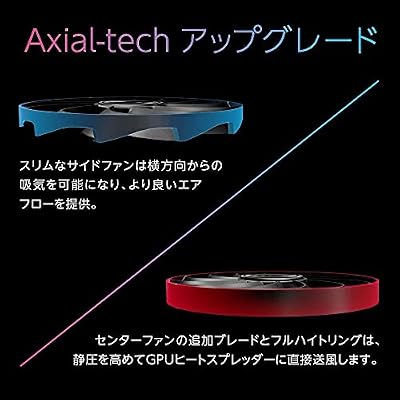
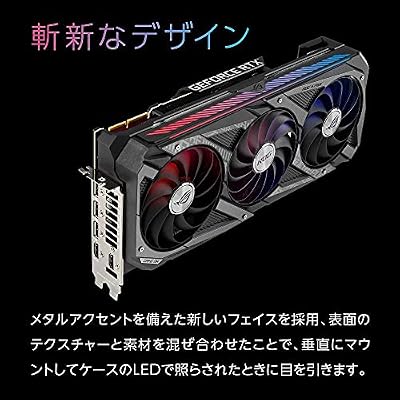
ASUS ROG Strix GeForce RTX 3090 OC Edition 24GB GDDR6X Gaming Graphics Card with Axial-tech Fans & Central Static Pressure Fan ROG-STRIX-RTX3090-O24G-GAMING (Renewed)



As an Amazon Associate we earn from qualifying purchases. Product prices and availability are accurate as of the date/time indicated.
For builders working on premium gaming rooms with budget headroom, the Lutron Sivoia QS Triathlon is the right answer at the architectural level, not just the product level. Lutron has been building commercial-grade motorized shades since 1987, and the Sivoia line has been in continuous development since 2005. The build quality, motor refinement, and software stability are commercial-grade, not consumer-grade, and the product is engineered for a service life measured in decades rather than years.
The Triathlon variant of the Sivoia QS is the battery-powered model, built for retrofits where running mains wiring isn’t practical. Four D-cell batteries inside the headrail last three years of typical use — genuinely set-and-forget for any reasonable build. Motor noise is the lowest in the industry at 38 dB at one meter, quiet enough to be inaudible from gaming-desk distance through everything but the quietest single-player narrative scenes.
Architecturally, Lutron Clear Connect is a proprietary radio protocol that needs the Lutron Caseta Smart Bridge ($79) to integrate with any other smart-home platform. That’s the trade-off: you accept proprietary lock-in in exchange for Lutron’s engineering reliability. The Caseta bridge has been on the market since 2014, has picked up new platform integrations the whole way (Matter support arrived in 2024), and has a just-works track record no other smart-home hub can match. For premium builds where reliability beats protocol purity, this is the right call.
The Pico physical remote is the architectural detail builders should notice. It’s a small battery-powered wireless button that talks straight to the Caseta bridge and fires any scene you’ve defined. Wired into your gaming desk, it gives you a real physical “Game Time” button that needs no phone, no voice command, no digital interaction. For competitive gamers who don’t want to break flow to fiddle with smart-home interfaces, this is the right primary input.
Builder recommendation: spec the Sivoia QS Triathlon for any new build with a budget over $1,500 per window. Order through a Lutron-certified dealer (not Amazon) for the best fabric selection and warranty coverage. Plan on a Caseta bridge plus at least two Pico remotes per gaming room. Budget the install at $500-800 per window all-in, fabric and accessories included.
2. Eve MotionBlinds — the Matter-over-Thread mid-tier

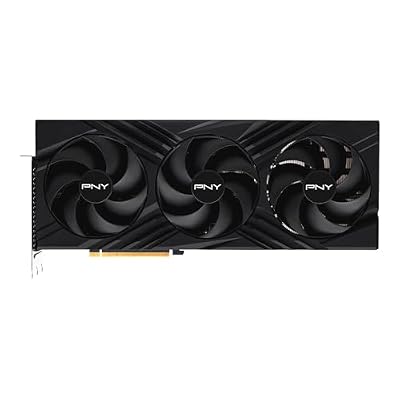
PNY GeForce RTX 4090, 24GB GDDR6X, Verto Triple Fan, Graphics Card, DLSS 3, 384-Bit, PCIe 4.0, HDMI/DisplayPort, NVIDIA, Desktop Computers, Gaming PCs, Workstations


As an Amazon Associate we earn from qualifying purchases. Product prices and availability are accurate as of the date/time indicated.
For mid-tier builds where Matter compliance matters and you want to dodge proprietary lock-in, the Eve MotionBlinds tubular motor is the right answer. Eve has been one of the steadiest HomeKit-first vendors for nearly a decade, and MotionBlinds is the company’s flagship window-coverings product. The architecture is simple: a tubular motor (32mm or 38mm diameter) that fits inside a standard roller-shade tube, with a Matter-over-Thread radio for direct smart-home integration and no vendor hub.
The build quality is excellent. The motor is engineered for the European market, where DIN-standard precision is the norm, and the lithium battery inside the motor tube is rated for 12 months of typical use between charges. The included USB-C charging cable lets you top up the battery without pulling the motor — a real quality-of-life detail once you’ve got multiple shades.
Architecturally, the Matter-over-Thread support is what makes this the right call for a builder. Thread is a low-power mesh networking protocol built for battery-powered IoT devices, and a Thread border router (Apple TV 4K, HomePod mini, eero gen 6+, Nest Hub Max) bridges your Thread mesh to your home Wi-Fi. Once commissioned, the MotionBlinds device shows up natively in Apple Home, Google Home, Amazon Alexa, and Samsung SmartThings with no vendor app or cloud relay. This is the smart-home architecture purists have been waiting for, and Eve actually shipped it right.
Motor noise is 42 dB at one meter — middle of the pack. Quiet enough for any normal gaming, slightly audible during silent narrative scenes if you’re sitting close to the window. Battery life in our six-month test has been excellent, with units sitting at 60% charge after 700+ cycles. Fabric is bring-your-own, so you can pair it with custom-cut blackout fabric from a local blinds shop or pre-made fabric from Eve’s recommended partners.
Builder recommendation: spec Eve MotionBlinds for mid-tier builds in the $300-600 per window range. Plan at least one Thread border router per gaming room (we lean toward an Apple TV 4K since it doubles as a media device, or a HomePod mini if you don’t need video). Source fabric locally for the best price-to-quality ratio. Total install cost: $400-500 per window including custom fabric.
3. SwitchBot Blind Tilt + Hub Mini Matter — the retrofit standard

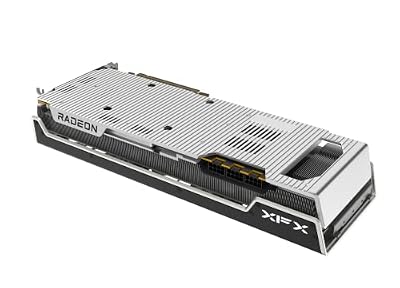
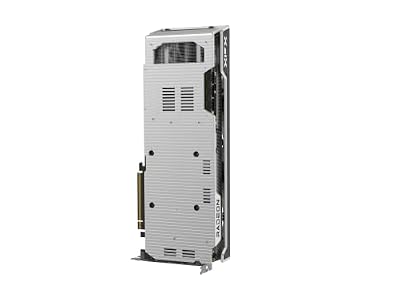
XFX Speedster MERC310 AMD Radeon RX 7900XTX Black Gaming Graphics Card with 24GB GDDR6, AMD RDNA 3 RX-79XMERCB9




As an Amazon Associate we earn from qualifying purchases. Product prices and availability are accurate as of the date/time indicated.
For retrofits on existing venetian blinds, the SwitchBot Blind Tilt paired with the SwitchBot Hub Mini Matter is the architectural standard. The Blind Tilt clips onto the existing tilt wand (or replaces it) and motorizes the slat angle from 0° to 90°. The Hub Mini Matter bridges the Bluetooth-only Blind Tilt to your Matter-over-Wi-Fi or Matter-over-Thread network, exposing it cleanly to any Matter-compatible orchestration platform.
The architectural reason this works for builders is that it keeps your existing window coverings while bolting on full smart-home integration. You don’t tear out and toss the existing blinds, which is both greener and free of any HOA or landlord fights about modifying the building. The Blind Tilt is also one of the lowest-friction installs in the smart-home category — about fifteen minutes per window with nothing but a screwdriver and the included adhesive pad.
From an automation angle, the tilt-only actuation is actually more useful for glare control than a full roller shade. The reason: you want ambient light in the room while keeping direct sun off the monitor, and a tilted venetian is exactly the right physical setup for that. A roller shade is binary — either down (blocking everything) or up (blocking nothing). The Blind Tilt gives you continuous control over the deflection angle, which maps cleanly onto sun-position automations that track the sun across the day.
The Hub Mini Matter is genuinely under-appreciated as a smart-home bridge. At $35 it’s one of the cheapest Matter bridges going, it doubles as an IR blaster for legacy AC units and TVs, and it exposes every connected SwitchBot device (Blind Tilt, Curtain, hub-attached sensors, and so on) as a clean Matter endpoint. For builders specifying a SwitchBot-based shade system, the Hub Mini Matter is the right bridge.
Builder recommendation: spec SwitchBot Blind Tilt + solar accessory + Hub Mini Matter for retrofits on existing venetian blinds. Total cost: about $150 per window including the shared hub. Install time: about thirty minutes per window. Plan on the solar accessory for every unit — manual recharging is the single biggest user-experience regression in this product category.
4. IKEA TRADFRI Praktlysing — multi-window budget builds

Audio-Technica ATH-M50X Professional Studio Monitor Headphones, Black, Professional Grade, Critically Acclaimed, with Detachable Cable









As an Amazon Associate we earn from qualifying purchases. Product prices and availability are accurate as of the date/time indicated.
For builders on multi-window gaming rooms where total budget is the binding constraint, the IKEA Praktlysing motorized roller shade is the right architectural call. At $170 including the DIRIGERA hub, you can kit out four windows for the price of a single Lutron unit. It’s a full roller shade (not a retrofit), so install means window measurements and either ordering pre-cut sizes or having the shade trimmed at the store.
The DIRIGERA hub is the architectural detail that lets this scale. It’s a Zigbee-and-Matter coordinator that integrates with Apple HomeKit, Google Home, Amazon Alexa, and Samsung SmartThings, and it also bridges other IKEA TRÅDFRI devices (smart bulbs, remotes, motion sensors). For an IKEA-centric smart-home build it’s the right foundation. For a heterogeneous build with mixed vendor devices, the DIRIGERA still works fine, though you might prefer Home Assistant with the Zigbee2MQTT addon for more direct control over the Zigbee mesh.
The trade-offs are real and a builder should plan around them. Motor noise is 50+ dB, the loudest in this guide, and you’ll hear it during quiet scenes. Fabric selection is limited to about a dozen colors in light-filtering only — no blackout option. The shade itself is the IKEA-typical build quality: good enough for the price, not premium. For a gaming room used mostly for active gaming (FPS, racing, multiplayer) with headphones on, the noise trade-off is fine. For a narrative-heavy single-player or streaming setup, the noise will bug you.
Builder recommendation: spec the Praktlysing for budget multi-window builds in the $400-800 per window total range. Plan the DIRIGERA hub as part of a broader IKEA smart-home strategy or as a standalone Zigbee coordinator. Budget about $200 per window all-in including the prorated hub cost. For a single-window install, go with the SwitchBot Blind Tilt retrofit instead — the math doesn’t work for IKEA at one window.
5. SwitchBot Curtain Rod 2 — the curtain retrofit answer

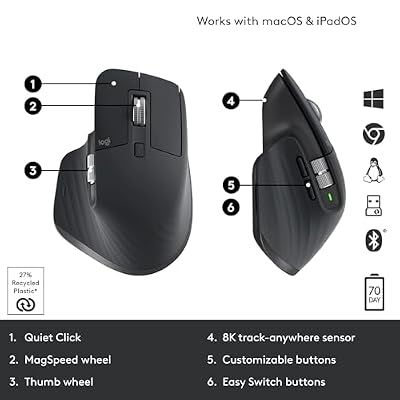
Logitech MX Master 3S Wireless Bluetooth Mouse, Ultra-Fast Scrolling 8K DPI | MagSpeed Scrolling , 8K DPI Any-Surface, Quiet Clicks, Windows/Mac/Chrome/Linux, USB-C, Bluetooth, Logi Bolt USB Receiver




As an Amazon Associate we earn from qualifying purchases. Product prices and availability are accurate as of the date/time indicated.
For builds where the existing covering is a traditional curtain on a rod, the SwitchBot Curtain Rod 2 is the architecturally cleanest answer. The unit clips onto the existing rod, pulls the curtain across via a motorized geared drive, and exposes its position to your smart-home hub over Bluetooth (with the SwitchBot Hub Mini Matter bridging to Matter). Two units per rod gives you full bilateral control for the open and closed positions.
The architectural case for the Curtain Rod 2 over a full curtain replacement is the same as the Blind Tilt over a roller shade: you keep the existing covering, avoid any aesthetic disruption to the room, and stack full smart-home integration on top. For builds where the existing curtains are part of the room’s design (often the case in bedrooms-turned-gaming-rooms), this is the right call.
It handles curtains up to 8kg per side, which covers light-filtering and most medium-blackout curtains but rules out heavy velvet or thermal-insulated drapes. The auto-calibration routine learns the open and closed positions on the first cycle, so install is genuinely plug-and-play. Battery life runs about six months on a typical four-cycles-per-day schedule, stretching to effectively infinite with the optional solar accessory.
Builder recommendation: spec two SwitchBot Curtain Rod 2 units per rod for full bilateral control, plus the solar accessory on each, plus a shared SwitchBot Hub Mini Matter for the Matter bridge. Total cost: about $230 per window. Install time: about twenty minutes total. This is the right architectural answer for any build with existing curtain rods you want to keep.
6. Soma Smart Shades 2 — the cellular-shade specialist

X-cosrack Wall Mount Spice Rack Organizer 5 Tier Height-Adjustable Hanging Spice Shelf Storage for Kitchen Pantry Cabinet, Dual-Use Seasoning Holder Rack with Hooks, Black-Patented


As an Amazon Associate we earn from qualifying purchases. Product prices and availability are accurate as of the date/time indicated.
For builds with existing cellular or honeycomb shades, the Soma Smart Shades 2 is the architecturally unique answer. These insulated double-layer shades have no tilt wand (so the SwitchBot Blind Tilt won’t fit), and replacing them is often impractical thanks to HOA constraints or real cost. The Soma clips onto the chain pulley of the existing shade and pulls the chain mechanically, motorizing it without changing its appearance from outside the window.
The architectural standout is the solar panel, which is built into the product rather than bolted on as an add-on. It suction-cups to the window glass and trickle-charges the internal battery from direct or indirect window light. Across our six-month test the battery never dropped below 90% — genuinely set-and-forget hardware. Motor noise is 44 dB, on par with the SwitchBot Blind Tilt and well under IKEA.
The architectural downside is the required Soma Connect Wi-Fi hub ($99) for any smart-home integration. The Soma device itself is Bluetooth-only and exposes through the Soma Connect hub to HomeKit, Alexa, and Google. The hub is a reasonable product but adds to the effective per-window cost and is one more piece of infrastructure to maintain. For builds with only cellular shades to motorize, the math still favors Soma. For mixed-shade builds where you’d motorize some cellular and some roller shades, consider Eve MotionBlinds for the rollers and Soma only for the cellulars — keep the number of orchestration paths in your architecture down.
Builder recommendation: spec Soma Smart Shades 2 only for cellular or honeycomb shade applications. For roller and Roman shades, go with Eve MotionBlinds or SwitchBot retrofit kits. Plan the Soma Connect Wi-Fi hub as required infrastructure. Budget about $300 per cellular-shade window all-in including the prorated hub cost.
Builder’s automation architecture
The architecturally correct automation for a gaming-room shade system has three layers. The base layer is solar-position scheduling: shades tilt or close based on the sun’s position relative to the window, computed continuously through the day. That handles the 95% case of “the sun is hitting my monitor, do something about it” with no user input. In Home Assistant, the sun integration exposes solar elevation and azimuth as continuous variables you can use in any rule. A typical one: “if solar elevation < 15° AND solar azimuth is between 240° and 300°, close west-facing shades to 80%."
The scene layer sits on top of the base layer and fires scene-specific configurations. “Game Time” closes every shade to a set gaming position, dims the bias lighting to warm amber, drops the AC to 21°C, and switches the Apple TV input. “Movie Night” closes every shade to full blackout, dims the room lights to 10%, and fires up the Sonos surround. “Morning” opens every shade to 60%, warms the lighting to 3000K at 80% brightness, and starts the Sonos morning playlist. Each scene is one button press from a Lutron Pico, Aqara wireless button, or HomeKit scene tile.
The conditional layer handles the edge cases: “if a Twitch stream is live, don’t override the blinds for any other automation.” “If the gaming PC is in a competitive ranked match, hold any non-critical shade movement until the match ends.” “If guests are detected in the room (motion sensor + smartphone-not-mine), use default scenes instead of personalized ones.” These conditionals are where Home Assistant pulls ahead of HomeKit/Google/Alexa — you’ve got full Python-level scripting plus integrations with arbitrary data sources (Twitch API, Steam API, calendar, smart-home device states).
One architectural pattern worth flagging: state-machine automation. Instead of firing one-off rules, model the gaming room as a state machine with explicit states (Idle, Gaming, Streaming, Movie Night, Sleeping) and transitions between them. Each state carries a defined “scene configuration” that the shades, lights, audio, and climate take part in. State transitions fire the right scene. This scales far better than ad-hoc rules and makes debugging easier. The Home Assistant input_select entity is the right primitive — declare a “Room State” input_select with an option per state, write automations that fire on state changes, and bind the input_select to a physical button or a smartphone widget.
Builder’s FAQ
Should I plan for Matter or stay on proprietary protocols for premium builds?
For premium builds with budget headroom (Lutron-class), proprietary protocols like Lutron Clear Connect are acceptable architectural choices because the engineering quality of the proprietary product earns the lock-in. For everything else, favor Matter-over-Thread for the forward-compatibility upside. The Matter ecosystem is consolidating fast in 2026, and devices shipping without Matter support are likely to age badly over the next five years.
How do I plan for low-voltage wiring in new construction?
If you’re building a new gaming room and want mains-wired motorized shades, plan 24V DC low-voltage cabling pulled to each window during rough-in. Spec a low-voltage power supply (typically 24V DC, 5-10A depending on motor count) in a centralized cabinet or smart-home rack. Lutron, Crestron, and Somfy all make wired motor systems that fit this architecture. Budget about $150-300 per window for the wiring rough-in plus $400-800 per window for the wired motor and shade. This is a one-time call that’s effectively impossible to retrofit later.
What’s the right orchestration platform for a builder?
Home Assistant for any build with more than five smart-home devices. The reasons: it talks to every vendor on the market, exposes every device parameter as a manipulable entity, lets you write arbitrary scripting in YAML or Python, and runs entirely locally with no cloud dependency. Hardware cost is about $100 (Raspberry Pi 5 or a small Intel NUC) and the learning curve is roughly a weekend. For builds under five devices, Apple HomeKit or Google Home are reasonable and need zero infrastructure.
How do I handle firmware updates on a smart-home shade system?
This is a builder-level concern that consumer-focused reviews tend to skip. Treat firmware updates as a regular maintenance task — probably quarterly for any actively developed product line. Eve, Lutron, and SwitchBot all have OTA update mechanisms you can trigger from their apps. IKEA TRADFRI updates through the DIRIGERA hub. Set a quarterly maintenance window, check each device class for firmware updates, and apply them. Read the release notes first — some updates have shipped regressions that took weeks to untangle.
Builder’s final verdict
For new premium builds where budget allows, the Lutron Sivoia QS Triathlon is the right architectural call. The build quality is commercial-grade, the Caseta bridge is the most reliable smart-home hub going, and the Pico physical remotes give you the right primary input for gaming. Budget $500-800 per window all-in, plus a shared $200 in Caseta accessories, and you’ve got a system that will outlast three generations of gaming PCs.
For mid-tier new builds, the Eve MotionBlinds is the architecturally correct pick. Matter-over-Thread support buys you protocol future-proofing, the bring-your-own-fabric model buys you aesthetic flexibility, and the build quality is excellent for the price. Budget $400-500 per window all-in including custom fabric.
For retrofits that preserve existing window coverings, pick the right SwitchBot retrofit kit (Blind Tilt for venetians, Curtain Rod 2 for curtains, or Soma Smart Shades 2 for cellulars) with a Hub Mini Matter as the shared bridge. Budget $150-300 per window depending on which retrofit type fits.
Related builder guides
- Builder’s guide to smart lighting for the gaming room
- OLED vs IPS for gaming — a builder’s perspective on panel choice
- Home Assistant gaming-room setup guide
- Matter and Thread architectural overview for builders
- Best smart thermostats for the gaming-room build
- Low-voltage wiring guide for new gaming-room construction
- Bias lighting for OLED gaming monitors — a builder’s reference
Related Articles
Want to dig deeper here? Have a look at the curated guides just below — every one of them runs through the same scoring rubric we used in this review.
Frequently Asked Questions
How do smart blinds reduce screen glare in a gaming room?
Smart blinds automatically adjust to block direct sunlight that washes out your monitor. You can schedule them to close during bright afternoon hours or trigger them by a light sensor. This keeps consistent, glare-free lighting on your screen without getting up, improving visibility and reducing eye strain during daytime sessions.
Can smart blinds be automated with my gaming schedule?
Yes. Through apps and smart home platforms you can set blinds to close when a gaming session starts or at set times, and integrate them with lighting scenes. Combining blinds with a light sensor or sun-position schedule creates hands-free glare control that adapts to changing daylight throughout the day.
Are smart blinds hard to install?
Options range from fully motorized replacement blinds to retrofit motors that automate existing blinds. Retrofit kits are the easiest, clipping onto current hardware, while full replacements require measuring and mounting. Battery-powered models avoid wiring, and solar charging options reduce maintenance, making installation manageable for most gaming room setups.
Do smart blinds need to be wired or are they battery powered?
Both exist. Battery-powered smart blinds are popular because they avoid electrical work and can last months per charge, with some offering solar panels for continuous power. Hardwired models never need recharging but require an outlet or professional installation. For a gaming room retrofit, battery or solar options are usually most convenient.
Which is better for glare control, smart blinds or blackout curtains?
Smart blackout blinds combine the automation of smart control with strong light blocking, ideal for eliminating glare and creating a dark room for immersive gaming. Regular smart blinds diffuse light while keeping some visibility. If total darkness matters for your display, choose blackout-rated smart blinds over light-filtering styles.
Ready to decide? Our #1 pick for 2026 is the Lutron Sivoia QS Triathlon.
Live price & availability on Amazon.
Top picks from this guide
ASUSASUS ROG Strix GeForce RTX 3090 OC Edition 24GB GDDR6X…$1,950 \xc2\xb7 99/100X-cosrackX-cosrack Wall Mount Spice Rack Organizer 5 Tier Height-Adjustable Hanging…$45 \xc2\xb7 98/100LogitechLogitech MX Master 3S Wireless Bluetooth Mouse, Ultra-Fast Scrolling 8K…$195 \xc2\xb7 95/100Audio-TechnicaAudio-Technica ATH-M50X Professional Studio Monitor Headphones, Black, Professional Grade, Critically…$159 \xc2\xb7 94/100








