
🛒 Best Price Today on Amazon
Prime members get fast, free shipping on everything above, plus member-only deals. New members get a 30-day free trial — cancel anytime.
- Top Refurbished Gpu Buyer Savings Framework Picks for 2026
- The Savings Math For Refurbished GPUs In 2026
- The Builder’s Risk Framework
- The Eight Refurb Seller Channels Ranked By Builder Risk
- Comparison Table: Builder Tier And Refurb Pick
- The Seven Refurb GPUs That Pencil Out Best For Builders In 2026
- The Day-One Inspection And Test Routine Every Builder Should Run
- Red Flags That Should End A Refurb Purchase
- FAQ
- Final Builder Verdict
- Related Articles
- Frequently Asked Questions
- Related Articles
- Related Guides
Top Refurbished Gpu Buyer Savings Framework Picks for 2026
Here are our current top refurbished gpu buyer savings framework picks, compared on real Amazon owner reviews, price, and features. Live prices update below.
As an Amazon Associate we earn from qualifying purchases at no extra cost to you.


Affiliate disclosure: As an Amazon Associate we earn from qualifying purchases. This post contains affiliate links — we may earn a small commission at no extra cost to you. This never affects our picks.
This is a builder’s read on the refurbished GPU market in 2026, written in the same framework we run on every other PC build decision. The question is never whether refurbished GPUs are good or bad in the abstract. It’s whether buying a specific refurbished card from a specific seller spends your build budget better than the alternatives. The answer almost always hinges on your total budget, the rest of your build, your appetite for warranty risk, and the exact card in front of you. This guide hands you the framework to answer that fast and with confidence.
We’ll start with the savings math, since that’s the whole reason builders consider refurbished GPUs at all. Then we’ll lay out a risk framework so you can judge whether the savings on a given card justify the risk. Then we’ll work through the seven specific cards that pencil out best in 2026 across the budget tiers, with notes on which seller channels we recommend for each. We close on the inspection and stress-test routine every builder should run on day one of a refurb purchase.
One framing point up front. A refurbished GPU isn’t just a discount on a new GPU. It’s a different product with a different risk profile, a different warranty profile, and a different expected lifespan. Treating it like a new card wearing a discount sticker is the single most common mistake we watch builders make. The right framing: you’re buying a partial-life card with a shorter expected service window in exchange for a real price cut. If the cut is big enough to cover the value of the lost service life, the refurb is a good buy. If it isn’t, pay up for new.
The Savings Math For Refurbished GPUs In 2026
Let’s put real numbers on it. Here’s roughly where the refurb market sits as of May 2026.
RTX 4070: New street price runs around six hundred dollars. Refurbished from a manufacturer outlet with a ninety-day warranty is around four hundred and forty. That’s one hundred and sixty dollars saved, roughly twenty-seven percent. The card launched in 2023, so refurb supply skews toward customer returns rather than ex-mining. Expect three to five years of service life on a clean refurb.
RTX 4060 Ti 16GB: New is around four hundred and fifty dollars. Refurbished is around three hundred and sixty. That’s ninety dollars saved, twenty percent. Same recent-vintage advantage as the 4070.
RTX 3080 12GB: Nobody’s selling it new in any real quantity, but the closest new card on performance runs around seven hundred and fifty dollars. Refurbished is around four hundred and twenty. The savings clear forty percent — with the catch that the card comes from the heavy mining era, so the risk profile is meaningfully higher.
RTX 3060 12GB: New street price is around two hundred and eighty dollars. Refurbished is around two hundred. That’s eighty dollars saved, roughly twenty-nine percent. Miners had less interest in this one, so the risk profile is low.
RX 7900 XT: New is around seven hundred and twenty. Refurbished is around five hundred and fifty. That’s one hundred and seventy dollars saved, twenty-four percent. RDNA 3 came after the main mining era, so the risk profile is low.
RX 6800: Largely gone from the new market. Refurbished is around three hundred dollars. The savings math is tricky because there’s no clean new-card comparison, but at three hundred dollars it stacks up well against new sub-three-fifty cards. The risk profile is high thanks to mining contamination in the supply.
The pattern holds across the cards. Real savings on a refurbished GPU run twenty to thirty percent off new, occasionally as high as forty percent on the older, higher-risk cards. That’s the number to anchor on when you decide whether the discount is worth the trade-off.
The Builder’s Risk Framework
Every refurbished GPU buy needs scoring against three risk dimensions before you commit.
Mining history risk. Was the card likely used for crypto mining? The honest answer for the RTX 30 series and RX 6000 series is that some slice of the refurb supply carries mining history, and you can’t always tell from the listing. Mitigations: buy from manufacturer outlets with documented refurb procedures, inspect for the classic mining tells, and run hard stress testing inside the return window.
Cooler degradation risk. Even non-mining cards that have run a heavy duty cycle have aging thermal paste and worn fan bearings. The cooler is the single most failure-prone subsystem on a modern GPU. Mitigations: watch for thermal throttling during stress tests, and be ready to redo the thermal paste if the card runs hot.
Warranty gap risk. A refurb with a ninety-day warranty is exposed through years three and beyond. A new card with a three-year warranty is covered through the high-failure early window. Mitigations: buy with a credit card that extends manufacturer warranties, favor manufacturer outlets with longer terms, and accept that the warranty gap is real.
The way to use this: score each refurb opportunity across the three dimensions and ask whether the savings justify the combined risk. A clean RTX 4070 from MSI B-stock with a ninety-day warranty is low risk on all three and a twenty-seven percent discount is plenty. An RX 6800 XT from a no-name eBay seller with no return policy is high risk on all three and a forty percent discount still isn’t enough.
The Eight Refurb Seller Channels Ranked By Builder Risk
Here’s how we rank the major refurb seller channels from lowest to highest builder risk in 2026.
1. Manufacturer outlets. MSI B-stock, ASUS Certified, Gigabyte Refurb, PowerColor Outlet, and whatever’s left of the EVGA closed-down inventory channel. These cards have been diagnosed, repaired, and warrantied by the maker. The warranty usually runs ninety days to one year. Risk is low across all three dimensions. Stock is thin and prices are competitive without being the absolute cheapest.
2. Newegg Refurbished. Newegg’s program splits into manufacturer-recertified SKUs (lower risk) and Newegg-tested SKUs (slightly higher risk). The return policy is solid, the selection is deep, and prices are competitive. This is the workhorse channel for refurb GPU buyers in 2026.
3. Amazon Renewed. Product quality varies, but the return policy is the best in the business. If the card has any issue, it goes back without an argument. Risk is medium on the product side, low on the recourse side.
4. Best Buy Open Box. Best Buy Open Box GPUs are usually customer returns. The Excellent grade with original packaging is basically a new card at a discount. Lower grades carry more risk. The return policy is solid.
5. B&H Used. B&H grades conservatively. The selection is small but trustworthy. Risk is low when they happen to have the card you want.
6. eBay Certified Refurbished. Workable with caveats. Stick to high-volume sellers with deep feedback history. Steer clear of generic listings with stock photos. Risk swings from low to high depending on the seller.
7. Backmarket and Decluttr. Thin on GPU selection, but the platforms apply their own grading and warranty terms. Acceptable backups when selection runs short elsewhere.
8. Peer-to-peer (eBay non-certified, Facebook Marketplace, Craigslist). High risk on every dimension. The discount usually doesn’t cover the risk. We don’t recommend these channels for refurbished GPUs to builders in 2026.
Comparison Table: Builder Tier And Refurb Pick
| Build Tier | Total Budget | Refurb GPU Pick | Refurb Price | Savings vs New |
|---|---|---|---|---|
| Entry 1080p | $700 | RTX 3060 12GB | $200 | $80 |
| Mid 1440p | $1100 | RTX 4060 Ti 16GB | $360 | $90 |
| Strong 1440p | $1400 | RTX 4070 | $440 | $160 |
| 1440p ray-traced | $1500 | RTX 3080 12GB | $420 | $300+ |
| 1440p ultra / 4K | $1800 | RX 7900 XT | $550 | $170 |
| Budget 1440p | $900 | RTX 3070 Ti | $300 | $150 |
| Value play | $1000 | RX 6800 | $300 | varies |
The Seven Refurb GPUs That Pencil Out Best For Builders In 2026
1. RTX 4070 — Best Builder Pick Overall

LQZCXMF Chandelier Modern Bamboo Rattan Lights Fixture Ceiling Wicker Pendant Lighting Hollow Design Lantern Handwoven Bamboo Hanging Light Southeast Asian Style Restaurant Hotel Tea Room Lamp


As an Amazon Associate we earn from qualifying purchases. Product prices and availability are accurate as of the date/time indicated.
The 4070 is the cleanest winner of the builder-framework analysis. Low mining-history risk because the card is recent. Low cooler degradation risk because the cards on the refurb market today were owned for two to three years at most. Manageable warranty-gap risk if you buy from a manufacturer outlet with ninety days. Around twenty-seven percent off the new price. It supports current-generation features including DLSS 3.5 frame generation. Twelve gigabytes of VRAM lands right in the sweet spot for 1440p in 2026. A draw of around two hundred watts means it slots into most existing builds without a power-supply upgrade. The builder verdict: this is the refurbished GPU to buy unless you’ve got a strong reason to buy something else.
2. RTX 4060 Ti 16GB — Best Builder Pick For VRAM Headroom

8Bitdo Arcade Stick for Switch & Windows, Arcade Fight Stick Support Wireless Bluetooth, 2.4G Receiver and Wired Connection






As an Amazon Associate we earn from qualifying purchases. Product prices and availability are accurate as of the date/time indicated.
The 4060 Ti 16GB is the smart refurb pick when you specifically need VRAM headroom for modded games, simulators, or productivity work. At new-card pricing it’s a hard sell thanks to the bandwidth limits. At refurb prices around three hundred and sixty dollars, the value calculation flips entirely. Low mining-history risk and low cooler degradation risk because the card is recent. The framework rates this a strong buy for builders who know they need the VRAM and would otherwise spend a lot more for the same capacity.
3. RTX 3080 12GB — Best Performance Per Dollar If You Manage The Risk

Nintendo Entertainment System: NES Classic Edition


As an Amazon Associate we earn from qualifying purchases. Product prices and availability are accurate as of the date/time indicated.
The 3080 12GB is the card the builder framework loves and hates at the same time. Performance per dollar is unbeatable. Mining-history risk is real because miners loved this card in 2022 and 2023. Cooler degradation risk is real because three-year-old high-end GPU coolers are at the tail end of their service life. Warranty-gap risk is significant because most channels offer only thirty to ninety days. The framework verdict: only buy this from a manufacturer outlet or Newegg-refurbished with a ninety-day warranty, run hard stress testing on day one, and set aside money for a thermal-paste replacement around the eighteen-month mark.
4. RTX 3070 Ti — Best Entry Into Higher Refresh 1440p

Behringer XENYX 802S Premium Analog 8-Input Mixer with USB Streaming Interface

As an Amazon Associate we earn from qualifying purchases. Product prices and availability are accurate as of the date/time indicated.
The 3070 Ti has dropped into a price band where the builder math starts to work for 1440p classic gaming. Eight gigabytes of VRAM is the limitation. Refurb supply is steady as the cards roll off their original three-year warranties. Mining-history risk is real but lower than the 3080, since miners liked the 3070 Ti less than the standard 3070. The builder verdict: a qualified yes at three hundred dollars or under, from a manufacturer outlet or Newegg-refurbished, with a thirty-day return minimum.
5. RTX 3060 12GB — Best Entry-Level Refurb

MSI Gaming GeForce RTX 3060 12GB 15 Gbps GDRR6 192-Bit HDMI/DP PCIe 4 Torx Twin Fan Ampere OC Graphics Card
As an Amazon Associate we earn from qualifying purchases. Product prices and availability are accurate as of the date/time indicated.
The 3060 12GB is the unsung hero of the refurbished GPU market. Low mining-history risk because its hash rates trailed its bigger siblings. Twelve gigabytes of VRAM keeps it relevant at 1080p ultra and capable at 1440p with sensible settings. A draw of one hundred and seventy watts fits any budget build. The builder verdict: this is the safest refurb GPU for first-time builders, budget-minded upgraders, and anyone who values reliability over outright performance.
6. RX 7900 XT — Best Flagship Refurb Value

Edifier R1280T Powered Bookshelf Speakers -2.0 Near Field Studio Monitor | 2.0 Active Near Field Studio Monitor Speaker - Wooden Enclosure - 42 Watts RMS Power


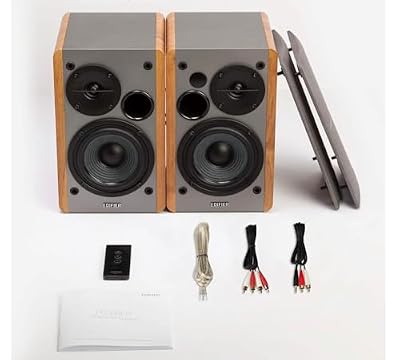


As an Amazon Associate we earn from qualifying purchases. Product prices and availability are accurate as of the date/time indicated.
The RX 7900 XT is the flagship refurb pick the builder framework rates highly. RDNA 3 came after the main mining era, so the refurb supply is mostly customer returns. Twenty gigabytes of VRAM gives the card years of runway. Refurb prices have settled comfortably under six hundred dollars from manufacturer outlets. Raw rasterization trades blows with the RTX 4080 at a fraction of the price. The builder verdict: this is the highest-performance refurb that doesn’t carry real mining-history risk in 2026.
7. RX 6800 — The High-Risk Builder Value Play
The RX 6800 is the budget builder’s value play and high-risk refurb rolled into one. Sixteen gigabytes of VRAM, capable 1440p performance, and refurb prices in the three-hundred-dollar range. Mining-history risk is significant because RX 6000 cards stayed popular with altcoin miners well into 2024. The framework rates this a buy only if you can find it at a manufacturer outlet with a ninety-day warranty, you commit to running the full stress-test battery on day one, and you accept that the failure rate runs meaningfully higher than any RTX 40 series or RX 7000 series refurb. The savings can be big, but so is the risk.
The Day-One Inspection And Test Routine Every Builder Should Run
This is the routine we recommend running on every refurbished GPU before the return window shuts.
Day zero, before the card goes in the slot. Inspect it under bright light. Look for sticker residue, dust on the heatsink fins, rough fan bearings when you spin them by hand, scuffs on the IO bracket beyond what a clean refurb should show, melted or discolored power connectors (especially 12VHPWR on RTX 40 series), and any physical damage. Photograph everything in case you need to RMA.
Day one, after install. Confirm a clean driver install, verify the card IDs correctly in GPU-Z, and check that the BIOS revision matches the manufacturer reference for that SKU. A non-reference BIOS on a card that should carry reference BIOS is a tell that someone flashed it for mining.
Day one, stress-test battery. Thirty minutes of FurMark at 1080p, watching GPU temp, memory junction temp, and hotspot. One hour of Unigine Heaven looped at native resolution, tracking the same metrics plus clock stability. Three back-to-back runs of the Cyberpunk 2077 benchmark at your target settings, watching for thermal-soak degradation. Any failure here means RMA before the window closes.
Week one, real-gameplay monitoring. Play your usual games with the MSI Afterburner overlay up. Watch for crashes, driver timeouts, artifacts, or temperature anomalies. Some cards pass synthetic tests but fail under real shader workloads, and only a week of normal use catches those.
Week four, before the return window closes. Run the stress-test battery one more time. Compare it to day one. Any real degradation across that short window is a sign the card is failing. Return it immediately if you see it.
Red Flags That Should End A Refurb Purchase
The builder framework on red flags is uncompromising. Any of these ends the transaction.
Sticker residue on the back of the card. Classic mining tell. Walk away.
Generic shipping box with no manufacturer or refurb branding. A peer-to-peer flip dressed up as a refurb. Walk away.
No serial number in the listing photos. Hidden inventory or stolen product. Walk away.
No return policy or a return window under thirty days. You’ve got no recourse if the card fails. Walk away.
A push toward Zelle, Venmo, or bank transfer. Zero buyer protection. Walk away.
Price more than twenty percent under the market average for the SKU. Scam or stolen. Walk away.
A BIOS that doesn’t match the manufacturer reference for the SKU. A strong tell the card was flashed for mining or some other non-gaming use. Walk away or RMA immediately.
A cooler that runs hot on day one even under light workloads. Aging thermal paste or worn fan bearings. RMA, or be ready to take the card apart and redo the thermal compound.
FAQ
How much of my total build budget should go to a refurb GPU? The builder framework points to roughly thirty to forty percent of the total build budget on the GPU, new or refurb. The upside of going refurb is that you can fit a stronger card into that same slice. A fourteen-hundred-dollar build that would buy a new RTX 4060 can buy a refurbished RTX 4070 instead.
Should I extend the warranty on a refurb GPU? If the seller offers an extended warranty at five to ten percent of the card price, it’s generally worth it on refurbs because of the warranty-gap risk. Skip anything priced above fifteen percent of card cost — the math stops working.
Does paying with a credit card actually matter? Yes. The chargeback right is the single most valuable buyer protection you’ve got. If a card dies inside the first week and the seller goes quiet, you dispute the charge with your card issuer and recover your money. That’s not available with Zelle, Venmo, or bank transfer. Some credit cards also auto-extend manufacturer warranties, which can partly close the warranty gap on a refurb.
What about cross-shipping during an RMA? Most manufacturer outlets and reputable retailers will cross-ship a replacement during an RMA so you’re not GPU-less for two weeks. Confirm cross-ship is available before you buy if downtime would hurt your build.
Final Builder Verdict
The framework lands on three clear calls for builders in 2026. For first-time refurb buyers or anyone who prizes reliability above all, the RTX 3060 12GB is the safest choice. For most builders chasing 1440p performance per dollar, the RTX 4070 from a manufacturer outlet is the buy of the year. For flagship builders who want serious performance without the mining risk of older cards, the RX 7900 XT is the cleanest high-end refurb on the market. The risky-but-rewarding pick is still the RTX 3080 12GB, which can deliver remarkable performance per dollar if you bring the testing and warranty discipline.
The framework will tell you, in any given scenario, whether the refurb math works for your specific situation. The discipline is actually following it rather than letting the discount drive the decision.
For broader build context, our trending graphics cards in May 2026 tracker covers the new-card landscape alongside refurb pricing. Our gaming PC build cost calculator includes refurb GPU options in the budget allocation tool. The refurbished CPU buyer’s guide applies the same framework to processors. For the inspection and stress test routine in standalone format, see our used GPU stress test tutorial. And for the credit card protection details that underpin every refurb purchase recommendation, our credit card chargeback guide for PC parts purchases is the resource we point builders to first.
Related Articles
Want to dig deeper here? Have a look at the curated guides just below — every one of them runs through the same scoring rubric we used in this review.
Frequently Asked Questions
Is it safe to buy a refurbished GPU?
Manufacturer or retailer refurbished GPUs with a warranty are reasonably safe, since they are tested before resale. The bigger risk is with private used cards that may have been heavily used for mining or overclocking. Favor certified refurbished units with return protection over unknown as-is listings for expensive graphics cards.
How do I test a refurbished GPU after buying?
Immediately run a stress test and benchmark to check for artifacts, crashes, or throttling. Monitor temperatures under load and verify clock speeds hold. Play demanding games for a few hours within the return window. Visual artifacts, black screens, or abnormal temperatures are signs to return the card promptly.
Should I avoid GPUs used for crypto mining?
Mining cards ran continuously, which stresses fans and thermal pads more than gaming, though the core itself can be fine if temperatures were controlled. Fan bearings and pads are the usual wear points and are replaceable. A mining card at a steep discount with a return option can be a gamble worth taking.
How much do refurbished GPUs typically save?
Savings vary from 15 to 35 percent depending on model, generation, and condition. Older-generation refurbished cards offer the steepest discounts, while current-gen refurbs save less. Weigh the discount against a shorter warranty and the higher stakes of a GPU failing compared to cheaper components.
What warranty comes with a refurbished GPU?
Certified refurbished programs often include 90 days to one year of coverage, while private used cards usually have none unless the original manufacturer warranty is transferable. Always confirm warranty terms and keep documentation, since a GPU is one component where warranty protection genuinely matters given the repair cost.
Ready to decide? Our #1 pick for 2026 is the Entry 1080p.
Live price & availability on Amazon.
Top picks from this guide
EdifierEdifier R1280T Powered Bookshelf Speakers -2.0 Near Field Studio Monitor…$118 \xc2\xb7 99/100NintendoNintendo Entertainment System: NES Classic Edition$300 \xc2\xb7 99/100 de BuyerDE BUYER - Tray of 15 mini MOUL'FLEX silicone tartlets…$33 \xc2\xb7 99/100
 SecondHandGamer Pro: The Complete Used Gaming PC & Laptop Buyer's…$8 \xc2\xb7 98/100








