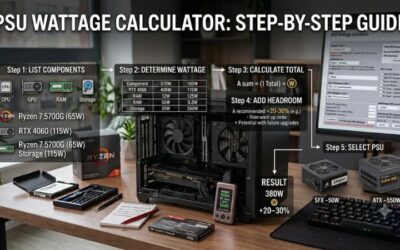
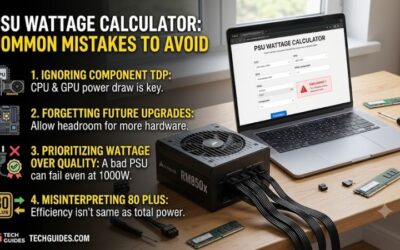
PSU wattage calculator checklist 2026 helps turn a PC parts list into a realistic PSU target without relying on a vague “just buy more watts” rule. This guide compares four established calculators, explains their useful inputs, and shows where extra headroom matters before you commit to a power supply purchase for the build.
How to Choose a PSU Wattage Calculator
A wattage estimate becomes unreliable when important parts are missing, especially the GPU, CPU, storage, cooling, or add-in hardware. A good calculator should make those inputs obvious and give a result you can sanity-check. This psu wattage calculator checklist 2026 approach keeps the calculation tied to the actual build.
Component Coverage
Component coverage is the first filter because a calculator is only as useful as the build information it accepts. Look for specific CPU and GPU models, drive counts, memory, cooling, and other loads. For this psu wattage calculator checklist 2026, MSI and Cooler Master are strong starting points when you want detailed build entry.
Detailed inputs matter most for gaming PCs with a discrete GPU and several drives, because those parts can move the recommendation more than small accessories. The trade-off is time: entering every component takes longer than using a shortcut. When you want a clear workflow, Cooler Master keeps the entry process practical.
Peak Load And Headroom
Peak-load awareness matters because a PSU must handle short power excursions, not only average draw. Calculator results are estimates, so leave sensible margin for a demanding GPU, CPU boosts, or upgrades. For this psu wattage calculator checklist 2026, Seasonic is useful when a build may include multiple GPUs or higher transient demands.
Do not treat the calculator result as a magic number. Real systems vary with workload, power limits, firmware, and component behavior, so the estimate should guide PSU selection rather than replace judgment. MSI gives a useful baseline, while be quiet! builds peak-oriented component data into its recommendation logic for selected parts.
Form Factor And Connectors
Form factor and connector needs are easy to overlook after you see a wattage figure. A compact build may need SFX instead of ATX, while a modern GPU may require the right high-power connector. This psu wattage calculator checklist 2026 favors Seasonic for ATX/EPS or SFX choice, while be quiet! filters by form factor cleanly.
The practical trade-off is simple: a large wattage number does not guarantee compatibility. Check dimensions, connector count, cable layout, and expansion plans after the calculator gives its target. MSI covers the core job well, while Seasonic is easier to cross-check when a small case or unusual configuration changes the PSU choice.
Recommendation Transparency
Recommendation transparency matters because calculators can produce different numbers from the same parts without either being broken. Prefer a tool that exposes useful assumptions and lets you compare PSU options afterward. Be quiet! helps because its calculator combines wattage with preferences such as silence, efficiency, price, and features.
The downside is that recommendation tools can tempt buyers to focus on the suggested PSU instead of the requirement. Keep wattage separate from quality, efficiency, warranty, and connectors. Cooler Master works well as a neutral second opinion before you narrow down the actual power supply, especially for a mainstream build.
Top Picks
The four picks below cover different jobs, so the best choice depends on how much detail your build needs. For this psu wattage calculator checklist 2026, MSI is the broadest default, Cooler Master is an easy detailed check, Seasonic favors unusual configurations, and be quiet! ties the result closely to PSU matching needs.
| Product | Best For | Key Spec | Watch Out For |
|---|---|---|---|
| MSI Power Supply Calculator | Best Overall | Broad component entry; connector and 80 PLUS filters | Depends on complete configuration |
| Cooler Master Power Supply Calculator | Best Value | CPU, motherboard, GPU quantity, RAM, SSD, HDD, optical drive | Still an estimate, not a PSU quality test |
| Seasonic Wattage Calculator | Best For Multi-GPU Builds | Supports multiple CPUs, up to 4 GPUs, ATX/EPS or SFX | Result is positioned as a minimum |
| be quiet! PSU Calculator | Best For PSU Matching | Peak consumption, overclocking, form-factor and cable filters | Recommendations are brand-focused |
MSI Power Supply Calculator
MSI Power Supply Calculator — Best Overall. It accepts a broad hardware configuration and returns a recommended PSU wattage, with filters for connector type and 80 PLUS level in its current tool. It suits builders who want one practical workflow from component entry to a sensible PSU target without needing a separate worksheet.
Its biggest advantage is breadth without becoming unusually technical, making it a strong default for a first complete build or gaming upgrade. The limitation is that a calculator cannot judge PSU quality or every transient behavior. Use the MSI result as your baseline, then verify the power supply itself before buying.
Cooler Master Power Supply Calculator
Cooler Master Power Supply Calculator — Best Value. Its current form covers CPU brand, socket and model, motherboard form factor, GPU brand, model and quantity, plus RAM, SSD, HDD and optical drive entries. That broad inventory makes this psu wattage calculator checklist 2026 pick useful for detailed mainstream PC builds.
That flexibility makes it useful as a free second opinion when your parts list includes several storage devices or an unusual platform. Its weakness is that the wattage remains an estimate and does not replace connector or quality checks. Use Cooler Master for thorough component entry without adding unnecessary configuration theory or guesswork.
Seasonic Wattage Calculator
Seasonic Wattage Calculator — Best For Multi-GPU Builds. The tool supports multiple CPUs and up to four GPUs, then includes SSD, HDD, fan and peripheral information before asking you to choose ATX/EPS or SFX. Seasonic also warns that high-end graphics cards may justify more wattage than its minimum result for stability.
The multi-GPU and form-factor controls make Seasonic the clearest choice for workstation-style or unusual builds where a simple gaming calculator feels cramped. The drawback is that it emphasizes minimum required power, so add practical headroom for upgrades and spikes. Use the Seasonic result as a checkpoint, not a final verdict.
be quiet! PSU Calculator
be quiet! PSU Calculator — Best For Matching The PSU To The Build. It uses manufacturer-based peak consumption, includes CPU and GPU overclocking choices, and accounts for drives, RAM, cooling and USB power. Its result can then be filtered by maximum wattage, form factor, and cable management for a closer PSU match overall.
This is the pick for buyers who want the wattage estimate tied closely to a real PSU shortlist. It can prioritize silence, efficiency, price, or features, which is useful after calculation. The trade-off is brand-centric recommendations, so compare the result with another calculator when the build is expensive or unusually power-hungry.
Frequently Asked Questions
The FAQ answers practical questions that usually come after running a calculator. For this psu wattage calculator checklist 2026, treat the output as an estimate, understand why tools differ, then check headroom, connectors, future upgrades, and PSU quality before choosing the final model for your build and avoiding a wattage-only decision.
Can A PSU Calculator Tell Me The Exact Wattage My PC Will Use?
Can a PSU calculator tell me the exact wattage my PC will use? No. It estimates demand from the components and assumptions entered, while real consumption changes with workload, boosts, power limits, and transient behavior. Use the result as a planning baseline, then choose a PSU with sensible headroom instead of matching the figure exactly.
A calculator is therefore better viewed as a sizing aid than a laboratory measurement. Firmware limits, workload patterns, component revisions, and short power spikes can all change real draw. The practical answer is to use the estimate to establish a safe range, then verify the selected PSU against the complete system.
How Much PSU Headroom Should I Leave?
How much PSU headroom should I leave? Avoid sizing the unit right at the calculator result, especially with a power-hungry GPU. Seasonic frames its result as a minimum, while be quiet! accounts for peak component demand. Your margin should also reflect planned upgrades, overclocking, and the workload the PC will run in practice.
A sensible larger unit can make a future GPU upgrade easier and leave room for short power spikes, but avoid buying capacity far beyond the build without a reason. After the estimate, confirm the PSU has the needed connectors, the right form factor, strong protections, and an efficiency level that suits your use overall.
Do I Need To Enter Every Small Component?
Do I need to enter every small component? Enter every meaningful load the calculator supports, especially the CPU, GPU, storage, cooling, and expansion devices. Small USB accessories matter less individually, but a crowded workstation can add demand. MSI and Cooler Master help because they expose more of the hardware inventory than a shortcut estimator.
For small accessories, focus first on loads that materially affect the result. USB devices rarely change the answer as much as a GPU, CPU, storage array, or cooling system, but a crowded workstation can add demand. Enter supported components when practical, then let the major power users drive your PSU decision.
Why Do Two PSU Calculators Show Different Wattage Recommendations?
Why do two PSU calculators show different wattage recommendations? They may use different component data, peak assumptions, safety margins, and recommendation logic. That is normal, not automatically an error. Compare the inputs first, then choose a sensible range instead of chasing the lowest displayed number for your system today.
Use the same CPU, GPU, storage, and accessory counts in both tools before comparing results. If the entries match, different totals usually reflect different assumptions or recommendation margins. MSI and Cooler Master are useful cross-checks for mainstream builds, while Seasonic adds value when multiple GPUs or form factors matter in practice.
Final Thoughts
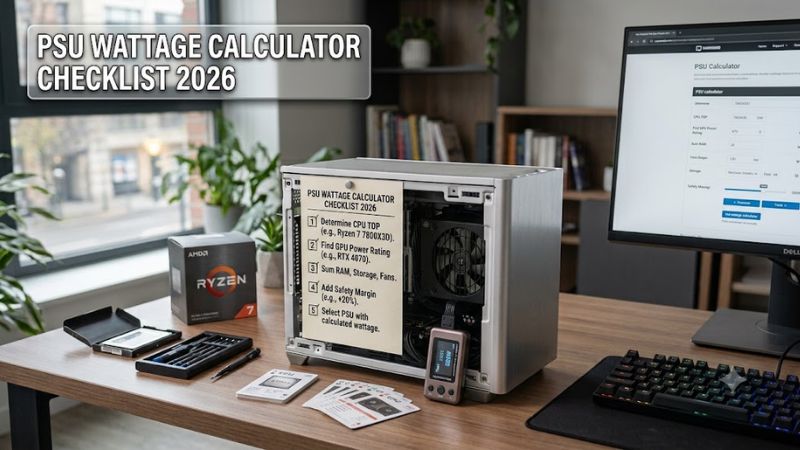
The final decision should not be the highest number shown. Enter exact CPU and GPU data, include storage and cooling, allow sensible peak and upgrade headroom, then verify connectors and form factor before buying. This makes the psu wattage calculator checklist 2026 process easy to audit when hardware changes or new components are added.