An OLED monitor can make console games look remarkably lifelike, with deep blacks, vivid colors, crisp motion, and excellent contrast in dark scenes. The best oled monitor for console gaming is not necessarily the one with the highest advertised refresh rate. For most PS5, PS5 Pro, and Xbox Series X|S owners, a sharp 4K panel with HDMI 2.1, 120Hz support, variable refresh rate (VRR), and responsive input handling matters more than a 240Hz or 480Hz specification. The six monitors below cover premium image quality, console-focused features, dual-mode gaming, curved screens, reflection control, and smaller desks, helping you choose the right display without paying for capabilities your console cannot use.
- Quick verdict: the best OLED monitor for console gaming
- How we selected these OLED monitors
- ASUS ROG Swift OLED PG32UCDM Gen3: best overall
- MSI MPG 321URX QD-OLED: best for console-focused features
- LG UltraGear 32GS95UE-B: best for console and PC gaming
- Dell Alienware AW3225QF: best curved OLED for immersion
- Samsung Odyssey OLED G8 G80SH: best for reflection handling
- LG UltraGear 27GS95QE-B: best compact 1440p OLED
- How to choose the best OLED monitor for console gaming
- Frequently asked questions
- Final verdict
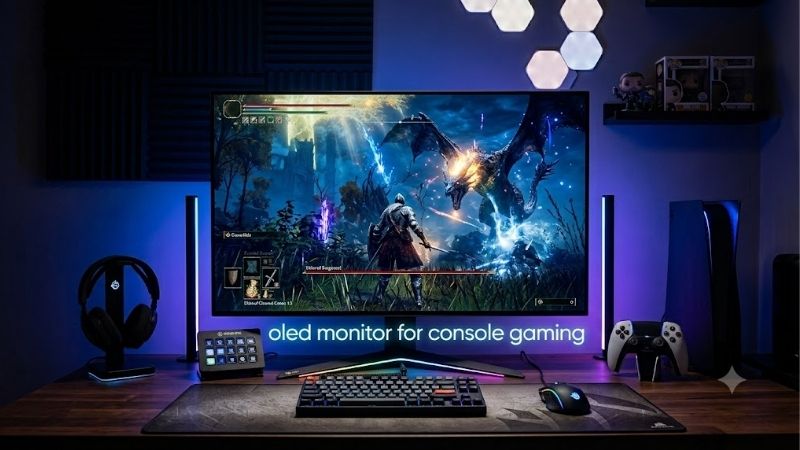
Quick verdict: the best OLED monitor for console gaming
The ASUS ROG Swift OLED PG32UCDM Gen3 is the best overall starting point for buyers who want premium 4K OLED picture quality, responsive gameplay, Dolby Vision support for compatible Xbox content, and flexible connectivity. The MSI MPG 321URX QD-OLED is a particularly practical alternative because its manufacturer explicitly advertises console-oriented features, including HDMI 2.1, VRR, and automatic low-latency functionality.
The LG UltraGear 32GS95UE-B is worth considering when a gaming PC shares the desk and benefits from its dual-mode display. For players who prioritize curved-screen immersion, the Dell Alienware AW3225QF is a strong alternative. Meanwhile, the Samsung Odyssey OLED G8 G80SH handles reflections well, and the LG 27GS95QE-B is suitable for those who prefer a compact 1440p monitor.
Quick comparison table
| Monitor | Best for | Resolution and refresh rate | Main drawback |
|---|---|---|---|
| ASUS ROG Swift OLED PG32UCDM Gen3 | Best overall | 4K, up to 240Hz | Premium price category |
| MSI MPG 321URX QD-OLED | Console-focused features | 4K, up to 240Hz | Fewer reasons to pay for 240Hz with a console alone |
| LG UltraGear 32GS95UE-B | Console and PC gaming | 4K at 240Hz; Full HD at 480Hz | Dual-mode advantage is mainly for PC gaming |
| Dell Alienware AW3225QF | Curved gaming | 4K, up to 240Hz | Curved glossy panel is not for everyone |
| Samsung Odyssey OLED G8 G80SH | Reflection handling | 4K, up to 240Hz | QD-OLED blacks can look purple in bright rooms |
| LG UltraGear 27GS95QE-B | Compact 1440p gaming | 1440p, up to 240Hz | Does not display native 4K |
All six models offer OLED gaming characteristics, but their real-world strengths differ. Advertised refresh rates are maximum display capabilities, not promises that a console will deliver matching frame rates.
How we selected these OLED monitors
This roundup prioritizes actual console compatibility over PC specifications that may have little practical effect on a console. The main checks were native resolution, HDMI bandwidth, support for 120Hz console signals, VRR compatibility, HDR image quality, input lag, and the limitations identified in independent testing.
Manufacturer documentation establishes official specifications, while RTINGS reviews provide independent evaluations of console compatibility, motion handling, picture quality, and input responsiveness. The recommendations distinguish tested monitor variants rather than transferring measurements from similarly named models or different screen sizes.
No detailed research was conducted for this article. Product-specific judgments are based on published specifications and independent testing, rather than personal gaming sessions. Current prices, stock, and individual Amazon US listings were not independently verified, so the roundup does not assign price-dependent awards or claim a particular model is the cheapest.
ASUS ROG Swift OLED PG32UCDM Gen3: best overall
Best for: Players who want premium 4K HDR quality and a monitor that also works well with a powerful gaming PC.
The ASUS ROG Swift OLED PG32UCDM Gen3 combines a 31.5-inch 4K display with a fourth-generation tandem QD-OLED panel, a maximum refresh rate of 240Hz, and a specified 0.03ms gray-to-gray response time. For console gaming, its strongest features are high image quality, responsive motion, HDMI 2.1 connectivity, and Dolby Vision support for compatible Xbox content.
RTINGS describes this model as an outstanding console-gaming display, reporting support for modern console signals up to 4K at 120Hz. Its testing also highlights the deep blacks, vivid colors, and strong HDR presentation associated with the panel technology.
The updated PG32UCDM3 includes a BlackShield glossy screen coating, DisplayPort 2.1a UHBR20, USB-C with up to 90W Power Delivery, and a KVM switch. These features are especially helpful when a gaming PC and another computer share the same monitor. The USB-C charging function is not necessary for a console, but it adds flexibility for a mixed gaming and productivity setup.
The main drawback is its premium positioning. A PS5 does not need a 240Hz panel to reach its supported 120Hz gaming modes, so part of the monitor’s capability will remain unused unless a PC is connected. The glossy panel can also reflect surrounding lights, and QD-OLED black levels can rise in bright environments.
Buy if: You want a premium 4K OLED for PS5 or Xbox gaming, HDR entertainment, and future PC use.
Skip if: You are buying exclusively for a console and would rather direct your budget toward a larger television or a less expensive monitor.
MSI MPG 321URX QD-OLED: best for console-focused features
Best for: Players who want explicit console support and a flexible desktop setup.
The MSI MPG 321URX QD-OLED is a 31.5-inch 4K QD-OLED gaming monitor with a 240Hz maximum refresh rate, a 0.03ms advertised gray-to-gray response time, and two HDMI 2.1 ports. MSI specifies full 48Gbps HDMI bandwidth and promotes the monitor’s Console Mode for modern gaming systems.
This is a practical choice for console owners because the feature set addresses relevant requirements rather than relying on refresh rate alone. MSI advertises support for 4K at 120Hz, HDR, VRR, and Auto Low Latency Mode (ALLM). VRR helps reduce tearing when a game’s frame rate fluctuates, while ALLM allows a compatible source to request a low-latency display mode.
RTINGS has also evaluated the MSI MPG 321URX as part of the broader 4K QD-OLED monitor category. As with comparable premium panels, OLED’s near-instantaneous pixel response and high contrast make it particularly attractive for atmospheric games, dark environments, and rapid camera movement.
The display includes USB-C video input with up to 90W of Power Delivery and a KVM switch. Those features are useful if you alternate between console gaming and computer work. MSI also advertises a three-year warranty that includes OLED burn-in coverage; buyers should verify the exact terms applicable to their region and retailer.
The biggest limitation is the price-to-usefulness equation for console-only buyers. Most consoles will not take advantage of the display’s 240Hz maximum refresh rate, and its 4K/120Hz capabilities overlap substantially with competing models.
Buy if: You want a feature-rich 4K monitor with explicitly advertised console functions and convenient connections for a computer.
Skip if: You want a display purely for console gaming and do not need the extra computer-oriented features.
LG UltraGear 32GS95UE-B: best for console and PC gaming
Best for: Players who use both a console and a gaming PC, particularly for competitive titles.
The LG UltraGear 32GS95UE-B is a 31.5-inch WOLED monitor with native 3840 × 2160 resolution and a refresh rate of up to 240Hz. Its defining feature is Dual Mode, which allows it to operate at 4K and up to 240Hz or switch to Full HD and up to 480Hz.
For console owners, the native 4K mode is the main attraction. RTINGS reports that the monitor is excellent for console gaming, with HDMI 2.1 bandwidth, compatibility with PS5 and Xbox Series X|S, fast response behavior, and low input lag. OLED contrast also helps dark scenes look clean, without the backlight halos associated with some conventional LCD displays.
Dual Mode matters more when a PC shares the setup. A competitive PC game may benefit from the faster Full HD mode, while cinematic console games can use the detailed 4K presentation. Switching modes is a useful extra, although it does not make the console itself render games at 480 frames per second.
The principal trade-off is connectivity and cost. This monitor does not provide USB-C laptop video and charging as a substitute for its HDMI or DisplayPort connections. Its dual-mode premium also makes less sense if a console is the only gaming device you own.
Independent testing identifies VRR flicker in dark scenes when frame rates change. That is not unique to LG, but it is worth knowing if you primarily play dark games with unstable performance.
Buy if: You want one OLED for 4K console gaming and high-refresh competitive PC gaming.
Skip if: Your console is your only gaming device and you would rather avoid paying for a dual-mode feature you may rarely use.
Dell Alienware AW3225QF: best curved OLED for immersion
Best for: Players who prefer a curved screen for cinematic adventures and immersive single-player games.
The Dell Alienware AW3225QF combines a 31.6-inch curved QD-OLED panel with 4K resolution and a 240Hz maximum refresh rate. It is a strong option for players who want rich contrast and a more enveloping presentation for expansive environments, racing games, and cinematic adventures.
RTINGS specifically describes this monitor as remarkable for console gaming. Its testing confirms HDMI 2.1 connectivity and support for 4K signals up to 120Hz from PS5, PS5 Pro, and Xbox Series X|S. The independent review also reports a near-instantaneous response time, vivid colors, deep blacks in dark rooms, and a responsive feel at 120Hz.
The curved shape is the main reason to choose the Dell over a similar flat 4K OLED. It can make a large screen feel more engaging when the player sits directly in front of it. However, a curved monitor is not automatically better for everyone. Some players prefer a flat screen for interface layouts, shared viewing, or a conventional workstation arrangement.
The glossy screen is another consideration. It gives the image a clear, vibrant appearance, but reflections become noticeable in bright rooms. RTINGS also reports that input lag at 60Hz is higher than on some competing monitors, which matters for games that run at that refresh rate.
Buy if: You play mostly from one central seating position and value immersive curved OLED visuals.
Skip if: You dislike curved displays, frequently play in a bright room, or prioritize consistent low input lag across both 60Hz and 120Hz modes.
Samsung Odyssey OLED G8 G80SH: best for reflection handling
Best for: Console gamers who want a premium 4K OLED in a room with unavoidable lighting.
The Samsung Odyssey OLED G8 G80SH, model S32HG802S, is a 32-inch 4K QD-OLED gaming monitor with a 240Hz maximum refresh rate. It uses a newer tandem QD-OLED panel and a matte screen coating, distinguishing it from glossy competitors such as the ASUS PG32UCDM Gen3.
RTINGS evaluated the exact 32-inch G80SH model and reports support for modern console signals, including 4K at up to 120Hz. Testing also highlights sharp motion, low input lag, vivid colors, and strong HDR picture quality. The matte surface reduces mirror-like reflections, which can be helpful when overhead lights or windows are difficult to avoid.
Samsung also includes HDMI and DisplayPort connectivity, plus USB-C with DisplayPort Alt Mode and up to 98W of Power Delivery. These features make the display more versatile if it will serve as a computer monitor between console gaming sessions.
The trade-off is how QD-OLED handles bright surroundings. Although the matte coating reduces reflections, RTINGS notes that blacks can look purple in bright rooms because the panel’s black levels rise with ambient light. The matte finish can also make the image appear hazier than a comparable glossy panel.
Another qualification concerns HDR formats: the tested G80SH does not support Dolby Vision with Xbox Series X|S. Standard HDR gaming remains supported, but players who specifically want Dolby Vision on Xbox should consider the ASUS or Dell alternatives.
Buy if: Reflection control and a flat 32-inch 4K panel matter more than a glossy image or Dolby Vision support.
Skip if: You play in a dark room and prefer the clearer presentation of a glossy QD-OLED, or Dolby Vision on Xbox is important to you.
LG UltraGear 27GS95QE-B: best compact 1440p OLED
Best for: Smaller desks, closer viewing distances, and players who prefer a 27-inch display.
The LG UltraGear 27GS95QE-B is a 27-inch OLED monitor with a native resolution of 2560 × 1440, a maximum refresh rate of 240Hz, and HDMI 2.1 connectivity. It is the most compact option in this roundup, making it suitable for a desk where a 32-inch screen feels too large.
RTINGS reports that the monitor works well with modern consoles, including support for 4K/120Hz input signals that are downscaled to the display’s native 1440p resolution. Its fast response, low input lag, and OLED contrast make it attractive for action games and competitive titles.
The critical limitation is resolution. A monitor that accepts a 4K signal but displays 2560 × 1440 pixels is not a native 4K monitor. Console games can still look impressive, but this LG does not deliver the same fine detail as the 4K models above.
At 27 inches, 1440p can be an appropriate compromise if you sit close to the display and want a smaller screen. It also gives a console-focused setup a reason to choose a monitor instead of a large television. However, do not assume that its 240Hz rating improves console frame rates beyond the modes a console supports.
Buy if: You want OLED contrast and responsive gameplay in a more compact 27-inch format.
Skip if: Native 4K detail is essential or you want a monitor primarily for cinematic gaming at a larger size.
How to choose the best OLED monitor for console gaming
The right monitor depends on the console you own, the games you play, and the space available on your desk. Use the following criteria before paying for a premium panel.
Check HDMI 2.1, 4K, and 120Hz support
For a PS5, PS5 Pro, or Xbox Series X, a 4K/120Hz-capable HDMI 2.1 connection is a useful target. It supports the high-resolution, high-refresh output modes used by compatible games. The quality of the monitor’s implementation also matters, so verify console compatibility for the exact model instead of relying on an HDMI label alone.
Not every game renders at 120 frames per second, and not every console game runs in native 4K. A monitor can accept a 4K signal even when a game internally renders at a lower resolution. Upscaling and frame-generation features, when available, further complicate comparisons between advertised capabilities and the image actually produced.
For PS5, check that the monitor supports the desired 4K/120Hz and VRR modes. For Xbox, consider whether Dolby Vision gaming support matters. If you own a less powerful console or primarily play games capped at 60 frames per second, a lower refresh-rate OLED may satisfy your needs without requiring a premium 240Hz model.
Understand VRR, ALLM, and input lag
Variable refresh rate helps the display synchronize with changing frame rates, reducing tearing and making fluctuations in performance less distracting. It is particularly useful in games where performance varies significantly across different environments.
Auto Low Latency Mode can automatically request a low-latency picture mode from a compatible display. This helps avoid accidentally using a processing-heavy mode intended for movies when playing games.
Input lag and pixel response time are different measurements. Input lag represents the delay between a signal and its visible result, while pixel response describes how quickly pixels transition between colors. OLED generally excels at pixel response, but differences in monitor processing still affect the overall experience.
For competitive games, low input lag at both 60Hz and 120Hz is more valuable than an impressive PC-only refresh-rate specification. For story-driven games, contrast, HDR, and image quality may be higher priorities.
Choose HDR and panel finish for your room
OLED’s per-pixel lighting allows it to display deep blacks beside bright highlights, which is especially effective in dark environments. This makes OLED a particularly good match for horror games, cinematic adventures, and titles with dramatic lighting.
However, the panel finish affects the experience. Glossy QD-OLED monitors such as the ASUS and Dell can produce a clear, vivid image, but reflections may be distracting in bright rooms. The matte Samsung G80SH handles reflections better, although its black levels can still rise with ambient light.
Do not judge HDR quality by certification alone. Consider independent testing of highlight brightness, color volume, and the way the monitor renders dark scenes. A display that handles small bright highlights well may still reduce the brightness of larger bright areas, depending on its automatic brightness behavior.
Decide whether 27 inches or 32 inches suits your desk
A 27-inch monitor is usually easier to accommodate on a small desk and may suit players who sit close to the screen. A 32-inch panel makes the action feel larger and provides a more expansive image, but it needs more viewing distance to remain comfortable.
For 4K, 32 inches offers a detailed picture with a larger physical presentation. For 1440p, 27 inches can be a sensible combination of clarity and size. If you sit several feet away and primarily play cinematic games, consider whether a larger OLED television would better suit your room than a desktop monitor.
Remember OLED burn-in and warranty coverage
OLED panels can experience permanent burn-in when individual pixels wear unevenly over time. Console gaming is not automatically a problem, but repeatedly displaying fixed HUD elements for long sessions can contribute to the risk.
Use the monitor’s available OLED care features, allow recommended pixel-refresh routines to run, and avoid leaving a static screen at unnecessarily high brightness for extended periods. Check the exact warranty terms for the model and region, especially if burn-in coverage is important to you. Coverage can vary, and a general warranty statement should not be treated as a guarantee against every type of image retention.
Frequently asked questions
Is an OLED monitor better than an OLED TV for console gaming?
Not universally. An OLED monitor usually makes more sense for a desktop, close viewing distance, and occasional PC use. An OLED television may provide a larger image and better suit couch gaming. Compare resolution, viewing distance, HDMI features, input lag, and total price before deciding.
Do PS5 and Xbox need a 240Hz OLED monitor?
No. Current consoles generally top out at 120Hz output in compatible games, so the monitor’s extra refresh-rate capacity is mainly useful for PC gaming. A 240Hz OLED can still be a worthwhile purchase for its panel quality, connectivity, HDR performance, and future PC use.
Is 1440p OLED enough for a PS5?
Yes. A 1440p OLED can provide deep blacks, excellent motion clarity, and a responsive gaming experience. It will not show the same native 4K detail as a 4K monitor, although compatible displays can accept higher-resolution signals and scale them to their panel resolution.
Which OLED monitor is best for Xbox Series X?
The ASUS ROG Swift OLED PG32UCDM Gen3 is a strong all-around choice because it combines 4K/120Hz console support with Dolby Vision compatibility and premium OLED picture quality. The Dell Alienware AW3225QF is another compelling option if you prefer a curved screen.
Is OLED worth it if I mostly play competitive games?
OLED can be worthwhile because its fast pixel response helps motion look crisp, and its low input lag can make controls feel responsive. However, you should weigh these benefits against price and the refresh-rate limits of your console. A less expensive high-refresh LCD may be more practical if you are mainly interested in competitive play rather than contrast and HDR.
Final verdict
The ASUS ROG Swift OLED PG32UCDM Gen3 is the best overall recommendation for players who want premium 4K HDR quality and flexible long-term use. The MSI MPG 321URX QD-OLED is an excellent alternative with explicit console-oriented features, while the LG UltraGear 32GS95UE-B is especially appealing for mixed console and PC gaming.
Choose the Dell Alienware AW3225QF for curved-screen immersion, the Samsung Odyssey OLED G8 G80SH for better reflection handling, or the LG UltraGear 27GS95QE-B for a compact 1440p setup.
Before buying, confirm your console’s supported modes, the exact monitor model, and the applicable warranty. An OLED display should improve the games you actually play, not simply add specifications that remain unused.