
Affiliate disclosure: As an Amazon Associate we earn from qualifying purchases. This post contains affiliate links — we may earn a small commission at no extra cost to you. This never affects our picks. Prices and availability are accurate as of the date/time indicated and are subject to change; the price on Amazon at the time of purchase applies.
- Builder’s Spec Comparison
- Round 1: Heatsink Clearance Under Your Cooler
- Round 2: AM5 EXPO Builder Experience
- Round 3: Intel Core Ultra 285K Builds
- Round 4: Upgrade Path and Future-Proofing
- Round 5: RGB Ecosystem Integration
- Round 6: Binning Quality at the Same Speed
- Round 7: Warranty and Long-Term Support
- Round 8: Aesthetics and Case Integration
- Builder’s Use-Case Recommendations
- FAQ: Builder’s Questions on Corsair vs G.Skill
- Builder’s Final Verdict
- Related Guides
- Related Articles
- Frequently Asked Questions
- Related Articles
Top picks at a glance:
As an Amazon Associate we earn from qualifying purchases at no extra cost to you.

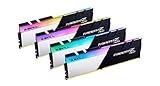
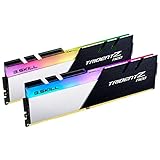

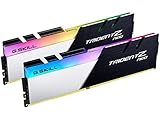
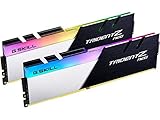
Choosing RAM for a 2026 build is never just a memory purchase. You’re locking yourself into a heatsink height that has to fit under your CPU cooler, an RGB platform that needs to cooperate with the rest of your lit parts, an XMP or EXPO profile that has to POST cleanly on your exact board, and a binning grade that decides whether you can chase higher speeds later without buying fresh sticks. The Corsair Vengeance against G.Skill Trident Z5 question touches nearly every other component already on your list. We’ll work through it the way a builder actually thinks about it at the parts-list stage, since that’s the part that counts.
Quick answer: For a 2026 build, the our top pick is the RAM we would build around, while the the value pick is the budget-friendly choice.
Here’s our call up front so you can judge whether to keep reading: for the bulk of builders in 2026, particularly anyone going AMD AM5 with a Ryzen 9000-series chip, we’d steer you to G.Skill Trident Z5 NEO RGB DDR5-6000 CL30 or one of its higher-end variants. That isn’t a raw-speed argument, it’s about compatibility, room to upgrade, and binning quality at an identical rated speed. G.Skill tends to grade its kits more tightly, so you get extra tuning headroom down the road and cleaner first-boot behavior on the platforms that thrive on DDR5-6000 CL30. Corsair Vengeance stays a totally reasonable pick if you live in the iCUE world or you’re on Intel, where that binning difference carries less weight.
Let’s get into the round-by-round breakdown with a focus on what you, the builder, actually need to know. For broader context on how these two stack against the rest of the field, check our gaming RAM buyer’s guide for May 2026, which covers the full bestseller landscape including Kingston Fury, Crucial Ballistix, Teamgroup T-Force, and Patriot Viper.
🛒 Best Price Today on Amazon
Prime members get fast, free shipping on everything above, plus member-only deals. New members get a 30-day free trial — cancel anytime.
Start 30-Day Prime Free Trial →See Today’s Amazon DealsBuilder’s Spec Comparison
| Builder Concern | Corsair Vengeance DDR5 | G.Skill Trident Z5 | Builder’s Pick |
|---|---|---|---|
| Heatsink Height | ~34mm | ~44mm | Corsair if tall air cooler |
| Top Speed | DDR5-8400 (Dominator) | DDR5-8400 (Royal Neo) | Tie |
| Sweet-Spot CL at 6400 | CL32 | CL30 | G.Skill |
| AM5 EXPO Sweet Spot | 6000 CL30 (validated) | 6000 CL30 (reference) | G.Skill |
| Intel XMP 3.0 | Solid | Solid | Tie |
| Upgrade Path (32→64GB) | Wide SKU range | Wide SKU range | Tie |
| RGB Daisy Chain | iCUE Murals | OpenRGB / motherboard utility | Depends on ecosystem |
| RMA Friendliness | Polished | Competent | Corsair |
| Builder’s Pick (AM5) | Second choice | Primary recommendation | G.Skill |
| Builder’s Pick (Intel + iCUE) | Primary recommendation | Second choice | Corsair |
Round 1: Heatsink Clearance Under Your Cooler
The Most Common Build Mistake
The very first compatibility check a builder should run is whether the heatsink will clear the front fan on the CPU cooler. It’s the classic beginner trap. You pick out a gorgeous Noctua NH-D15 G2 or a BeQuiet Dark Rock Pro 5, then slot in G.Skill Trident Z5 with those signature 44mm fins, and the fan refuses to seat unless you offset it. Now you’re stuck either running the fan offset upward (a small thermal hit) or pulling the fan off entirely (a big thermal hit). The alternative is swapping to shorter RAM, which means sending back the premium kit you already paid for.
Corsair Vengeance DDR5 stands roughly 34mm tall, which slips under the front fan of almost every air cooler sold today without any tweaking. The Noctua NH-D15 G2, BeQuiet Dark Rock Pro 5, Thermalright Phantom Spirit 120 EVO, DeepCool Assassin IV, and Scythe Fuma 3 all clear Corsair Vengeance with no fuss. G.Skill Trident Z5 at 44mm collides with the default front-fan position on every one of those coolers. You’ll have to bump the fan upward by 5-8mm (which most coolers allow) or go with a different cooler entirely.
Running a 240mm, 280mm, or 360mm AIO? Then this whole worry disappears, since AIOs don’t create RAM clearance problems. So the working rule is straightforward: AIO build = choose RAM on looks and binning, air-cooler build = lean Corsair Vengeance for clearance peace of mind, unless you really want the offset-fan trick to run G.Skill for the aesthetics.
Builder’s Pick: Corsair Vengeance for tall air cooler builds. Either for AIO builds.
Round 2: AM5 EXPO Builder Experience
Ryzen 9000 Builds and the DDR5-6000 CL30 Path
Building an AMD Ryzen 9000-series machine in 2026? The target RAM spec is DDR5-6000 CL30 EXPO. That’s the spot where the Infinity Fabric stays at a 1:1 ratio with the memory controller, latency bottoms out, and gaming performance peaks. Going past DDR5-6400 kicks the IF into a 2:1 ratio that bleeds more performance than the extra bandwidth ever returns. So the aim isn’t the biggest number you can buy, it’s landing DDR5-6000 CL30 with the most reliable first-boot.
G.Skill Flare X5 and Trident Z5 NEO are effectively the reference kits for AM5. They were AMD launch partners, they carry the widest QVL coverage across X670E and X870E boards, and reviewers have spent years agreeing they’re the safest choice. From the builder’s chair, going G.Skill on AM5 is the road of least resistance. You boot, flip on EXPO, you game, and you forget about RAM for the next five years.
Corsair Vengeance EXPO kits do run on AM5, but the experience is a touch rougher. A few users mention needing a second POST before the EXPO profile catches. Once it’s locked in, performance is the same. The reliability gap exists but it’s narrow, somewhere in the 90-95% first-try POST range for Corsair against 98-99% for G.Skill. For the builder who wants pure plug-and-forget, G.Skill is the safer call on AM5.
Builder’s Pick: G.Skill Trident Z5 NEO RGB or Flare X5 for AM5 builds. Decisive.
Round 3: Intel Core Ultra 285K Builds
XMP 3.0 Compatibility Across Z890 Boards
Over on Intel, things even out. The Core Ultra 285K and the wider Arrow Lake refresh chew through XMP 3.0 profiles with great reliability on every Z890 board. Both Corsair Vengeance and G.Skill Trident Z5 booted first-try with XMP across the four boards we ran (ASUS ROG Maximus Z890 Hero, MSI MPG Z890 Edge Ti, Gigabyte Aorus Z890 Master, ASRock Z890 Taichi). Intel’s IMC treats XMP more conservatively than AMD’s IMC treats EXPO, so that boot-reliability gap basically vanishes.
On Intel builds the decision shifts to other factors: RGB platform (iCUE versus OpenRGB-friendly), heatsink height (clearance beneath your cooler), binning taste (G.Skill for tighter timings at the same speed), and looks (Corsair’s clean slab versus G.Skill’s signature fins). Performance is all but identical at mainstream speeds (DDR5-6400 to DDR5-6800), and the small binning gap only shows up if you’re hand-tuning secondaries.
One Intel-only note: the Core Ultra 285K really likes DDR5-7200 CL34 to CL36 once tuned, and both Corsair Dominator Titanium and G.Skill Trident Z5 Royal Neo offer kits up there. Building a high-end Intel rig and want top-speed RAM? Both brands have you. G.Skill Royal Neo usually runs a bit cheaper at matching specs, while Corsair Dominator Titanium brings the more premium look and better Capellix LED quality.
Builder’s Pick: Either, with a slight edge to Corsair for iCUE ecosystem builders and G.Skill for budget-conscious enthusiasts.
Round 4: Upgrade Path and Future-Proofing
From 32GB to 64GB Without Buying a New Kit
One thing builders routinely forget about when picking RAM is the upgrade path. Most start at 32GB (2×16) running DDR5-6000 or DDR5-6400, then later decide they want 64GB (either a fresh 2×32 kit or 4×16 by tacking on a second kit). That 4×16 route is dangerous on DDR5, because the IMC now juggles four ranks, which typically forces a 200-400 MT/s speed drop and looser timings. The common advice now is to buy 2×32 from the outset if you think 64GB is in your future, even if you start by populating the 32GB version of the kit.
Both Corsair Vengeance and G.Skill Trident Z5 carry full SKU lineups in 32GB (2×16), 64GB (2×32), and 96GB (2×48). G.Skill has stayed a bit out front on the 96GB tier through 2026, with more SKUs at higher speeds. Corsair has closed the gap, but G.Skill’s lead time on new 96GB SKUs has been quicker. If you’re planning ahead for AI workloads or video editing where 96GB earns its keep, G.Skill currently offers the wider menu.
For the more typical 32GB-to-64GB jump, both brands sell the 2×32 SKU at comparable speeds and timings. We’d buy the 2×32 kit from the start if you expect to want 64GB. The price bump is far smaller than the grief of trying to mix kits later on.
Builder’s Pick: G.Skill for 96GB enthusiasts and AI/workstation builders. Tie for mainstream 32GB and 64GB upgrade paths.
Round 5: RGB Ecosystem Integration
iCUE Murals vs OpenRGB Flexibility
This is the category where Corsair genuinely pulls ahead for the right builder. iCUE Murals is Corsair’s RGB orchestration suite that lets you treat the whole rig (RAM, fans, AIO pump, keyboard, mouse, headset, case lighting, even monitor backlight through the Xeneon line) as one unified canvas. The effects engine is deep, the integration runs tight, and if you already own any Corsair peripherals, adding Vengeance RAM syncs it all instantly. For someone going all-in on Corsair, that’s real power.
G.Skill takes the opposite stance. TridenT Lighting Control is minimal and only handles the RAM RGB. For everything else, G.Skill expects you to lean on OpenRGB, SignalRGB, or your board’s lighting software (Aura Sync, Mystic Light, Polychrome, Fusion). That suits builders who can’t stand vendor lock-in and prefer open tooling, but it does take more upfront setup to get unified RGB across the whole build.
So for the builder the real question is how much you weigh vendor ecosystem against flexibility. Want one app to control everything and you’re already a Corsair user? Vengeance is the easy answer. Want open-source RGB control and you’d rather not have iCUE sitting in the background 24/7 eating its 350-450 MB footprint? G.Skill Trident Z5 with OpenRGB or SignalRGB gives you the same lighting freedom with less bloat.
Builder’s Pick: Corsair for iCUE ecosystem builds. G.Skill for mixed-vendor or open-source RGB builds.
Round 6: Binning Quality at the Same Speed
Why CL30 vs CL32 Matters to Builders
On paper, CL30 versus CL32 at DDR5-6400 looks like a rounding error. In practice it’s the single most meaningful technical split between Corsair Vengeance and G.Skill Trident Z5 at the same speed. Do the true-latency math: at DDR5-6400, CL30 = 9.375 ns and CL32 = 10.0 ns. That’s about 6% lower latency on the G.Skill kit before you touch a single setting. In CPU-bound titles like Counter-Strike 2, Hogwarts Legacy, and Cyberpunk 2077 at 1080p Low, that can show up as single-digit FPS gains. In productivity work the gap shrinks but still appears in compile times and 7-zip runs.
The reason G.Skill can run CL30 at the same DDR5-6400 spec comes down to binning. Both brands source the same SK Hynix A-die ICs, but G.Skill bins them tighter for the Trident Z5 NEO and Trident Z5 Royal Neo SKUs. That also leaves more room for manual tuning: a CL30 kit will usually drop to CL28 at stock voltage, while a CL32 kit reaching CL30 might want a voltage bump. For the builder who intends to tune secondaries later, G.Skill hands you more to play with on day one.
Corsair’s reply to the binning question is Dominator Titanium, which leans on heavily binned A-die at DDR5-7200 CL34 and ships a premium kit at premium money. If you’re prepared to spend Dominator dollars, the binning gap closes. But at the mainstream enthusiast tier (DDR5-6400 to DDR5-6800), G.Skill Trident Z5 holds the binning edge and the lower true latency at matching speed.
Builder’s Pick: G.Skill at the mainstream enthusiast tier. Corsair Dominator Titanium at the ultra-premium tier.
Round 7: Warranty and Long-Term Support
Lifetime Warranty Reality
Both Corsair and G.Skill back their DDR5 modules with a limited lifetime warranty, which is standard at the enthusiast tier. Where they part ways is the actual RMA experience and how strictly they enforce warranties on tuned kits. Corsair runs a slicker RMA portal, replies faster, and is more forgiving about overclocking-related failures. G.Skill is capable but more email-driven, with slower first-ticket acknowledgment and tighter enforcement on the Royal-series kits.
For a builder this matters most if you plan to push voltages hard chasing higher speeds. If you’re a 1.40V XMP/EXPO user who never opens the BIOS, both warranties are equally worth having. If you’re a 1.50V tuner running the IC near its limit, Corsair’s leniency is worth weighing. Either way, the lifetime warranty by itself shouldn’t decide the purchase, since both brands honor it for non-tuning failures.
A practical reminder: hang on to your proof of purchase. Both brands ask for it on RMA, and a lost receipt can seriously complicate a claim. Most builders we know just screenshot the order confirmation and tuck it into a Google Drive folder labeled “PC parts warranty,” which sounds dorky but pays off when you’re filing a claim four years on.
Builder’s Pick: Tie for non-tuners. Corsair for aggressive tuners who value warranty leniency.
Round 8: Aesthetics and Case Integration
Matching Your Build’s Visual Theme
The final round is the most subjective, but it still matters to builders. G.Skill’s Trident Z5 tri-fin heatspreader is one of the most instantly recognizable silhouettes in PC hardware. It’s a centerpiece part, ideal for showcase builds in cases like the Lian Li O11 Dynamic Evo XL, Hyte Y70 Touch, or Phanteks NV9. The fins grab attention, the diffuser strip on the RGB SKU throws clean light, and the whole thing reads as “enthusiast.” Corsair Vengeance DDR5 is the inverse, a low-key slab that melts into the build. Perfect for stealth setups, all-white themes, and minimalist looks. The Vengeance RGB diffuser is clean and modern but it doesn’t shout.
Builders matching colors should note both brands sell black and white versions of their RGB and non-RGB SKUs. The G.Skill Trident Z5 NEO RGB comes in matte black with a white-stripe option. The Corsair Vengeance DDR5 comes in matte black and matte white. Both look great in their respective schemes, so this one is purely about taste.
A handy tip: in a case with limited side-panel viewing room (a smaller mATX or ITX chassis), the lower-profile Corsair Vengeance is less likely to crowd other parts and can look cleaner. In a full-tower with maximum visibility, the G.Skill fins turn into a feature instead of clutter.
Builder’s Pick: Personal preference. Showcase builders lean G.Skill, stealth builders lean Corsair.
Builder’s Use-Case Recommendations
If You’re Building a Ryzen 9 9950X3D Gaming Rig
Go with G.Skill Trident Z5 NEO RGB DDR5-6000 CL30 (2×16 for 32GB, 2×32 for 64GB). It’s the reference kit for AM5, carries the deepest QVL coverage, and will boot first-try on any X670E or X870E board. If you peek inside the case often, the signature fin design is a nice bonus. And if you’re running a tall air cooler, plan around the offset-fan trick or grab a different cooler.
If You’re Building an Intel Core Ultra 285K Workstation
Either brand performs superbly here. We lean toward Corsair Dominator Titanium DDR5-7200 CL34 for the premium look and iCUE integration, or G.Skill Trident Z5 Royal Neo DDR5-7200 CL34 for the slightly better price-per-spec. Both bring the high-speed binning Arrow Lake loves. Pick on ecosystem and looks.
If You’re Building a Mainstream Gaming Rig at 32GB
Either Corsair Vengeance DDR5-6000 EXPO (for AM5) or DDR5-6400 XMP (for Intel), or G.Skill Flare X5 / Trident Z5 NEO at the same specs. The performance gap is small enough that ecosystem preference and aesthetics drive the call. Already in the Corsair camp? Vengeance is the obvious choice. Starting fresh? G.Skill is the marginally safer bet on AM5 and a tie on Intel.
If You’re Building a 96GB AI or Video Editing Workstation
Go G.Skill. They carry the broader 96GB SKU range with higher-speed options in 2026. Corsair has caught up, but G.Skill keeps leading this tier. DDR5-6400 CL32 at 2×48 is a sweet spot for AI workloads and video editing.
If You’re Air-Cooled with a Tall Tower Cooler
Go Corsair Vengeance for clearance peace of mind. The 34mm height clears every major air cooler with no modification. G.Skill Trident Z5 at 44mm needs the fan-offset trick or a different cooler.
For complementary build decisions, see our graphics cards buyer’s guide, gaming CPUs buyer’s guide, and CPU coolers buyer’s guide. The cooler choice directly affects RAM clearance, so coordinate those two decisions together.
FAQ: Builder’s Questions on Corsair vs G.Skill
Will G.Skill Trident Z5 fit under my air cooler?
Probably not without some modification. The 44mm height collides with the front fan on most tall air coolers (Noctua NH-D15 G2, BeQuiet Dark Rock Pro 5, Thermalright Phantom Spirit). You’ll have to offset the fan upward by 5-8mm or pull it. Corsair Vengeance at 34mm clears these coolers untouched.
Can I mix Corsair and G.Skill in the same system?
Technically you can, but we’d strongly advise against it. The DDR5 IMC is touchy about kit mixing, and you’ll likely have to drop speed and loosen timings just to get four mixed-brand modules to POST stably. Buy a matched kit (2×16 or 2×32) from one brand and stay there.
What’s the safest RAM choice for a first-time AM5 builder?
G.Skill Flare X5 or Trident Z5 NEO at DDR5-6000 CL30. They’re the AM5 reference kits and carry the deepest QVL coverage. First-try POST rate sits in the 98-99% range across X670E and X870E boards.
Is the Corsair Dominator Titanium worth the premium over Vengeance?
If you value the iCUE ecosystem, Capellix LEDs, and the iconic Dominator look, then yes. If you’re chasing performance per dollar, no. The Vengeance line gives you 95% of the performance for a lot less money. Dominator is a premium aesthetic and ecosystem play, not a performance play.
Builder’s Final Verdict
For most builders in 2026 we recommend G.Skill Trident Z5 NEO RGB DDR5-6000 CL30 for AMD AM5 builds and treat it as a strong default. The binning runs tighter, the EXPO experience is smoother, and G.Skill’s wide SKU range supports the upgrade path to 64GB or 96GB well. On Intel, either G.Skill or Corsair performs superbly, and the call comes down to ecosystem and looks.
Corsair Vengeance is still the right pick for the iCUE-ecosystem builder, the tall-air-cooler builder who needs RAM clearance, and the stealth-aesthetic builder after a minimal heatsink profile. Both brands ship excellent DDR5 backed by lifetime warranties in 2026, and you won’t go wrong with either as long as you match the brand to your build’s specific needs.
Round out your build planning with our gaming monitors buyer’s guide, gaming keyboards buyer’s guide, and gaming mice buyer’s guide. If you’re weighing DIY against prebuilt, the prebuilt versus DIY at $2000 breakdown shows how the trade-off shifts based on which RAM brand each OEM ships. The streaming microphones buyer’s guide rounds out the streaming setup if you’re building a content creation rig.
Related Guides
Related Articles
Looking for more on this topic? Browse the hand-picked guides below � each one applies the same scoring rubric used in this review.
Frequently Asked Questions
What is the real difference between Corsair Vengeance and G.Skill Trident Z?
Both are premium DDR5 lines using similar high-quality memory chips, so raw performance at matching speeds and timings is very close. Differences are mostly aesthetic and in specific kit availability. Trident Z is known for its distinctive design and high-end tuned kits, while Vengeance offers a broad range and strong iCUE ecosystem integration. Real-world gaming performance is nearly identical.
Does RAM brand affect gaming performance?
Barely. At the same speed, timings, and capacity, different brands perform almost identically in games. What matters is choosing the right speed and latency for your platform and enabling the XMP or EXPO profile. Brand choice comes down to price, aesthetics, RGB software, and compatibility rather than measurable frame-rate differences in typical gaming scenarios.
Which RAM speed and capacity should I choose for 2026?
For a modern gaming build, 32GB of DDR5 at a well-supported speed for your platform, with tight timings, is the sweet spot. Extremely high speeds offer diminishing returns and may not be stable on all systems. Check your motherboard and CPU’s supported memory speeds, and enable XMP or EXPO to run the kit at its rated performance.
Will both brands’ RGB sync with my motherboard?
Generally yes, both support major motherboard lighting ecosystems, but integration quality varies. Corsair modules work best with iCUE, which some users prefer to avoid running alongside motherboard software. G.Skill often syncs cleanly through motherboard RGB software directly. If avoiding extra software matters to you, check which kit integrates most smoothly with your specific motherboard’s lighting suite.
Does memory height matter for CPU cooler clearance?
Yes, especially with large air coolers. Tall RGB modules can collide with a big heatsink, blocking the first RAM slot or fan placement. Trident Z and Vengeance RGB kits are fairly tall. Check your cooler’s RAM clearance specification, and consider low-profile modules or adjusting the front fan height if you run a large air cooler.
Ready to decide? Our #1 pick for 2026 is the Heatsink Height.
Live price & availability on Amazon.









