Common mistakes when buying a gaming headset often start with choosing by brand, driver size, or flashy features instead of fit and compatibility. This guide uses four real headsets to show where first-time buyers go wrong, what each model does well, and which trade-offs matter before you place an order.
How to Choose A Gaming Headset
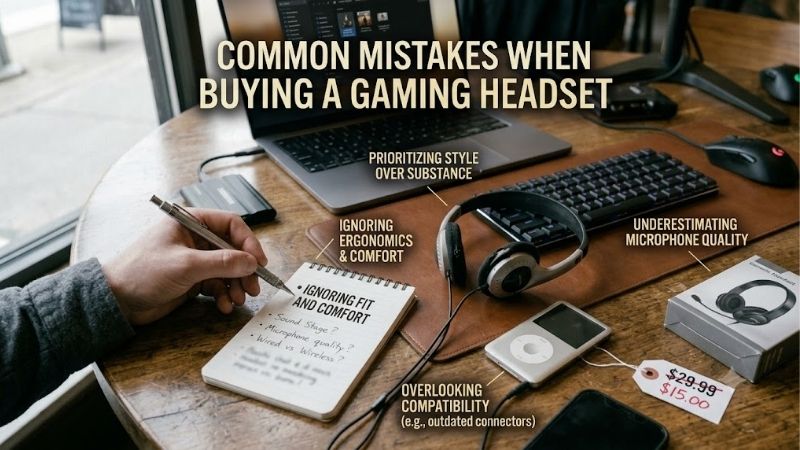
Common mistakes when buying a gaming headset usually happen before the headset is even unpacked: the buyer skips platform checks, ignores fit, overvalues surround labels, or forgets how often the battery must be charged. These four buying criteria expose those traps and connect each one to a specific pick worth considering.
Platform Compatibility
Common mistakes when buying a gaming headset often start with platform checks. A wireless receiver that works on PC or PlayStation may not behave the same way on Xbox, and Bluetooth support can differ from 2.4GHz gaming support. List every device you will use, then verify the exact model version before ordering for first-time buyers.
That matters because a beginner headset should remove setup surprises, not add them. Logitech G435 covers PC, Mac, PS4, and PS5 through LIGHTSPEED plus Bluetooth, while HyperX Cloud III S supports PC, Mac, PS5, mobile, and Switch. For broader wireless flexibility, those two models are straightforward starting points for beginners.
Weight And Comfort
The second mistake is judging comfort by a five-minute try-on or by photos. Headset weight, clamp force, ear-cup size, and heat become obvious after a long match. Logitech G435 weighs only 165g, while SteelSeries Arctis Nova 5 Wireless weighs 265g, so the difference can become increasingly noticeable after hours of use.
A lighter frame is not automatically better, because some players prefer larger cushions and a firmer fit. For a first headset purchase, G435 is an option for smaller heads and long light-use sessions, while Nova 5, Cloud III S, and BlackShark V2 Pro suit buyers wanting fuller, more supportive over-ear designs for long gaming sessions.
Microphone Quality
Another common mistake is treating the microphone as a minor extra. Team-chat exposes weak mics immediately, especially with keyboards, fans, and nearby voices. Nova 5 uses a retractable bidirectional noise-canceling boom, Cloud III S uses a detachable 10mm boom, and BlackShark V2 Pro has a removable Super Wideband microphone.
Logitech G435 takes the lighter route with built-in beamforming microphones, which keeps the 165g headset simple but removes the mouth-positioning control of a boom. If you mainly play solo, that may be enough. For frequent squad chat, Nova 5, Cloud III S, and BlackShark V2 Pro are stronger purpose-built boom-mic choices.
Battery Life
Common mistakes when buying a gaming headset include battery errors. A headset rated for one week of casual gaming feels very different from one that needs charging every day or two. HyperX Cloud III S reaches up to 120 hours on 2.4GHz and 200 hours in Bluetooth mode under HyperX’s tests, far beyond G435’s 18-hour rating in routine use.
Do not buy the biggest battery automatically, because battery capacity can come with additional physical weight. Razer BlackShark V2 Pro offers up to 70 hours, while Nova 5 offers up to 60 hours, making both practical middle-ground options. For maximum endurance, Cloud III S is the clear pick. That matters most for long gaming sessions.
Top Picks
The best way to avoid common mistakes when buying a gaming headset is to compare a few meaningful differences rather than twenty marketing claims. The four picks below cover balanced wireless use, low weight, extreme battery life, and competitive voice and audio needs, giving first-time buyers a clear reason for each choice.
| Product | Best For | Key Spec | Watch Out For |
|---|---|---|---|
| SteelSeries Arctis Nova 5 Wireless | Best Overall | 265g; 2.4GHz + Bluetooth 5.3; up to 60 hours | No 3.5mm analog connection |
| Logitech G435 | Best Value | 165g; LIGHTSPEED + Bluetooth; 18-hour battery | Built-in mic and shorter battery life |
| HyperX Cloud III S Wireless | Best For Battery Life | 340g; 120 hours 2.4GHz; 200 hours Bluetooth | Heavier than the other picks |
| Razer BlackShark V2 Pro (2023) | Best For Competitive FPS | 320g; 50mm drivers; up to 70 hours | Wireless-only design |
SteelSeries Arctis Nova 5 Wireless — Best Overall
SteelSeries Arctis Nova 5 Wireless — Best Overall fits the first-time buyer wanting one headset for PC, console, and mobile use without moving into premium territory. It weighs 265g, supports 2.4GHz and Bluetooth 5.3, and offers up to 60 hours of battery life, making it a strong all-around choice for everyday-gaming wireless-first use.
Its biggest strength is flexibility: quick-switch wireless and game presets make it easy to move between play and phone audio. The compromise is no 3.5mm analog connection, so buyers wanting a wired fallback should look elsewhere. For most wireless-first users, that is the main limitation, not a deal-breaker occasional.
Logitech G435 — Best Value
Logitech G435 — Best Value is aimed at first-time buyers who care about low weight and simple wireless use more than premium microphone hardware. At 165g, it is the lightest model here, and it combines LIGHTSPEED with Bluetooth. Logitech rates battery life at 18 hours, enough for shorter sessions between charges casually.
The advantage is how little headset you carry on your head, especially for smaller users. The weakness is built into that simplified design: microphones are integrated rather than a movable boom, and battery life is much shorter than the other picks. G435 works best when low weight matters more than premium extras everyday.
HyperX Cloud III S Wireless — Best For Battery Life
HyperX Cloud III S Wireless — Best For Battery Life is the selection for purchasers wanting to charge a headset as infrequently as possible. It weighs 340g, uses 53mm angled drivers, and supports 2.4GHz and Bluetooth. HyperX rates it for up to 120 hours on 2.4GHz or 200 hours in Bluetooth mode under its tests realistically.
The major advantage is exceptional endurance, paired with HyperX’s over-ear comfort and a detachable 10mm boom microphone. The disadvantage is simple: at 340g, it is the heaviest headset here. Buyers preferring featherweight headsets may find Nova 5 or G435 easier to wear through long sessions without tiring noticeably.
Razer BlackShark V2 Pro (2023) — Best For Competitive FPS
Razer BlackShark V2 Pro (2023) — Best For Competitive FPS targets players who want clear directional audio and strong team-chat hardware. It uses 50mm drivers, 2.4GHz wireless or Bluetooth 5.2, a removable HyperClear Super Wideband microphone, and up to 70 hours of battery life. It is built around focused competitive play.
Its main advantage is a competitive feature set with stored audio profiles and THX Spatial Audio support on Windows. The trade-off is 320g weight and a wireless-only design, making it less flexible as a generic wired headset. For FPS-focused beginners, those compromises make sense when positioning and team chat matter most.
Frequently Asked Questions
The same common mistakes when buying a gaming headset often appear after checkout, especially when a buyer discovers a missing console feature, an uncomfortable fit, or an inconvenient charging routine. These questions cover practical checks that can prevent returns and frustration once regular gaming begins at home, too.
Do Bigger Drivers Mean Better Gaming Sound?
The first-time shortcut is usually wrong: bigger drivers do not always mean better gaming sound. Driver size is only one part of tuning, imaging, enclosure design, and software processing. Common mistakes when buying a gaming headset include treating 50mm or 53mm as a quality score, when those numbers cannot predict how footsteps sound.
Use driver size as supporting information after checking reviews or listening tests for the audio you care about. A 40mm Nova 5 can still produce practical gameplay cues, while 53mm Cloud III S and 50mm BlackShark V2 Pro target different tuning priorities. The number itself should never independently decide the purchase.
Do You Need Surround Sound?
Surround sound is not essential for a first gaming headset. Virtual spatial processing can make positional cues easier to notice, but the game’s own mix and the headset’s tuning still matter. BlackShark V2 Pro includes THX Spatial Audio on Windows, while Cloud III S includes DTS Headphone:X, so software is an optional feature.
Start with the default stereo profile and enable spatial audio only after learning how the game already sounds. This avoids another common mistake: assuming every branded surround mode is automatically more accurate. New buyers should choose comfort and connection first, then experiment with spatial features when useful.
Will The Headset Work With Your Console?
Yes, compatibility should be checked before ordering, especially when one headset must work across several devices. Cloud III S supports PC, Mac, PS5, mobile, and Switch, while G435 supports PC, Mac, PS4, and PS5 through LIGHTSPEED plus Bluetooth. Nova 5 and BlackShark V2 Pro also depend on connection method and model version.
Xbox deserves extra attention because wireless support can vary by edition. Do not assume that Bluetooth-compatible means the same gaming connection on every console. Check the exact platform label and included receiver before checkout, particularly when buying BlackShark V2 Pro or another model sold in multiple console variants.
Which Headset Is Best For Voice Chat?
Buyers researching common mistakes when buying a gaming headset should expect a predictable setup. The better first headset is the one matching your session length, platform, and chat habits, not the longest feature list. For many, that means stable wireless, comfortable pads, simple controls, and a microphone they can position easily.
If you rarely use voice-chat, G435’s built-in microphones can be enough while keeping weight low. Frequent team players should lean toward a boom-mic design such as Nova 5, Cloud III S, or BlackShark V2 Pro. That distinction can matter more to daily satisfaction than a small difference in driver specifications or software features.
Final Thoughts
The easiest way to avoid common mistakes when buying a gaming headset is to match the headset to your actual platform, head size, chat habits, and charging routine. Nova 5 is the balanced pick, G435 favors light users, Cloud III S favors endurance, and BlackShark V2 Pro targets competitive play without unnecessary extras.
Thông số trong bài được đối chiếu với trang SteelSeries, HyperX, Logitech G và Razer; Nova 5 cũng được kiểm tra chéo qua bài đánh giá độc lập của Tom’s Hardware. (SteelSeries)