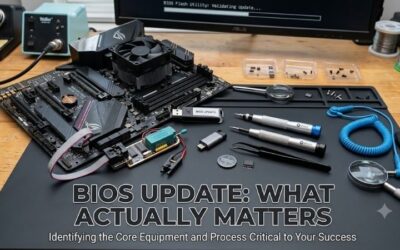
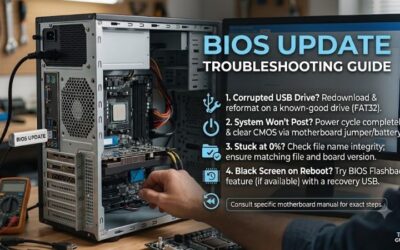
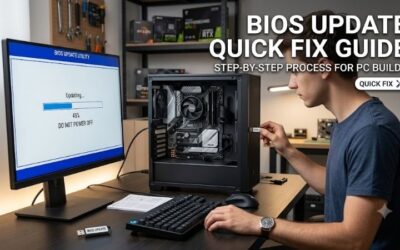
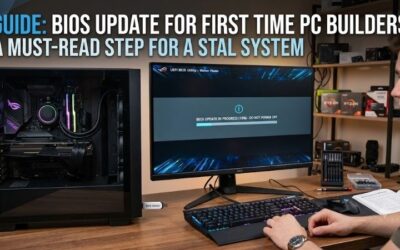
Bios update tools and parts you need will help you safely recover bricked systems and perform smooth firmware updates. Having the right hardware prevents permanent motherboard damage when updating your system board software. This complete buying guide covers essential flashers, drives, and diagnostic kit essentials.
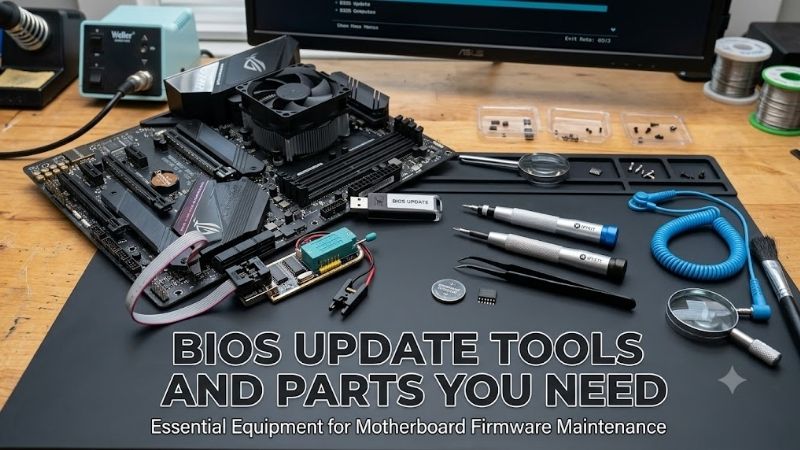
How to Choose the Right BIOS Update Tools and Parts You Need
Selecting the ideal bios update tools and parts you need requires checking your motherboard specs and target chip models. Hardware compatibility determines whether your recovery attempt succeeds or damages sensitive components. Focus on voltage ratings, clip design, and storage formatting before ordering any service kit.
Hardware Interface and Chip Socket Compatibility
Every motherboard utilizes specific integrated circuit pinouts that require proper programmer connections. Selecting an EEPROM programmer kit with multi-pin socket headers ensures seamless physical attachment. Verify if your target chip uses surface-mount packaging or removable DIP sockets prior to purchasing hardware.
Incompatible socket adapters can bend fragile pins or fail to recognize stored system firmware images. High quality programming tools include zero insertion force sockets and flexible ribbon extension leads. Check your board schematic to confirm chip dimensions before connecting external flashing equipment.
Voltage Level Requirements for SPI Memory
Modern desktop and laptop motherboards often operate low-voltage chipsets running at one point eight volts. Connecting standard five-volt programmers directly into low-voltage SPI flash memory will cause permanent logic destruction. Always verify operational voltage specs on target integrated circuits.
Utilizing a dedicated 1.8V adapter board drops signal levels down to safe operational limits during transfers. A versatile BIOS chip flasher should automatically adjust supply voltages or include stepping modules. Proper voltage regulation prevents electrical overstress while writing fresh microcode files.
USB Flash Drive Format and Storage Size
Motherboard built-in flashing utilities like ASUS EZ Flash require a dedicated bootable USB drive formatted in FAT32. High capacity drives using NTFS or exFAT file structures frequently fail during low-level recovery procedures. Small capacity thumb drives offer the highest success rates for flash recovery.
Using a basic sixteen or thirty-two gigabyte stick guarantees broad compatibility across legacy platforms. Premium high-speed drives sometimes lack legacy controller support on older motherboard chipsets. Keep a dedicated low-capacity flash drive exclusively for system maintenance and firmware tasks.
Clamping Quality and Direct Clip Contact
In-circuit flashing requires a sturdy SOIC8 test clip to grip surface-mounted chips directly on the PCB. Cheap plastic clamps quickly slip off fine pins and interrupt data transfers mid-write. Look for reinforced clips equipped with gold-plated contact points to maintain stable connectivity.
Proper spring tension ensures firm contact without deforming delicate chip pins during long operations. Cleaning oxidized chip leads with isopropyl alcohol prior to clamping improves signal clarity significantly. A reliable clip setup eliminates tedious soldering when reflashing system microcode.
| Tool Category | Primary Purpose | Key Compatibility Metric | Recommended Tool |
| Hardware Flasher | External Chip Flashing | 3.3V / 1.8V SPI Logic | KeeYees CH341A Programmer Kit |
| Universal Flasher | Multi-Chip Programming | 31,000+ IC Support | XGecu T48 (TL866-3G) Kit |
| USB Flash Media | Motherboard FlashBack | FAT32 File System / 32GB | SanDisk 32GB Ultra USB Drive |
| Thermal Compound | CPU Re-seating | Non-Conductive / 3.5g | Noctua NT-H1 Thermal Paste |
| CMOS Power | Clearing System Settings | 3V CR2032 Standard | CR2032 Lithium Coin Cells |
Top Picks
Evaluating top-rated bios update tools and parts you need helps you select field-tested repair equipment. We analyzed user reviews, chip support breadth, and build quality across leading hardware flasher brands. These featured components provide reliable options for both novice builders and repair tech pros.
KeeYees CH341A USB Programmer Kit
Finding bios update tools and parts you need for legacy chips starts with this budget-friendly flasher set. Ideal for enthusiasts recovering bricked boards, it includes a durable SOIC8 test clip and step-down board. The compact setup allows direct in-circuit flashing without desoldering delicate components.
Driver configuration on modern Windows versions can require manual installation steps for full device recognition. Despite minor software setup hurdles, it delivers unbeatable value and dependable EEPROM programmer kit performance. It remains the top entry-level choice for budget motherboard repairs.
SanDisk 32GB Ultra Flare USB 3.0 Flash Drive
This dependable flash drive is designed for PC builders needing reliable firmware installation media. Its durable metal casing protects critical files, while its native 32GB capacity formats effortlessly to FAT32. It provides optimal read speeds for motherboard Q-Flash and FlashBack recovery tools.
The sleek metal body can feel warm during extended data transfers on active USB ports during our research. However, its exceptional compatibility makes it the perfect bootable USB drive for BIOS updates across all major brand boards. An indispensable utility drive for every technician hardware kit.
XGecu T48 Programmer Kit
Investing in bios update tools and parts you need for professional work leads to this advanced device. Designed for repair shops, it supports thousands of SPI flash memory chips with fast read and write cycles. Its robust socket design handles wide voltage ranges without requiring extra step-down boards.
Higher upfront hardware costs make it an overkill option for simple one-time home motherboard repairs. Additionally, the feature-rich software interface has a noticeable learning curve for beginner technicians. Nevertheless, its speed and reliability make it a premium universal BIOS chip flasher.
Noctua NT-H1 3.5g Pro-Grade Thermal Compound
Upgrading motherboard processors often accompanies firmware updates and requires removing thermal heatsinks. Noctua NT-H1 offers high thermal conductivity and easy application without electrical shorting risks. It spreads evenly under mounting pressure to keep temperatures cool after CPU hardware changes.
The included 3.5g syringe provides enough material for several applications but lacks extra cleaning wipes. Despite missing accessory wipes, its long-term stability ensures zero curing time and top thermal dissipation. A must-have compound when re-seating processors during motherboard updates.
CR2032 Lithium Coin Cell Battery 5-Pack
Resetting corrupted configuration settings requires a fresh CMOS battery replacement on aging motherboards. These reliable three-volt lithium cells restore accurate system time and clear persistent microcode boot loops. Keeping fresh coin cells on hand saves hours of troubleshooting unbootable systems.
Individual blister packaging can be somewhat tricky to open without scissors during bench repairs. However, their long shelf life and stable voltage output ensure instant recovery for stubborn motherboards. Essential maintenance parts for resetting system parameters prior to flashing procedures.
Frequently Asked Questions
Understanding bios update tools and parts you need clears up common confusion surrounding system recovery. Many users struggle with hardware compatibility, driver software installation, and pin voltage settings. These concise answers address frequent technical questions regarding motherboard recovery procedures.
Can I recover a corrupted BIOS without an external programmer?
Modern motherboards often feature automated recovery solutions like ASUS USB FlashBack or Gigabyte Q-Flash Plus. These built-in features reflash system microcode using a USB drive without needing a CPU installed. However, unbricking dead motherboard chips with severe corruption requires external hardware.
When built-in safety utilities fail to initiate, an external hardware flasher is the only solution left. Connecting directly to chip pins bypasses dead board logic to restore clean motherboard firmware recovery files. Having external tools handy ensures you can recover bricked hardware reliably.
Why does my motherboard require a 1.8V adapter for BIOS flashing?
Many modern motherboard SPI chips operate exclusively on lower logic voltages around one point eight volts. Standard USB programmers output three point three volts, which will instantly overload lower voltage chips. Using a 1.8V adapter board safely conditions signal lines during programming.
Failing to use voltage regulation adapters can permanently burn out the delicate flash memory silicon die. Always inspect the part numbers printed on your motherboard chip before applying external programming power. Matching correct voltage levels guarantees safe and successful flashing results.
What is the best file system format for BIOS update flash drives?
The standard FAT32 file system offers universal compatibility with pre-boot motherboard recovery utilities. Formatting drives with exFAT or NTFS often prevents motherboard firmware from recognizing update binary files. Using a basic CP2102 USB module or flash stick formatted FAT32 works best.
Keep drive capacity at thirty-two gigabytes or lower so standard formatting tools retain FAT32 structure cleanly. Larger flash drives often require specialized partition tools to format properly for legacy BIOS utilities. Sticking to small FAT32 drives ensures hassle-free firmware updates every time.
Is it safe to flash a motherboard BIOS chip while attached to the board?
In-circuit flashing is generally safe if you disconnect main power sources and remove your CMOS battery replacement. Board residual power can interfere with programmer signals or cause short circuits during chip transfers. Using non-conductive clips prevents shorting adjacent surface components on the board.
Always verify pin alignment carefully before powering on your external programmer hardware tool set. Incorrect clip positioning can cause temporary voltage spikes across neighboring motherboard logic pathways. Patience and proper clip alignment ensure smooth in-circuit recovery without chip removal.
Final Thoughts
Gathering reliable bios update tools and parts you need guarantees you are prepared for system recoveries and hardware upgrades. From versatile flash programmers to simple FAT32 thumb drives, the right setup prevents costly board replacements. Invest in quality tools today for unbricking dead motherboard systems with confidence.