Best budget pc case airflow design ensures your components remain cool without draining your wallet. High GPU and CPU heat output makes proper ventilation essential for stable gaming performance. Modern affordable chassis now include high-porosity mesh panels and quiet pre-installed fans, giving budget builders thermal efficiency.
How to Choose the Right Budget Airflow PC Case
Finding the best budget pc case airflow model requires looking beyond sleek aesthetics to analyze engineering. Choosing a high-airflow PC chassis under eighty dollars means prioritizing continuous draft, sensible fan setups, and solid structural room.
Front Panel Ventilation
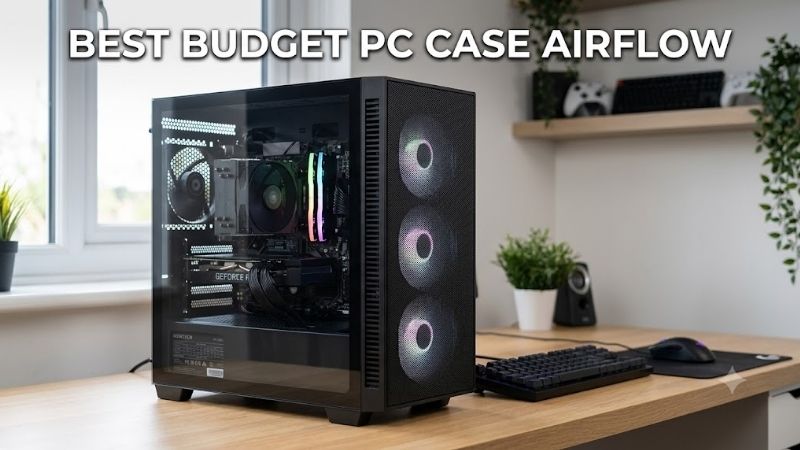
A quality mesh front panel serves as the primary gateway for cold ambient intake into your PC. Fine patterned perforations block larger dust particles while allowing unrestrained intake volume across GPU heat pipes and CPU heatsinks. You should ensure the front mesh covers maximum surface area for effective draft intake.
Avoid cheap enclosures with solid acrylic or restrictive glass fronts that stifle intake velocity. Prioritizing open front ventilation allows internal fans to run at lower RPMs, reducing total system acoustic output. Investing in open intake structures guarantees that your internal components remain cool during heavy loads.
Included Fan Setup
Checking for pre-installed cooling fans saves you additional money on aftermarket cooling accessories. Budget chassis that include three or four pre-mounted PWM fans deliver immediate directional airflow straight out of the box. Look for cases equipped with pre-wired fan hubs to simplify power cable connection routines.
Selecting a case with multiple stock spinners provides positive air pressure, which reduces internal dust accumulation. Pre-installed 140 millimeter intake fans push higher cubic feet per minute than smaller 120 millimeter alternatives while running quieter. Always check if the included fans use standard connectors for easy control.
Hardware Clearance Capabilities
Modern graphic cards continue to expand in physical length and thickness with every generation. Checking CPU cooler clearance and GPU clearance before buying prevents frustrating physical collision issues during assembly. Always verify that your chosen chassis offers at least 165 millimeters for tall air coolers and modern GPUs.
Finding a best budget pc case airflow layout requires confirming motherboard size compatibility. Choosing a frame that comfortably accommodates full ATX boards alongside massive graphics cards keeps air pathways unobstructed. Sufficient internal volume allows cold air to circulate freely around hot internal power delivery stages.
Cable Management System
Generous cable management space behind the motherboard tray prevents messy wiring clutter. Proper routing channels with velcro straps keep primary power cables flat against the back wall. Uncluttered internal spaces allow cool intake air to travel directly across hot graphics cards without hitting thick wiring bunches.
Tidy internal wiring improves overall cooling efficiency while making maintenance much simpler. Budget frames offering deep tie-down points and rubber grommets streamline overall build assembly time significantly. Taking time to neatly organize power lines inside the chassis guarantees clean visual presentation and smooth thermal draft.
Top Picks for Budget Airflow PC Cases
Selecting the best budget pc case airflow chassis no longer means compromising on build quality. The market now offers impressive options designed specifically to keep internal temperatures low while preserving your wallet. Here are top-performing budget ATX gaming case models available right now on Amazon.
| Model | Included Fans | Front Panel | Max GPU Clearance | Standout Feature |
| Montech AIR 903 MAX | 4x 140mm ARGB/PWM | High-Porosity Mesh | 400mm | Exceptional value & airflow |
| Phanteks XT Pro Ultra | 4x 140mm ARGB | Ultra-Fine Performance Mesh | 415mm | Back-connect motherboard support |
| Corsair 4000D Airflow | 2x 120mm PWM | Perforated Front Steel | 360mm | Premium cable routing & dust filters |
| NZXT H5 Flow | 2x 120mm (1 Dedicated GPU) | Perforated Mesh | 365mm | Direct GPU bottom cooling fan |
| Lian Li Lancool 216 | 2x 160mm + 1x 140mm | Full Mesh Front & Top | 392mm | Massive fan airflow & modularity |
Montech AIR 903 MAX
Gamers seeking a best budget pc case airflow option out of the box will love this chassis. It packs four pre-installed 140 millimeter fans behind a high-porosity mesh front panel, creating intense intake momentum. Generous interior volume easily accommodates massive graphics cards while maintaining clean intake draft.
While the build quality feels slightly basic in non-visible steel sections, the thermal performance is unmatched. The included ARGB fan hub simplifies lighting synchronization while keeping overall component temperatures impressively low. It stands out as an unbeatable option for budget builders needing high intake air movement.
Phanteks XT Pro Ultra
Builders looking for modern motherboard compatibility and liquid cooling support will appreciate this frame. It features ultra-fine mesh intake panels paired with four pre-mounted 140 millimeter ARGB fans for immediate thermal exhaust. Wide radiator mounting area along the top panel allows effortless liquid cooler placement.
The internal steel frame feels sturdy, though full radiator clearance requires careful RAM height planning. Modern back-connector motherboard support makes front internal chamber wiring virtually invisible. It remains a reliable best budget pc case airflow choice for enthusiasts wanting exceptional air intake volume.
Corsair 4000D Airflow
Builders who value clean minimalist aesthetics alongside effective thermal management will find this case ideal. Its iconic triangular perforated front panel delivers high intake air volume directly to internal components. Exceptional dust filter protection keeps the internal chamber clean without choking overall air circulation.
Only two stock fans come pre-installed, meaning high-power builds may require buying additional spinners. However, Corsair’s RapidRoute cable system makes building incredibly fast and exceptionally clean. Excellent structural quality and smart airflow geometry make this chassis a reliable foundation for long-term builds.
NZXT H5 Flow
Gamers focused on keeping graphics card thermals low will benefit greatly from this compact mid-tower design. It features an innovative angled intake fan at the bottom floor dedicated exclusively to cooling the GPU. The perforated front mesh panel maintains a steady intake stream across your motherboard and CPU cooler.
Radiator space on the top panel is somewhat tight, requiring low-profile memory modules for top liquid setups. Nevertheless, tool-less glass side panel removal and intuitive cable channels make building inside effortless. It provides targeted GPU cooling that significantly improves heavy gaming session thermal stability.
Lian Li Lancool 216
System builders who want uncompromising thermal performance with massive fan displacement will adore this frame. Dual pre-installed 160 millimeter front intake fans move massive air volume at low operating noise levels. Continuous mesh surrounding the chassis creates seamless ventilation across every hot internal component.
The chassis is slightly heavier than competing mid-towers due to its thick steel reinforcement bars. However, its modular rear panel adjusts between air cooling and liquid cooling modes with ease. Outstanding engineering ensures your hardware stays remarkably cool during prolonged heavy computational workloads.
Frequently Asked Questions
Navigating cooling choices can raise several questions for first-time PC builders and experienced upgrading enthusiasts alike. Understanding air intake dynamics helps you select the ideal enclosure for long-term hardware health. Here are direct expert answers to common queries regarding high-ventilation PC enclosures.
Does Mesh Really Improve System Temps?
Open mesh front panels eliminate air intake resistance, allowing fans to draw cold external air effortlessly. Lower internal temperatures protect sensitive silicon from thermal throttling during intense sessions. Investing in perforated panel architecture drastically reduces component thermals compared to solid glass panels.
Are Included Case Fans Sufficient?
In most budget cases, pre-installed cooling fans provide adequate airflow for mid-range gaming builds. Enclosures with three or four stock fans move sufficient cubic feet of air to prevent thermal accumulation. Upgrading fans is only necessary if you run top-tier hardware generating extreme continuous wattage.
Can Budget Cases Fit AIO Water Coolers?
Most modern budget enclosures offer dedicated liquid cooling support for 240 millimeter and 360 millimeter top or front radiators. You should verify top clearance measurements to prevent radiator fans from bumping into high-profile RAM modules. Proper radiator placement assists overall intake draft inside the case.
How Much Should You Spend on Airflow?
You do not need to spend over one hundred dollars to secure a top-tier best budget pc case airflow design. A quality budget ATX gaming case priced between sixty and ninety dollars provides superb mesh ventilation and pre-mounted fans. Investing moderate funds into airflow yields optimal thermal results without overspending.
Final Thoughts
Securing the best budget pc case airflow layout ensures peak hardware lifespan and whisper-quiet operational cooling. By choosing a chassis with open mesh panels, pre-installed fans, and generous routing space, you create an efficient thermal environment. Prioritizing proven thermal performance over flashy gimmicks keeps your PC cool.