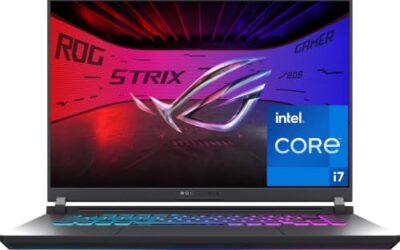
AMD’s Ryzen AI Max 385 represents a new class of mobile silicon, fusing a powerful CPU, capable integrated Radeon graphics, and a dedicated NPU into a single package designed for the AI era. It targets creators and professionals who want workstation-grade responsiveness and on-device AI acceleration without hauling a discrete GPU or sacrificing battery life to it.
The clearest showcase for this chip is HP’s ZBook Ultra G1a family, a 14-inch mobile workstation line built around the Ryzen AI Max PRO 385. In this review we assess what the platform does well, where it makes sense, and how it stacks up against the even beefier Ryzen AI Max+ 395 systems now appearing from boutique builders.
As an Amazon Associate we earn from qualifying purchases at no extra cost to you.



🎮 Get More From Your Setup — Free
Prime Gaming gives you free PC games every month, in-game loot, and a free Twitch channel sub — plus fast free shipping on all the gear above. New members get a 30-day free trial.
Watch: AMD Ryzen Ai Max 385 Laptop — Video Review
Design & Build
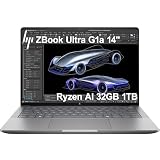
The HP ZBook Ultra G1a is a compact 14-inch mobile workstation that punches well above its footprint. Available in touchscreen and FHD+ configurations with up to 32GB of RAM and 1TB of SSD storage, it wraps serious silicon in a premium Meteor Silver chassis certified for professional workloads. The WUXGA panel is crisp and color-accurate, and the machine stays remarkably thin given the horsepower inside, making it a genuine desktop-replacement you can actually carry all day.
Performance
The Ryzen AI Max PRO 385 delivers strong multi-core throughput for compiling, rendering previews, and heavy multitasking, while its integrated Radeon graphics handle content creation and light gaming far better than typical thin-and-light iGPUs. The standout is the NPU, which accelerates local AI tasks such as background processing, generative assistants, and on-device inference without spinning up cloud services. For editing, engineering, and AI-assisted workflows, the ZBook Ultra G1a feels fast and unusually quiet. Buyers chasing maximum muscle should note the NIMO AI PC systems built on the Ryzen AI Max+ 395, which add more cores, 128GB of LPDDR5x, and a beefier Radeon 8060S for 8K video editing.
Pros & Cons
- Pro: Excellent CPU and NPU performance for creative and AI workloads.
- Pro: Strong integrated graphics eliminate the need for a discrete GPU in many tasks.
- Pro: Slim, premium chassis in the ZBook Ultra G1a with pro-grade build quality.
- Pro: Efficient power draw yields solid battery life for the class.
- Con: Not aimed at hardcore discrete-GPU gaming.
- Con: Premium workstation pricing.
- Con: The step-up Max+ 395 machines are meaningfully faster if you need it.
Alternatives to Consider
If your workloads lean toward heavy 8K editing or large local AI models, the NIMO Ryzen AI Max+ 395 systems with 128GB of memory are the logical step up, trading portability and price for raw capability. Conversely, if you rarely touch AI acceleration and mostly need office and web performance, a conventional Ryzen or Intel ultrabook will save money. The Max 385 hits the sweet spot for professionals who want balanced compute plus on-device AI in a portable body.
How It Works: One Chip, Three Jobs
The Ryzen AI Max 385 is a single package that handles general computing, graphics and AI work. Understanding how those pieces share resources explains both its strengths and its limits.
- CPU. AMD lists eight Zen 5 cores and 16 threads, with boost clocks reaching about 5GHz. That is plenty for compiling, editing and heavy multitasking.
- Integrated graphics. The Radeon 8050S is reported at 32 RDNA 3.5 compute units, a step below the 40-unit graphics in AMD’s top Max chip. It is a capable integrated GPU, not a stand-in for a high-end discrete card.
- NPU. The XDNA 2 engine is rated at 50 TOPS, which suits local AI features such as noise removal, background blur and small language models.
- Unified memory. The chip uses a 256-bit LPDDR5X interface, and CPU, GPU and NPU all draw from the same pool. That bandwidth is what separates it from ordinary thin laptops.
Where It Fits
| Workload | Fit | Note |
|---|---|---|
| Office, browsing, video calls | Excellent | Very little effort for the chip |
| Software development | Excellent | Eight fast cores and plenty of memory |
| 1080p gaming | Good | Integrated graphics; some settings may need trimming |
| Video editing | Good | Memory bandwidth helps; confirm software support |
| Local AI models | Strong for a laptop | Larger memory configurations allow bigger models |
| Heavy 3D rendering | Moderate | A discrete GPU still leads |
Common Mistakes
- Expecting discrete-GPU gaming results from integrated graphics.
- Choosing too little memory. Because the GPU borrows from system RAM, more capacity helps graphics and AI work alike.
- Comparing the 50 TOPS NPU figure with total-platform TOPS claims. They measure different things.
- Ignoring power mode. Plugged-in performance can differ noticeably from battery mode.
- Assuming every laptop with this chip uses the same power limit. Manufacturers set their own, in a range commonly cited as roughly 45W to 120W.
Memory Sizing in Practice
Because the GPU draws from the same memory pool, capacity is the setting that most changes what this chip can do. Everyday work fits comfortably in 32GB, while running larger local AI models or heavy video projects benefits from the bigger configurations some vendors offer. Confirm the amount before buying, because the memory is generally soldered and cannot be expanded later.
Troubleshooting
- Games run poorly: Update the AMD graphics driver and the BIOS, and check the performance profile.
- A local AI tool ignores the NPU: Many applications still default to the CPU or GPU; check whether the software supports the NPU and update it.
- Fans spin up at idle: Review background apps and the vendor’s power plan before suspecting hardware.
Frequently Asked Questions
What makes the Ryzen AI Max 385 different from a standard Ryzen chip?
It integrates a stronger NPU and more capable Radeon graphics into one package, prioritizing on-device AI acceleration and iGPU performance alongside the CPU.
Can it game without a discrete GPU?
Yes, its integrated Radeon graphics handle esports and many modern titles at moderate settings, though it is not a substitute for a dedicated gaming laptop GPU.
Is 32GB of RAM enough?
For most creative and professional workflows, yes. If you run very large AI models or massive video projects, the 128GB Max+ 395 systems are worth considering.
Is the ZBook Ultra G1a good for developers?
Absolutely. Its strong multi-core performance, quiet operation, and NPU acceleration make it well suited to coding, containers, and AI-assisted development.
Verdict
The Ryzen AI Max 385, embodied by the HP ZBook Ultra G1a, is one of the most compelling thin-and-light workstations of 2026, blending serious compute, strong integrated graphics, and genuine on-device AI in a portable frame. Choose it if you want a do-everything professional laptop; step up to a Max+ 395 machine only if your workloads truly demand the extra horsepower.