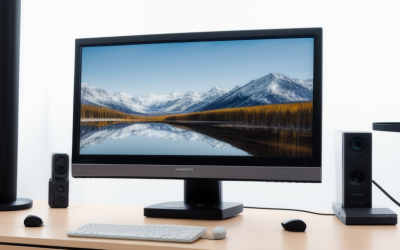
If you are asking what is the best budget 1440p monitor for a desktop gaming or mixed-use setup right now, the ASUS TUF Gaming VG27AQL5A earns our top all-around recommendation by pairing a 27-inch 2560 x 1440 Fast IPS panel, a 210 Hz overclocked refresh rate, and a full ergonomic stand around $189 to $219 USD. Buyers who prioritize genuine high dynamic range contrast under $300 USD should look instead to the 1,152-zone Mini-LED AOC Q27G40XMN or KTC M27T6S, while shoppers on a strict sub-$180 USD budget get standout daytime brightness from the KTC H27T22C-3.
- Quick verdict on what is the best budget 1440p monitor
- Quick comparison of top budget 1440p monitors
- How we selected and evaluated these monitors
- In-depth reviews of the best budget 1440p monitor picks
- How to choose the best budget 1440p monitor for your PC
- Frequently asked questions about budget 1440p monitors
- Final verdict
Quick verdict on what is the best budget 1440p monitor
The sub-$300 USD 1440p monitor market has matured dramatically, giving PC builders and console owners access to 180 Hz to 210 Hz refresh rates and even full-array Mini-LED local dimming without paying mid-range OLED prices. Depending on your room lighting, graphics card, and desk setup, one of these seven models delivers the strongest balance of price, measured performance, and hardware compatibility:
- Best overall budget 1440p monitor: ASUS TUF Gaming VG27AQL5A ($189 to $219 USD). It combines a 210 Hz overclocked Fast IPS panel, a 350-nit typical SDR rating, integrated speakers, and a height-, tilt-, swivel-, and pivot-adjustable stand with a three-year ASUS warranty.
- Best budget 1440p HDR monitor: AOC Q27G40XMN ($199 to $299 USD, Best Buy US exclusive). Its 1,152-zone Quantum Dot Mini-LED backlight and high-contrast Fast VA panel deliver deep black levels and true DisplayHDR 1000 highlights unmatched near $250 USD, provided you can live with a basic tilt-only stand.
- Best under-$200 bright IPS monitor: KTC H27T22C-3 (~$175 USD). Rated at 450 nits typical SDR brightness with dual DisplayPort 1.4 inputs and a 210 Hz overclocked ceiling, it punches well above typical entry-level panels in sunny rooms.
- Best sub-$300 Mini-LED for peak brightness and color volume: KTC M27T6S (~$290 to $300 USD). Tested by Tom’s Hardware at over 500 nits in SDR and over 1,300 nits in HDR with 1,152 dimming zones on a Fast IPS panel, it avoids VA dark-level smearing while pushing extreme color saturation.
- Best budget 1440p monitor for motion tuning and factory accuracy: ASUS ROG Strix XG27ACS (~$252 to $284 USD). Its 20-step variable overdrive, clean SDR-in-HDR tone mapping, USB-C DisplayPort Alt Mode input, and refined chassis suit competitive players who value crisp motion and out-of-the-box calibration.
- Best budget 1440p monitor for hybrid work and KVM: Gigabyte M27QA (~$250 to $280 USD). A built-in KVM switch, USB-C upstream video with 10W power delivery, and higher-than-average ~1,500:1 IPS contrast measured by Monitors Unboxed make it ideal for switching between a gaming desktop and a work laptop.
- Best entry-level 1440p deal pick: MSI MAG 275QF (~$196 to $220 USD regular, frequent sales around $160 to $190 USD). When discounted below $180 USD, this lightweight 180 Hz Rapid IPS display is a reliable VESA-mountable starter screen for tight budgets.
Quick comparison of top budget 1440p monitors
| Monitor model | Best for | Panel and max refresh | Rated / measured brightness and contrast | Meaningful drawback |
| ASUS TUF Gaming VG27AQL5A | Best overall budget value | 27-inch Fast IPS, 210 Hz (OC) | 350 nits typical SDR, 400 nits HDR, 1300:1 typical | HDMI 2.0 caps at 144 Hz; no local dimming |
| AOC Q27G40XMN | Best budget HDR contrast | 27-inch Fast VA + 1,152-zone Mini-LED, 180 Hz | DisplayHDR 1000, 4,572:1 native contrast (TechSpot) | Tilt-only stand; DP 1.2 bandwidth caps 180 Hz to 8-bit |
| KTC H27T22C-3 | Best under-$200 bright IPS | 27-inch Fast IPS, 210 Hz (OC) | 450 nits typical SDR, 400 nits HDR, 1000:1 typical | Tilt-only stand; no built-in speakers |
| KTC M27T6S | Best sub-$300 Mini-LED IPS | 27-inch Fast IPS + 1,152-zone Mini-LED, 210 Hz (OC) | 500+ nits SDR, 1,300+ nits HDR (Tom’s Hardware) | Needs calibration out of box; no USB hub |
| ASUS ROG Strix XG27ACS | Best motion tuning and accuracy | 27-inch Fast IPS, 180 Hz | 400 nits peak, ~1,100:1 contrast (Monitors Unboxed) | Pricier than VG27AQL5A; visible IPS glow in dark rooms |
| Gigabyte M27QA | Best work-and-play KVM setup | 27-inch SS IPS, 180 Hz | ~278 nits measured SDR, ~1,500:1 contrast (Monitors Unboxed) | Stand lacks swivel and pivot; 10W USB-C power limit |
| MSI MAG 275QF | Best entry-level sale buy | 27-inch Rapid IPS, 180 Hz | 300 nits typical SDR, 1000:1 typical | Basic tilt-only stand; dimmer backlight than peers |
How we selected and evaluated these monitors
To reflect real US buying conditions as of November 2026, we set a strict retail ceiling of $300 USD before sales tax, including standard US shipping at major national retailers such as Amazon US and Best Buy. Entry-level 1440p OLED displays like the Alienware AW2726DM have dipped toward $350 USD during late-2026 promotions, but $300 USD remains the practical boundary separating mainstream budget LCDs from mid-tier OLED monitors.
Every model on our shortlist had to satisfy five baseline hardware requirements:
- Native 2560 x 1440 (QHD) resolution on a 27-inch flat panel, delivering roughly 109 pixels per inch for sharp desktop text and clean in-game detail without requiring Windows display scaling.
- At least a 180 Hz native or factory-overclocked refresh rate with Adaptive-Sync variable refresh rate (VRR) support for both AMD FreeSync and NVIDIA G-SYNC Compatible operation.
- Credible third-party lab testing or verifiable manufacturer documentation covering panel type, port bandwidth, brightness, contrast, overdrive behavior, and warranty terms.
- Current US retail availability with a 100 x 100 mm VESA mount pattern so buyers can upgrade to a monitor arm later.
- Clear differentiation in real-world use rather than duplicate panel variants sold under different cosmetic housings.
Rather than relying on marketing response-time claims like 0.3 ms or 0.5 ms GtG, which only occur under aggressive overdrive settings that introduce inverse ghosting, we prioritized independent lab measurements from outlets including Tom’s Hardware, TechSpot, Monitors Unboxed, and TFTCentral.
In-depth reviews of the best budget 1440p monitor picks
ASUS TUF Gaming VG27AQL5A for best overall budget value
The ASUS TUF Gaming VG27AQL5A is the most complete sub-$220 USD 1440p monitor on the US market because it avoids the usual budget compromises on stand ergonomics, brightness, and warranty support. Selling around $189 to $219 USD at Amazon US, it pairs a 27-inch Fast IPS panel with a 200 Hz native refresh rate that overclocks cleanly to 210 Hz over DisplayPort 1.4.
ASUS rates the VG27AQL5A at 350 nits typical SDR brightness and 400 nits peak HDR brightness with VESA DisplayHDR 400 certification, alongside a 1300:1 typical static contrast ratio and 95 percent DCI-P3 color gamut coverage. In everyday desktop and gaming use, that extra 50 to 100 nits of SDR headroom over older 250-nit and 300-nit budget IPS displays keeps colors punchy in brightly lit rooms. ASUS also includes ELMB Sync, which allows backlight strobing to run simultaneously with variable refresh rates to sharpen fast camera pans when your frame rate stays high.
Where the VG27AQL5A separates itself from cheaper competitors is mechanical build quality. The included stand offers 130 mm of height adjustment, +20 to -5 degrees of tilt, +20 to -20 degrees of swivel, and 90-degree clockwise and counterclockwise portrait pivot, plus a 1/4-inch tripod socket on top of the column for a webcam or key light. Connectivity includes one DisplayPort 1.4 input (required for 210 Hz), two HDMI 2.0 ports (capped at 144 Hz at 2560 x 1440), a 3.5 mm headphone jack, dual 2W speakers, and a USB 3.2 Gen 1 Type-C service port.
Like all edge-lit IPS panels without local dimming, the VG27AQL5A cannot produce true inky blacks in a dark room, and its DisplayHDR 400 support is basic tone mapping rather than real HDR. Even so, backed by a three-year ASUS limited warranty, it is the safest default choice for most PC builders.
Buy if: You want a well-built 210 Hz Fast IPS display around $200 USD with full ergonomic adjustments, strong daytime brightness, and a three-year warranty.
Skip if: You play dark, cinematic single-player games in a pitch-black room and want true Mini-LED local dimming contrast.
Alternative: Look at the KTC H27T22C-3 if you already own a VESA monitor arm and want to save $25 to $40 USD while gaining higher 450-nit SDR brightness.
AOC Q27G40XMN for best budget Mini-LED HDR performance
If you care more about contrast, shadow detail, and genuine HDR highlights than wide viewing angles, the AOC Q27G40XMN is the standout HDR performer under $300 USD. Sold in North America as a Best Buy exclusive that frequently fluctuates between $199 and $299 USD, it upgrades the local dimming hardware of its popular Q27G3XMN predecessor from 336 zones to 1,152 Mini-LED dimming zones behind a 27-inch 180 Hz Quantum Dot Fast VA panel.
Independent testing by TechSpot highlights why this display punches far above its price class. TechSpot measured a native static contrast ratio of 4,572:1 before local dimming even turns on, paired with a low 39-nit minimum brightness for late-night viewing, smooth SDR-to-HDR mode switching, and accurate HDR EOTF tracking that makes sunlit highlights and neon reflections pop without washing out dark scenes. Power efficiency is also strong, drawing just 26 watts displaying a full-screen 200-nit white image in TechSpot’s testing, while dark-level VA smearing is kept much better controlled than on conventional budget VA screens.
Buyers do need to understand three clear trade-offs before ordering. First, TechSpot confirmed that despite AOC’s marketing sheet, the DisplayPort input runs at DP 1.2 bandwidth, which limits 2560 x 1440 at 180 Hz to 8-bit color; selecting 10-bit color requires dropping to 120 Hz or lower, and the single HDMI 2.0 port tops out at 144 Hz. Second, AOC cut costs on the chassis with a basic tilt-only stand, button-based OSD navigation instead of a directional joystick, and no USB hub or speakers. Third, because the monitor lacks user-updatable firmware, early batches exhibited minor local-dimming quirks noted by RTINGS that were resolved in later production units tested by TechSpot.
AOC backs the US model with its three-year Re-Spawn warranty, including one year of accidental damage coverage, and the rear panel accepts standard 100 x 100 mm VESA arms.
Buy if: You play HDR-enabled games or watch movies in a dim or mixed-light room and want 1,152-zone Mini-LED contrast under $300 USD.
Skip if: You sit off-angle, need height and swivel adjustments out of the box, or require 10-bit color at the full 180 Hz refresh rate.
Alternative: Consider the older AOC Q27G3XMN (~$280 to $300 USD at Amazon US) if Best Buy is out of stock or if you want a full height-adjustable stand and true DisplayPort 1.4 bandwidth at the cost of fewer dimming zones (336 vs. 1,152).
KTC H27T22C-3 for best under-$200 bright IPS display
KTC has quietly become a major force in value displays after years as an OEM panel integrator, and the KTC H27T22C-3 shows why. Listed around $174.99 USD at Amazon US, it delivers specifications that typically cost $50 to $80 USD more from legacy brands.
The headline spec is its 450-nit typical SDR brightness rating on a 27-inch 2560 x 1440 Fast IPS panel—roughly 100 to 150 nits brighter than most sub-$200 USD competitors. That extra luminance makes a noticeable difference if your desk sits beside an uncovered window or under bright overhead lighting. Refresh rate starts at 200 Hz native over DisplayPort 1.4 and overclocks to 210 Hz, paired with 97 percent DCI-P3, 99 percent sRGB, and 96 percent Adobe RGB gamut coverage using an 8-bit plus Hi-FRC panel.
Connectivity is another unexpected strength at $175 USD. While most budget monitors include a single DisplayPort input, the H27T22C-3 provides two DisplayPort 1.4 ports capable of full 2560 x 1440 at 210 Hz alongside two HDMI 2.0 ports supporting 1440p at 144 Hz, plus a 3.5 mm headphone jack and a USB 2.0 port. That lets you connect two PCs at full refresh rate without swapping cables.
The obvious cost-cutting measure is the stand, which only tilts and uses a simple V-shaped foot, and there are no integrated speakers. Pairing the H27T22C-3 with a $25 to $35 USD VESA gas-spring arm still keeps your total outlay near $200 USD while giving you better desk ergonomics than any stock stand.
Buy if: You want maximum SDR brightness, dual DisplayPort 1.4 inputs, and 210 Hz Fast IPS speed for under $180 USD.
Skip if: You refuse to buy a VESA arm and require a height-adjustable stand right out of the box.
Alternative: Step up to the ASUS TUF Gaming VG27AQL5A (~$189 to $219 USD) if you want full height, swivel, and pivot adjustments plus integrated speakers without buying an aftermarket arm.
KTC M27T6S for best sub-$300 Mini-LED brightness and color
For buyers who want Mini-LED HDR punch without the narrower viewing angles or subtle dark-transition trails of a VA panel, the KTC M27T6S squeezes a 1,152-zone Mini-LED backlight behind a 27-inch Fast IPS panel right at the $290 to $300 USD ceiling.
In Tom’s Hardware’s independent lab review of the KTC M27T6S, the panel measured over 500 nits peak brightness in SDR mode and topped 1,300 nits for HDR highlights—brighter than virtually every 1440p OLED monitor on the market. Tom’s Hardware also recorded over 117 percent DCI-P3 color volume and a dynamic contrast ratio approaching 45,000:1 with local dimming active, while maintaining Fast IPS motion clarity up to 200 Hz native (210 Hz overclocked).
That combination makes the M27T6S uniquely versatile: you get crisp IPS viewing angles and fast pixel transitions for competitive shooters by day, then flip on local dimming for searing HDR specular highlights in single-player titles at night. Because it uses an LCD panel rather than organic emitters, there is also zero risk of static HUD or taskbar burn-in during long productivity sessions.
Tom’s Hardware noted two main caveats. First, out-of-the-box grayscale and color accuracy are oversaturated and benefit from minor OSD calibration or an ICC profile. Second, KTC omits a built-in USB hub to keep the retail price around $290 to $300 USD, and its native IPS contrast with local dimming disabled (~1,000:1) is much lower than the AOC Q27G40XMN’s VA panel, meaning you will want local dimming enabled for dark-room HDR content.
Buy if: You want 1,300-nit Mini-LED HDR highlights and wide color volume on a 210 Hz Fast IPS panel for under $300 USD.
Skip if: You prefer plug-and-play sRGB accuracy without touching picture settings or need integrated USB downstream ports.
Alternative: Choose the AOC Q27G40XMN if you want stronger native contrast and slightly tighter dark-room halo control for $50 to $90 USD less.
ASUS ROG Strix XG27ACS for best motion tuning and calibration
Although the ASUS ROG Strix XG27ACS typically sells for $252 to $284 USD—putting it closer to the top of our budget bracket than the TUF VG27AQL5A—it remains a favorite among display testers for its motion-handling control and factory color tuning.
Built around a 27-inch 180 Hz Fast IPS panel (2560 x 1440), the XG27ACS gives competitive gamers 20 granular overdrive steps in its OSD menu rather than the usual three or four coarse presets. That fine control lets you dial in crisp pixel transitions across varying frame rates without distracting inverse-ghosting halos, and ASUS’s ELMB Sync mode works alongside G-SYNC Compatible and FreeSync VRR. Independent reviews also praise its strong factory calibration and surprisingly clean tone handling when leaving Windows HDR active for mixed SDR and HDR desktop work, even though its DisplayHDR 400 rating lacks local dimming.
Connectivity is more modern than on most sub-$300 USD monitors: alongside one DisplayPort 1.4 and one HDMI 2.0 port, ASUS includes a USB Type-C port supporting DisplayPort Alt Mode at 1440p 180 Hz plus 7.5W power delivery—handy for hooking up a Steam Deck, ROG Ally, or ultrabook with a single cable. Its compact, sturdy ergonomic stand supports height, tilt, swivel, and pivot adjustments, includes a built-in smartphone slot on the base, and features a 1/4-inch tripod thread on top.
The primary limitation is standard IPS contrast—measured around 1,100:1 in Monitors Unboxed testing—which shows noticeable corner IPS glow in dark rooms. At $260+ USD, it also faces stiff price pressure from the faster 210 Hz TUF VG27AQL5A.
Buy if: You value granular overdrive tuning, reliable factory color accuracy, and single-cable USB-C video input in a compact ergonomic chassis.
Alternative: Save $40 to $70 USD with the ASUS TUF Gaming VG27AQL5A if you do not need USB-C DisplayPort Alt Mode and prefer a 210 Hz overclocked ceiling.
Gigabyte M27QA for best hybrid work and KVM connectivity
If your 27-inch monitor pulls double duty between a desktop gaming rig and a work or school laptop, the Gigabyte M27QA eliminates daily cable swapping at a typical US street price of $250 to $280 USD.
Gigabyte equips this 27-inch 180 Hz Super Speed (SS) IPS panel with a hardware KVM switch and a USB Type-C upstream port that carries DisplayPort Alt Mode video alongside 10W power delivery. Plug your keyboard and mouse into the monitor’s two USB 3.2 downstream ports, connect your gaming desktop via DisplayPort 1.4 and USB-B upstream, and attach your laptop via USB-C; pressing the dedicated KVM button switches video and peripherals between both systems simultaneously.
Image quality holds up well for both spreadsheets and fast-paced shooters. While Gigabyte rates the M27QA at 350 nits typical brightness, third-party measurements record closer to 278 nits in SDR—plenty for normal indoor offices, though dimmer than the KTC H27T22C-3 in sunlit rooms. Importantly, Monitors Unboxed measured its static contrast ratio around 1,500:1, noticeably higher than the 1,000:1 to 1,100:1 norm for budget IPS panels, alongside strong out-of-the-box calibration and 95 percent DCI-P3 coverage.
Two compromises keep the M27QA from sweeping every category: its stand adjusts for height (130 mm) and tilt (-5 to +20 degrees) but omits swivel and portrait pivot, and its 10W USB-C power output will only trickle-charge a thin-and-light laptop rather than replacing a 65W notebook charger.
Buy if: You share one desk between a gaming PC and a laptop and want a built-in KVM switch with above-average IPS contrast.
Skip if: You need 65W+ USB-C laptop charging, portrait stand rotation, or high brightness for a sun-drenched room.
Alternative: Pair the cheaper KTC H27T22C-3 (which has dual DisplayPort 1.4 and dual HDMI 2.0 inputs) with an external $25 USD USB 3.0 switch if you want higher brightness for less money.
MSI MAG 275QF for best entry-level 1440p deal hunting
When US retailers discount the MSI MAG 275QF into the $160 to $190 USD window—as frequently happens during seasonal sales, even though its non-sale list price hovers around $196 to $220 USD—it becomes one of the easiest entry points into 180 Hz 1440p gaming.
Built around a 27-inch Rapid IPS panel (2560 x 1440) with a 180 Hz refresh rate over DisplayPort 1.4 and 144 Hz over its two HDMI 2.0b ports, the MAG 275QF delivers clean Adaptive-Sync VRR performance and 95 percent DCI-P3 color gamut coverage. Weighing just 8.71 lbs with its stand attached, it is also noticeably lighter and easier to mount on budget VESA arms than heavier Mini-LED or metal-column competitors.
You should avoid paying full $220 USD retail for the MAG 275QF when the brighter, ergonomically superior ASUS TUF VG27AQL5A sits in the same price bracket. Its 300-nit typical brightness rating is lower than our top IPS picks, its included stand only tilts, and it lacks USB ports or built-in speakers. However, when caught on sale around $160 to $175 USD, it frees up $40 to $60 USD in a tight PC build budget that can go straight toward a faster GPU or larger NVMe SSD.
Buy if: You catch it on sale under $180 USD for a budget gaming build or dual-monitor setup mounted on VESA arms.
Skip if: It is priced above $195 USD, where the ASUS TUF Gaming VG27AQL5A and KTC H27T22C-3 offer superior brightness and features.
Alternative: Grab the KTC H27T22C-3 at ~$175 USD if the MSI MAG 275QF is not actively discounted.
How to choose the best budget 1440p monitor for your PC
Matching your graphics card to 1440p refresh rates
Moving from 1080p (2.07 million pixels) to 2560 x 1440 (3.69 million pixels) increases GPU rendering workload by roughly 78 percent. Current mainstream graphics cards such as the NVIDIA GeForce RTX 5060 Ti (16GB) and AMD Radeon RX 9060 XT handle 1440p smoothly at 80 to 140 FPS in modern AAA titles using high settings and DLSS or FSR upscaling, while cards like the RTX 5070 and RX 9070 regularly push 144 Hz to 210 Hz in both competitive shooters and demanding single-player games. If you run an older entry-level GPU like an RTX 3060 or RX 6600, you can still enjoy sharper desktop workspace immediately while using Variable Refresh Rate (FreeSync or G-SYNC Compatible) to keep sub-100 FPS gameplay tear-free.
Standard IPS vs. Mini-LED VA vs. Mini-LED IPS
All seven monitors in this roundup fall into three distinct LCD architectures:
- Standard edge-lit Fast IPS (ASUS VG27AQL5A, KTC H27T22C-3, ASUS XG27ACS, Gigabyte M27QA, MSI MAG 275QF): Offers wide viewing angles, consistent color across the screen, and predictable motion handling across all refresh rates. The trade-off is a 1,000:1 to 1,500:1 static contrast ratio that makes blacks look dark gray in a pitch-black room.
- Mini-LED Fast VA (AOC Q27G40XMN): Combines a high native contrast ratio (4,500:1+) with 1,152 local dimming zones to deliver deep blacks and dramatic HDR highlights with minimal haloing. Viewing angles are narrower than IPS, and slight dark-level smearing can still appear in high-contrast transitions.
- Mini-LED Fast IPS (KTC M27T6S): Pairs wide IPS viewing angles and fast pixel response with 1,152 dimming zones and 1,300-nit HDR highlights, though blooming around bright objects on pure black backgrounds is slightly more visible than on a high-contrast VA panel.
Checking DisplayPort and HDMI bandwidth limits
A common pitfall on budget 1440p monitors is plugging into the wrong cable or port. Most sub-$300 USD monitors use HDMI 2.0 rather than full-bandwidth 48 Gbps HDMI 2.1, which caps 2560 x 1440 output at 144 Hz. Always connect your gaming PC via DisplayPort 1.4 using the cable included in the box to unlock 180 Hz to 210 Hz and full VRR support. If you also connect a PlayStation 5 or Xbox Series X, verify that the monitor accepts a 1440p 120 Hz signal over HDMI 2.0—all models listed here support 1440p up to 144 Hz over HDMI.
Stock ergonomic stands vs. aftermarket VESA arms
Manufacturers frequently cut $30 to $50 USD off a monitor’s retail price by shipping a tilt-only plastic stand, as seen on the AOC Q27G40XMN, KTC H27T22C-3, and MSI MAG 275QF. Because every model here includes a standard 100 x 100 mm VESA mounting pattern, you should not automatically disqualify a superior panel over a weak stand. A $25 to $35 USD clamp-on VESA monitor arm restores full height, tilt, swivel, and rotation while freeing up valuable mousepad space.
When to stretch your budget to $350 USD for OLED
While $300 USD buys the best budget LCDs, late-2026 promotions have pushed entry-level 27-inch 1440p 240 Hz QD-OLED monitors such as the Alienware AW2726DM down to around $350 USD. If you game primarily in a dark room, never leave static spreadsheets or HUDs on screen for eight hours a day, and can comfortably add $50 to $80 USD to your budget, an entry-level QD-OLED delivers instantaneous 0.03 ms pixel transitions and per-pixel contrast that no LCD can match. Conversely, if you work from home all day with static windows or play in a bright room, a 350- to 500-nit Mini-LED or Fast IPS LCD avoids burn-in anxiety and delivers superior full-screen daytime brightness.
Frequently asked questions about budget 1440p monitors
Is 27 inches the right screen size for 1440p?
Yes. A 27-inch 2560 x 1440 monitor yields a pixel density of approximately 109 pixels per inch, which hits the sweet spot for sharp fonts and crisp textures at a normal 24- to 30-inch viewing distance without forcing Windows UI scaling. Stepping up to 32 inches at 1440p drops pixel density to roughly 92 pixels per inch—identical to a 24-inch 1080p screen—making text noticeably softer.
Do I need HDMI 2.1 on a budget 1440p gaming monitor?
No for PC gaming, and rarely for consoles. DisplayPort 1.4 handles 2560 x 1440 at 180 Hz to 210 Hz easily on every PC graphics card, while HDMI 2.0 already has enough bandwidth for 1440p at 120 Hz on PlayStation 5 and Xbox Series X. Full 48 Gbps HDMI 2.1 only becomes necessary if you want 1440p at 240 Hz+ over HDMI or console 4K downsampling with VRR.
Is 180 Hz noticeably smoother than 144 Hz?
The jump from 60 Hz to 144 Hz is transformative, whereas moving from 144 Hz to 180 Hz or 210 Hz is a smaller, incremental refinement. You will notice slightly cleaner target tracking and lower input lag in fast esports titles like Counter-Strike 2 or Valorant if your GPU pushes 180+ FPS, but panel quality, overdrive tuning, and contrast matter far more than a 20 Hz spec-sheet difference.
Can a budget 1440p monitor deliver real HDR?
Only if it features full-array Mini-LED local dimming, such as the AOC Q27G40XMN or KTC M27T6S. Standard budget IPS monitors advertised with “HDR Ready” or VESA DisplayHDR 400 lack local dimming zones, meaning the entire backlight stays lit during dark scenes and produces washed-out grays rather than true high dynamic range.
Should I buy a curved VA or flat IPS monitor at 1440p?
For 27-inch 16:9 monitors, flat Fast IPS panels are generally preferable for mixed gaming and productivity because they avoid horizontal geometry distortion on spreadsheets and deliver cleaner motion in dark scenes. Curved VA panels make more sense on 34-inch 21:9 ultrawides or when paired with a multi-zone Mini-LED backlight like the flat AOC Q27G40XMN.
Final verdict
For most PC builders and gamers shopping under $300 USD, the ASUS TUF Gaming VG27AQL5A is the easiest recommendation to make, balancing 210 Hz Fast IPS responsiveness, solid 350-nit SDR brightness, full stand ergonomics, and a three-year warranty around $189 to $219 USD. If you prioritize true HDR contrast for dark-room gaming and movies, choose the Best Buy-exclusive AOC Q27G40XMN for high native VA contrast or step up to the KTC M27T6S around $290 to $300 USD for 1,300-nit Mini-LED peaks on a Fast IPS panel. Finally, buyers looking to spend under $180 USD will get the strongest everyday brightness and dual DisplayPort connectivity from the KTC H27T22C-3.