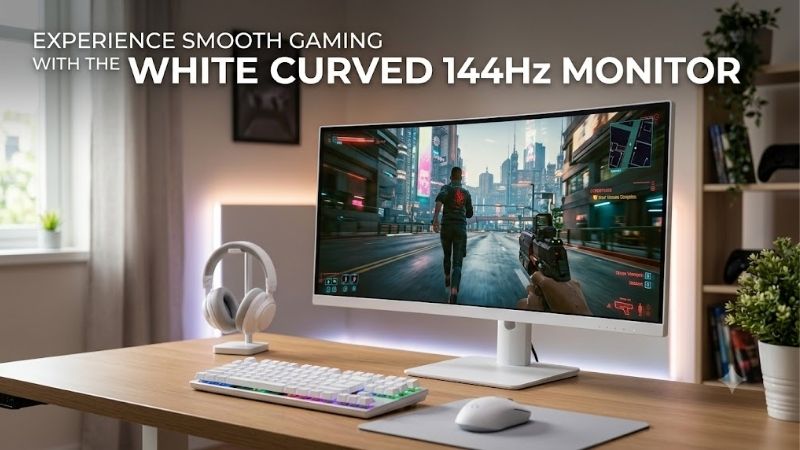
A white curved 144hz monitor can make a gaming setup feel coordinated without sacrificing smooth motion, but the product category is much smaller than the general gaming-monitor market. The strongest options range from compact 1080p displays to 27-inch QHD models and very large ultrawides. The best fit depends on desk space, the resolution your graphics card can drive, how much of the monitor is actually white, and whether you value a high refresh rate more than OLED contrast or screen area.
Quick verdict
For most desks, start with the Pixio PXC278 Wave: its 27-inch QHD panel and 180Hz refresh rate balance detail, speed, and practical size. The smaller Pixio PXC248 Wave suits compact desks and 1080p gaming, while Westinghouse’s WC27GX6230W is a straightforward 27-inch Full HD alternative.
For an ultrawide workspace, the Deco Gear Lumiere offers 32:9 viewing at 144Hz, but its 3840 × 1080 resolution is short vertically and stock needs checking. Samsung’s Neo G9 is far larger, with a white rear but a black front and stand. LG’s 34GX90SA-W brings OLED and 240Hz with white styling around its stand, not an all-white front. Check actual finish photos: “white monitor” does not always mean every surface is white.
Quick comparison
| Monitor | Screen and resolution | Refresh rate | White-finish note | Main trade-off |
|---|---|---|---|---|
| Pixio PXC278 Wave | 27-inch, 2560 × 1440, VA | 180Hz | White model option | Tilt-only stand; no height adjustment |
| Pixio PXC248 Wave | 23.8-inch, 1920 × 1080, VA | 200Hz | White model option | Less desktop workspace than QHD |
| Westinghouse WC27GX6230W | 27-inch, 1920 × 1080, VA | 165Hz | White model | Lower pixel density at 27 inches |
| NZXT Canvas 32Q Curved | 31.5-inch, 2560 × 1440, VA | 165Hz | White color option | Listed as panel-only; confirm stand requirements |
| LG UltraGear 34GX90SA-W | 34-inch, 3440 × 1440, OLED | 240Hz | White styling and stand; black screen bezel | Premium OLED cost and burn-in considerations |
| Deco Gear Lumiere 49-inch | 49-inch, 3840 × 1080, VA | 144Hz | White design | Very wide but only 1080 pixels tall; stock varies |
| Samsung Odyssey Neo G9 57-inch | 57-inch, 7680 × 2160, VA Mini LED | 240Hz | White rear, black front and stand | Huge desk footprint and demanding GPU load |
Refresh-rate figures are manufacturer specifications, not a promise that a game will render that many frames per second. Actual frame rates depend on the PC, game, settings, and resolution. Prices and stock change often, so this shortlist avoids treating a displayed price as a lasting deal.
How we selected these white curved 144Hz monitors
Each pick has a curved panel, a manufacturer-listed refresh rate of at least 144Hz, and a white version or documented white design element. Because a white rear shell or stand can accompany a black bezel, the table makes that distinction explicit. White flat-screen monitors and white curved models rated below 144Hz were excluded.
This is a specification-led shortlist, not a hands-on test report. Product details come primarily from manufacturer pages; RTINGS’ independent review informs only the discussion of the Samsung Neo G9’s size, local dimming, and viewing-angle trade-offs. We found no consistent independent lab measurements for every exact white variant, so we avoid invented input-lag, brightness, color-accuracy, or game-FPS claims.
The best white curved 144Hz monitor picks
Pixio PXC278 Wave — best overall for a typical gaming desk
The PXC278 Wave is the most balanced choice for a white 27-inch gaming setup. Its Fast VA panel runs at 2560 × 1440 and up to 180Hz, with a 1650R curve, listed maximum brightness of 350 nits, and stated 1ms GTG response time. QHD provides more detail than Full HD at this screen size without the workload of an ultrawide panel.
Pixio lists DisplayPort 1.4 for up to 180Hz and HDMI 2.0 for up to 144Hz. Use DisplayPort if you want the full refresh rate, then verify the mode in your GPU driver and operating-system settings. The included VESA adapter supports a 100 × 100mm mount, but the supplied stand adjusts only for tilt, not height, swivel, or pivot.
Buy it for a main gaming monitor that also handles everyday work. Skip it if you require USB-C docking, a fully adjustable stand, or independent measurements for this exact model. Confirm the white variant and live price at checkout.
Pixio PXC248 Wave — best compact option
The PXC248 Wave suits tight desks, secondary setups, and players who value high refresh rates over resolution. Its 23.8-inch Full HD Fast VA panel has a 1500R curve, 200Hz refresh rate, stated 1ms GTG response time, listed 300-nit maximum brightness, Adaptive Sync, and built-in 3W speakers. Its lower resolution also asks less of the GPU than QHD and ultrawide alternatives.
The trade-off is desktop space and detail: 1080p gives you less room for several windows and looks less sharp than QHD on a 27-inch panel. Pixio lists DisplayPort 1.4 and HDMI 2.0 with 200Hz capability; check your cable and GPU output if that refresh option is missing.
Buy it for compact high-refresh gaming. Skip it if text clarity, productivity space, or a larger viewing area matters more. A 200Hz panel does not generate game frames; the PC still has to render them.
Westinghouse WC27GX6230W — a straightforward white 27-inch choice
Westinghouse’s WC27GX6230W is a white 27-inch curved monitor with a 1920 × 1080 VA panel, 1500R curvature, native 165Hz refresh rate, listed 300 cd/m² brightness, and 3,000:1 static contrast. It includes AMD FreeSync, manufacturer-described G-Sync compatibility, two HDMI inputs, DisplayPort, a headphone jack, and two 2-watt speakers.
It suits shoppers who want white styling without moving into OLED or ultrawide pricing. Full HD can be easier to drive at high frame rates, but 1080p is less sharp than QHD at 27 inches. The stand has fixed height, so you may need to adjust the desk or chair to put the screen at a comfortable eye level.
Buy it if the 27-inch size and white finish matter more than pixel density. Skip it if you sit close, need height adjustment, or require USB-C. Check a current US retailer and return terms before ordering.
NZXT Canvas 32Q Curved — best for an existing arm or compatible stand
The NZXT Canvas 32Q Curved has a 31.5-inch QHD VA panel, 1500R curve, and 165Hz refresh rate. NZXT lists 300 cd/m² brightness, 3,000:1 contrast, 99% sRGB coverage, FreeSync Premium, G-Sync Compatible support, and a 100 × 100mm VESA pattern. Its white option and large 16:9 canvas suit gaming and multitasking.
The current listing is titled “Canvas 32Q Curved (Panel Only)” and lists the panel in the box, so do not assume a stand is included. Confirm whether you need a compatible NZXT stand or VESA arm and add that cost. QHD is a reasonable balance at 31.5 inches: more detail than Full HD without the pixel load of 4K.
Buy it if you already have the right arm and want a large white QHD display. Skip it if you expect a complete stand-equipped package or the total cost exceeds a better-equipped alternative. Check the exact bundle before checkout.
LG UltraGear OLED 34GX90SA-W — best OLED option with white styling
The LG 34GX90SA-W is the OLED choice in this group. LG lists a 34-inch, 3440 × 1440 curved OLED panel, 240Hz refresh rate, stated 0.03ms GTG response time, and aggressive 800R curve. Features include HDMI 2.1, DisplayPort 1.4, USB-C, FreeSync Premium, G-Sync compatibility, and webOS smart features. Its white styling and stand work with a light setup, although the screen and bezel remain dark.
OLED’s per-pixel light control can deliver deep blacks and strong contrast, but static desktop use deserves consideration. Read the exact warranty and care terms for burn-in coverage rather than assuming all OLED warranties are alike. Driving demanding games at 3440 × 1440 and high frame rates also requires a powerful GPU; settings reductions or upscaling may be necessary.
Buy it for OLED contrast, fast motion, and an immersive 21:9 view. Skip it if you mainly use static spreadsheets or want a low-cost display. It is a premium alternative, not a budget substitute for 24- or 27-inch monitors.
Deco Gear Lumiere 49-inch — best for a desk-spanning ultrawide
The Deco Gear Lumiere 49-inch has a white design, 32:9 aspect ratio, 3840 × 1080 resolution, 144Hz refresh rate, VA panel, 1800R curve, and stated 1ms MPRT response time. It approaches the layout of two Full HD monitors side by side and can suit sim racing, panoramic games, and wide multi-window workflows. Picture-in-picture and picture-by-picture are also listed.
The limitation is vertical space: 1080 pixels is less generous than 3440 × 1440 ultrawides or the QHD options above. Its footprint is substantial at roughly 47 inches wide, so check desk depth and stand clearance. The detailed specifications do not list built-in speakers.
Buy it if width is the priority and 1080 vertical pixels are enough. Skip it if text sharpness, vertical room, or predictable availability matter most. The manufacturer showed the product as unavailable during research, although retailers have listed it; verify exact SKU, current stock, and return terms before buying.
Samsung Odyssey Neo G9 57-inch — best for a maximum-size white-back display
Samsung’s Odyssey Neo G9 LS57CG952NNXZA is the most extreme pick: a 57-inch 32:9 VA Mini LED display with 7680 × 2160 resolution, 1000R curvature, 2,392 local-dimming zones, and a 240Hz maximum refresh rate. The resolution is equivalent to two 32-inch 4K displays side by side. Samsung lists DisplayPort 2.1, three HDMI 2.1 inputs, USB connectivity, FreeSync Premium Pro, and a KVM switch for sharing peripherals between systems.
Its color qualification matters. Samsung lists the front as black, the rear as white, and the stand as black, so it is white-backed rather than an all-white assembly when viewed from the front. RTINGS’ independent review found strong brightness and response performance, but also notes the aggressive curve can distort perceived straight lines and local dimming can create blooming around bright objects.
With the stand, it is over 52 inches wide and weighs more than 40 pounds. Measure the desk and support carefully. Gaming at 7680 × 2160 with high refresh rates also demands a powerful GPU, and DisplayPort 2.1 is relevant to the maximum modes. Buy it for a huge gaming-and-productivity canvas. Skip it if space, GPU budget, or an all-white front finish matters.
How to choose a white curved 144Hz monitor
Match resolution and refresh rate to your graphics card
A higher refresh ceiling helps only when the PC can render enough frames to use it. For esports, Full HD at 165Hz or 200Hz can ease GPU load. QHD at 165Hz or 180Hz offers a useful detail-to-performance balance for many games but requires more rendering power. Ultrawide QHD needs still more GPU headroom, while the Neo G9’s 7680 × 2160 resolution is a different performance tier. Check benchmarks for your actual GPU and games rather than equating a monitor’s maximum refresh rate with typical FPS.
Check the whole connection path, too. The port version alone does not guarantee every resolution-and-refresh combination; firmware, cable bandwidth, color format, and GPU output can limit available modes. Pixio lists the PXC278 Wave at 180Hz over DisplayPort but up to 144Hz through HDMI. Consult the exact manual rather than relying only on the headline refresh rate.
Choose a curve that fits viewing distance
Curvature uses a radius: 1000R is tighter than 1800R. Curves around 1500R to 1650R are common on 24- to 32-inch desk monitors; LG’s 800R OLED is much tighter, and Samsung uses 1000R across a huge 57-inch display. Stronger curves can feel immersive from a centered seat but are less convenient for sharing the image and can make straight lines look curved.
Check dimensions, stand, and VESA mounting
Check full width and depth, stand footprint, tilt range, and height adjustment—not just diagonal size. White-themed setups need a color check too: a rear shell may be white while the bezel or stand is black, as on the Samsung. NZXT’s panel-only listing makes mounting part of the cost, and Pixio’s PXC278 Wave has limited stand adjustment despite including a VESA adapter.
Know what the panel type does—and does not—guarantee
VA panels often offer stronger native contrast than basic IPS, though viewing angles and pixel transitions depend on the exact panel and tuning. OLED adds pixel-level black control but costs more and needs care around static content. A “1ms” label is not a universal measurement: vendors may quote MPRT or GTG methods that are not directly comparable. Look for model-specific reviews before treating response-time labels, HDR badges, or color-coverage claims as proof of real-world quality.
Treat white finish as a specification
If matching a light desk matters, inspect photos of the front, sides, rear, and stand—not just a white product swatch. A white rear may be hidden from view and a black stand may stand out on a white desk. Verify the exact color option and SKU because retailers sometimes reuse titles across finishes. Check stock and returns too; impressive specs do not make an unavailable model practical.
FAQs
Is 144Hz enough for modern gaming?
Yes. Moving from 60Hz to 144Hz can make motion feel smoother when the PC sustains high frame rates. Higher refresh rates can help in competitive games, but the benefit depends on frame rate and player sensitivity. For slower games, sharper resolution or better contrast may matter more than a small refresh-rate increase.
Should I choose 1080p or 1440p?
Choose 1080p for compact screens, modest GPUs, or competitive games. Choose 1440p for a sharper 27-inch main monitor. At 31.5 inches, QHD gives desktop text and windows more definition than Full HD. Judge ultrawides by horizontal and vertical pixels, not diagonal size alone.
Does a curved monitor reduce eye strain?
No. A curve may make the edges of a wide screen feel easier to view from the center, but comfort also depends on distance, brightness, text size, reflections, and posture. It does not replace correct positioning or regular breaks. Compare flat models if you often share the screen or work with geometry-sensitive designs.
Can a console use the full refresh rate?
Not necessarily. Console output depends on the console, game, resolution, HDMI support, and the monitor’s listed console modes. An 180Hz or 240Hz PC monitor does not make a console output at that rate. Check the manufacturer compatibility table; HDMI modes may differ from DisplayPort modes.
Is OLED worth paying more for in a white setup?
OLED makes sense for deep blacks, contrast, and fast response. For long sessions with static windows, a less expensive VA panel may be easier to justify. Check the exact OLED model’s warranty and care guidance before buying.
Final verdict
The Pixio PXC278 Wave is the best starting point for most desks because its 27-inch QHD panel and 180Hz refresh rate balance detail and speed. Choose the PXC248 Wave for compact gaming, Westinghouse for a simple 27-inch Full HD design, NZXT if you already own a compatible mount, or LG for premium OLED.
The Deco Gear and Samsung are specialist ultrawides. One is limited by 1080 vertical pixels and uncertain stock; the other demands substantial space and GPU power. Before ordering, verify the exact finish, the connection needed for maximum refresh, the seller’s return policy, and current US availability.