The monoprice 40 inch monitor most relevant to this review is the CrystalPro UWQHD IPS 144Hz, model 44394. It combines a 40-inch screen, 3440 × 1440 resolution, a 144Hz refresh rate, and USB-C charging in an unusually large flat ultrawide format. Independent testing by Tom’s Hardware found excellent out-of-box color accuracy, above-average IPS contrast, and very low input lag, but also identified weak pixel overdrive and disappointing HDR brightness tracking. There is one important purchasing caveat: Monoprice’s US product page now marks the model as no longer available, so this review is most useful when evaluating remaining retailer stock or a secondhand unit.
- Monoprice 40 inch monitor: Quick verdict
- Monoprice 40 inch monitor specifications and design
- Image quality: The strongest reason to consider the CrystalPro
- Gaming performance: Responsive, but not a motion specialist
- HDR performance: Better contrast, but a dark presentation
- Connectivity and productivity features
- Availability, value, and alternatives
- Frequently asked questions
- Final verdict
Monoprice 40 inch monitor: Quick verdict
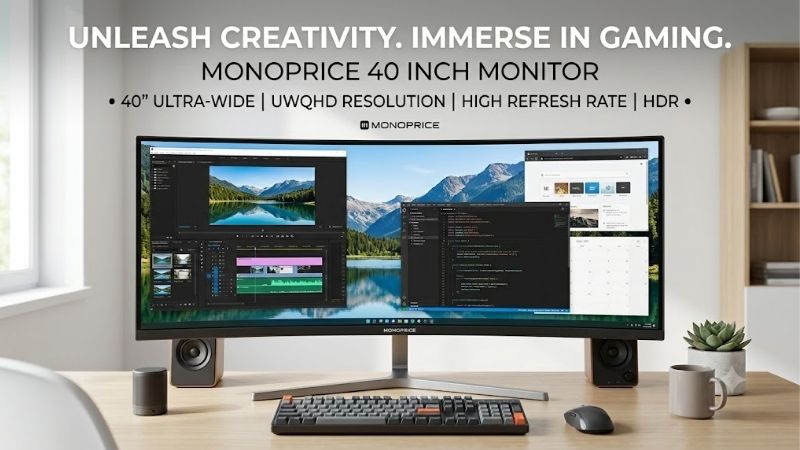
The Monoprice CrystalPro 44394 is a compelling design for people who want a large workspace without the dividing bezel of a dual-monitor arrangement. Its 21:9 aspect ratio provides substantial horizontal room for video timelines, spreadsheets, programming windows, and gaming interfaces. Unlike the curved ultrawide displays that dominate this category, the CrystalPro uses a flat IPS panel.
Its most convincing strengths are the combination of screen space and image quality. Tom’s Hardware measured approximately 1,500:1 contrast in SDR, around 88% DCI-P3 color coverage, and a color error of 2.82 dE in its testing. The reviewer also found input lag exceptionally low relative to the comparison group. Those results support its appeal for mixed gaming, general productivity, and color-rich media consumption.
However, this is not a flawless gaming monitor. Its maximum refresh rate of 144Hz remains adequate for many players, but the overdrive implementation does not control motion blur as effectively as stronger gaming displays. Its HDR mode can improve contrast through 16-zone edge dimming, yet the image tracks darker than the reference in important portions of the brightness range.
The model is also no longer listed as available new on Monoprice’s direct product page. You should not assume that an old advertised price, open-box listing, or marketplace page represents current stock.
My verdict is that the CrystalPro 44394 is a good fit for buyers who value an expansive flat ultrawide display, convenient USB-C charging, and accurate SDR color. It is less suitable for serious competitive gaming, demanding HDR entertainment, or buyers who need a currently supported, readily available model with straightforward warranty coverage.
Monoprice 40 inch monitor specifications and design
The CrystalPro 44394 has a distinctive combination of size, resolution, and aspect ratio. Although the marketing name describes it as a 40-inch monitor, the usable workspace is determined by its 3440 × 1440 resolution rather than the diagonal measurement alone.
| Specification | Monoprice CrystalPro 44394 |
|---|---|
| Screen size | 40 inches |
| Panel type | IPS with W-LED backlight |
| Native resolution | 3440 × 1440 |
| Aspect ratio | 21:9 |
| Maximum refresh rate | 144Hz |
| Advertised response time | 1ms MPRT |
| Typical contrast ratio | 1,200:1 manufacturer specification |
| Manufacturer-listed brightness | 400 nits |
| Color depth | 8-bit |
| Adaptive sync | FreeSync range listed by Tom’s Hardware: 50–144Hz |
| HDR | HDR10 signal support, 16-zone edge dimming |
| DisplayPort | 1 × DisplayPort 1.4 |
| HDMI | 2 × HDMI 2.0 |
| USB-C | 1 × USB-C with DisplayPort video and up to 90W charging |
| Audio | 2 × 5W speakers and 3.5mm headphone output |
| USB hub | None |
| Height adjustment | Approximately 95mm |
| Tilt and swivel | Approximately 5° forward/15° backward tilt; ±15° horizontal swivel in the manual |
| Dimensions with stand | Approximately 37.2 inches wide and 11.3 inches deep |
| Weight with stand | Approximately 24.2 pounds |
The specifications combine the Monoprice user manual with Tom’s Hardware’s published review. The independent review lists a 3-year warranty, but because the product is no longer available new through Monoprice’s direct page, buyers should verify whether any remaining seller or manufacturer warranty applies to the exact unit they intend to purchase.
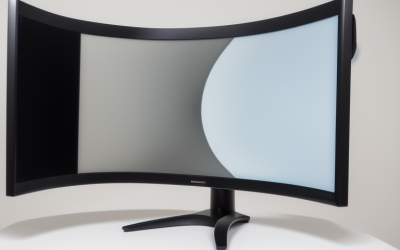
A flat ultrawide instead of a curved display
The flat panel is one of the CrystalPro’s most important design decisions. A 40-inch 21:9 display stretches across the desk, but it does not curve toward the viewer. That distinction matters because the keyword may lead shoppers to expect a curved monitor.
A flat screen can be useful for design applications, document work, and spreadsheets in which straight lines and consistent geometry matter. A curved screen can feel more enveloping during games and may make the far edges of a large display easier to view from a centered seat. The CrystalPro takes the more conventional flat-screen approach instead.
The physical dimensions also deserve attention. The monitor is approximately 37 inches wide, before accounting for desk accessories or speakers. Its stand takes up nearly a foot of desk depth. That footprint is reasonable for a substantial workstation, but potentially inconvenient on a shallow desk.
Tom’s Hardware described the stand as solid, with a metal construction and little wobble during use. It supports height, tilt, and swivel adjustment, which makes it more flexible than a basic tilt-only stand. At approximately 24 pounds with the stand, however, it is not a lightweight display to move around frequently.
Image quality: The strongest reason to consider the CrystalPro
The CrystalPro’s IPS panel combines wide viewing angles with stronger contrast than many conventional IPS gaming monitors. Monoprice specifies a typical contrast ratio of 1,200:1, while Tom’s Hardware measured approximately 1,500:1 during its review.
That distinction matters because a measured value can differ from a manufacturer’s nominal specification. It does not guarantee that every individual unit will reproduce the same result, but the independent measurement indicates that this panel performed better than the typical IPS baseline in the reviewer’s test.
The practical benefit is a more substantial picture in dark games, movies, and everyday content. Text and interface elements also remain reasonably consistent when viewed from the sides, which is valuable on a panel this wide. IPS viewing-angle behavior can help if the screen is used to present information to someone sitting beside you.
The 3440 × 1440 resolution is less dense than the 2560 × 1440 resolution found on a typical 27-inch monitor. Tom’s Hardware calculated a density of approximately 93 pixels per inch. At ordinary desktop viewing distances, the image can look detailed and comfortable. Sitting very close to the screen makes the pixel structure easier to distinguish.
This is not the right resolution for everyone. If you regularly work with small fonts, dense code, or high-resolution photographic details, a 40-inch 4K display or a smaller 4K monitor may produce sharper text and finer image detail. The CrystalPro prioritizes width and refresh rate rather than maximum pixel density.
Color accuracy and the wide color gamut
Tom’s Hardware found the monitor’s out-of-box color accuracy impressive enough that calibration was not essential for general use. Its measured color error was 2.82 dE in the review’s grayscale and color evaluation, and additional RGB adjustments brought grayscale tracking close to the reference.
The reviewer also measured approximately 88% DCI-P3 coverage. This wider color gamut can make supported content appear more saturated than on a display restricted to a smaller color space. It is useful for colorful games, streaming video, and creative applications that benefit from a broader range of reproducible colors.
There is a limitation, though. A wide color gamut does not automatically translate into accurate color for every workflow. The CrystalPro does not provide the kind of comprehensive professional color-management feature set that some photo and video professionals require. Tom’s Hardware also noted that the available gamma presets did not closely match the preferred 2.2 reference, leaving users to choose between a somewhat darker or lighter presentation.
For everyday work and hobbyist editing, its tested color accuracy is encouraging. For color-critical work, it should be evaluated with the intended software, color space, and calibration process rather than selected solely on the basis of coverage figures.
Gaming performance: Responsive, but not a motion specialist
The CrystalPro’s 144Hz refresh rate makes it suitable for mainstream PC gaming. It refreshes the image more frequently than a conventional 60Hz monitor, reducing the time between displayed frames when the computer can supply them.
At 144Hz, the nominal interval between refreshes is approximately 6.94 milliseconds. This is the refresh interval, not the complete pixel response time or input latency. Those measurements describe different aspects of display performance and should not be conflated.
Tom’s Hardware found that the CrystalPro’s input lag was very low, giving the monitor a responsive feel during gameplay. However, the reviewer also identified weak overdrive performance. Overdrive attempts to accelerate pixel transitions, and a weak implementation can leave more visible blur behind moving objects.
The distinction matters in fast games. A monitor can react quickly to a mouse or controller input while still producing some motion blur as pixels transition between colors. The CrystalPro’s 144Hz specification is useful, but its advertised 1ms MPRT figure should not be interpreted as proof that all pixel transitions finish in 1ms.
For single-player games, strategy titles, racing games, and general entertainment, the combination of low input lag, large screen area, and 144Hz can be appealing. For competitive shooters where motion clarity is a priority, a faster display with more effective overdrive may be a better choice.
Adaptive sync and graphics card compatibility
The CrystalPro supports Adaptive-Sync, with Tom’s Hardware documenting a FreeSync operating range of 50–144Hz. This technology allows the monitor to coordinate its refresh timing with compatible graphics output, reducing tearing when the game frame rate fluctuates.
The reviewer also reported successful G-SYNC operation, although the model was not certified by NVIDIA. That is useful evidence, but it is not identical to formal certification. Buyers using a GeForce graphics card should confirm that variable refresh operates correctly with their exact connection and driver configuration.
A high refresh rate is most valuable when the gaming PC can render sufficient frames. The UWQHD resolution requires more rendering work than Full HD, so graphics settings may need adjustment in demanding games.
It is worth balancing resolution, detail settings, and frame rate rather than assuming that the monitor will always operate at 144 frames per second. A system that maintains a consistent, playable frame rate can provide a better experience than one that pursues maximum image settings at the cost of erratic performance.
HDR performance: Better contrast, but a dark presentation
The CrystalPro supports HDR10 input and has a 16-zone edge-dimming backlight. This system can adjust portions of the backlight to improve contrast when bright highlights and dark regions appear together.
Tom’s Hardware measured an HDR contrast ratio of approximately 6,374:1 with the monitor’s dimming feature active. That is a significant improvement over its native SDR contrast measurement and gives HDR content more depth than a display without useful local dimming.
The implementation is still limited compared with an OLED monitor or a more advanced local-dimming design. Sixteen zones cannot control every small object independently, so bright highlights can influence surrounding areas. Large, high-contrast scenes are also more difficult to manage precisely than they are on displays with substantially more dimming zones.
The larger problem in testing was luminance tracking. Tom’s Hardware found that the monitor rendered much of the HDR image darker than the reference target. Bright highlights could stand out, but portions of the overall image lacked punch when room lights were on. The reviewer recommended a darkened room for the most convincing HDR experience.
This is why HDR10 support should not be treated as a guarantee of excellent HDR presentation. The input format tells you that the monitor can accept the signal; it does not tell you how accurately or brightly it will display the content.
The CrystalPro’s HDR mode can be a welcome extra for occasional gaming and movies in a dim room. It should not be the primary reason to buy this display, particularly if your desk is in a bright room or you expect the dramatic highlights and deep blacks associated with premium HDR monitors.
Connectivity and productivity features
The CrystalPro offers one DisplayPort 1.4 input, two HDMI 2.0 ports, and one USB-C connection. The USB-C port carries DisplayPort video and supports up to 90W of charging, making it a useful feature for compatible laptops.
For a laptop-based workstation, a single USB-C cable can reduce desk clutter by carrying video while supplying power. It is important to verify that the laptop’s USB-C port supports DisplayPort Alt Mode or another compatible video-output method. The charging rate is also a maximum rating, not a guarantee that every laptop will receive 90W.
The HDMI 2.0 inputs are suitable for many desktop graphics cards, laptops, and entertainment devices. DisplayPort 1.4 is the most straightforward choice for a PC setup seeking the full 3440 × 1440 resolution at 144Hz, assuming the graphics card and cable support the mode.
The monitor includes two 5W speakers and a 3.5mm headphone output. The speakers can handle system sounds, meetings, and casual video playback, although dedicated speakers or a headset are preferable for more immersive gaming audio.
The absence of downstream USB ports limits its ability to serve as a full docking station. There is no built-in USB hub or KVM function, so connected devices cannot share keyboard and mouse peripherals through monitor-based switching. This is an important limitation for professionals who frequently switch between two computers.
Is it a good dual-monitor replacement?
For many workflows, the CrystalPro can replace two conventional monitors. Its 3440 × 1440 desktop provides room for several windows, while the uninterrupted panel eliminates the central bezel found in a dual-monitor setup.
This can be useful when editing video, monitoring reference material, comparing documents, or keeping communication tools open beside the main workspace. The flat panel also works well for applications that use straight lines and fixed interface layouts.
There are trade-offs. Two physical monitors can be arranged at different angles, and one can be rotated into portrait orientation. The CrystalPro cannot reproduce that flexibility with a single fixed panel. Its resolution is also not equivalent to two full 2560 × 1440 displays side by side, so it does not provide the same total pixel workspace as that configuration.
The best choice depends on whether you value continuous workspace more than independent screen placement. If the central bezel of a dual-monitor setup bothers you, the CrystalPro is a practical alternative. If you need multiple orientations or maximum combined resolution, two separate monitors may remain more versatile.
Availability, value, and alternatives
The CrystalPro launched at a price point that Tom’s Hardware discussed as approximately $500, with its historical review listing $549.99. Those figures are useful for understanding the product’s original market position, not as a guarantee of a current offer.
Monoprice’s direct product page for product 44394 now indicates that the monitor is no longer available. The official catalog has also surfaced an open-box listing associated with product 45465, but current stock and purchase terms could not be reliably confirmed. Amazon and Best Buy availability for a new, exact-model unit was likewise not confirmed during this research.
That changes the buying recommendation. If you find one used or open-box, compare the asking price with newer monitors offering a similar ultrawide resolution and refresh rate. Check the return period, dead-pixel policy, included cables, stand hardware, warranty transferability, and whether the USB-C charging function works before committing to a purchase.
If you cannot find a unit with acceptable return protection, consider the alternatives below.
-
The Monoprice CrystalPro 34-inch Curved 1000R (44602) is a smaller alternative with 3440 × 1440 resolution, a VA panel, 165Hz refresh rate, USB-C charging up to 65W, and a height-adjustable stand. Its stronger curve differs significantly from the flat CrystalPro 40-inch design.
-
A current 34-inch ultrawide IPS monitor may offer a similar workspace with a more conventional size and lower desk footprint. Compare its refresh rate, USB-C power delivery, warranty, and tested motion clarity rather than relying on panel type alone.
-
A 40-inch 4K monitor can be preferable if fine text detail is more important than ultrawide gaming. Its 16:9 aspect ratio offers less horizontal space than the CrystalPro but more vertical pixels and a sharper image at similar viewing distances.
The CrystalPro remains interesting as a specific design, but its value now depends on the condition and price of any remaining unit. An unavailable product should not be treated as a guaranteed recommendation simply because its original review was favorable.
Frequently asked questions
Is the Monoprice CrystalPro 44394 curved?
No. The CrystalPro 44394 is a flat 40-inch IPS ultrawide monitor with a 21:9 aspect ratio. Buyers specifically seeking a curved screen should look for a different model.
Does the CrystalPro 40-inch monitor support 144Hz at 3440 × 1440?
Yes. Monoprice specifies 3440 × 1440 resolution and a maximum refresh rate of 144Hz. Reaching that combination requires a compatible graphics output, appropriate cable, and supported operating-system or driver settings.
Can the USB-C port charge a laptop?
Yes. The monitor supports up to 90W USB-C power delivery and DisplayPort video. Actual charging depends on the laptop’s requirements and USB-C capabilities.
Is the CrystalPro good for professional photo editing?
It can be useful for general creative work because independent testing found strong out-of-box color accuracy and approximately 88% DCI-P3 coverage. However, the available evidence does not establish full professional color-management capability or uniformity across every individual unit. Color-critical workflows should use a calibrated display with verified performance.
Should you buy the CrystalPro used?
Only after verifying the condition, return policy, exact product identity, and asking price. Its large flat ultrawide panel and USB-C charging can still be attractive, but the monitor’s age and current availability make warranty and condition checks particularly important.
Final verdict
The Monoprice CrystalPro 44394 is an unusual 40-inch flat ultrawide with a valuable mix of large-screen productivity, 144Hz gaming, strong measured SDR contrast, and useful USB-C charging. Tom’s Hardware’s independent testing supports its strengths in color accuracy and input responsiveness, while highlighting the weak overdrive and dark HDR presentation.
Its biggest current limitation is availability: Monoprice no longer lists the model as available new. Treat it as a used or remaining-stock purchase rather than an easy current recommendation. If you find one in good condition at a sensible price, it can still be a capable work-and-gaming display. Otherwise, a newer ultrawide with confirmed stock, a clear warranty, and well-documented performance is the safer option.