
A white QHD monitor can bring a clean, coordinated look to a PC setup without sacrificing sharp visuals or smooth gameplay. The best choice depends on how you use your computer: Some models prioritize high refresh rates, others offer better ergonomics and built-in speakers, and curved options provide a different gaming experience. This roundup compares six qualified models using verified specifications, manufacturer pricing, and independent testing where available.
- The quick verdict
- Best white QHD monitor picks at a glance
- How we selected these models
- Dell 27 Plus QHD Monitor S2725DSM: Best all-purpose value
- ASUS ROG Strix XG27ACG-W: Best gaming value
- Pixio PX278 Wave: Best flat-screen 180Hz option
- Pixio PXC278 Wave: Best curved gaming choice
- ASUS ROG Strix XG27AQ-W: Best ergonomics and connectivity
- Pixio PX275 Wave: Best simple everyday option
- How to choose a white QHD monitor
- Frequently asked questions
- Which white QHD monitor should you buy?
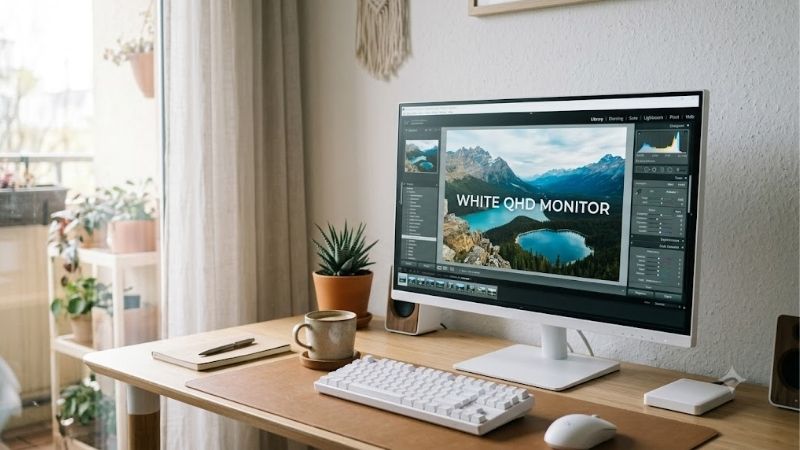
The quick verdict
For most people building a white PC setup, the Dell 27 Plus QHD Monitor S2725DSM is the strongest all-purpose choice. It combines a 27-inch IPS panel, 2560 × 1440 resolution, a 144Hz refresh rate, built-in speakers, and an adjustable stand. Dell’s U.S. store displayed a promotional price of $169.99 when checked on October 19, 2026.
For gaming, the ASUS ROG Strix XG27ACG-W offers a more attractive combination of speed and price. Its 180Hz refresh rate, Fast IPS panel, variable refresh rate support, and USB-C video input make it a versatile option for a gaming PC or a compatible laptop.
The other choices serve more specific needs. The Pixio PX278 Wave suits buyers who prefer its white styling and 180Hz flat IPS panel. The PXC278 Wave adds a curved VA display, while the ROG Strix XG27AQ-W provides a more fully adjustable stand and extra USB connectivity. The PX275 Wave is a simpler 100Hz alternative for everyday use.
Prices below are U.S. manufacturer or retailer listing prices observed on October 19, 2026. They are not guaranteed future prices and exclude applicable sales tax.
Best white QHD monitor picks at a glance
| Monitor | Best suited for | Resolution and refresh rate | Main advantage | Main drawback |
|---|---|---|---|---|
| Dell 27 Plus S2725DSM | Everyday work and gaming | QHD, 144Hz | Speakers and ergonomic stand | No USB-C video input |
| ASUS ROG Strix XG27ACG-W | High-refresh gaming | QHD, 180Hz | Fast IPS and USB-C video | USB-C supplies only 7.5W |
| Pixio PX278 Wave | White gaming setups | QHD, 180Hz | Flat Fast IPS panel and color choices | Basic stand and limited extras |
| Pixio PXC278 Wave | Curved gaming | QHD, 180Hz | 1650R curve and high VA contrast | Limited stand adjustment |
| ASUS ROG Strix XG27AQ-W | Ergonomics and connectivity | QHD, 170Hz | USB hub, speakers, and pivot adjustment | Older model with a higher listed price |
| Pixio PX275 Wave | General use and casual gaming | QHD, 100Hz | Simple white styling and IPS panel | Less attractive at its current listed price |
How we selected these models
The primary requirement was a documented white-finish variant with native QHD resolution, meaning 2560 × 1440 pixels. Products advertised as white but limited to 1920 × 1080 were excluded, as were models whose white finish or core specifications could not be established reliably.
The comparison emphasizes six factors: actual resolution, refresh rate, panel type, connectivity, stand adjustability, and pricing in the U.S. market. Each featured product has an identifiable manufacturer specification page, and current U.S. pricing was checked where an official listing was available.
Independent testing provides useful additional context, but it is not available for every exact white variant. RTINGS has tested the closely related ASUS ROG Strix XG27AQ, and independent testing of the Pixio PX278 Wave provides useful insight into how advertised response times compare with measured behavior. Those findings are discussed with their limitations; they are not presented as new tests conducted for this article.
Prices and product availability can change. Manufacturer specifications establish advertised features, not proof that every unit performs identically. There are also practical differences between a white monitor’s rear housing and stand, which may be white, and its thin front bezel, which may remain black.
Dell 27 Plus QHD Monitor S2725DSM: Best all-purpose value
The Dell 27 Plus QHD Monitor S2725DSM is the most balanced option for a workspace that doubles as a gaming station. Its 27-inch IPS display runs at 2560 × 1440 and up to 144Hz, while the Ash White finish gives it a lighter appearance than a typical all-black monitor.
Dell lists a 350-nit brightness rating, a 1500:1 native contrast ratio, 99% sRGB coverage, and AMD FreeSync support. The 144Hz refresh rate is fast enough for fluid action in many PC games without making the display an exclusively competitive-gaming purchase. It also provides ample desktop space for documents, browser windows, spreadsheets, and communication apps.
Connectivity is deliberately straightforward. The monitor has one HDMI input and one DisplayPort input, but no USB-C video input or integrated USB hub. Its two built-in 3W speakers can handle basic desktop audio, video calls, and casual viewing, although a separate speaker system or headset remains preferable for serious gaming.
The stand supports height adjustment, swivel, tilt, and pivot. That flexibility is useful when switching between sitting upright for work and repositioning the screen for gaming.
Dell’s U.S. product page displayed a $169.99 promotional price during research, compared with a stated estimated value of $219.99. At that observed price, the combination of QHD resolution, 144Hz, speakers, and full stand adjustment is particularly compelling.
Buy if: You want one white-finish monitor for work, entertainment, and gaming without spending extra on premium gaming features.
Skip if: You need USB-C laptop connectivity, a USB hub, or a refresh rate above 144Hz.
ASUS ROG Strix XG27ACG-W: Best gaming value
The ROG Strix XG27ACG-W is the more gaming-focused recommendation for buyers who want a faster screen in a white setup. ASUS lists a 27-inch Fast IPS panel, native 2560 × 1440 resolution, a maximum refresh rate of 180Hz, and a 1ms gray-to-gray response-time specification.
Fast IPS is useful for combining wide viewing angles with responsive motion. The 180Hz refresh rate allows the display to show more frames per second than a 144Hz panel, provided the PC or console can produce those frames. It is especially appealing in competitive games where motion clarity and responsiveness matter, although it does not guarantee better results when the game itself runs at a much lower frame rate.
ASUS also lists Adaptive-Sync, G-SYNC compatibility, AMD FreeSync support, and VESA DisplayHDR 400 certification. The HDR label should be treated as a feature specification rather than a promise of dramatic HDR image quality. The stated 1000:1 contrast ratio is typical of an IPS display without the deeper native contrast of many VA panels.
Connectivity includes DisplayPort 1.4, HDMI 2.0, and USB-C with DisplayPort Alt Mode. The USB-C port delivers just 7.5W, so it can carry video from a compatible device but should not be mistaken for a laptop-charging dock. ASUS lists height adjustment up to 120mm, along with tilt adjustment and a 100 × 100mm VESA mounting pattern.
The ASUS U.S. store listed the monitor at $229 when checked. That makes it a compelling gaming-oriented alternative to the similarly priced Dell, particularly if 180Hz is a priority.
Buy if: You want a fast QHD gaming monitor with a white finish and flexible video inputs.
Skip if: You need built-in speakers, extensive USB hub functionality, or meaningful USB-C charging power.
Pixio PX278 Wave: Best flat-screen 180Hz option
The Pixio PX278 Wave targets buyers who want a conventional flat gaming display that complements a white-themed PC. Its white variant is listed at $289.99 on Pixio’s U.S. website. The defining specifications are a 27-inch QHD Fast IPS panel and a 180Hz refresh rate.
The flat 16:9 format is easy to place on most desks and works well for a mix of first-person shooters, strategy games, productivity applications, and video content. The higher resolution also offers more desktop space than Full HD at the same screen size, which can be helpful when keeping a game guide or chat window open beside a main application.
The appeal is primarily the combination of display specifications and finish. Pixio offers several Wave color choices, so buyers can coordinate more than just the screen with the rest of a custom build. Its official listing includes a three-year limited warranty, although buyers should review the current U.S. warranty terms before purchasing.
There is a caveat for performance-focused shoppers. The advertised 1ms response-time figure should not be interpreted as proof that every pixel transition completes in one millisecond. Independent testing of the PX278 Wave by Chimolog measured slower response times under standard settings, with faster results possible using a stronger overdrive setting. Overdrive can improve motion handling, but its behavior varies with the selected mode.
The PX278 Wave also costs more than the ASUS XG27ACG-W at the official prices observed during research. That means it makes the most sense when you prefer Pixio’s white styling, design options, or particular combination of features rather than buying on refresh rate alone.
Buy if: You want a flat, white-finish QHD gaming monitor with a 180Hz IPS panel.
Skip if: You want the lowest price for 180Hz, a highly adjustable stand, or measured response-time performance that has been independently confirmed for your exact unit.
Pixio PXC278 Wave: Best curved gaming choice
The PXC278 Wave is the curved alternative in this roundup. It uses a 27-inch QHD Fast VA panel with a 1650R curvature, a maximum refresh rate of 180Hz, a stated 1ms gray-to-gray response time, and a listed contrast ratio of 5000:1.
The main reason to choose it over a flat display is immersion. A curved screen can feel more enveloping when you sit directly in front of it, especially in racing games, atmospheric adventures, and other titles where a strong sense of space matters. It can also look distinctive in a white-themed gaming setup.
The VA panel’s higher stated contrast ratio is another attraction. IPS monitors commonly have comparatively modest native contrast, while VA panels can produce deeper-looking blacks in a dim room. That can make dark scenes more satisfying. However, VA panels may exhibit more visible dark-transition smearing than well-tuned IPS alternatives, so advertised response time should not be the only consideration for competitive gaming.
Pixio lists the PXC278 Wave at $289.99 on its U.S. product page. The connections include DisplayPort 1.4, two HDMI 2.0 inputs, and a USB port intended for firmware updates. The listed maximum refresh rate is 180Hz over DisplayPort, while HDMI supports up to 144Hz. That distinction matters when connecting a gaming PC or switching among multiple devices.
The included stand provides tilt adjustment but does not offer the same height, swivel, and pivot flexibility as the more ergonomic Dell and ASUS options. Pixio also specifies a 75 × 75mm VESA pattern, with an adapter supplied for 100 × 100mm mounting.
Buy if: You want the visual feel of a curved display, higher native contrast, and a white gaming aesthetic.
Skip if: You prefer a flat screen, need full stand adjustment, or prioritize the most consistent pixel transitions for competitive play.
ASUS ROG Strix XG27AQ-W: Best ergonomics and connectivity
The ROG Strix XG27AQ-W is an older but still relevant white gaming monitor for buyers who care about more than maximum refresh rate. ASUS specifies a 27-inch Fast IPS panel with QHD resolution, a maximum refresh rate of 170Hz, and a stated 1ms gray-to-gray response time.
Its key advantage over the XG27ACG-W is its collection of ergonomic adjustments and built-in conveniences. The stand supports height adjustment up to 100mm, swivel, tilt, and portrait rotation. ASUS also includes two USB-A ports, two HDMI 2.0 inputs, DisplayPort 1.2, a headphone output, and built-in 2W speakers.
That extra flexibility can reduce desk clutter and simplify a setup with a desktop PC, console, and USB peripherals. The panel’s listed brightness is 400 nits, while its stated color gamut covers 95% of DCI-P3. It also carries VESA DisplayHDR 400 certification and supports Adaptive-Sync.
Independent testing of the closely related XG27AQ has found responsive gaming performance, low input lag, and wide viewing angles. However, RTINGS also notes mediocre contrast and limited HDR impact on the tested model. Those are meaningful trade-offs for someone who primarily watches movies in a dark room. The review concerns the standard XG27AQ, so its measured results should not be represented as a direct test of every white XG27AQ-W unit.
ASUS listed the white model at $349 in its U.S. store when checked. That is considerably more than the XG27ACG-W, which has a higher refresh rate. The additional cost is easiest to justify when the USB hub, built-in speakers, or more flexible stand genuinely improve your desk setup.
Buy if: You want a white 170Hz gaming display with more ergonomic adjustment and integrated connectivity.
Skip if: Refresh rate per dollar is your priority, or you do not need the extra stand movement and USB ports.
Pixio PX275 Wave: Best simple everyday option
The PX275 Wave is the lower-refresh alternative for buyers who want QHD clarity but do not need a display built around competitive gaming. Pixio lists a white variant at $229.99, with a 27-inch IPS panel, a 2560 × 1440 resolution, and a 100Hz refresh rate.
A 100Hz screen is a useful step above a traditional 60Hz office display for everyday scrolling, desktop animations, and casual gaming. IPS technology also provides broad viewing angles, making the monitor suitable for document work and general media use. The monitor’s white finish gives it a place in a coordinated setup without requiring the buyer to pay for an unusually high refresh rate.
Pixio specifies a maximum brightness of 350 nits, a nominal contrast ratio of 1000:1, and a 1ms MPRT response-time claim. MPRT and gray-to-gray response time are not directly interchangeable measurements, so the figure should not be used to conclude that this monitor is as fast as a well-performing 165Hz or 180Hz gaming display.
Connectivity includes DisplayPort 1.4 and HDMI 2.0, both listed for operation at up to 100Hz, plus a USB port for firmware updates and a headphone output. Pixio also specifies two 3W speakers and a three-year limited warranty. The stand is relatively basic, supporting tilt rather than the full height and swivel adjustments found on the Dell.
At its listed price, the PX275 Wave faces tough competition from the Dell S2725DSM, which offers 144Hz, built-in speakers, and a more adjustable stand. The Pixio remains worth considering if its design is your preference, but it is not automatically the best-value choice simply because it is a white monitor.
Buy if: You prefer a simple white-finish IPS monitor for work, browsing, video, and occasional gaming.
Skip if: You can get the Dell at its observed promotional price or want a monitor primarily for high-refresh competitive gaming.
How to choose a white QHD monitor
The finish matters, but it should come after the screen specifications that affect daily use. A monitor can look ideal on a white desk and still be the wrong purchase if its refresh rate, ports, or stand do not match your setup.
Resolution and size should come first
QHD means 2560 × 1440 pixels. At 27 inches, it provides a useful balance between sharpness, desktop space, and the performance demands placed on a gaming PC.
Compared with Full HD at the same size, QHD displays considerably more pixels. Text, interface elements, and fine details can look sharper, while the extra workspace makes side-by-side windows more practical. A 27-inch QHD panel has roughly 109 pixels per inch.
That added resolution also requires more GPU performance in games than Full HD at the same settings. If your current graphics card struggles to maintain your desired frame rate at QHD, a faster monitor will not solve the underlying performance problem. You may need to lower graphical settings, use supported upscaling, or accept lower frame rates in demanding games.
Match refresh rate to your games
A 144Hz monitor refreshes up to 144 times per second; a 180Hz model refreshes up to 180 times per second. Higher refresh rates can produce smoother motion and can reduce the time between displayed frames.
For casual games, office work, and mixed use, 100Hz to 144Hz can be sufficient. Competitive shooters and fast-paced multiplayer games provide a stronger reason to consider 165Hz or 180Hz. A higher refresh rate is most useful when the PC can deliver a correspondingly high frame rate.
Check the maximum refresh rate for each connection, not just the headline printed on the box. The ASUS XG27ACG-W reaches 180Hz through DisplayPort or USB-C video, while its HDMI input is listed for up to 144Hz. Pixio makes a similar distinction between DisplayPort and HDMI on the PXC278 Wave.
Check the actual white finish and stand
White product names do not always mean every visible surface is white. The rear housing and stand may be white while the front bezel remains black. Examine the front, rear, and side photographs before buying if a uniform appearance is important.
The included stand matters just as much as the finish. Height adjustment helps align the screen with your eye level; swivel and pivot adjustment are useful for changing seating positions or reading portrait documents. If the included stand cannot reach a comfortable position, an aftermarket arm may be necessary.
Check the VESA mounting pattern before purchasing an arm. Some models require an adapter, and the maximum supported weight must accommodate the monitor.
Panel type, HDR, and brightness
IPS is a sensible starting point for a general-purpose display because of its viewing angles and broad selection of fast-refresh gaming models. VA is worth considering if higher native contrast and a curved screen appeal to you. The trade-off is that some VA panels show more dark-transition smearing.
Do not select a monitor based on its advertised response-time number alone. Manufacturers may quote gray-to-gray or moving-picture response times using different conditions, and a fast overdrive setting can cause distracting inverse ghosting. Independent measurements of the exact model are more useful than a single marketing figure.
HDR also deserves care. A DisplayHDR 400 certification is evidence of a particular capability level, not a guarantee that HDR scenes will look spectacular. Native contrast, peak brightness, local dimming, and the way the monitor handles highlights all influence the experience.
Ports and ergonomics
Before buying, list the devices you intend to connect. A gaming PC will usually benefit from DisplayPort for maximum refresh rate, while a console may connect over HDMI. USB-C can carry video from a compatible laptop, but its charging capacity must be checked separately.
The ASUS XG27ACG-W’s 7.5W USB-C output is not enough to replace a normal laptop charger in most setups. The Dell S2725DSM offers no USB-C video input at all, but its HDMI and DisplayPort connections, built-in speakers, and ergonomic stand make it practical as a desktop monitor.
Finally, consider the full system budget. Spending more on a white monitor may make sense if appearance is a major priority, but there is little benefit in buying a premium display if the money would be better spent on a GPU upgrade that improves actual game performance.
Frequently asked questions
Is QHD good at 27 inches?
Yes. A 27-inch QHD monitor offers approximately 109 pixels per inch, which is a useful balance of text clarity and workspace. It is suitable for gaming, general productivity, browsing, and media consumption. Whether it is the best choice depends on your graphics card, viewing distance, and preference for image sharpness.
Does a white monitor improve image quality?
No. The exterior finish does not inherently improve image quality. Resolution, panel technology, contrast, brightness, color reproduction, and response behavior determine how the screen looks. White housing is primarily an aesthetic choice that can help a monitor complement a white desk or PC build.
Is 180Hz worth paying extra for?
It can be worthwhile for competitive gaming, especially when your PC can regularly render games at high frame rates. For productivity, casual games, and streaming video, the difference between 144Hz and 180Hz is less important than comfort, image quality, connectivity, and price.
The Dell S2725DSM at 144Hz is a sensible all-purpose choice, while the ASUS XG27ACG-W is attractive if you specifically want 180Hz.
Can a white QHD monitor work with a PS5 or Xbox?
Yes, provided the specific monitor supports the resolution, refresh rate, and variable refresh rate features you want to use. Console output differs from PC output: Modern consoles generally target up to 120Hz in supported games, rather than the full 165Hz or 180Hz offered by these monitors.
Check the monitor’s HDMI capabilities and the console’s supported output modes. For the highest supported refresh rate, use the correct port and cable and enable the relevant settings in the console menu.
Which white QHD monitor should you buy?
The Dell 27 Plus QHD Monitor S2725DSM is the best starting point for most mixed-use setups, especially while its listed promotional price remains near $170. Its 144Hz IPS panel, integrated speakers, and adjustable stand provide useful everyday features without requiring a premium gaming budget.
For buyers who prioritize frame rate and gaming responsiveness, the ASUS ROG Strix XG27ACG-W is the stronger choice. Its 180Hz Fast IPS panel and USB-C video support make it more versatile for a gaming setup, provided you understand the limited USB-C charging power.
Choose the Pixio PX278 Wave if you prefer its white styling, or the PXC278 Wave if a curved VA screen is more appealing. The ROG Strix XG27AQ-W is best justified by its richer set of ergonomic and connectivity features, while the PX275 Wave is a simpler option for everyday use rather than high-refresh competition.
The best purchase is not necessarily the monitor with the highest refresh rate or the most striking appearance. Match the panel and connections to your actual workload, verify the exact white variant, and compare the current price before committing.









