Best budget z890 motherboard choices can look alike until you count SSD slots, check wireless details, and price the complete build. The ASRock Z890 Pro RS WiFi is my starting pick when prices are close, thanks to four M.2 slots and two Thunderbolt 4 ports. This guide helps you decide when another board makes better financial sense.
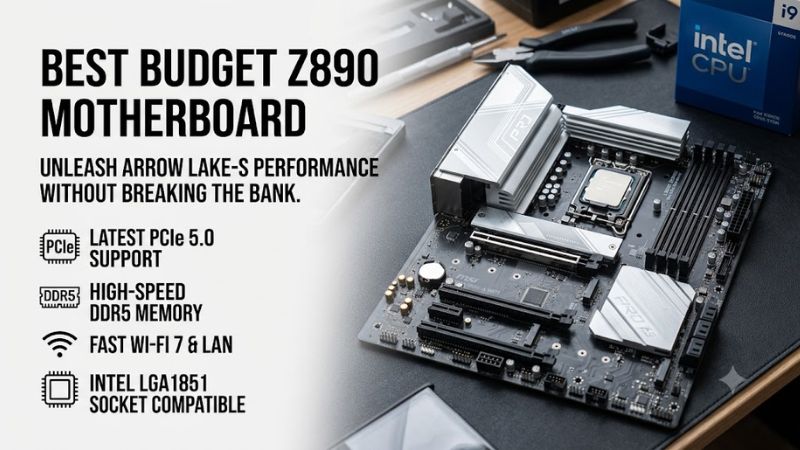
How to Choose a Budget Z890 Motherboard
Choosing the best budget z890 motherboard means matching connectivity to your components rather than chasing specification records. This guide compares four ATX options, explains meaningful compromises, and highlights potential accessory costs. Establish platform compatibility first, then prioritize connections your build actually requires.
Platform Fit and Total Cost
Z890 uses the LGA1851 socket for compatible desktop Core Ultra processors, so your CPU choice must come before the board purchase. These picks use DDR5 and ATX layouts; neither spare DDR4 nor a case limited to micro-ATX will work. For a straightforward full-size build, the MSI PRO Z890-S WIFI belongs on your initial shortlist.
Compare delivered pricing alongside required adapters instead of judging advertised discounts. Integrated networking can eliminate extra purchases, while existing USB audio equipment reduces reliance on onboard sound. A modestly higher purchase price may still lower overall expenditure. MSI PRO Z890-S WIFI offers useful integrated connectivity.
Storage Slots and Expansion
Count the NVMe drives you own and the ones you realistically expect to add. Three M.2 sockets are plenty for many gaming PCs, but a fourth can prevent an adapter purchase later. MSI offers three here; the other picks offer four. If a growing game library drives your choice, the ASRock Z890 Pro RS WiFi provides useful expansion.
Physical slot length does not establish electrical bandwidth, and oversized graphics cards can obstruct nearby expansion positions. Consult the manual’s lane descriptions before purchasing capture or storage hardware. Avoid budgeting for inaccessible connectors. ASRock Z890 Pro RS WiFi accommodates buyers requiring four onboard SSD positions.
Networking and Rear Ports
Wireless labels hide differences in channel width, while Ethernet speed matters only when your router or local network can use it. These boards provide 2.5Gb Ethernet, but ASRock uses Wi-Fi 6E rather than Wi-Fi 7. If newer wireless support matters alongside plenty of rear USB connections, examine the GIGABYTE Z890 EAGLE WIFI7.
Inventory permanently connected peripherals before evaluating rear connectivity. Keyboards, mice, microphones, webcams, and controllers can quickly exhaust available sockets without requiring exceptional bandwidth. Reserve faster connections for compatible storage devices. GIGABYTE Z890 EAGLE WIFI7 provides nine rear USB-A ports for crowded desks.
Build Access and BIOS Recovery
Maintenance access matters when replacing components beneath a large graphics card. Consider GPU release mechanisms and firmware recovery that works without a functioning processor configuration. These conveniences improve servicing rather than frame rates. ASUS PRIME Z890-P WIFI combines BIOS FlashBack with PCIe Slot Q-Release.
Evaluate case clearance before assuming every release mechanism remains accessible beneath oversized graphics hardware. Disconnect power before handling components and follow the manual’s installation sequence. Convenience features support careful assembly rather than replace it. ASUS PRIME Z890-P WIFI merits consideration for easier servicing.
Top Picks
These best budget z890 motherboard selections serve distinct priorities rather than guaranteed price rankings. ASRock offers broad connectivity, MSI fits simpler storage plans, GIGABYTE accommodates numerous peripherals, and ASUS aids maintenance. Compare current US checkout totals to identify the most economical combination for your requirements.
| Product | Best For | Key Spec | Watch Out For |
|---|---|---|---|
| ASRock Z890 Pro RS WiFi | Best Overall | Four M.2 slots; two rear Thunderbolt 4 ports | Wi-Fi 6E rather than Wi-Fi 7 |
| MSI PRO Z890-S WIFI | Best Value when competitively priced | Three M.2 slots; Wi-Fi 7; Thunderbolt 4 | Fewer M.2 sockets than the other picks |
| GIGABYTE Z890 EAGLE WIFI7 | Best For Multiple USB Peripherals | Nine rear USB-A ports; four M.2 slots | Wi-Fi 7 limited to 160MHz channels |
| ASUS PRIME Z890-P WIFI | Best For Easier Maintenance | PCIe Slot Q-Release; BIOS FlashBack; four M.2 slots | 160MHz Wi-Fi 7 implementation |
ASRock Z890 Pro RS WiFi
ASRock Z890 Pro RS WiFi is my best overall choice when similarly priced alternatives are available. Four M.2 slots and two rear Thunderbolt 4 ports give it room for internal and external storage without immediate add-in cards. It suits builders combining gaming with file-heavy work who expect their connectivity needs to grow.
Its main compromise is Wi-Fi 6E rather than Wi-Fi 7, so owners upgrading their wireless network may prefer MSI or ASUS. That does not weaken its wired 2.5Gb Ethernet option. For the best budget z890 motherboard with broad storage connectivity, ASRock makes sense when you value usable ports more than the newest wireless label.
MSI PRO Z890-S WIFI
MSI PRO Z890-S WIFI takes the best value role for builds that need its features and find it priced below four-slot alternatives. It includes Wi-Fi 7, 2.5Gb Ethernet, and one rear Thunderbolt 4 connection. That combination suits a gaming PC with a main SSD and a small number of planned storage upgrades rather than a drive-heavy workstation.
MSI’s compromise is three M.2 sockets rather than four. Owners already using three NVMe drives may eventually need replacement storage or additional hardware to expand capacity. Its Realtek ALC897 codec also represents basic onboard audio. Choose MSI for a matched configuration, rather than expecting premium audio components.
GIGABYTE Z890 EAGLE WIFI7
GIGABYTE Z890 EAGLE WIFI7 is best for desks with many USB peripherals. Its rear panel has nine USB-A ports plus a USB4 Type-C connection, making dedicated sockets practical for several everyday accessories. Four M.2 slots also support a growing SSD collection. It is a useful option when avoiding a separate USB hub matters.
The wireless implementation supports 160MHz channels, rather than the 320MHz capability found on some Wi-Fi 7 hardware. Its module also varies with board revision, so consult the matching driver page. As a best budget z890 motherboard for peripheral-heavy use, its advantage is connection count rather than maximum theoretical wireless speed.
ASUS PRIME Z890-P WIFI
ASUS PRIME Z890-P WIFI is best for builders who prioritize GPU servicing and firmware recovery. PCIe Slot Q-Release and BIOS FlashBack address those tasks, while four M.2 sockets preserve storage flexibility. One rear Thunderbolt 4 port also helps connect compatible external devices without purchasing an expansion card.
ASUS lists 160MHz Wi-Fi 7 bandwidth and a maximum advertised 2.9Gbps link rate, rather than flagship wireless specifications. Actual throughput depends on network equipment and operating conditions. Its maintenance conveniences justify consideration when priced competitively, but those features cannot establish superior gaming performance.
Frequently Asked Questions
Selecting the best budget z890 motherboard requires evaluating platform suitability alongside specifications. Processor compatibility, memory configuration, and seller conditions can influence total expenditure more than decorative heatsinks. These answers address decisions worth resolving before ordering parts or dismantling an PC.
Does Z890 Support Older Intel CPUs?
No, these Z890 boards do not accept older LGA1700 desktop processors such as mainstream 12th-, 13th-, or 14th-generation Core chips. A familiar Intel brand name does not imply socket compatibility. Check the exact CPU model against the board’s support list, including any minimum BIOS requirement, before treating the purchase as an upgrade.
If you are reusing an existing Intel system, inventory the CPU and RAM first rather than assuming both will transfer. Your graphics card and drives may remain useful, but the processor and DDR4 memory cannot move into these boards. In a best budget z890 motherboard comparison, include replacement platform parts in the spending limit.
Is Z890 Worth Buying Instead of B860?
Z890 is worth considering when you need its supported CPU overclocking capability or a particular board’s expansion and connectivity. B860 can make more financial sense for a stock-speed build if it provides the ports you require. Compare actual board layouts, since chipset names alone do not tell you how many useful connectors are included.
Locked processors and gaming-focused workloads can reduce the appeal of Z890 expenditure. Conversely, discounted Z890 inventory may compete closely with suitably equipped B860 alternatives. Evaluate checkout pricing against required connectivity, expansion, and processor controls rather than assuming either chipset offers better value.
Do I Need the Fastest DDR5 Kit?
No, the highest advertised DDR5 speed is not necessary for a sensible budget build. Those figures describe supported overclocked configurations, not guaranteed results with any memory kit. Match the exact kit to the board’s memory support information, CPU limits, and module count before using a marketing number as your buying target.
For the best budget z890 motherboard build, price a matched two-module kit before considering expensive high-frequency memory. Four populated slots can change achievable speeds and complicate tuning. Start with supported default settings, then enable a compatible XMP profile and test stability before relying on the PC for regular work or gaming.
Should I Buy the Cheapest Z890 Listing?
Buy the cheapest listing only when the exact model, condition, seller, and return terms match your requirements. Similar names can refer to wireless and non-wireless versions or different layouts. An open-box discount may also omit antennas or accessories. Check the actual listing details rather than relying on a shared product image.
Upfront savings can disappear through accessory replacements or inconvenient returns. Verify US warranty eligibility and retain receipts, particularly with marketplace sellers. When competing prices are similar, prioritize avoiding foreseeable adapter purchases over advertised discount percentages or elaborate cosmetic features.
Final Thoughts
The best budget z890 motherboard matches your requirements at a sensible complete-system cost. Start with ASRock for broad connectivity, consider MSI for modest storage plans, and compare GIGABYTE or ASUS for specific conveniences. Establish compatibility and checkout pricing before spending money on features without a clear purpose.