Z890 motherboard buying guide 2026 starts with a practical question: Which features will you use, and which are costly extras? Intel Z890 boards support Core Ultra Series 2 desktop processors, but differ in storage, networking, and rear ports. This guide compares four real models and explains the trade-offs for first-time builders without paying for features their setup cannot use.
How to Choose a Z890 Motherboard
The z890 motherboard buying guide 2026 begins with CPU compatibility: Z890 uses Intel’s LGA1851 socket for Core Ultra Series 2 desktop processors. Confirm your exact CPU, case size, memory kit, graphics card, and cooling plan before comparing extras, because those basics determine what can fit and function properly in your build.
Check CPU Compatibility and BIOS Support
Z890 is built for Intel Core Ultra Series 2 processors on the LGA1851 socket; it is not a drop-in upgrade for older Intel chips using another socket. Read the motherboard’s CPU support list, since exact CPU support and recommended BIOS versions can matter more than VRM marketing when assembling a first system.
A board is the platform around your processor, not a performance upgrade by itself. The MSI MAG Z890 TOMAHAWK WIFI and GIGABYTE Z890 AORUS ELITE WIFI7 are sensible matches for mainstream Core Ultra builds, with room for DDR5 and a full-size graphics card. Choose based on ports you will use, not the highest advertised power-phase count.
Compare M.2 Slots and PCIe Expansion
Count M.2 sockets before looking at heatsink covers or decorative shrouds. The GIGABYTE Z890 AORUS ELITE WIFI7 provides four M.2 sockets, including one PCIe 5.0 x4 slot, while the ASUS ROG STRIX Z890-E GAMING WIFI has seven M.2 sockets, three of them PCIe 5.0. That gap matters to multi-drive builds.
The practical lesson of this z890 motherboard buying guide 2026 is to buy lanes and slots you can name a use for. Video editors with several scratch drives can justify ASUS’s extra storage, while a gaming PC with one boot SSD and one game drive is likely well served by Gigabyte’s four sockets.
Choose Memory Support and Beginner-Friendly Features
All four picks have four DDR5 DIMM slots and support up to 256GB, but maximum advertised overclock speeds are not a guarantee for every kit. The CPU memory controller, module layout, BIOS maturity, and XMP settings all affect stability; check the board’s qualified memory list before buying an unusually fast kit for a beginner-focused build.
If you want a less intimidating setup path, the ASRock Z890 Steel Legend WiFi includes BIOS Flashback and Memory OC Shield, while MSI supports XMP 3.0 and has EZ Debug LEDs. These tools cannot promise every memory kit will train on the first try, but they give new builders useful options when tuning or troubleshooting.
Prioritize Networking and Rear Connectivity
Choose the rear I/O around devices already on your desk: external SSDs, docks, audio interfaces, and wired networking can matter more than a long USB count. The MSI MAG Z890 TOMAHAWK WIFI pairs Wi-Fi 7 with 5GbE LAN and Thunderbolt 4, making it a strong fit for fast local networks and high-speed accessories.
Gigabyte and ASRock also offer Wi-Fi 7 and Thunderbolt 4 connectivity, but both list 2.5GbE LAN, which is sufficient for many homes. Wi-Fi 7 needs a compatible router and available 6GHz service, so do not pay extra expecting faster internet if your network equipment cannot take advantage or your broadband plan is the bottleneck.
Top Picks
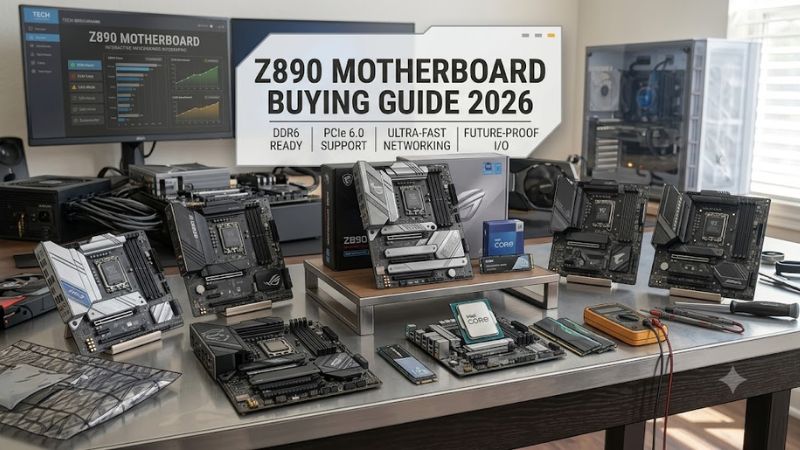
In this z890 motherboard buying guide 2026, the MSI MAG Z890 TOMAHAWK WIFI is the balanced all-rounder, GIGABYTE Z890 AORUS ELITE WIFI7 offers practical expansion, ASUS targets multi-SSD systems, and ASRock suits creators wanting Wi-Fi 7 and two rear Thunderbolt 4 ports. Use the table to match hardware to your real workload before comparing cosmetic extras.
| Product | Best For | Key Spec | Watch Out For |
|---|---|---|---|
| MSI MAG Z890 TOMAHAWK WIFI | Best Overall | DDR5 up to 256GB, Wi-Fi 7, 5GbE LAN | Fast networking needs compatible equipment |
| GIGABYTE Z890 AORUS ELITE WIFI7 | Best Value | Four M.2 slots, one PCIe 5.0 x4 M.2 | Only one PCIe 5.0 M.2 slot |
| ASUS ROG STRIX Z890-E GAMING WIFI | Best for Storage-Heavy Builds | Seven M.2 slots, three PCIe 5.0 M.2 slots | Extra expansion may go unused |
| ASRock Z890 Steel Legend WiFi | Best for Creator Connectivity | Wi-Fi 7, two rear Thunderbolt 4 ports | 2.5GbE LAN instead of 5GbE |
MSI MAG Z890 TOMAHAWK WIFI — Best Overall
The MSI MAG Z890 TOMAHAWK WIFI is the best overall choice if you want a strong foundation without paying for every enthusiast extra. This z890 motherboard buying guide 2026 gives it the lead for its LGA1851 support, four DDR5 slots supporting up to 256GB, Wi-Fi 7, 5GbE LAN, and Thunderbolt 4 connectivity.
That feature mix suits gaming, multitasking, and a desk with fast external storage, but networking benefits depend on your router and wired gear. The board is still an ATX platform, so check case compatibility and budget for a capable cooler and power supply before spending heavily on connectivity you may not use.
GIGABYTE Z890 AORUS ELITE WIFI7 — Best Value
The GIGABYTE Z890 AORUS ELITE WIFI7 makes sense for builders who want modern expansion without prioritizing a premium collection of extras. It supports up to 256GB of DDR5, provides four M.2 sockets with one PCIe 5.0 x4 connection, and includes Wi-Fi 7, 2.5GbE LAN, and Thunderbolt 4 connectivity.
Its practical layout and screwless M.2 heatsink design can simplify installation, particularly for someone assembling a first PC. The main limitation is storage flexibility: only one M.2 socket supports PCIe 5.0, while the other three use PCIe 4.0. That is still plenty for most gaming and general productivity builds.
ASUS ROG STRIX Z890-E GAMING WIFI — Best for Storage-Heavy Builds
For builders planning multiple high-speed drives, the ASUS ROG STRIX Z890-E GAMING WIFI offers an unusually generous seven M.2 sockets, including three PCIe 5.0 NVMe connections. This makes it attractive for large game libraries, creative projects, and workloads that benefit from several fast internal drives rather than a single system SSD.
The board also includes Wi-Fi 7, dual Thunderbolt 4 ports, four DDR5 slots, and support for up to 256GB of memory. However, its extensive feature set can make it a poor match for a basic gaming build. Buying unused expansion capacity means less money remains for the GPU, monitor, or SSDs themselves.
ASRock Z890 Steel Legend WiFi — Best for Creator Connectivity
The ASRock Z890 Steel Legend WiFi is a strong option for users who connect several external devices or want a capable workstation without stepping up to ASUS’s extensive storage configuration. Its four M.2 sockets include one PCIe 5.0 x4 slot, and its two rear Thunderbolt 4 ports support high-speed peripherals.
Other useful features include Wi-Fi 7, four DDR5 slots supporting up to 256GB, and Realtek ALC1220 audio. The limitation is its 2.5GbE wired network connection, which is slower on paper than the MSI’s 5GbE option. For ordinary home networking, however, that difference may have little practical effect.
Frequently Asked Questions
This z890 motherboard buying guide 2026 covers the features that make choosing a board easier, but several questions remain for first-time builders. The key is to separate essential compatibility from optional upgrades. Your CPU, memory, graphics card, storage plans, and available budget should determine the purchase rather than headline specifications alone.
1. Is a Z890 Motherboard Worth It for a First Build?
Yes, a Z890 motherboard can be worth buying for a first build if you plan to use an Intel Core Ultra Series 2 processor and want substantial connectivity or expansion. The chipset supports a feature-rich desktop platform, but that does not automatically make every Z890 board a better buy than a less expensive alternative.
Consider your intended upgrades before paying for enthusiast features. If you only need one graphics card, one SSD, ordinary networking, and a modest memory kit, a premium board may not improve everyday performance noticeably. Spend more when you can identify a specific feature you will use, not merely because the chipset sounds high-end.
Can I Use an Older Intel CPU on a Z890 Motherboard?
No, Z890 motherboards use the LGA1851 socket for compatible Intel Core Ultra Series 2 desktop processors. Older Intel desktop CPUs designed for LGA1700 motherboards are physically and electrically incompatible, so keeping an older CPU can require choosing a different motherboard platform.
Before placing an order, confirm the processor’s exact model against the manufacturer’s compatibility list. Do not assume that a shared Intel brand name or a similar product generation guarantees compatibility. If you are reusing RAM, storage, or other components, check those specifications separately rather than treating CPU compatibility as the only requirement.
Do I Need PCIe 5.0 Storage for Gaming?
No, most gaming builds do not need a PCIe 5.0 SSD to perform well. A quality PCIe 4.0 NVMe drive already offers fast loading and responsive everyday use, so choosing a board with several Gen5 slots makes sense primarily when your workload or planned storage upgrades justify them.
Check the number of drives you will install over the next few years, not just the specification of your first SSD. Four M.2 sockets can provide more useful flexibility than multiple Gen5 sockets you never fill. Also review the motherboard manual for lane-sharing details before populating every slot with storage devices.
How Much RAM Should I Install on a Z890 Build?
For a typical gaming and multitasking desktop, 32GB is a sensible starting point, while 64GB can make more sense for demanding creative applications, large workloads, or extensive virtual machines. Z890 supports much larger capacities, but that does not mean every first-time builder should buy maximum memory immediately.
Start with a compatible kit that matches your actual workload, then enable its rated XMP profile if desired and test system stability. Two DIMMs are often easier to configure at high memory speeds than four, although results depend on the CPU and kit. Check the motherboard’s memory support information before purchasing.
Final Thoughts
For most first-time builders, the MSI MAG Z890 TOMAHAWK WIFI is the strongest all-round recommendation, while the GIGABYTE Z890 AORUS ELITE WIFI7 offers a practical alternative focused on useful expansion. Use this z890 motherboard buying guide 2026 to buy for your CPU, drives, network, and ports—not a specification sheet you may never use.