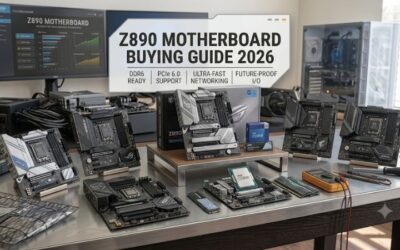
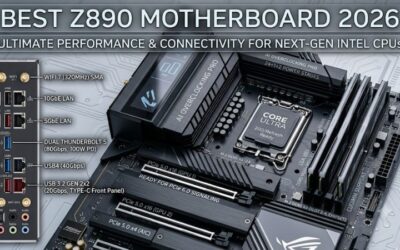
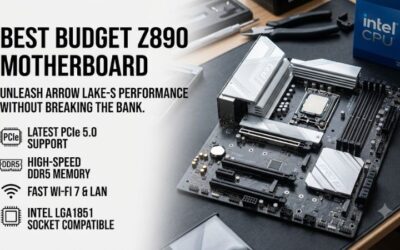
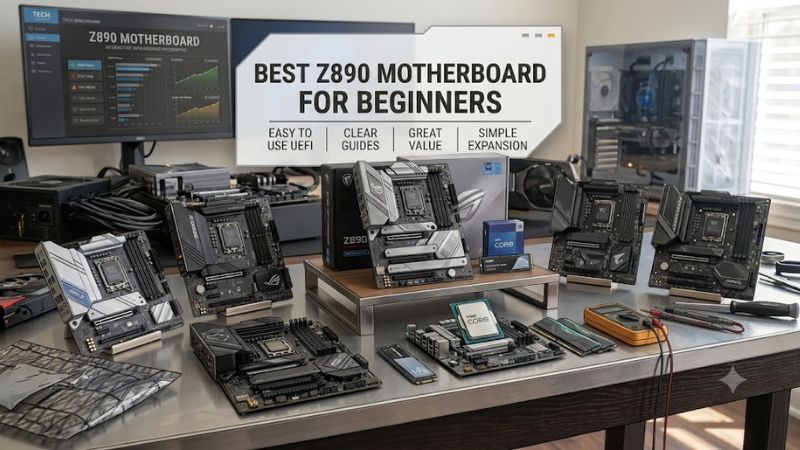
Best Z890 motherboard for beginners is less about chasing the longest feature list and more about avoiding compatibility surprises, awkward assembly, and ports you will outgrow. These four boards support Intel Core Ultra Series 2 on LGA1851, but differ in setup aids, networking, and extras that matter in a first build.
How to Choose a Z890 Motherboard
Choosing the best z890 motherboard for beginners starts with the processor and case, not RGB lighting. Z890 is Intel’s chipset for Core Ultra desktop Series 2 processors using LGA1851; it will not accept older LGA1700 CPUs or AMD Ryzen chips. Plan the platform first, then compare features carefully before buying parts.
CPU Socket and Memory Support
CPU socket and memory type are priority compatibility checkpoints, since firmware settings cannot resolve physical incompatibility. All four boards use LGA1851 and four DDR5 DIMM slots for Core Ultra Series 2, not older Intel or AMD processors. Verify the manufacturer’s CPU support list and BIOS notes for your processor before ordering.
The best z890 motherboard for beginners should make a first build predictable, not add costly features you will never use. Four DIMM slots allow expansion, but two matched DDR5 sticks simplify initial setup; leave the remaining slots open and consult the manual for the recommended pair. ASUS TUF and ASRock suit this approach.
M.2 Storage and Upgrade Room
Storage capacity matters more than headline speed when adding games, projects, or media. Each board has four M.2 sockets and four SATA ports, but just one M.2 slot is PCIe 5.0; the rest are PCIe 4.0. Gigabyte Z890 AORUS ELITE WIFI7 allows future drive expansion without replacing the motherboard as your library grows over time.
More M.2 sockets do not mean every drive runs at full speed in every configuration, because lane sharing and slot placement vary. Check the manual before filling every connector, and use the supplied heatsink where provided. ASRock Z890 Pro RS WiFi offers four M.2 sockets, including one Gen5 slot, for a growing library.
Networking and Rear I/O
Networking and rear I/O determine whether a new PC needs adapters. Wi-Fi 7 appears on ASUS TUF, Gigabyte AORUS Elite, and MSI Tomahawk; ASRock uses Wi-Fi 6E. All four include 2.5Gb Ethernet except MSI’s 5Gb port. For fast wired networking, choose MSI MAG Z890 TOMAHAWK WIFI if your router and connected devices support multi-gig speeds.
Wi-Fi 7 benefits require compatible clients and a suitable router, so beginners need not pay extra automatically. ASRock’s Wi-Fi 6E remains capable for many homes, while MSI’s 5Gb Ethernet targets multi-gigabit networking. Choose ASRock for everyday wireless service or MSI MAG Z890 TOMAHAWK WIFI for faster wired connections.
Build Assistance and Troubleshooting
For first-time assembly, look for features that reduce frustrating mistakes: a pre-mounted I/O shield, accessible M.2 retainers, diagnostic lights, and BIOS recovery options. These do not make assembly automatic, but improve troubleshooting. Gigabyte’s EZ-Latch parts and ASUS TUF’s Q-Release features help when fitting a GPU or SSD.
Diagnostic features matter most when the PC will not start, not during everyday gaming. MSI provides EZ Debug LEDs and a two-digit display; ASUS and ASRock include BIOS Flashback, while Gigabyte adds Q-Flash Plus. Choose Gigabyte or MSI if onboard troubleshooting indicators would make a first build less stressful during initial setup.
Top Picks
This shortlist compares the best z890 motherboard for beginners by practical differences rather than tiny benchmark gains: installation aids, networking, and upgrade room. Every model supports Intel Core Ultra Series 2 and DDR5, so match your choice to devices you own and the troubleshooting help you want in a first build.
| Product | Best For | Key Spec | Watch Out For |
|---|---|---|---|
| ASRock Z890 Pro RS WiFi | Best Value | Four M.2 slots, dual rear Thunderbolt 4, Wi-Fi 6E | No Wi-Fi 7 |
| ASUS TUF Gaming Z890-PLUS WIFI | Best Overall | Four M.2 slots, Wi-Fi 7, PCIe 5.0 x16 | 2.5Gb Ethernet |
| Gigabyte Z890 AORUS ELITE WIFI7 | Best for Easy Assembly | Four M.2 slots, Wi-Fi 7, EZ-Latch, Q-Flash Plus | 2.5Gb Ethernet |
| MSI MAG Z890 TOMAHAWK WIFI | Best for Networking and Diagnostics | Wi-Fi 7, 5Gb Ethernet, debug display | Advanced features may go unused |
ASRock Z890 Pro RS WiFi — Best Value
ASRock Z890 Pro RS WiFi is the best z890 motherboard for beginners who want broad storage and external-device support without prioritizing every premium feature. It provides four DDR5 slots, four M.2 sockets including one PCIe 5.0 slot, two rear Thunderbolt 4/USB4 Type-C ports, 2.5Gb Ethernet, and Wi-Fi 6E for compatible devices.
Two rear Thunderbolt 4/USB4 Type-C ports give compatible docks and drives flexibility, while BIOS Flashback and Post Status Checker support setup and recovery. The trade-off is Wi-Fi 6E rather than Wi-Fi 7, which suits wired networks or Wi-Fi 6E routers well for everyday tasks and high-speed external-storage workflows.
ASUS TUF Gaming Z890-PLUS WIFI — Best Overall
ASUS TUF Gaming Z890-PLUS WIFI is the best overall choice for a first-time builder who wants useful assembly aids and future expansion. It has four DDR5 slots, four M.2 sockets with one PCIe 5.0 x4 slot, Wi-Fi 7, a PCIe 5.0 x16 graphics slot, and a rear Thunderbolt 4 port for compatible peripherals in a full-size gaming tower.
ASUS includes BIOS FlashBack, Q-Release for the main PCIe slot, and M.2 Q-Latch/Q-Slide features that simplify installation. Its limitation is 2.5Gb Ethernet rather than MSI’s 5Gb connection, which matters only if your router, switch, and storage support it. Its setup features keep the board approachable for first-time builders.
Gigabyte Z890 AORUS ELITE WIFI7 — Best for Easy Assembly
Gigabyte Z890 AORUS ELITE WIFI7 is the best z890 motherboard for beginners who value straightforward component installation. It combines four DDR5 slots, four M.2 connectors with one PCIe 5.0 x4 slot, Wi-Fi 7, 2.5Gb Ethernet, and Thunderbolt 4 Type-C, making a strong gaming or work PC foundation for longer-term upgrades.
EZ-Latch Plus releases the graphics-card slot and selected M.2 hardware without making a tiny screw the center of the build. Q-Flash Plus supports BIOS updating without a fully installed CPU or memory. Its network remains 2.5Gb Ethernet, not MSI’s 5Gb option; beginners may not use every tuning preset during everyday use.
MSI MAG Z890 TOMAHAWK WIFI — Best for Networking and Diagnostics
MSI MAG Z890 TOMAHAWK WIFI suits builders needing multi-gigabit networking and onboard diagnostics. Four DDR5 DIMM slots support up to 256GB; four M.2 sockets include one PCIe 5.0 x4 connector. Wi-Fi 7, 5Gb Ethernet, six system-fan headers, and a 20Gbps front USB-C header leave useful expansion room for future devices.
EZ Debug LEDs and the two-digit diagnostic display offer board-level troubleshooting; Flash BIOS and Clear CMOS buttons support firmware recovery. These extras may exceed a basic gaming build’s needs, while 5Gb Ethernet helps only when the router, switch, and connected devices support multi-gigabit speeds on the same local network.
Frequently Asked Questions
Frequently Asked Questions about the best z890 motherboard for beginners focus on compatibility, wireless networking, and setup. Z890 is the chipset, not the processor; pair these boards with a supported LGA1851 Core Ultra Series 2 CPU and DDR5 memory, then verify the manual for any installation note before starting for new builders.
Can Beginners Use Z890 Without Overclocking?
Yes, the best z890 motherboard for beginners can run at default settings without overclocking. Install the CPU, two matching DDR5 modules, graphics card if needed, and storage, then start with stable firmware defaults; memory profiles such as XMP are optional tuning features, not a requirement for the computer to boot or run.
If a first boot fails, do not change several settings at once. Recheck the 24-pin motherboard and CPU power connectors, memory seating, monitor connection, and CPU support list, then consult the board’s debug indicators. ASUS TUF and ASRock provide BIOS Flashback when a firmware update is required before normal booting.
Do I Need a PCIe 5.0 Graphics Card or SSD?
No, a PCIe 5.0 graphics card or SSD is not required for a Z890 build. The boards’ PCIe slots are backward compatible with supported earlier-generation devices, so an existing PCIe 4.0 GPU or SSD can still be used. Buy Gen5 storage only when sustained speed justifies the cost for demanding professional workloads or repeated transfers.
A Gen5 M.2 slot does not guarantee every drive will run cooler or make ordinary game loading visibly faster. Check supported drive lengths, heatsink coverage, and storage-sharing notes before choosing drives. For most first builds, a reliable PCIe 4.0 NVMe SSD is a sensible starting point without paying for a small everyday gain.
Are Wi-Fi and Bluetooth Included?
Yes, all four boards include wireless networking, but standards differ: ASRock lists Wi-Fi 6E, while ASUS TUF, Gigabyte AORUS Elite, and MSI Tomahawk list Wi-Fi 7. Wi-Fi 7 benefits depend on a compatible router, operating-system support, regional 6GHz rules, and signal quality, not the board’s name or marketing claim alone.
Keep the included antenna connected and position it in the open rather than wedged behind a metal case or cabinet. If the PC sits near a router and stable wired service is available, Ethernet is often simpler; MSI’s 5GbE matters only when your network equipment and other devices support multi-gig speeds in your home or office network.
Will a Z890 Motherboard Fit My Case, and What PSU Do I Need?
Check the case specifications before buying: all four motherboards use the standard ATX form factor, so a compact Micro-ATX or Mini-ITX case will not fit unless it explicitly supports ATX. Also verify GPU length, CPU-cooler height, radiator clearance, and the case’s front USB-C connection before finalizing the parts list.
The motherboard does not determine PSU wattage by itself. Choose a power supply around the exact CPU and graphics card, leave suitable connector headroom, and follow GPU-maker guidance. A beginner-friendly board helps, but matching the case, cooler, graphics card, memory, and PSU correctly prevents more build problems.
Final Thoughts
The best z890 motherboard for beginners should fit your CPU, case, network, and planned upgrades without adding features you will not use. Choose ASRock for value and dual rear Thunderbolt 4, ASUS for balanced building, Gigabyte for easier component handling, or MSI for 5Gb Ethernet and diagnostics. Confirm local availability first.