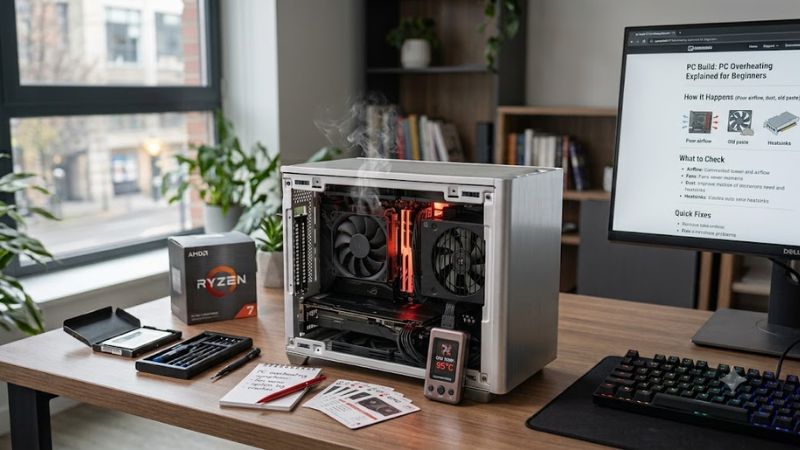
PC overheating explained for beginners starts with one simple distinction: a hot component is not automatically a failing PC. Modern CPUs can run hot under sustained load, but sudden throttling, unusual idle temperatures, loud fans, or shutdowns deserve investigation before you replace hardware.
How to Choose a PC CPU Cooler
A beginner searching for pc overheating explained for beginners usually wants two answers: why the temperature rises and what hardware can help. This guide treats overheating as a diagnosis first, then compares four CPU air coolers for different build needs instead of assuming every high reading requires the same replacement.
Cooling Capacity
Cooling capacity is the first filter because the heatsink must move enough heat away from the processor during sustained work. Heat-pipe count and fin area matter, but fan speed and CPU power also affect results. A larger dual-tower design generally provides more thermal headroom than a slim single tower under heavy, sustained loads.
For pc overheating explained for beginners, focus when temperatures climb during rendering, compiling, or long gaming sessions. The trade-off is space and weight, so do not buy the largest cooler. The Peerless Assassin 120 SE targets high sustained heat, while the Burst Assassin 120 SE matches lighter mainstream loads.
Cooler Height And Clearance
Cooler height is a hard compatibility limit, not a performance preference. Your case needs enough CPU-cooler clearance, while width can affect memory and nearby motherboard parts. A 148mm single tower can fit cases that reject taller models, whereas a 158mm design needs more vertical room inside the chassis and careful panel clearance.
Check the case specification before ordering, then compare complete cooler height rather than the heatsink alone. The Pure Rock 3 at 154mm and Burst Assassin 120 SE at 148mm favor tighter cases, while Peerless Assassin 120 SE and NH-U12S redux need 155mm and 158mm respectively, making fit central to pc overheating explained for beginners.
Mounting And RAM Access
Mounting and memory clearance matter because a cooler that barely fits can create unnecessary installation work. A slim fin stack leaves the RAM area more open, while a wide dual tower can crowd tall modules. For beginners, predictable access can be worth giving up some peak cooling capacity during installation and routine maintenance.
This matters most when your build uses tall memory heatsinks or a crowded motherboard layout. The NH-U12S redux keeps its fin depth to 45mm and avoids overhanging current RAM slots, while the Peerless Assassin 120 SE needs more attention around memory height. That makes fit planning central to pc overheating explained for beginners.
Case Airflow
Case airflow determines how quickly warmed air leaves the chassis, so a capable CPU cooler can still struggle inside restricted ventilation. Intake and exhaust fans should create a sensible path through the enclosure. Dust filters, blocked vents, and poorly oriented fans can raise temperatures without any fault in the cooler.
Use airflow as the priority when both CPU and GPU temperatures rise together, especially during gaming. The cooler upgrade remains primary when only the CPU overheats. For pc overheating explained for beginners, that points toward Peerless Assassin 120 SE or Pure Rock 3 when CPU capacity is lacking, and better case airflow when heat is system-wide.
Top Picks
The four choices below stay within one category: CPU air coolers that can address genuine processor-heat problems. pc overheating explained for beginners should not become a random parts list, so each pick has a defined role, a concrete specification, one meaningful strength, and one trade-off a first-time builder should understand.
| Product | Best For | Key Spec | Watch Out For |
|---|---|---|---|
| Thermalright Peerless Assassin 120 SE | Best Overall | 125 × 110 × 155mm; 6 × 6mm heat pipes; 2 × 120mm fans | Large footprint; check RAM and case clearance |
| Thermalright Burst Assassin 120 SE | Best Value | 124 × 52 × 148mm; 6 × 6mm heat pipes; 1550 RPM fan | Less thermal headroom than a dual tower |
| Noctua NH-U12S redux | Best For RAM Compatibility | 158mm height; 45mm fin depth; 1700 RPM PWM fan | Single tower and fan |
| be quiet! Pure Rock 3 | Best For Compact Midrange Builds | 71 × 124 × 154mm; 4 × 6mm heat pipes; 190W TDP listed | Less margin at very high sustained CPU power |
Thermalright Peerless Assassin 120 SE
Thermalright Peerless Assassin 120 SE is the Best Overall pick for demanding desktop workloads because its dual-tower layout provides substantial cooling area. The heatsink is 125 × 110 × 155mm, uses six 6mm heat pipes, and includes two 120mm PWM fans rated up to 66.17 CFM. It matches sustained, intense CPU heat loads.
Its drawback is physical bulk. A 155mm height can exclude smaller cases, and tall memory modules need clearance checking. Beginners with a roomy mid-tower system and hot processor benefit most, while compact builders should consider a shorter single-tower option rather than forcing this cooler into a marginal chassis safely.
Thermalright Burst Assassin 120 SE
Thermalright Burst Assassin 120 SE is the Best Value choice for mainstream gaming and productivity systems needing a step above basic cooling. It measures 124 × 52 × 148mm, uses six 6mm heat pipes, and has one 120mm PWM fan rated to 1550 RPM. Its advantage is strong hardware in a compact footprint with simple installation.
The limitation is lower thermal headroom than a larger dual-tower cooler under sustained high CPU power. That is not a problem for moderate systems, but it matters when the processor runs heavy all-core workloads. Verify the 148mm height against your case before buying, especially in compact towers with restricted cooler clearance.
Noctua NH-U12S redux
Noctua NH-U12S redux is the Best For RAM Compatibility choice when installation predictability matters as much as raw cooling. It stands 158mm tall, uses one 120mm NF-P12 redux-1700 PWM fan, and has a 45mm fin depth designed to avoid overhanging RAM slots. The main benefit is clean, direct, fully unobstructed memory access.
Its weakness is straightforward: one slim tower and one fan cannot match the raw cooling capacity of a large dual-tower design. It remains a strong fit for builders who value compatibility and quiet operation over maximum thermal margin, especially with tall memory modules in the configuration and enough case height available.
be quiet! Pure Rock 3
be quiet! Pure Rock 3 is the Best For Compact Midrange Builds pick when you want a conventional tower without moving to a larger dual-tower class. Its dimensions are 71 × 124 × 154mm, with four 6mm heat pipes and one fan. be quiet! lists a 190W TDP figure for this compact air cooler, aimed at mainstream desktop systems.
Its disadvantage is simpler thermal hardware than the Peerless Assassin 120 SE. A single-fan, four-heat-pipe design leaves less margin for unusually high sustained CPU power, even though the 154mm height suits many cases. Choose it when moderate CPU demands and available clearance matter more than maximum cooling capacity.
Frequently Asked Questions
The FAQ section keeps pc overheating explained for beginners useful by separating normal temperature behavior from symptoms that deserve troubleshooting. Modern processors adjust power and frequency as workload changes, so a brief spike is not automatically an overheating fault. Repeated throttling, shutdowns, or abnormal behavior are useful clues.
Can A CPU Cooler Fix An Overheating PC?
Can a CPU cooler fix an overheating PC? Yes, when the CPU is the component overheating and the current cooler is undersized, poorly mounted, or obstructed. Intel notes that thermal throttling can reduce CPU speed when temperature reaches its control limit, so a properly matched thermal solution can directly address a genuine CPU cooling problem.
The exception is a whole-system airflow problem. If CPU and GPU temperatures both rise sharply during gaming, replacing only the CPU cooler may leave most heat inside the case. Check the actual sensors first, then decide whether the processor cooler or chassis airflow is the larger thermal bottleneck before buying another part.
Why Does My PC Overheat While Gaming?
Why does my PC overheat while gaming? Gaming can raise CPU and GPU power together, creating more heat than a restricted airflow path can remove. Intel explains that processor temperature changes with workload, so higher gaming temperatures are expected; concern grows when the system also shows throttling, instability, or sudden shutdowns.
Start by comparing CPU and GPU temperatures during the same game scene. If the CPU rises while GPU temperature is moderate, inspect the CPU cooler, mounting, and fan behavior. If both components climb together, improve case airflow instead of assuming the processor cooler is the only cause, especially in a compact case.
Is 80°C Too Hot For A CPU?
Is 80°C too hot for a CPU? Not necessarily. There is no single temperature that defines overheating for every processor and workload. Intel says temperature behavior depends on the processor, workload, and system design, while thermal controls can reduce power or trigger protection when the processor reaches its defined limits.
That means trend and behavior matter more than one monitoring screenshot. A CPU repeatedly reaching its control limit while performance falls is more concerning than a short burst spike. Check the processor specifications and watch whether clocks, fan speed, or system stability change as temperature rises over time consistently.
Should I Replace Thermal Paste When A PC Overheats?
Should I replace thermal paste when a PC overheats? Sometimes, but not automatically. Fresh paste can help after cooler removal or a compromised interface, yet it cannot compensate for a cooler that lacks capacity. Intel’s troubleshooting guidance also emphasizes correct thermal-solution selection and proper installation for self-built systems.
A better approach is to fix the largest measured problem first. Confirm the cooler is mounted correctly, verify its fan spins, inspect dust and airflow, then consider the thermal interface. Replacing paste makes sense after those checks, not as a universal first response to every high temperature reading from monitoring software.
Final Thoughts
The goal of pc overheating explained for beginners is not to chase the lowest possible temperature; it is to identify the heat source and match the fix. Peerless Assassin 120 SE leads for sustained CPU loads, Burst Assassin 120 SE for value, NH-U12S redux for RAM-friendly installation, and Pure Rock 3 for compact midrange systems.