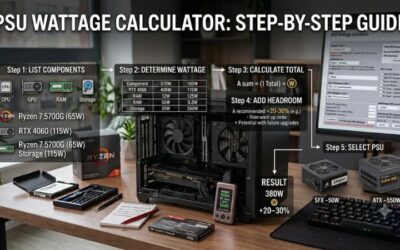
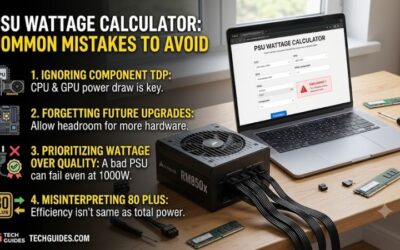
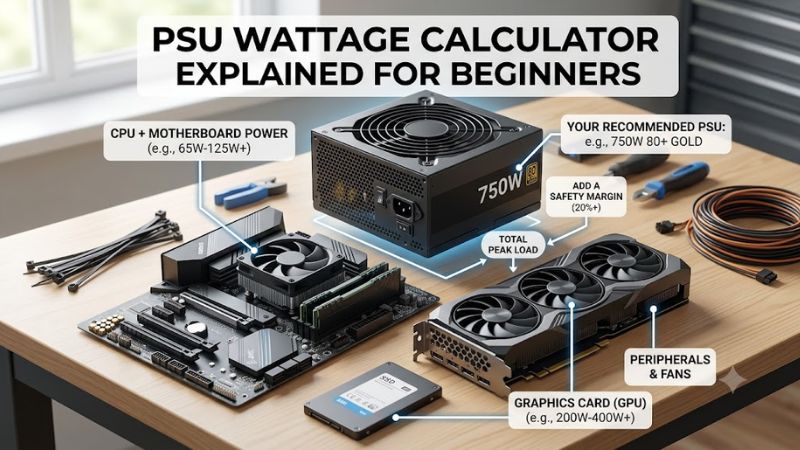
PSU wattage calculator explained for beginners starts with this distinction: estimated system demand is not always the recommended PSU size. Enter your processor, graphics card, and peripherals, then check whether the result includes headroom. Check capacity and cable compatibility; never open a PSU or reuse unverified modular cables.
How to Choose PC Power Supplies
This guide to psu wattage calculator explained for beginners connects calculator results with four actual power supplies. You will learn to verify inputs, interpret capacity, match graphics connectors, and check case fit. The recommendations use published specifications, without inventing load tests or claiming one wattage suits every gaming PC.
Calculator Inputs and Result Labels
Calculator inputs should reflect your exact processor and graphics-card variant, including boost power limits. Include storage, fans, and cooling hardware where the tool requests them. Defaults can hide assumptions, so review them before ordering. For a modest build whose checked recommendation fits within 650 W, consider the MSI MAG A650BN.
Distinguish estimated component consumption from a suggested PSU rating before adding headroom. Some calculators already include spare capacity, preventing unnecessary oversizing. Compare the result with your graphics-card manufacturer’s PSU guidance. When both support a 750 W choice, the Corsair RM750e (2025) is a practical next step.
Headroom and Planned Upgrades
Headroom means unused output capacity for demanding workloads, component upgrades, and fluctuations. Doubling every result is unnecessary. As an illustration, 500 W of estimated demand plus 150 W of illustrative headroom equals 650 W, not a measured requirement. For a higher-demand build needing 1000 W, consider be quiet! Pure Power 13 M 1000W.
In psu wattage calculator explained for beginners, upgrade planning works with a specific graphics upgrade rather than unspecified expansion. Rerun the estimate with realistic processor limits. Additional capacity needs justification rather than speculation. If the revised recommendation approaches 1000 W, choose be quiet! Pure Power 13 M 1000W.
GPU Connectors and Power Standards
Graphics connectors need separate verification: adequate wattage cannot replace missing plugs. Verify graphics connections against the supplied cable inventory. ATX 3.1 also addresses modern power-delivery requirements, including specified short-duration excursions. For direct 12V-2×6 cabling, consider the Corsair RM750e (2025).
During installation, disconnect the computer from electricity, use supplied or explicitly compatible cables, and seat connectors fully following the manuals. Do not force sharp bends at a GPU plug or assume identical sockets guarantee compatibility. For modular cabling with a modern graphics connection, choose the Corsair RM750e (2025).
Case Fit and Efficiency Ratings
Physical fit means matching the case’s PSU format, clearance, and cable-routing space. Standard ATX and smaller SFX supplies are different sizes even when their output ratings overlap. An 850 W label cannot tell you whether a unit fits your compact enclosure. For a case requiring true SFX dimensions, choose the Corsair SF850 (2024).
Efficiency ratings describe conversion losses, not reduced output or comprehensive quality. Bronze, Gold, and Platinum cannot replace capacity or compatibility verification. Compact designs can cost more despite comparable capacity. For an SFX build benefiting from Platinum efficiency and modular cables, choose the Corsair SF850 (2024).
Top Picks
For psu wattage calculator explained for beginners, these picks illustrate four applications rather than mandatory capacity tiers. Confirm the calculated recommendation, GPU guidance, connectors, and enclosure before purchase. Their stated features support comparison, but this guide does not claim independent electrical or acoustic testing.
| Product | Best For | Key Spec | Watch Out For |
|---|---|---|---|
| Corsair RM750e (2025) | Best Overall | 750 W; ATX 3.1; 140 mm depth | Capacity must meet the whole build’s recommendation |
| MSI MAG A650BN | Best Value | 650 W; 80 PLUS Bronze | Fixed cables; no native 12V-2×6 lead |
| be quiet! Pure Power 13 M 1000W | High-Demand ATX Builds | 1000 W; ATX 3.1; modular | Unnecessary expenditure for modest builds |
| Corsair SF850 (2024) | Compact SFX Builds | 850 W; 100 × 125 × 63.5 mm | Compact-format premium; check cable reach |
Corsair RM750e (2025): Best Overall
The Corsair RM750e (2025) is Best Overall for mainstream ATX builds whose checked power recommendation does not exceed 750 W. Its ATX 3.1 specification and included 12V-2×6 GPU cable suit modern component combinations. Fully modular wiring lets you leave unused cables out, while the 140 mm chassis depth helps in many conventional cases.
Its limitation is capacity: connector compatibility cannot establish sufficient output. With psu wattage calculator explained for beginners, buy this model only when calculation and graphics recommendations agree. Confirm the 2025 revision, since similarly named older units can differ in standards, supplied cables, and listed features.
MSI MAG A650BN: Best Value
The MSI MAG A650BN is Best Value for modest ATX builds with verified 650 W requirements and conventional graphics connections. It carries 80 PLUS Bronze certification and uses a 140-by-150-by-86 mm chassis. Its straightforward specification suits buyers prioritizing essential capacity over detachable cables and premium convenience features.
The original A650BN has fixed cables and no native 12V-2×6 lead, complicating routing and compatibility with newer graphics connections. In psu wattage calculator explained for beginners, it suits verified budget hardware rather than unrestricted upgrades. Do not confuse it with newer PCIE5 variants carrying different features.
be quiet! Pure Power 13 M 1000W: Best For High-Demand Builds
The be quiet! Pure Power 13 M 1000W is Best For High-Demand ATX Builds with verified capacity requirements. It supplies 1000 W continuously, meets ATX 3.1, and includes a native 12V-2×6 connection. Modular wiring keeps unused cables out, while semi-passive cooling lets the fan stop at low loads instead of spinning continuously.
Its drawback is unnecessary expense for a modest configuration, including capacity many beginners cannot justify. In psu wattage calculator explained for beginners, choose it for an identified demanding build rather than assumed future-proofing. A 1000 W rating cannot guarantee compatibility with every future GPU, motherboard, or enclosure.
Corsair SF850 (2024): Best For Compact SFX Builds
The Corsair SF850 (2024) is Best For Compact SFX Builds requiring an 850 W recommendation. Its 100-by-125-by-63.5 mm enclosure fits true SFX spaces, while ATX 3.1 compliance and Platinum efficiency provide modern capabilities compactly. Fully modular Type-5 wiring simplifies compact-case cable management when paired with a compatible case.
Its limitation is the premium attached to compact packaging, plus potentially insufficient cabling in larger enclosures. An included SFX-to-ATX bracket addresses mounting, not every routing distance. Buy it because your enclosure needs SFX or your layout benefits from it, rather than assuming smaller dimensions improve electrical capacity.
Frequently Asked Questions
Questions about psu wattage calculator explained for beginners concern accuracy, oversizing, efficiency, and wall consumption versus component demand. These answers explain what the numbers represent before you pay for additional capacity. None replaces checking the exact graphics card, cable requirements, and PSU model.
Are PSU Wattage Calculators Completely Accurate?
No, a calculator cannot predict exact application-specific consumption. It estimates from selected components and its own assumptions, while actual power reflects workload, boosting, and configured limits. Treat the result as a sizing reference rather than proof that gaming, browsing, and rendering consume identical power.
When calculators disagree, compare component selections and distinguish estimated consumption from recommended capacity. A tool may reserve supporting-hardware allowances without individual entries. Resolve those differences before averaging numbers; otherwise, you combine recommendations based on incompatible assumptions.
Will a Bigger PSU Consume More Electricity?
No, choosing a larger PSU does not force the computer to consume its full rated wattage. Components draw power according to workload, within the supply’s capabilities. A 1000 W unit powering a modest system does not automatically use 1000 W at the outlet, although its efficiency changes with operating load and affects conversion losses.
Excess capacity may offer upgrade flexibility, but it increases expenditure without guaranteed acoustic or efficiency improvements. Compare efficiency curves and relevant acoustic tests where available. Select extra wattage for an actual requirement rather than expecting wattage to resolve cabling or enclosure limitations.
Does Gold Efficiency Reduce Available Wattage?
No, an efficiency label does not subtract that percentage from the PSU’s rated output. A 750 W supply rated for that continuous output remains a 750 W supply; efficiency describes input-to-output conversion. For example, delivering 450 W at an assumed 90% efficiency requires 500 W from the outlet, with 50 W lost in conversion.
That arithmetic is illustrative, since actual efficiency varies by load and input voltage. Do not multiply recommended capacity by an efficiency percentage to establish usable output. Likewise, efficiency certification alone does not establish voltage regulation, protection behavior, or acoustic performance; each requires independent evaluation.
Can I Size My PSU Using a Wall Meter?
No, a wall-meter reading is not the same as the internal output a PSU supplies. The meter includes conversion losses and reflects only the workload running during measurement. It can help characterize an existing system, but an idle reading cannot establish adequate capacity for simultaneous CPU and GPU loading or short power excursions.
For a planned build, use the calculator plus component guidance instead of extrapolating unrelated wall measurements. For an existing build, compare representative workload measurements without electrical disassembly. If unexpected shutdowns occur, investigate cooling, cabling, and hardware faults rather than presuming inadequate wattage.
Final Thoughts
With psu wattage calculator explained for beginners, verify inputs and built-in headroom before buying. Choose the MSI MAG A650BN for suitable budget hardware, Corsair RM750e (2025) for compatible mainstream builds, Pure Power 13 M 1000W for demanding systems, or Corsair SF850 (2024) for SFX cases. Capacity, connectors, and fit must agree.