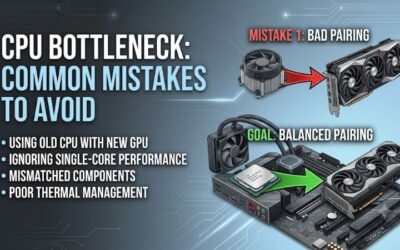
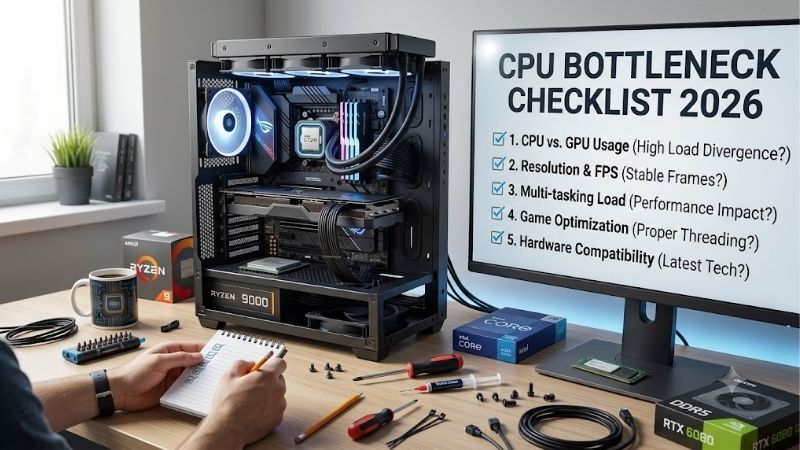
CPU bottleneck checklist 2026 helps identify whether low GPU usage, weak 1% lows, or uneven frame pacing is processor-limited. This guide shows what to measure, which CPU traits matter, and four current chips for different upgrade goals. It keeps the diagnosis evidence-based and upgrade decisions performance-driven.
How to Choose a CPU
A CPU bottleneck appears when the processor cannot prepare game work fast enough to keep a stronger GPU occupied. The result can be low GPU-usage, stubborn frame rates at lower settings, or poor 1%-lows. This cpu bottleneck checklist 2026 focuses on evidence, not one percentage. A fixed percentage cannot capture that context.
Workload And Refresh Rate
Start with the workload you actually run. High-refresh 1080p gaming can expose CPU limits sooner than 4K, while simulation and esports stay processor-heavy. A 240Hz target needs more CPU headroom than 60Hz 4K. The Ryzen 7 9800X3D fits that use case because its gaming-focused design suits high-refresh workloads. That target changes the acceptable CPU ceiling.
Do not diagnose a bottleneck from CPU-utilization alone because a game may stress a few threads while total usage looks moderate. Compare GPU-usage, frame rate, frame-times, and per-core load in one repeatable scene. For extreme refresh targets, the Ryzen 7 9800X3D is a strong match. Use repeated gameplay, not a single spike.
CPU And GPU Pairing
Judge CPU and GPU as a pair, not isolated purchases. A powerful GPU with an older six-core chip can hit a processor limit in CPU-heavy games, while a modest GPU may leave a fast CPU waiting at higher resolutions. Build around your frame-rate-and-settings target because the GPU changes where the ceiling appears. Directly.
The useful question is how much GPU-performance you can use in your games. Tom’s Hardware notes that CPU results change with graphics-settings and GPU class, so a 1080p advantage may shrink at 4K. The Ryzen 5 9600X makes sense for value-focused pairings where that difference is less costly. That makes game-specific-testing more useful than charts alone.
Cores, Threads And Cache
Core count matters for multitasking, but cache and per-core performance can matter more than simply adding cores. Large L3 caches can help some games, while more threads help compiling, rendering, and recording. The Ryzen 7 9850X3D shows how gaming-focused cache and clock speed can complement eight cores. It is visible in cache-sensitive games.
The Ryzen 7 9850X3D has eight cores, 16 threads, a 5.6GHz boost, and 96MB L3 cache, while the 9600X has six cores, 12 threads, and 32MB. Choose between gaming latency and broader workload capacity, with the Ryzen 7 9850X3D favoring gaming-first needs. Cache-latency-context matters.
Platform And Cooling
Platform cost can erase a CPU-upgrade’s value. Check motherboard, memory, cooler, and power requirements before treating any processor as a simple swap. The AMD options use AM5 and DDR5, while the Core Ultra 7 270K Plus uses LGA 1851 and DDR5. Socket choice directly affects compatibility and upgrade-planning. Long-term.
Thermals belong on the checklist because sustained clocks depend on cooling and power-limits. AMD lists 120W default TDP for both X3D eight-core picks, while Intel lists 125W base power and up to 250W maximum turbo power for the 270K Plus. That makes the Core Ultra 7 270K Plus a fit for well-cooled mixed-use systems too.
Top Picks
This cpu bottleneck checklist 2026 uses four CPUs with distinct roles instead of one universal winner. The Ryzen 7 9800X3D is Best Overall, the Ryzen 5 9600X is Best Value, the Ryzen 7 9850X3D is Best For ultra-high-refresh gaming, and the Core Ultra 7 270K Plus is Best For mixed workloads. Each role reflects a different bottleneck risk.
| Product | Best For | Key Spec | Watch Out For |
|---|---|---|---|
| AMD Ryzen 7 9800X3D | Best Overall | 8 cores, 16 threads, up to 5.2GHz, 96MB L3 | 120W TDP; liquid cooling recommended |
| AMD Ryzen 5 9600X | Best Value | 6 cores, 12 threads, up to 5.4GHz, 32MB L3, 65W | No included cooler |
| AMD Ryzen 7 9850X3D | Best For ultra-high-refresh gaming | 8 cores, 16 threads, up to 5.6GHz, 96MB L3, 120W | Higher power draw than 9800X3D |
| Intel Core Ultra 7 270K Plus | Best For mixed workloads | 24 cores, 24 threads, up to 5.5GHz, 36MB Smart Cache | LGA 1851 upgrade path is limited |
AMD Ryzen 7 9800X3D
In this cpu bottleneck checklist 2026, the Ryzen 7 9800X3D is the Best Overall choice for gaming-first builds where high frame rates and strong 1%-lows matter. It has eight cores, 16 threads, a 5.2GHz boost, and 96MB L3 cache on AM5. Its strength is substantial gaming headroom for fast GPUs.
The tradeoff is platform and cooling cost rather than speed. AMD specifies a 120W default TDP, recommends liquid cooling for optimal performance, and lists no boxed thermal solution. For serious gaming, the Ryzen 7 9800X3D offers a balanced middle ground below the 9850X3D. Cooling therefore belongs in the budget.
AMD Ryzen 5 9600X
In this cpu bottleneck checklist 2026, the Ryzen 5 9600X is the Best Value pick for Zen 5 performance without paying for an eight-core X3D part. It has six cores, 12 threads, up to 5.4GHz boost, 32MB L3 cache, 65W default TDP, and AM5 compatibility. It suits many midrange-gaming systems today.
Its weakness is lower cache and core count than the X3D options, which can matter in CPU-heavy games, high-refresh targets, or heavier background-workloads. AMD also lists no included cooler. For a mainstream-GPU and sensible frame-rate target, its 65W envelope keeps cooling requirements manageable. The gap matters most at high FPS.
AMD Ryzen 7 9850X3D
In this cpu bottleneck checklist 2026, the Ryzen 7 9850X3D is Best For ultra-high-refresh gaming when extracting the last few frames matters and the budget allows it. It has eight cores, 16 threads, 5.6GHz boost, 96MB L3 cache, and 120W default TDP. Its main advantage is maximum gaming performance. It is an enthusiast-level choice.
The catch is value efficiency. Tom’s Hardware found about a 3.3% gaming lead over the 9800X3D while power-use was roughly 30% higher in games. That makes the Ryzen 7 9850X3D a specialist choice for frequency-sensitive, high-refresh use rather than a routine upgrade. The small uplift is difficult to see outside select workloads.
Intel Core Ultra 7 270K Plus
In this cpu bottleneck checklist 2026, the Core Ultra 7 270K Plus is Best For mixed workloads when gaming shares the PC with rendering, compiling, encoding, or other threaded work. Intel lists 24 cores, 24 threads, a 5.5GHz maximum turbo, 36MB Smart Cache, 40MB L2 cache, and DDR5-7200 support. Its 24-core layout favors parallel work.
Its gaming-performance is stronger than the earlier 265K, but AMD’s X3D chips still lead in many games. Tom’s Hardware also flags LGA 1851 as a drawback because the socket is nearing the end of its life. The Core Ultra 7 270K Plus therefore makes more sense for current-workload-value than future-upgrade-flexibility today.
Frequently Asked Questions
A useful cpu bottleneck checklist 2026 should answer real pre-purchase questions, not repeat benchmark charts. The answers below focus on diagnosis, realistic expectations, and upgrade-choices so you can separate a genuine CPU limit from a GPU, settings, memory, or software issue before spending money. The goal is clear diagnosis before upgrading.
Can A CPU Bottleneck Be Fixed By Lowering Settings?
Yes, but not in every game or resolution. A CPU bottleneck is most obvious when lowering GPU-heavy settings barely raises frame-rate, GPU-usage falls while CPU threads stay busy, or frame-times spike around simulation work. Those clues are stronger together, so repeat the same gameplay scene before upgrading. Consistent patterns matter.
At 4K with demanding settings, the GPU often becomes the main limit, so a CPU swap may change little. At 1080p and very high refresh rates, the opposite can happen. CPU-heavy games are the exception because processor work can remain limiting even after resolution increases. Upscaling can shift the balance again in practice.
Can A CPU Bottleneck Happen Below 100% CPU Usage?
No. High total CPU usage is not required because many games do not spread their heaviest work evenly across every core. One or two threads can become saturated while the overall percentage stays well below 100% on a high-core CPU. Per-core telemetry is therefore more informative than the headline CPU-number during play.
Check per-core or per-thread activity alongside GPU utilization and frame-time data during a repeatable scene. If the same CPU threads repeatedly approach their practical limit while the GPU has unused headroom, the diagnosis becomes stronger. Repeat after closing heavy background-tasks so transient spikes do not distort the result.
When Should I Upgrade My CPU?
Usually, a CPU upgrade is worth considering when the processor prevents the GPU from reaching your target frame-rate in games you play. The clearest case is a high-refresh system where the GPU has unused capacity but the CPU cannot deliver enough frames or stable 1%-lows. That repeatable ceiling is worth fixing repeatedly.
Do not upgrade simply because a bottleneck calculator gives a percentage. Such tools cannot capture every game engine, graphics setting, background process, or refresh target. If measured performance already reaches your monitor’s refresh rate, a faster CPU may add little. Use calculators as rough context, then trust repeatable gameplay data.
Is The Ryzen 7 9800X3D Better Than The 9850X3D?
For most gaming builds, the 9800X3D is the easier recommendation because it retains eight cores and 96MB of L3 cache below the 9850X3D’s positioning. Choose the 9850X3D when you specifically chase the highest gaming frame rates and accept extra power use. The distinction is about marginal gains, not basic capability for enthusiasts.
For a value build, the 9600X is the cleaner choice, while the 270K Plus is compelling when productivity matters as much as gaming. CPU performance is only one part of the result; your GPU, memory, game engine, and display target can shift the balance. A balanced system can outperform a poorly matched faster chip.
Final Thoughts
Use the cpu bottleneck checklist 2026 before spending on an upgrade, then match the evidence to your actual games and monitor target. The Ryzen 5 9600X fits value builds, Ryzen 7 9800X3D is the Best Overall, Ryzen 7 9850X3D targets extreme refresh rates, and Core Ultra 7 270K Plus suits mixed workloads. That keeps the decision practical.