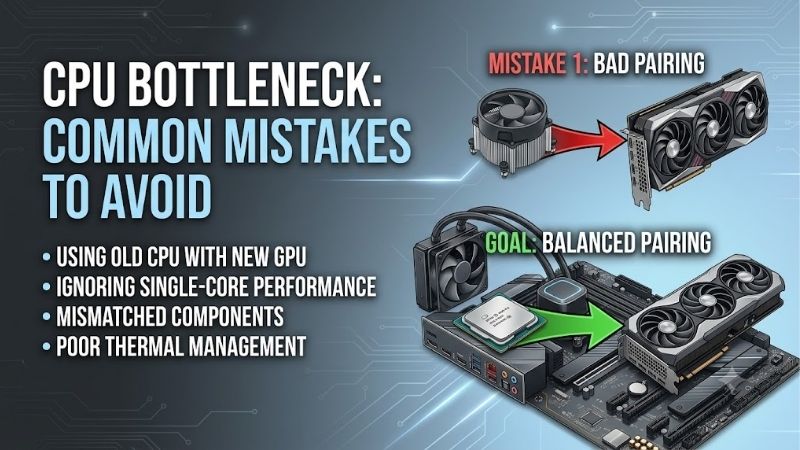
CPU bottleneck common mistakes to avoid include calculator-driven upgrades, utilization misinterpretation, and purchasing before checking settings. A CPU upgrade helps only when processor limitations constrain your workload. These four processor options illustrate sensible purchases after diagnosis, without promising universal performance fixes.
How to Choose a CPU Upgrade
This guide connects cpu bottleneck common mistakes to avoid with workload demands, gaming behavior, platform expense, and cooling. The recommendations cover mainstream use, economical migration, CPU-limited gaming, and parallel production. Specifications are verified; recommendations involve documented comparisons rather than detailed research.
Core Count and Workload Scaling: Avoid Buying Unused Cores
Core count measures processing resources, but software decides resource utilization. Buying sixteen cores for a lightly threaded game can waste expenditure without improving thread-limited performance. Identify whether your workload rewards single-thread performance or parallel throughput; the AMD Ryzen 5 9600X suits mainstream requirements.
Rendering queues and software compilation can exploit additional threads beyond gaming requirements. Compare completion times in the production applications, rather than borrowing gaming rankings for production decisions. The AMD Ryzen 9 9950X makes sense when parallel CPU work creates the bottleneck and processing-time savings justify expenditure.
Gaming Cache and Graphics Balance: Avoid GPU-Limited Upgrades
Gaming performance depends on the engine, graphics settings, and target refresh rate, beyond processor branding. A flagship processor cannot eliminate graphics limitations. Match gaming benchmarks to your intended resolution and GPU class; the AMD Ryzen 5 7600 is a sensible economical partner for mainstream graphics configurations.
Cache-sensitive games can reward extra on-chip storage, reducing dependence on external-memory access. Benefits vary across titles, so verify game-specific results rather than assuming universal improvements. For confirmed CPU-limited gaming, choose the AMD Ryzen 7 9800X3D when its discounted price compares favorably with newer X3D alternatives.
Complete Platform Cost and Budget Allocation: Avoid Hidden Expenses
Platform expense extends beyond the processor’s advertised price. AM5 requires a compatible motherboard and DDR5 memory; an AM4 owner cannot reuse DDR4. Comparing CPU prices alone therefore understates migration costs. The AMD Ryzen 5 7600 is particularly attractive when its boxed Wraith Stealth cooler reduces cooling expenditure.
Sacrificing graphics capability for unnecessary processor prestige creates another avoidable purchasing mistake. Compare complete bundles, including required cooling, against retaining existing hardware. For a balanced new build, select the AMD Ryzen 5 9600X when its complete package preserves necessary graphics expenditure.
Cooling Requirements and Sustained Performance: Avoid Ignoring Throttling
Cooling and motherboard power delivery influence sustained processor performance under load. Default TDP describes thermal design requirements rather than fixed electrical consumption. A capable six-core system may suit simpler cooling arrangements; the AMD Ryzen 5 9600X specifies a 65W default TDP but includes no bundled cooler.
Do not disable protection features or raise voltage indiscriminately to chase benchmark results. Disconnect power before changing installed cooling hardware and follow mounting instructions. For production buyers choosing the AMD Ryzen 9 9950X, budget for its 170W thermal-design requirements instead of assuming existing cooler compatibility.
Top Picks
The cpu bottleneck common mistakes to avoid start with purchasing before establishing the cause. These four AM5 options address verified application limitations. None fixes shader compilation, storage stalls, server delays, or frame caps automatically; value depends on diagnosis and complete platform-upgrade expenditure.
| Product | Best For | Key Spec | Watch Out For |
|---|---|---|---|
| AMD Ryzen 5 9600X | Best Overall for Mainstream Rebuilding | 6 cores, 12 threads; up to 5.4GHz; 65W default TDP | Separate cooler; limited parallel capacity |
| AMD Ryzen 5 7600 | Best Value for Economical Migration | 6 cores, 12 threads; boxed Wraith Stealth cooler | Older architecture; compare complete bundle prices |
| AMD Ryzen 7 9800X3D | Verified CPU-Limited Gaming | 8 cores, 16 threads; 96MB L3 cache | Premium offers limited benefits under GPU constraints |
| AMD Ryzen 9 9950X | Parallel Production Workloads | 16 cores, 32 threads; 170W default TDP | Cooling expense; excess capacity for lightly threaded work |
AMD Ryzen 5 9600X: Best Overall for Mainstream Rebuilding
The AMD Ryzen 5 9600X is the overall recommendation for mainstream rebuilding after verifying processor limitations. Its Zen 5 design provides six cores, twelve threads, and boost frequency up to 5.4GHz. The 65W default TDP supports a manageable cooling plan, preserving expenditure otherwise diverted toward unnecessary flagship capacity.
Its limitation is parallel capacity compared with higher-core-count alternatives, and a separate cooler adds expense. Among cpu bottleneck common mistakes to avoid, minor generational swaps deserve scrutiny. Choose it for a meaningful system-level improvement, not numerical branding without a demonstrated performance requirement.
AMD Ryzen 5 7600: Best Value for Economical Migration
The AMD Ryzen 5 7600 is the value option for discounted platform migration and moderate gaming targets. It provides six cores, twelve threads, and boost frequency up to 5.1GHz, with a 65W default TDP. The boxed Wraith Stealth cooler lowers entry expenditure, making complete-platform comparisons more useful than isolated processor pricing.
Its older Zen 4 architecture weakens the value argument against similarly priced newer alternatives. The stock cooler also favors affordability over acoustics under sustained loads. Unnecessary motherboard premiums belong among cpu bottleneck common mistakes to avoid; prioritize useful connectivity and verified compatibility instead.
AMD Ryzen 7 9800X3D: Best for Verified CPU-Limited Gaming
The AMD Ryzen 7 9800X3D suits confirmed CPU-limited gaming, particularly within cache-sensitive workloads. Its eight cores, sixteen threads, and 96MB L3 cache distinguish it from mainstream six-core options. Boost frequency reaches up to 5.2GHz, and the gaming-focused design provides specialized capability beyond accumulating unnecessary cores. amd.com
The drawback is a premium that may deliver limited benefits under graphics limitations, plus the cost of a separate cooler. Newer X3D models also warrant price and workload comparison. Assuming guaranteed 4K improvements belongs among cpu bottleneck common mistakes to avoid; buy only when game-specific benchmarks justify expenditure.
AMD Ryzen 9 9950X: Best for Parallel Production Workloads
The AMD Ryzen 9 9950X targets sustained CPU rendering, compilation, and demanding parallel multitasking. Sixteen cores and thirty-two threads supply substantially more execution capacity than the mainstream picks, with boost frequency up to 5.7GHz. Its advantage is production throughput in effectively parallelized applications.
Its 170W default TDP and separate cooler necessitate thermal planning, while lightly threaded software may leave capacity underutilized. The purchasing lesson among cpu bottleneck common mistakes to avoid is confusing branding with workload evidence. Choose this processor for measurable production savings, rather than assuming gaming superiority.
Frequently Asked Questions
Understanding cpu bottleneck common mistakes to avoid requires separating repeatable limitations from isolated symptoms. Low GPU utilization, a stutter, or a calculator score provides insufficient diagnostic evidence. The answers explain checks before purchase, covering utilization averages, resolution comparisons, and inconsistent frame delivery.
Does CPU Usage Need to Reach 100% to Cause a Bottleneck?
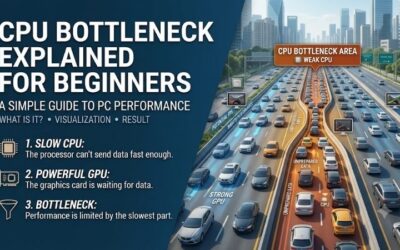
No, 100% total utilization is unnecessary for processor-limited performance. One important thread can limit progress alongside underutilized cores, creating deceptively low averages. Operating-system scheduling complicates interpretation further, so combine utilization observations with repeatable frame-time behavior and workload comparisons.
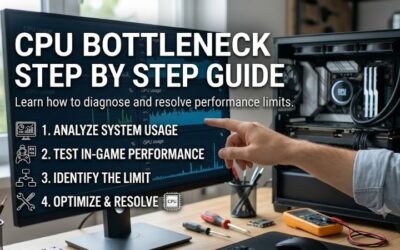
Task Manager offers a per-logical-processor view, but isolated snapshots mislead because scheduling migrates threads. Record behavior during the same demanding gameplay scene across several repeated runs. Check whether background applications are competing for resources before concluding processor capacity requires replacement.
Does Lowering Resolution Fix a CPU Bottleneck?
No, lowering resolution does not accelerate processing. It reduces graphics rendering work, potentially revealing underlying processor or engine limitations. Compare the same scene at different resolutions while preserving simulation-related settings; a large frame-rate increase suggests meaningful graphics constraints at the original resolution.
If frame rates barely change, investigate CPU limitations alongside frame caps, synchronization and engine restrictions. This result is a clue rather than definitive proof. CPU-heavy settings such as crowd density can provide a controlled comparison, whereas changing many options together makes the source of improvement difficult to establish.
Are Online Bottleneck Calculators Accurate?
No, an online bottleneck percentage cannot reliably predict every game’s behavior on your system. Resolution, settings, engine demands, memory configuration, and frame-rate targets change the limiting component. Use calculators as rough prompts for further research, never as evidence that immediate processor replacement is justified.
Seek measurements featuring comparable hardware and documented conditions, especially frame-time consistency rather than average FPS alone. Results from a powerful review GPU at low resolution isolate CPU differences but may exaggerate relevance to practical configurations. Translate benchmark rankings into your intended workload before purchasing.
Does Stuttering Always Mean You Need a Faster CPU?
No, occasional stuttering does not establish inadequate CPU performance. Shader compilation, asset streaming, insufficient memory, background tasks, and software bugs can interrupt frame delivery. Identify whether the problem recurs during identical scenes or appears mainly when exploring unfamiliar areas before assuming replacement eliminates it.
A repeatable slowdown under sustained load warrants investigation, while one-time compilation stalls can disappear after cache population. Compare temperatures, sustained clocks, memory usage, and storage activity alongside frame times. Correct configuration or cooling problems before purchasing hardware without addressing the underlying cause.
Final Thoughts
The cpu bottleneck common mistakes to avoid are diagnostic errors behind unnecessary upgrades. Choose the 9600X for balanced rebuilding, the 7600 for economical migration, the 9800X3D for verified gaming limits, or the 9950X for parallel production. If settings, cooling, or software explain the slowdown, address the verified cause before upgrading.