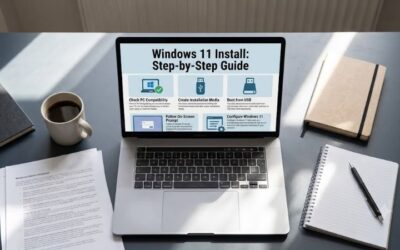
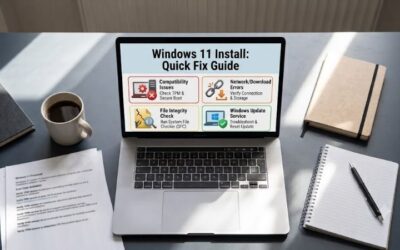
Windows 11 install guide for 2026 helps first-time PC builders turn a blank USB drive into reliable installation media, check TPM and Secure Boot, and avoid wiping the wrong drive. This guide compares practical USB options, explains key buying differences, and shows what to verify before the first boot without wasting money on extra speed.
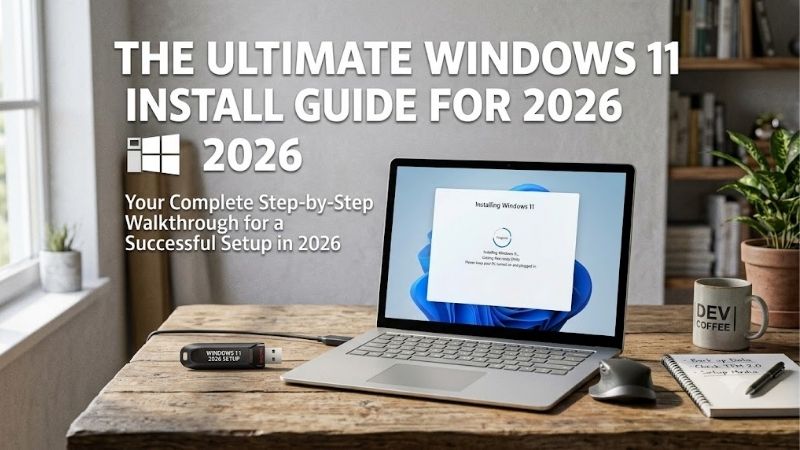
How to Choose a Windows 11 Installation USB
A Windows setup can fail before the installer starts: an unprepared USB, disabled TPM, or incorrect boot target can turn a PC into a troubleshooting session. The aim is straightforward: prepare dependable media, confirm hardware eligibility, and reach the desktop without risking the wrong drive or buying unnecessary hardware.
Capacity and Reuse
Capacity is the amount of space the USB provides, and 64GB is a practical baseline for a reusable installer because it leaves room for drivers and configuration utilities after Windows media is prepared. You rarely need hundreds of gigabytes, so extra capacity usually adds cost without improving a typical installation.
For a one-time install, a reliable 64GB drive is plenty; for repeated builds, extra room becomes useful. The Kingston DataTraveler Exodia M 64GB keeps that balance practical, giving headroom for setup files without turning the installer into an expensive storage purchase. That is enough capacity for occasional rebuilds.
USB Interface and Transfer Speed
Interface and transfer speed affect how quickly installation media is created and how responsive the drive feels while moving drivers or utilities. Windows does not require a premium flash drive, but USB 3.x is preferable on modern systems because an older interface can add avoidable waiting during repeated setup work.
When media creation speed matters, advertised read performance can distinguish comparable drives. The Samsung BAR Plus 64GB reaches up to 300 MB/s read, making it the fastest-rated choice here, while the Lexar JumpDrive S47 64GB offers up to 250 MB/s. Both are strong recommendations when installation time matters most.
Connector and Physical Design
Connector design matters because builders often move the installer between a working PC and a new build. USB-A remains common on desktop motherboards, while a compact body is easier around crowded rear I/O. Verify your motherboard before buying, especially when access to ports is restricted or cables surround the USB ports.
A low-profile stick can stay conveniently out of the way, while a protected connector is better for storage between builds. The Lexar JumpDrive S47 64GB favors compact placement, whereas the Kingston DataTraveler Exodia M 64GB uses a moving cap to protect its connector. Choose the design that matches your storage.
Durability and Long-Term Use
A reusable installer benefits from durability and simple storage features, but security extras are secondary to boot reliability. If the same drive will carry drivers or personal files later, a tougher body and encryption can be worthwhile; otherwise, prioritize known capacity, stable USB connectivity, and predictable media creation.
For a hard-wearing everyday choice, the Samsung BAR Plus 64GB combines a metal housing with a five-year limited warranty, while the SanDisk Ultra Flair 64GB adds password protection and a metal casing. Neither feature is necessary for installation, but both make these drives more beneficial in a longer-term PC workshop.
Top Picks
For most new builders, 64GB is the practical sweet spot because it comfortably exceeds Microsoft’s media-creation requirement without wasting money on unneeded capacity. The windows 11 install guide for 2026 compares four picks by speed, value, physical design, and long-term usefulness, making tradeoffs easier to judge.
| Product | Best For | Key Spec | Watch Out For |
|---|---|---|---|
| Samsung BAR Plus 64GB | Best Overall | USB 3.1, up to 300 MB/s read | Exposed USB connector |
| Kingston DataTraveler Exodia M 64GB | Best Value | USB 3.2 Gen 1, 64GB | No headline read-speed figure |
| SanDisk Ultra Flair 64GB | Best For a Compact PC Toolkit | USB 3.0, up to 150 MB/s read | Lower advertised read ceiling |
| Lexar JumpDrive S47 64GB | Best For Crowded Rear I/O | USB 3.2, up to 250 MB/s read | Small body is harder to grip |
Samsung BAR Plus 64GB — Best Overall
The Samsung BAR Plus 64GB is the strongest overall recommendation for builders who want a high-speed, hard-wearing flash drive that stays useful after Windows is installed. Its 64GB capacity, USB 3.1 interface, and up to 300 MB/s read speed give the windows 11 install guide for 2026 a particularly strong hardware match. (
Its metal construction, USB-A connector, and five-year limited warranty are practical advantages when one drive is used across multiple builds. The tradeoff is an exposed connector rather than a protective cap, so it is better suited to a workshop drawer or toolkit than loose pocket storage where debris can accumulate.
Kingston DataTraveler Exodia M 64GB — Best Value
The Kingston DataTraveler Exodia M 64GB is the top value pick for a first-time builder who prefers a straightforward installer without paying for a high advertised performance. It supports USB 3.2 Gen 1, works with Windows 11, and supplies a five-year warranty, making it a straightforward fit for repeated installation.
The moving cap protects the connector and the built-in loop makes storage simple when an installer moves between systems. The downside is that Kingston does not publish a headline read-speed figure for this model, so you cannot compare its media-creation performance as neatly as rated alternatives during repeated installs.
SanDisk Ultra Flair 64GB — Best For a Compact PC Toolkit
The SanDisk Ultra Flair 64GB is the best pick for builders who want a familiar, compact, space-saving USB-A drive with useful privacy features. It uses USB 3.0, offers up to 150 MB/s sequential read performance, and carries a five-year limited warranty, while its metal casing makes it a valuable long-term toolkit drive.
Password protection can protect personal files later, although it is not needed for Windows installation itself. The primary limitation is speed: its 150 MB/s read ceiling is below Samsung and Lexar on paper, so frequent media creators have a stronger reason to choose those faster-rated drives.
Lexar JumpDrive S47 64GB — Best For Crowded Rear I/O
The Lexar JumpDrive S47 64GB is the leading pick for builders who want an ultra-compact flash drive that remains unobtrusive around congested ports. The windows 11 install guide for 2026 benefits from its USB 3.2 design and up to 250 MB/s reading speed, while 64GB allocates capacity for valuable installation utilities.
Its low-profile shape is the standout advantage, and Lexar explicitly lists 256-bit AES encryption for compatible security use. The disadvantage is handling rather than performance: a diminutive housing is more challenging to grip than a full-sized stick when you need to remove it from a congested rear motherboard USB port.
Frequently Asked Questions
Most installation problems are caused by preparation rather than the Windows installer itself. The windows 11 install guide for 2026 answers questions that matter before and during a clean install, including USB capacity, data loss, hardware eligibility, and what to do with the installer after the PC reaches the desktop.
Is 64GB Enough for Windows 11 Installation Media?
Yes, a 64GB USB drive is more than enough for standard Windows 11 installation media because Microsoft specifies at least 8GB for the blank USB used by its media creation process. Additional capacity is useful mainly for reuse, such as carrying drivers, firmware files, or troubleshooting utilities on the stick later.
Do not treat capacity as a reason to buy a very high-capacity drive. A 128GB or 256GB model makes sense only when you have another separate storage purpose in mind; otherwise, the Kingston DataTraveler Exodia M 64GB is a sensible match for a dedicated installer, future rebuilds, and better efficiency.
Will Creating Installation Media Erase the USB?
Yes, you need a USB drive you are prepared to erase when creating installation media. Microsoft warns that the selected USB can have its contents deleted, so back up important files beforehand. The installer USB is a preparation tool, not a secure-storage location for files that are not stored elsewhere.
Using a blank stick also reduces device-selection mistakes during setup. Once the media is created, keep other storage devices disconnected when practical, particularly during a clean installation, so the Windows partition-selection screen is more legible and you are less likely to choose the wrong drive on a new desktop system.
What PC Requirements Should I Check Before Installing Windows 11?
Windows 11 requires more than a compatible processor and adequate storage: Microsoft specifies 4GB of RAM, at least 64GB of storage, UEFI firmware with Secure Boot capability, and TPM 2.0 among the minimum hardware prerequisites. The windows 11 install guide for 2026 should begin with these verifications before creating media.
If TPM is available yet disabled, it may be possible to enable it in UEFI firmware rather than replacing hardware. On many recently-self-built systems, TPM settings are present but turned off, so carefully examine the motherboard manual before concluding the PC is incompatible or using an unsupported installation pathway.
Can I Reuse the Windows 11 Installer USB Later?
You can reuse the installer USB after Windows is installed, but expect its contents to be overwritten when you create fresh Windows installation media later. The safest approach is to treat the stick as dedicated installation media and keep important drivers, firmware packages, or recovery files stored elsewhere after installation. (Microsoft)
A reusable installer is most useful when clearly-labeled and stored with your PC tools. The windows 11 install guide for 2026 is easier to reproduce when one proven-good flash-drive is reserved for operating-system work, rather than mixing it with ordinary personal documents that you might accidentally remove during a rebuild.
Final Thoughts
The Samsung BAR Plus 64GB is the best overall recommendation for speed and durability; the Kingston DataTraveler Exodia M 64GB is the value-oriented pick. SanDisk Ultra Flair 64GB suits compact toolkit use, while Lexar JumpDrive S47 64GB fits low-profile setups. Use the windows 11 install guide for 2026 before booting.