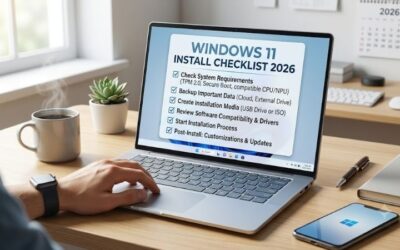
Windows 11 install quick fix guide readers usually face undetected boot media, missing storage, or network-related setup failures. Check the exact failure before buying equipment. Protect valuable existing files before changing partitions; a replacement USB stick or Ethernet adapter addresses specific installation problems.
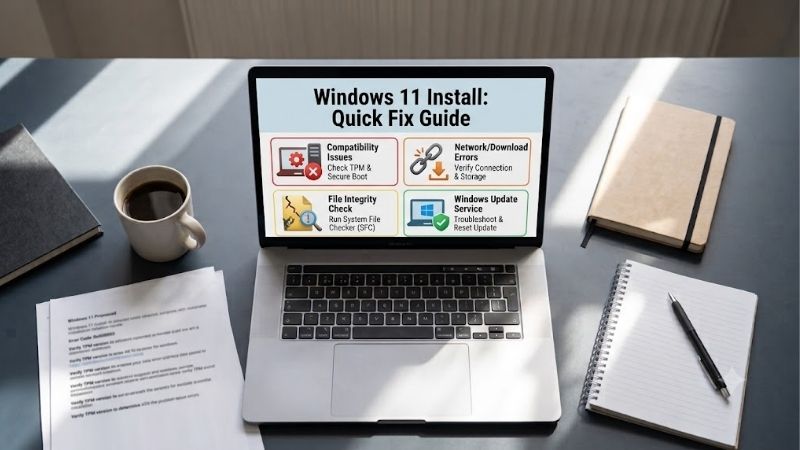
How to Choose Windows 11 Installation Accessories
This windows 11 install quick fix guide compares four accessories for recovery tasks: fresh installation media, wired networking, mixed USB connectors, and independent backups. Start with free checks, including eligibility checks and manufacturer drivers. Purchase an accessory when it addresses your installation problem.
Choose the Connector Your Computer Actually Has
Connector fit determines reliable physical accessory compatibility. Check both the preparation computer and the installation target, since desktops often provide USB-A while slim laptops emphasize USB-C. Direct connections reduce extra equipment, but dual connectors offer little benefit when both machines provide USB-A.
If your current installer disconnects, inspect connections and try another computer port before replacing it. An intermediary hub introduces another possible failure point. For straightforward USB-A installations, choose the Kingston DataTraveler Kyson 64GB; for computers with different connectors, select the SanDisk Ultra Dual Drive Go 64GB.
Match the Purchase to the Installation Failure
For a windows 11 install quick fix guide, purchases should match the failure stage. Boot-media errors differ from network-driver problems, without necessarily indicating internal SSD damage. Record error messages before shopping. Replacing every peripheral at once increases expense while making diagnosis unnecessarily confusing.
A wired adapter is useful when Wi-Fi fails and wired networking works, but requires driver recognition. A new flash drive addresses unreliable media rather than unsupported processors. Choose the TP-Link UE300 for confirmed networking problems, or the Kingston DataTraveler Kyson 64GB when installation media seems unreliable.
Size the Backup Before Planning a Clean Install
Backup capacity should match essential documents, photographs, downloads, and project folders. Installation media has a much smaller requirement: Microsoft’s creation tool needs a blank USB drive with at least 8GB. Combining these purposes risks independent backup loss when the installer preparation erases its contents.
A 64GB flash drive exceeds the media minimum but cannot accommodate every document library. Check folder sizes and verify copied files open before destructive changes. Extra capacity costs more, yet avoids splitting an archive across smaller devices. Choose the Samsung T7 Shield 1TB when its usable capacity accommodates your backup.
Compare Interface Speed With Practical Limits
Interface ratings describe connection capability, while actual transfers depend on hardware and workload. Faster storage cannot correct unsupported hardware or missing controller drivers. For one installation, connector compatibility and functioning media deserve priority over headline speeds; large backups benefit more from sustained performance.
Read and write ratings describe different operations, so reading speed cannot establish media-creation duration. A faster external SSD requires suitable connections for advertised maximums. Choose the Samsung T7 Shield 1TB for substantial backup transfers, or the SanDisk Ultra Dual Drive Go 64GB for connector flexibility.
Top Picks
The products in this windows 11 install quick fix guide support separate jobs without forming a mandatory bundle. These selections rely on published specifications and practical task fit, without claiming detailed research. Value depends on solving your confirmed problem; suitable existing equipment remains worth reusing.
| Product | Best For | Key Spec | Watch Out For |
|---|---|---|---|
| Kingston DataTraveler Kyson 64GB | Best Overall | USB-A; up to 200MB/s read | USB-C-only computers need an adapter |
| TP-Link UE300 | Best Value | USB 3.0; 10/100/1000Mbps Ethernet | Requires Ethernet cable and recognized driver |
| SanDisk Ultra Dual Drive Go 64GB | Best For Mixed USB Ports | USB-A and USB-C; 64GB | Performance varies by capacity and revision |
| Samsung T7 Shield 1TB | Best For Separate Backups | Up to 1,050MB/s read; 1,000MB/s write | Peak speed depends on cable and host port |
Kingston DataTraveler Kyson 64GB: Best Overall
The Kingston DataTraveler Kyson 64GB is the overall selection for rebuilding USB-A installation media. Its USB 3.2 Gen 1 interface supports rated reads up to 200MB/s, and the capless metal body eliminates an easily misplaced cover. The 64GB capacity exceeds Microsoft’s stated minimum without requiring external SSD capacity.
Its limitation is the single USB-A connector, incompatible with USB-C-only laptops without adapters. The read rating also does not promise matching write performance or fixed installation times. In this windows 11 install quick fix guide, select Kyson for suspect media after basic checks; it cannot repair unsupported motherboard configurations.
TP-Link UE300: Best Value
The TP-Link UE300 is the value candidate for unavailable Wi-Fi when wired networking remains available. It connects through USB 3.0 and provides a 10/100/1000Mbps Ethernet port. Its practical advantage is adding a wired connection without internal wireless-card replacement, making it useful beyond installation troubleshooting.
The drawbacks are requiring an Ethernet cable and suitable driver; recognition during setup is not guaranteed. Check the hardware revision and preserve its matching Windows driver beforehand. Choose this adapter when cheaper than broader docks and networking is your sole requirement, rather than expecting universal installation repairs.
SanDisk Ultra Dual Drive Go 64GB: Best For Mixed USB Ports
The SanDisk Ultra Dual Drive Go 64GB suits users preparing installation media across USB-A desktops and USB-C laptops. Both connectors are built in, eliminating separate adapters. Its swivel design helps protect connectors during transportation, while its 64GB capacity comfortably suffices for Microsoft’s installation-media workflow.
Performance varies by capacity and revision; check exact specifications instead of borrowing another variant’s rating. Within this windows 11 install quick fix guide, port flexibility provides its primary advantage. Confirm the target computer supports USB booting; connector compatibility cannot establish firmware capability.
Samsung T7 Shield 1TB: Best For Separate Backups
The Samsung T7 Shield 1TB suits users preserving substantial document libraries before reinstalling Windows. Its USB 3.2 Gen 2 interface supports advertised maximum reads of 1,050MB/s and writes of 1,000MB/s. Additional capacity accommodates sizable photograph and video collections without splitting backups across devices.
Its drawbacks include greater bulk and dependence on compatible connections for peak performance. Older connections limit performance despite the SSD’s rating. Reserve this drive for backups and unplug it before partition selection. Keeping it separate from the boot stick reduces accidental backup deletion during media creation.
Frequently Asked Questions
Troubleshooting in a windows 11 install quick fix guide begins by identifying the failure stage. Firmware detection, storage visibility, and network access involve different components. These answers separate problems accessories might address from software or compatibility issues, avoiding purchases that leave the underlying cause unresolved.
Why Is My Windows 11 USB Not Showing in the Boot Menu?
The USB may lack bootable installation files, or the computer may not detect its connection. Merely copying an ISO file onto a flash drive cannot replace Microsoft’s bootable-media workflow. Rebuild the media using the official workflow, then select the appropriate USB entry through manufacturer boot-menu instructions.
If detection still fails, test prepared media on another compatible computer to separate media trouble from firmware configuration. Consult manufacturer documentation for UEFI configuration rather than disabling security features at random. Choose installation media matching processor architecture; an x64 installer does not suit an Arm-based PC.
Why Does Windows Setup Not Detect My SSD?
A missing storage-controller driver is one cause; disconnected or absent hardware provides another possibility. Check firmware detection before assuming Windows needs replacement hardware. Some systems require manufacturer-provided storage drivers during setup; obtain the package matching your exact computer or motherboard.
Avoid changing RAID, VMD, or controller modes, because changes can disrupt Windows installations. Use setup’s driver-loading option with the appropriate extracted package when manufacturer guidance requires it. If the SSD is absent from firmware too, investigate its connection or hardware condition before purchasing replacement storage.
How Do I Continue Setup When Wi-Fi Is Missing?
Provide a matching network driver or recognized wired connection first. Windows 11 Home and Pro for personal use require internet connectivity during initial setup. Obtain the manufacturer’s network package using another computer and transfer it through removable storage, following the installation method supported by your setup screen.
A USB Ethernet adapter offers an alternative only with recognized drivers and functioning router connectivity. In this windows 11 install quick fix guide, the UE300 therefore remains a conditional recommendation rather than an automatic solution. A cable cannot fix a router outage, and gigabit hardware cannot exceed your internet service speed.
Can a New USB Drive Fix an Unsupported-PC Error?
No, replacement media cannot establish Windows 11 hardware eligibility. Requirements include a compatible processor, TPM 2.0, and UEFI firmware with Secure Boot capability, alongside additional minimum specifications. Verify compatibility before buying accessories, because faster storage changes neither processor support nor firmware capabilities.
A required firmware feature may require enabling through manufacturer-documented settings. Preserve the BitLocker recovery key before firmware adjustments and avoid clearing TPM experimentally. Unsupported bypasses introduce compatibility and update uncertainty, rather than guaranteeing support after successful installation.
Final Thoughts
Use this windows 11 install quick fix guide to identify failures before purchasing equipment. Buy Kyson for USB-A installation media, UE300 for conditional networking, Dual Drive Go for mixed ports, or T7 Shield for separate backups. Verify compatibility and protect files first; buy only equipment justified by your diagnosis.