Best budget micro atx case choices need a balance of cost, airflow, clearance, and usable space. Your case must fit the motherboard, cooler, graphics card, and power supply without making assembly cramped. These four picks cover different priorities, letting you match the chassis to your hardware, desk, and realistic upgrade plans.
- How We Chose These Budget Micro ATX Cases
- Budget Micro ATX Case Buying Guide: The Numbers That Matter
- Top Picks at a Glance
- How to Choose a Micro ATX Case
- Top Picks
- More Budget Micro ATX Cases Worth Considering
- Which Budget Micro ATX Case Should You Buy?
- Micro ATX vs Mini-ITX vs ATX: Which Size Fits a Budget Build?
- What a Smaller Case Costs You
- Fans to Add on Day One
- Best Budget Micro ATX Case for Gaming: Common Mistakes to Avoid
- Frequently Asked Questions
- Final Thoughts
Updated October 2026 – We re-checked the case limits below against maker specification pages and current retail listings.
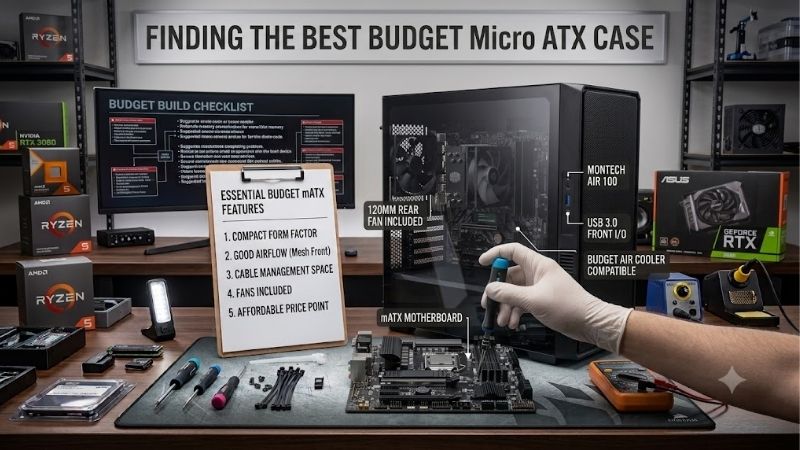
Quick answer: the best budget micro ATX case for most builders is the Montech AIR 100 LITE for airflow and two included fans, the Cooler Master Q300L V3 Lite for the lowest cost with decent GPU room, and the DeepCool CH370 when you plan a long graphics card or a 360 mm radiator.
How We Chose These Budget Micro ATX Cases
This ranking is built from research alone, not from physically handling the cases. We compared maker specification sheets, published dimensions, fan counts and clearance limits, then checked which cases get recurring praise or complaints from buyers and editorial reviewers.
We weighted five factors. GPU clearance counts most because modern cards are long. After that come CPU cooler height, PSU length and front I/O, which decide whether the build is comfortable or cramped.
Budget Micro ATX Case Buying Guide: The Numbers That Matter
- GPU length: leave at least 10 to 15 mm of slack. A card that is 320 mm long fits a 330 mm limit on paper but may fight with cables or a front fan.
- CPU cooler height: most tower air coolers are 155 to 165 mm tall. Cases rated for 160 mm or less rule out the largest dual-tower coolers.
- PSU length: compact cases often cap ATX power supplies at 150 to 160 mm. Short, modular units fit more easily.
- Fans included: three fans is a good baseline for a gaming build. One fan means budgeting for more.
- Front panel: mesh gives better intake. Glass fronts look good but can raise temperatures under load.
- Radiator support: only matters if you plan liquid cooling. A 240 mm radiator is fine for midrange CPUs, while 360 mm suits hot, high-core chips.
Top Picks at a Glance
| Case | Best for | Included fans | Max GPU | Radiator support |
|---|---|---|---|---|
| Montech AIR 100 LITE | Best overall | 2 x 120 mm | 330 mm | 240 mm front or top |
| Cooler Master Q300L V3 Lite | Lowest cost | 1 rear fan | 366 mm | 240 mm |
| DeepCool CH370 | Long GPUs and big radiators | 1 x 120 mm rear | 378 mm | 360 mm front |
| Fractal Pop Mini Air | Quiet, simple cooling | 3 x 120 mm | 365 mm | 240 mm front or top |
| Antec Flux M | Most fans for the money | 6 PWM fans | 405 mm | 360 mm top |
| NZXT H3 Flow | Clean, easy build | 1 fan | 377 mm (352 mm with front radiator) | 360 mm front |
| Thermaltake View 170 TG ARGB | Glass and RGB on a budget | 3 x 120 mm ARGB | See maker page | 280 mm |
The first four rows are our main picks and the last three are extra options covered further down. Case specs change between revisions, so confirm the final numbers on the maker page before you order.
How to Choose a Micro ATX Case
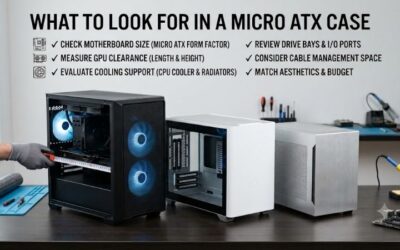
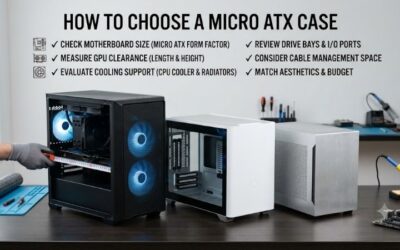
best budget micro atx case buyers should prioritize compatibility over appearance. Smaller dimensions make GPU length, CPU cooler height, PSU length, radiator support, and included fans easier to overlook. This guide checks those limits first, helping you avoid a chassis that looks inexpensive until your selected components no longer fit securely.
Internal Volume And Footprint
Internal volume affects component-fit and assembly access. Smaller chassis save space, but tight clearances complicate cable-routing and graphics-card installation. Montech AIR 100 LITE measures 405 x 210 x 425 mm, while Fractal Pop Mini Air measures 432 x 215 x 393 mm, giving two efficient compact layouts for different desks.
For a small desk, compare dimensions with internal clearances instead of judging size from photos. A compact chassis still needs installation room around the GPU and cooler. Fractal Pop Mini Air is the stronger choice when you want a compact footprint, generous 170 mm CPU-cooler clearance, and flexible radiator support for future upgrades.
Airflow And Included Fans
Airflow depends on the front panel, fan positions, and included fans. Mesh fronts generally reduce intake restriction, while extra mounts improve upgrade flexibility. Montech AIR 100 LITE includes one 120-mm front fan and one rear fan, while Fractal Pop Mini Air includes two 120-mm front fans and one rear fan for stronger stock airflow.
More fan mounts create options, but included fans reduce immediate upgrade spending. DeepCool CH370 supports three 120-mm or two 140-mm front fans, plus two 120-mm or two 140-mm top fans, yet includes one rear 120-mm fan. Choose CH370 when future cooling-expansion matters more than a comprehensive stock configuration.
GPU, Cooler, And PSU Clearance
Clearance should be checked against the exact components planned for installation. Montech AIR 100 LITE supports GPUs up to 330-mm, CPU coolers up to 161-mm, and ATX PSUs up to 160-mm. DeepCool CH370 allows 378-mm GPU length and 165-mm cooler height, providing greater flexibility for physically larger components during careful planning.
Large graphics cards become restrictive when a radiator or thick front fans occupy the same area. DeepCool CH370 drops to 320-mm GPU clearance with a front radiator, while Cooler Master Q300L V3 Lite reaches 366-mm without a front fan installed. Both are useful when clearance is the primary purchasing concern for your build.
Front I/O And Everyday Usability
Front I/O, storage support, and mounting options affect usability after the build is finished. Cooler Master Q300L V3 Lite supports Micro ATX and Mini-ITX boards and provides two USB 3.2 Gen 1 Type-A ports plus one USB 3.2 Gen 2×2 Type-C port. That is valuable connectivity for a modern, space-efficient system.
Choose based on connected devices and components you expect to keep. Fractal Pop Mini Air provides two USB Type-A 5Gbps ports plus audio and microphone jacks, while DeepCool CH370 adds a built-in GPU support bracket and quick-release SSD mounting. Either case can make a budget workstation more convenient for daily use.
Top Picks
best budget micro atx case buyers should not expect one chassis to win every category. These four models divide the strengths: balanced airflow, value-focused flexibility, generous component clearance, and an easy cooling setup. The comparison keeps those trade-offs visible before the individual picks explain who benefits most from each design.
| Product | Best For | Key Spec | Watch Out For |
|---|---|---|---|
| Montech AIR 100 LITE | Best Overall | 405 x 210 x 425 mm; GPU up to 330 mm; two included 120-mm fans (Montech) | 160-mm PSU limit |
| Cooler Master Q300L V3 Lite | Best Value | 386.1 x 230 x 388.5 mm; GPU up to 366 mm; 178-mm CPU cooler limit (Cooler Master) | Simpler Lite configuration |
| DeepCool CH370 | Best For High-Clearance Builds | GPU up to 378 mm; 165-mm cooler limit; front support up to 360-mm radiator (Deepcool Global) | Only one included fan |
| Fractal Pop Mini Air | Best For Easy Cooling | 432 x 215 x 393 mm; GPU up to 365 mm; three included 120-mm fans (Fractal Design) | 150-mm PSU limit |
Montech AIR 100 LITE: Best Overall
For a first-gaming PC, best budget micro atx case buyers can use Montech AIR 100 LITE as the Best Overall choice for airflow, compact dimensions, and straightforward compatibility. It supports Micro ATX and Mini-ITX boards, accepts GPUs up to 330-mm, and includes two 120-mm DC fans. Its primary trade-off is the 160-mm PSU limit.
The AIR 100-LITE supports three 120-mm or two 140-mm front fans, two 120-mm or two 140-mm top fans, and a 240-mm radiator at the front or top. Future cooling expansion remains straightforward. Its primary compromise is more-limited graphics-card clearance when using exceptionally long cards in demanding gaming systems.
Cooler Master Q300L V3 Lite: Best Value
For a compact gaming platform, best budget micro atx case shoppers should consider Cooler Master Q300L V3 Lite the Best Value choice without unnecessary features. The V3 measures 386.1 x 230 x 388.5 mm and supports a 366-mm GPU with 178-mm CPU cooler clearance. Its key advantage is genuinely useful internal space within a small footprint.
The V3 Lite supports two 120-mm or two 140-mm front fans, two 120-mm top fans, and one 120-mm or 140-mm rear fan, with one 140-mm rear fan included. Its simpler configuration keeps costs focused, but storage and cooling should be planned before selecting components for this comparatively compact chassis.
DeepCool CH370: Best For High-Clearance Builds
For larger components, best budget micro atx case buyers should consider DeepCool CH370 the Best For High-Clearance Builds pick. It supports Micro ATX and Mini-ITX boards, GPUs up to 378-mm, CPU coolers up to 165-mm, and ATX PSUs up to 160-mm. A built-in GPU-support bracket also helps accommodate heavier graphics cards.
Its major advantage is cooling flexibility: the front supports three 120-mm or two 140-mm fans and radiators up to 360-mm, while the top supports two 120-mm or two 140-mm fans. The drawback is one included rear fan, so hotter gaming systems may require additional airflow components after assembly.
Fractal Pop Mini Air: Best For Easy Cooling
For simple cooling, best budget micro atx case shoppers should consider Fractal Pop Mini Air the Best For Easy Cooling pick when they want a space-efficient mATX chassis with a comprehensive three-fan factory layout. It measures 432 x 215 x 393 mm, supports GPUs up to 365-mm, CPU coolers up to 170-mm, and ATX PSUs up to 150-mm.
The Pop Mini Air includes two 120-mm front fans and one 120-mm rear fan, with support for a 240-mm radiator at the front or top. That reduces immediate fan purchases. The compromise is its 150-mm PSU-length limit, so power-supply dimensions require closer checking than in larger competing cases.
More Budget Micro ATX Cases Worth Considering
If the four main picks do not fit your parts or desk, these additional cases cover airflow-first, glass-first and compact designs.
Antec Flux M – Best for Fans Included

Antec Flux M Micro-ATX PC Case, 6 PWM Fans Included | 6 PWM Fans Included, Vertical Airflow Design, 360mm Top Radiator Support, Compact Micro-ATX Design, USB Type-C 3.2 Gen 2
Included for 'Best budget micro atx case: Top affordable PC enclosures' because the listing specifies 6 PWM Fans Included and 6 PWM Fans Included, details this guide uses to compare options.
View on AmazonThe Antec Flux M is a Micro ATX tower that ships with six PWM fans, which is unusual at this price tier. Its vertical airflow design pushes air up through the top, and the maker lists support for a 360 mm top radiator. It suits builders who would otherwise spend extra on fans and want strong cooling for a hot GPU.
- Micro ATX tower with six PWM fans included
- Vertical airflow layout with 360 mm top radiator support
- USB Type-C 3.2 Gen 2 front port
- Roughly 405 mm GPU clearance according to editorial reviews
Pros: excellent stock cooling, long GPU support, front USB-C. Cons: more fan noise at full speed, a busier look than minimal cases. Skip it if you want a silent build or a very small footprint.
NZXT H3 Flow – Best for a Clean, Easy Build

NZXT H3 Flow - Micro-ATX Airflow PC Case - Black | Space-efficient Micro-ATX case with optimized airflow, full-size GPU support, and back-connect motherboard compatibility.
Included for 'Best budget micro atx case: Top affordable PC enclosures' because the listing specifies Micro-ATX Airflow PC Case and Black, details this guide uses to compare options.
View on AmazonThe NZXT H3 Flow is a Micro ATX airflow case with a perforated front, full-size GPU support and back-connect motherboard compatibility, which helps hide cables. Editorial reviews list about 377 mm of GPU room, dropping to about 352 mm with a front radiator, and one included fan.
- Micro ATX with perforated airflow panels
- About 377 mm GPU clearance (about 352 mm with a front radiator)
- One fan included, so plan to add intake fans
- Back-connect motherboard compatibility
Pros: tidy cable routing, simple design, strong GPU room. Cons: only one fan in the box, costs more than the cheapest options. Skip it if you want RGB fans out of the box.
Thermaltake View 170 TG ARGB – Best Budget Glass Case

Thermaltake View 170 TG ARGB Black Micro-ATX Case; 3x120mm ARGB Fans Included; Supports Up to 280mm Radiator; Front & Side Dual Tempered Glass Panel; CA-1Z4-00M1WN-00; 3 Year Warranty
Included for 'Best budget micro atx case: Top affordable PC enclosures' as a relevant option in this category; details come from the product listing.
View on AmazonThe Thermaltake View 170 TG ARGB puts tempered glass on the front and side and includes three 120 mm ARGB fans, which makes it one of the more affordable showcase builds. The maker lists support for a radiator up to 280 mm and a three-year warranty.
- Micro ATX case with front and side tempered glass
- Three 120 mm ARGB fans included
- Up to 280 mm radiator support
- Three-year warranty
Pros: looks premium for the price, fans included, long warranty. Cons: a glass front restricts intake compared with mesh. Skip it if your GPU runs hot and airflow matters more than looks.
Antec C2M ARGB – Best for Long Graphics Cards

Antec C2M ARGB, Micro ATX PC Case, 3 PWM ARGB Fans Included, Black | 3 ARGB PWM Fans, Compact Design, Panoramic Tempered Glass, High-Airflow Design, 360mm Radiator Support, 415mm GPU Support
Included for 'Best budget micro atx case: Top affordable PC enclosures' because the listing specifies Micro ATX PC Case and 3 PWM ARGB Fans Included, details this guide uses to compare options.
View on AmazonThe Antec C2M ARGB is a compact Micro ATX case with panoramic tempered glass, three PWM ARGB fans and support for graphics cards up to 415 mm, according to the listing. A 360 mm radiator is also supported, which is generous for a case this size.
- Panoramic tempered glass design
- Three PWM ARGB fans included
- 415 mm GPU support and 360 mm radiator support
- Compact Micro ATX footprint
Pros: huge GPU room, fans included, strong cooling options. Cons: glass-heavy designs show fingerprints easily. Skip it if you prefer a plain, understated case.
ASUS Prime AP201 – Best for Small, Quiet Builds

ASUS Prime AP201 Micro-ATX PC Case | Supports Radiators up to 360mm & Graphics Cards up to 338mm Long, 33-liter, Quasi-Filter Mesh Panels, Tool-Free Side Panels
Included for 'Best budget micro atx case: Top affordable PC enclosures' because the listing specifies 33-liter and Quasi-Filter Mesh Panels, details this guide uses to compare options.
View on AmazonThe ASUS Prime AP201 is a 33-liter Micro ATX case with mesh panels, tool-free side panels, support for radiators up to 360 mm and graphics cards up to 338 mm long. It trades fan count for a clean, easy-to-work-in design that many builders like.
- 33-liter Micro ATX chassis
- Quasi-filter mesh panels and tool-free side panels
- Radiator support up to 360 mm
- GPU support up to 338 mm
Pros: easy to work in, good radiator support, simple look. Cons: GPU limit is shorter than rivals, fans are not a highlight. Skip it if you plan a very long triple-fan card.
Zalman CUBIX-G – Best Under $50

Zalman CUBIX-G Micro-ATX MATX Compact Mini Tower Gaming PC Case, Black | Includes 3x 120mm FRGB Fans, Panoramic View Tempered Glass Panels, USB Type-C, Up to 280mm GPU Support
Included for 'Best budget micro atx case: Top affordable PC enclosures' because the listing specifies Black and Includes 3x 120mm FRGB Fans, details this guide uses to compare options.
View on AmazonThe Zalman CUBIX-G is a compact Micro ATX mini tower with panoramic tempered glass, USB Type-C and three 120 mm fixed-RGB fans included. It is one of the cheapest cases here, so it fits tight budgets and short builds.
- Compact Micro ATX mini tower
- Three 120 mm FRGB fans included
- Panoramic tempered glass panels
- Up to 280 mm GPU support
Pros: very low cost, fans included, front USB-C. Cons: 280 mm GPU limit excludes many large cards. Skip it if you own a long midrange or high-end graphics card.
Which Budget Micro ATX Case Should You Buy?
- Best for airflow: Antec Flux M or Fractal Pop Mini Air – six or three fans in the box · mesh intake · low extra spend
- Best for big GPUs: Antec C2M ARGB or DeepCool CH370 – 378 to 415 mm clearance · radiator room · check PSU length
- Best for looks: Thermaltake View 170 TG ARGB – dual glass · three ARGB fans · 280 mm radiator limit
- Best for easy building: NZXT H3 Flow or ASUS Prime AP201 – tool-free panels · tidy cable room · add fans
If you only want one recommendation, the top three are Montech AIR 100 LITE, Cooler Master Q300L V3 Lite and DeepCool CH370. The Montech wins on balanced airflow, the Cooler Master on cost, and the DeepCool on clearance for big parts.
Micro ATX vs Mini-ITX vs ATX: Which Size Fits a Budget Build?
Micro ATX is usually the sweet spot for a budget PC. It keeps four RAM slots on many boards, two or more PCIe slots and wider motherboard choice, while the case stays smaller than a mid-tower ATX. Mini-ITX cases are tighter, harder to build in and often more expensive. A standard ATX mid-tower only wins when you need extra expansion cards or lots of drives.
Micro ATX boards also cost less than ATX boards with the same chipset in many cases, so the case choice often helps the whole build budget, not just the enclosure.
What a Smaller Case Costs You
Compact cases give up a few things. Cable room behind the motherboard tray is tighter, so modular or short cables help. Storage bays are limited, and you may have only one or two 3.5-inch drive spots. Thermals are more sensitive to fan placement because there is less air volume. None of this is a problem for a single-GPU gaming PC, but it is why PSU and cooler dimensions need checking.
Fans to Add on Day One
If your case ships with one fan, add one or two intake fans at the front and keep one exhaust at the rear. Three 120 mm fans in a front-in, rear-out layout is enough for most mainstream CPUs and midrange GPUs. Higher-power graphics cards benefit from a top exhaust fan as well. Check the dust filters monthly, because small cases clog faster.
Best Budget Micro ATX Case for Gaming: Common Mistakes to Avoid
Most returns on small cases come from a handful of avoidable fit problems. Work through this list before you click buy.
- Trusting the GPU limit blindly: published limits often assume no front fan or radiator. The DeepCool CH370 drops from 378 mm to 320 mm with a front radiator, so decide on cooling first.
- Ignoring PSU length: the Fractal Pop Mini Air caps ATX power supplies at 150 mm, which excludes some long units. Check the exact PSU dimensions before ordering.
- Buying a glass-front case for a hot GPU: panoramic glass looks great but can choke intake. Pair a glass design with side vents or extra fans.
- Forgetting front I/O: if your case has no USB-C header and your motherboard has one, you lose a port you may rely on. The Cooler Master Q300L V3 Lite, Antec Flux M and Zalman CUBIX-G list USB Type-C.
- Skipping a dust plan: small cases collect dust quickly. Look for removable filters on the front, top and PSU intake.
A good rule for a gaming PC is to pick the GPU and CPU cooler first, write down their length and height, and then shortlist cases that clear both by at least 10 mm. That single habit avoids most mistakes, and it keeps the budget focused on parts that raise frame rates rather than on replacing a case that did not fit.
Frequently Asked Questions
best budget micro atx case shoppers usually need clear answers about GPU-fit, airflow, PSU sizing, and whether extra case spending actually matters. The answer depends on the entire build. A less-expensive chassis is worthwhile only when its clearances and cooling support match the components you intend to install safely.
Is Micro ATX Better Than ATX For A Budget PC?
Is a Micro ATX case better than an ATX case for a budget PC? Often, yes, when you do not need many expansion slots. Micro ATX boards retain core gaming features while smaller cases reduce desk footprint. The trade-off is less internal room, so larger GPUs, radiators, and cable-runs require careful compatibility checks.
A full ATX case makes sense when you need multiple PCIe cards, many storage devices, or unusually large cooling hardware. For a normal single-GPU gaming PC, mATX is usually enough. Montech AIR 100 LITE and Cooler Master Q300L V3 Lite demonstrate how compact cases can still support substantial graphics-cards effectively.
How Much GPU Clearance Do I Need?
How much GPU clearance should a Micro ATX case have? Check the exact graphics-card length, not a general family such as RTX or Radeon. Front radiators and fans can reduce usable room. DeepCool CH370 provides 378-mm normally but only 320-mm with a front radiator, showing why surrounding hardware matters during final compatibility checks.
Leave practical clearance instead of targeting the exact published limit. Thick front fans, radiator brackets, and angled power connectors can consume space. Cooler Master Q300L V3 Lite and Fractal Pop Mini Air both offer generous GPU limits, but final fit still depends on the complete cooling and storage layout.
Do Budget Micro ATX Cases Need Extra Fans?
Do budget Micro ATX cases need extra fans? Not always, but additional intake can help a higher-power gaming system. Check the included fan count first. Fractal Pop Mini Air ships with three 120-mm fans, while DeepCool CH370 ships with one rear fan, so their initial airflow packages are substantially different.
Do not buy fans automatically before assembling the PC. Start with the included layout, monitor temperatures, and add airflow when testing shows a need. Montech AIR 100 LITE arrives with two 120-mm fans, creating a practical baseline for many mainstream systems without forcing an immediate cooling upgrade.
Can A 160 MM PSU Fit Every Micro ATX Case?
Can a 160-mm PSU fit every Micro ATX case? No. PSU clearance varies by chassis and can shrink when bottom fans, drive cages, or nearby components occupy space. Montech AIR 100 LITE and DeepCool CH370 allow 160-mm ATX PSUs, while Fractal Pop Mini Air limits PSU length to 150-mm, so model-specific checking is essential.
A fully modular PSU can simplify cable management, but it does not shorten the PSU body itself. Measure the unit length listed by its manufacturer before buying. With smaller cases, also check whether the stated maximum assumes no bottom fans or nearby components, because usable clearance can change after configuration.
Can I Fit an ATX Motherboard in a Micro ATX Case?
No. A Micro ATX case supports Micro ATX and Mini-ITX boards, and a full ATX board is wider than the case interior allows. Buy a Micro ATX board, or choose an ATX mid-tower if you need the larger layout.
Can a Micro ATX Case Run a 360 mm Radiator?
Some can. The DeepCool CH370 supports up to a 360 mm radiator at the front, while the Antec Flux M lists a 360 mm top radiator. GPU clearance can shrink once a front radiator is installed, so check the reduced number.
Do I Need an SFX Power Supply for a Micro ATX Case?
Usually not. Most budget Micro ATX cases take a standard ATX PSU, but length limits of 150 to 160 mm are common, so measure a modular or compact unit first.
How Much Should a Budget Micro ATX Case Cost?
Is a Glass Front Bad for Cooling?
It can be. A solid glass front limits intake, so airflow relies on side or bottom vents. If your GPU runs hot or you overclock, choose a mesh front instead.
Final Thoughts
Final Thoughts: best budget micro atx case means the lowest-cost chassis that still fits your exact hardware, not simply the cheapest sticker price. Montech AIR 100 LITE is the strongest all-rounder, Q300L V3 Lite favors value, CH370 favors clearance, and Pop Mini Air favors easy cooling with three included fans from the start.