How to choose a gaming headset starts with the way you actually play. A headset can sound impressive on paper yet have the wrong connection, weak voice pickup, poor fit, or software limits for your platform. This guide breaks down the key trade-offs, then matches four wired models to real gaming needs.
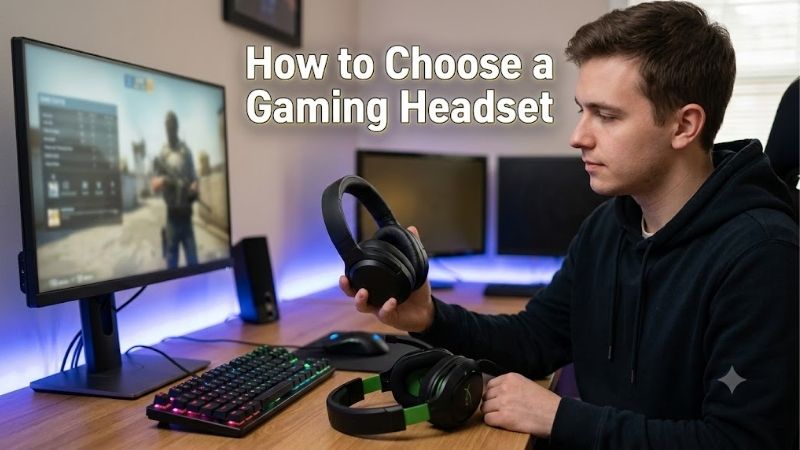
How To Choose A Gaming Headset
The problem is simple: a budget gaming PC already puts pressure on every dollar, yet a poor headset can hurt aim, teamwork, and comfort. Your choice should depend on ports, sound, microphone needs, and play time, not a giant feature list. That is the starting point for how to choose a gaming headset without overspending.
Connection And Platform
Connection type determines what hardware the headset can use and which controls you get. A 3.5mm model is broadly compatible and works without drivers, while USB adds digital audio, software EQ, or surround features. Check your motherboard, front-panel ports, controller, and console before paying for a connection you cannot fully use.
HyperX Cloud III gives you USB and 3.5mm flexibility, Logitech G432 adds a USB DAC alongside analog, and Corsair HS55 SURROUND provides both paths. Razer BlackShark V2 X keeps things straightforward with 3.5mm connection. For the purchase, match the connection to your primary gaming platform, then consider useful features.
Sound And Spatial Audio
Driver diameter is only a starting point. Tuning, imaging, fit, and spatial processing affect what you hear in games, especially footsteps and distant effects. Virtual surround can create stronger positional cues, but it can also sound artificial, so it is better treated as an option than a guarantee of better competitive awareness.
HyperX Cloud III uses 53mm angled drivers with DTS:X Spatial Sound, Logitech G432 offers DTS Headphone:X 2.0 through G HUB on Windows, and Corsair HS55 SURROUND uses Dolby Audio 7.1 through its USB adapter. Razer BlackShark V2 X supports spatial audio through Windows Sonic on supported Windows and Xbox systems, covering different software needs.
Microphone And Chat
A gaming microphone has one job: making your voice easy for teammates to understand. Boom position, pickup pattern, noise handling, and mute controls matter more than flashy specifications. Fixed mics work for a dedicated gaming desk, while detachable designs help when the headset also serves as everyday headphones for work or entertainment.
HyperX Cloud III has a detachable 10mm noise-cancelling mic, Razer BlackShark V2 X uses a HyperClear cardioid mic, Logitech G432 has a 6mm flip-to-mute boom, and Corsair HS55 SURROUND uses an omni-directional flip-to-mute mic. For how to choose a gaming headset, decide whether clarity, noise rejection, or quick muting matters most.
Comfort And Weight
Comfort becomes a specification once gaming sessions stretch into several hours. Weight, clamp pressure, pad material, and earcup space affect fatigue, and lighter is not automatically better if the fit feels cramped. Think about your longest session and whether you wear glasses, because seal and pressure can change the experience.
Razer BlackShark V2 X weighs 240g, Corsair HS55 SURROUND weighs 273g, Logitech G432 weighs about 280g, and HyperX Cloud III weighs 308g without its microphone. That makes Razer the lightest and Cloud III the heaviest here. For how to choose a gaming headset, prioritize the fit that stays comfortable through a full evening.
Top Picks
These four wired gaming headsets cover different priorities instead of pretending one model fits every setup. HyperX Cloud III focuses on all-around quality, Razer BlackShark V2 X on low weight, Logitech G432 on Windows controls, and Corsair HS55 SURROUND on flexible connections. That makes how to choose a gaming headset easier.
| Product | Best For | Key Spec | Watch Out For |
|---|---|---|---|
| HyperX Cloud III | Best Overall | 53mm drivers; 3.5mm, USB-C, USB-A; 10mm mic; 308g | Default tuning can sound light on bass |
| Razer BlackShark V2 X | Best Value | 50mm TriForce drivers; 3.5mm; 240g; HyperClear mic | No companion software; sound can vary with fit |
| Logitech G432 | Best For FPS | 50mm drivers; DTS Headphone:X 2.0; 6mm mic; USB DAC + 3.5mm | Plastic-heavy build; sound delivery varies |
| Corsair HS55 SURROUND | Best For Multiplatform | 50mm drivers; 273g; 3.5mm; USB Dolby Audio adapter | Fixed omni-directional mic; Dolby needs USB/iCUE |
HyperX Cloud III
HyperX Cloud III is the Best Overall pick for PC gamers who want a sturdy, comfortable headset with flexible connections. It uses dynamic 53mm drivers, a 10mm noise-cancelling microphone, and supports 3.5mm, USB-C, and USB-A connections. Its memory-foam headband and ear cushions are designed for long sessions and daily gaming.
The advantage is a strong mix of comfort, microphone quality, software adjustment, and broad compatibility. The downside is its 308g headset weight, which is higher than the other choices, and independent testing found the default profile light on bass. For how to choose a gaming headset, weigh those strengths against your own sound preferences.
Razer BlackShark V2 X
Razer BlackShark V2 X is the Best Value pick for gamers who want low weight and a straightforward analog connection. It weighs 240g, uses 50mm TriForce drivers, and includes a HyperClear cardioid microphone with click-to-mute controls. The 3.5mm connection works across compatible PCs, consoles, and mobile devices without software.
Its biggest strength is simplicity: there is no battery, wireless radio, or software layer required for basic use. The trade-off is that the headset lacks companion software on this model, and independent testing found bass and treble delivery can vary with fit. The fixed boom also limits how discreetly it can be used away from gaming.
Logitech G432
Logitech G432 is the Best For FPS pick for Windows users who want EQ and spatial-audio controls. It has 50mm drivers, a 6mm flip-to-mute boom mic, and DTS Headphone:X 2.0 through Logitech G HUB. Its USB DAC handles supported PC desktop systems and PlayStation, while 3.5mm expands cross-platform compatibility for gaming.
The benefit is flexibility: you can adjust EQ and use DTS features on Windows instead of relying only on factory tuning. The drawback is the plastic-heavy construction, and testing found sound delivery can vary between users because fit affects the response. It is also wired only, so there is no cable-free option for your desk.
Corsair HS55 SURROUND
Corsair HS55 SURROUND is the Best For Multiplatform pick for gamers who want one wired headset for PC and console use. It weighs 273g, uses 50mm neodymium drivers, and includes a USB adapter for Dolby Audio 7.1 on PC and Mac through iCUE. With the adapter removed, the 3.5mm connection works with other compatible devices.
Its memory-foam earcups and adjustable controls make it well suited to long sessions, while the flip-to-mute mic keeps chat management simple. The compromise is the non-detachable omni-directional microphone and the dependence on the USB adapter and iCUE for Dolby features. That makes it less appealing for a software-free setup.
Frequently Asked Questions
Buying questions usually come down to wired versus wireless, spatial processing, and which features justify spending more. For how to choose a gaming headset, focus on your games and hardware first. The answers below cover practical points that can change the buying decision without turning every premium specification into a must-have.
Are Wired Headsets Better For Budget PCs?
Yes, wired headsets make sense for a budget gaming PC because they remove battery management and keep the connection simple. A capable analog or USB model can deliver low-latency game audio without paying extra for a wireless radio. The saved money can instead go toward components that directly affect frame-rate performance.
Wireless is worth considering when moving around matters or a desk setup makes a cable inconvenient. For a fixed gaming station, Razer BlackShark V2 X and HyperX Cloud III avoid charging entirely. The exception is a user who values wireless freedom more than squeezing every dollar from a component-focused PC budget today.
Do Larger Drivers Sound Better?
No, a larger driver does not automatically mean better gaming sound. Driver size affects how a headset can be designed, but tuning, enclosure, ear-pad seal, and imaging are equally important. Two headsets with 50mm drivers can sound very different, which is why the number should never be the main buying criterion by itself.
For how to choose a gaming headset, treat driver size as background information and focus on tuning and positional performance. The four picks use 50mm-class or larger drivers, yet their approaches differ. HyperX uses angled 53mm drivers, while Logitech, Razer, and Corsair use 50mm designs with different processing options.
Can A Budget Headset Handle Competitive Games?
Yes, a budget headset can work well for competitive shooters when the sound is clear and positional cues are dependable. Competitive play does not require an expensive wireless headset. A stable fit, understandable microphone, and sensible tuning matter more than RGB lighting, premium wireless codecs, or exaggerated bass for most FPS sessions.
Surround processing should be tested rather than assumed to help. Some players prefer stereo because it sounds cleaner, while others like virtual spatial mode for directional context. Logitech G432, HyperX Cloud III, and Corsair HS55 SURROUND provide spatial options, so preference can guide the choice without forcing extra spending.
Will These Headsets Work With Consoles?
Yes, but check which features work on the console itself rather than assuming every PC feature carries over. Analog 3.5mm generally gives broad compatibility, while USB features can depend on platform support. HyperX Cloud III, Logitech G432, and Corsair HS55 SURROUND provide multiple connection paths for mixed-device households.
Windows-only software is the main exception. Logitech G432 requires G HUB for DTS Headphone:X 2.0 and EQ, while Corsair HS55 SURROUND needs its USB adapter and iCUE for Dolby Audio 7.1 on PC and Mac. Controller-focused users should judge the analog connection before buying for software-dependent features on their console.
Final Thoughts
The best approach is to match the headset to your hardware, games, and tolerance for extra software. For how to choose a gaming headset, start with connection, sound, microphone, and comfort, then use the four picks to narrow the field. HyperX, Razer, Logitech, and Corsair each address a distinct setup need today, overall.