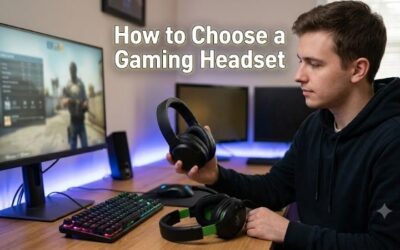
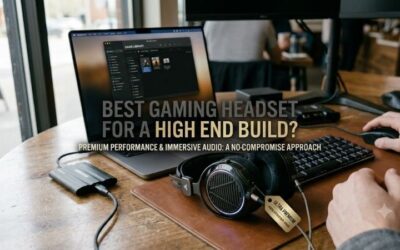
What to look for in a gaming headset starts with your setup, not a surround-sound badge. A headset can have large drivers yet fit poorly, miss your console requirements, or make team chat awkward. Check connection support, pressure around your ears, microphone design, and accessible controls before paying for extra features.
How to Choose a Gaming Headset
This guide explains what to look for in a gaming headset using four concrete examples, from a simple analog model to a lightweight wireless option. The comparisons focus on specifications and ownership tradeoffs rather than invented listening tests. Begin with compatibility, then decide which comfort and chat features justify spending more.
Platform Compatibility and Connection Type
Compatibility requires game playback and microphone transmission through your selected connection. Supported four-pole 3.5mm headset sockets accommodate both signals. Separate desktop audio sockets may require a splitter, while USB models need explicit console support. Matching connector shapes alone cannot establish functional compatibility.
Wired connections avoid battery maintenance, but wireless removes a cable from your controller or desk. The tradeoff is platform restrictions and charging. Choose HyperX Cloud III for 3.5mm and USB flexibility, Razer BlackShark V2 X for simple analog use, or Logitech G435 for supported PC and PlayStation wireless connections.
Ear Cushion Material and Wearing Comfort
Wearing comfort combines earcup dimensions, clamping pressure, cushion material, and overall weight. Padding should surround rather than compress your ears. Glasses introduce additional contact points and may change the acoustic seal. A clear return policy permits evaluation over a meaningful session rather than a brief initial fitting.
When deciding what to look for in a gaming headset, choose cushion construction that suits your room and preferences. SteelSeries Arctis Nova 1 offers fabric AirWeave cushions and an adjustable suspension band, while Logitech G435 weighs 165 grams. Choose Nova 1 for fabric-padded wired use or G435 when minimal wireless weight matters.
Microphone Design and Storage
Microphone design changes everyday handling more than a noise-cancellation slogan. A boom allows placement near your voice, while integrated microphones keep the headset silhouette compact. Detachable and retractable booms simplify headphone-only listening. No design guarantees complete rejection of a nearby television or mechanical keyboard.
Consider what to look for in a gaming headset through microphone handling and storage. HyperX Cloud III supplies a detachable boom, Razer BlackShark V2 X uses a fixed cardioid design, and SteelSeries Arctis Nova 1 retracts its microphone. Choose Cloud III when removal simplifies headphone-only listening or transporting your equipment.
Controls, Replacement Parts, and Value
Accessible volume adjustment and microphone muting reduce interruptions during multiplayer sessions. Compare control placement alongside required accessories, software needs, and replacement components. Budget pricing becomes less compelling when compatibility requires an adapter. Optional processing software cannot establish better sound.
Cable construction influences maintenance: detachable leads simplify replacement, while attached cables complicate repair after wear. SteelSeries Arctis Nova 1 provides a removable audio cable; Razer BlackShark V2 X favors fixed construction. Choose Nova 1 for replacement convenience or BlackShark V2 X when budget savings justify that compromise.
Top Picks
These examples demonstrate what to look for in a gaming headset across four purchasing priorities. HyperX balances connection options, Razer keeps the analog package simple, SteelSeries emphasizes lightweight wired construction, and Logitech removes the cable. The table summarizes verified specifications and the most relevant compromise for each.
| Product | Best For | Key Spec | Watch Out For |
|---|---|---|---|
| HyperX Cloud III | Best Overall | 53mm drivers; 3.5mm, USB-C, and USB-A connections | Wired operation; leatherette cushions |
| Razer BlackShark V2 X | Best Value | 50mm drivers; approximately 240g | Fixed microphone and attached cable |
| SteelSeries Arctis Nova 1 | Best for Lightweight Wired Comfort | Approximately 236g; AirWeave cushions | Analog-only connectivity |
| Logitech G435 | Best for Lightweight Wireless Use | 165g; rated 18-hour battery life | No analog fallback or native Xbox wireless support |
HyperX Cloud III: Best Overall
HyperX Cloud III suits players who alternate between a PC and compatible console controllers. It provides 3.5mm, USB-C, and USB-A connection options, with angled 53mm drivers and a detachable microphone. Those included connections reduce accessory shopping, while earcup controls keep volume adjustment and muting close at hand.
Its strongest practical feature is versatility without battery charging or receiver management. Memory-foam padding adds cushioning, but the leatherette surface may retain more warmth than fabric during extended use. This is the balanced wired choice, provided you accept a tethered connection rather than expecting wireless movement between devices.
Razer BlackShark V2 X: Best Value
Razer BlackShark V2 X suits a budget-focused buyer who wants analog audio and straightforward team chat. The 3.5mm model uses 50mm drivers and weighs approximately 240 grams. Its volume knob and mute button cover regular adjustments without a battery, wireless receiver, or software installation for basic playback and microphone use.
For shoppers considering what to look for in a gaming headset at entry-level prices, its simplicity is useful when the selling price stays competitive. The microphone and cable remain attached, limiting packing flexibility and easy replacement. Confirm that the listing names the analog model, since BlackShark V2 X USB is a different version.
SteelSeries Arctis Nova 1: Best for Lightweight Wired Comfort
SteelSeries Arctis Nova 1 suits players who prefer a lighter wired headset with fabric cushions. At approximately 236 grams, it combines AirWeave ear padding with an adjustable suspension headband. The retractable microphone avoids a loose detachable component, and its removable audio cable makes replacement more practical after cable damage.
The ownership advantage is a replaceable lead alongside a microphone that stores inside the headset. The limitation is analog-only connectivity: computers without a compatible headset socket need additional equipment. Choose it for its physical design rather than assuming the optional PC software features will follow you onto every console.
Logitech G435: Best for Lightweight Wireless Use
Logitech G435 suits casual PC and PlayStation players who prioritize low wireless weight. It weighs 165 grams and supports LIGHTSPEED receiver connectivity plus Bluetooth. Logitech rates battery life at 18 hours, while integrated beamforming microphones eliminate a protruding boom for a cleaner transition between gaming and music.
Wireless freedom removes cable interference, but compatibility limitations require attention. G435 lacks a 3.5mm wired fallback and native Xbox wireless support. Logitech also optimizes the design for smaller heads, making sizing particularly relevant for larger-headed adults. Lightweight construction cannot guarantee universally comfortable fit.
Frequently Asked Questions
Understanding what to look for in a gaming headset includes separating useful specifications from persuasive labels. Driver diameter does not settle sound quality, and optional surround processing does not fix poor comfort or incompatible connections. These answers address practical questions that often arise before a first headset purchase.
Do Bigger Drivers Mean Better Gaming Sound?
No, larger drivers cannot guarantee superior gaming audio. Diameter describes one component rather than acoustic performance; tuning, enclosure design, and cushion sealing also influence reproduction. A 53mm driver is not inherently more accurate than a 50mm alternative, and frequency-range specifications cannot establish positional clarity.
Look for listening assessments that describe the games you play, plus microphone recordings captured under stated conditions. Bass preferences vary between cinematic adventures and competitive shooters. Judge clarity at comfortable listening levels, take breaks, and avoid using higher volume to compensate for poor isolation or confusing tuning.
Should I Choose a Wired or Wireless Headset?
Neither wired nor wireless is universally better. Wired models avoid charging and make sense when you stay near a controller or computer. Wireless designs improve freedom of movement but add battery and compatibility considerations. For responsive game audio, use a supported dedicated gaming receiver rather than assuming Bluetooth is equivalent.
For shoppers deciding what to look for in a gaming headset, wireless value depends on actual cable interference. Unrestricted movement can justify charging when a lead catches on furniture, but otherwise adds maintenance without much benefit. Verify supported platforms and replacement receiver availability before committing to Logitech G435.
Do I Need Virtual Surround Sound for Gaming?
No, virtual surround sound is optional rather than essential. Stereo can convey directional information, and some games already supply headphone-specific spatial processing. Adding another surround layer changes presentation without guaranteeing improvement. Begin with the game settings instead of activating every available audio effect.
Compare spatial options individually using a familiar scene, keeping the listening level consistent. Avoid stacking several game and headset effects because overlapping processing can make the result harder to judge. Retain the configuration that helps you locate sound reliably, rather than choosing an effect because its label sounds advanced.
Do Gaming Headsets Require Special Software?
You usually do not need special software for basic analog playback and microphone use. Compatible USB or wireless models can also work without installing the brand suite, although requirements vary. Manufacturer software may unlock equalization, updates, or additional processing, so distinguish ordinary headset operation from optional features.
Check the selected output and microphone input in your chat application if communication fails, then confirm hardware mute is disabled. Record a short sample at normal speaking volume. Position an adjustable boom near the corner of your mouth, outside direct breath airflow, and reduce excessive input gain if recorded speech sounds distorted.
Final Thoughts
Knowing what to look for in a gaming headset means matching connections, comfort, and microphone handling to everyday habits. HyperX Cloud III favors wired versatility, Razer BlackShark V2 X budget simplicity, SteelSeries Arctis Nova 1 lightweight wired comfort, and Logitech G435 supported wireless movement. Verify compatibility before purchasing.