Best b650 motherboard for beginners searches often start after a confusing list: the CPU fits, but the board may lack Wi-Fi, need updated firmware, or leave a case port disconnected. Focus on compatibility and convenient connections first. A straightforward board that matches your components is more useful than features you cannot exploit.
Quick answer: For most people in 2026, the best b650 motherboard for beginners is the MSI B650 GAMING PLUS WIFI — our #1 rated choice. See the full ranked comparison, alternatives and buying advice below.
How to Choose B650 Motherboards
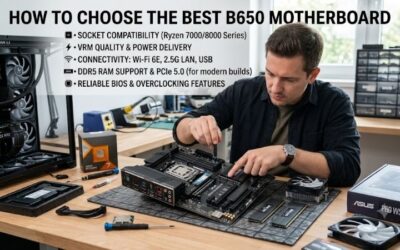
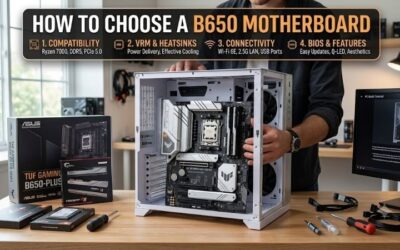
This guide identifies the best b650 motherboard for beginners through four purchasing criteria and four recommendations. Compare startup support, case dimensions, networking, and storage expansion before ordering. The goal is a manageable first assembly with enough useful connections, without spending component budget on unnecessary extras.
BIOS Readiness and Troubleshooting Features
Check the exact processor against the motherboard’s CPU support list, including its BIOS version. AM5 socket compatibility cannot confirm that older inventory will recognize a newer chip immediately. Confirmation helps avoid assembling a system that cannot start because its installed firmware predates the processor you purchased.
Firmware flashback can update a compatible board without a working CPU, using the manufacturer’s prescribed USB procedure. Debug indicators also help isolate startup problems instead of random component replacement. For these first-build conveniences, choose the MSI B650 GAMING PLUS WIFI, which includes Flash BIOS and four EZ Debug LEDs.
Case Dimensions and Memory Configuration
Motherboard dimensions determine enclosure compatibility and available expansion space. ATX suits supported towers, while micro-ATX can fit smaller compatible cases. For the best b650 motherboard for beginners, confirm supported sizes before purchase; a compact board still needs sufficient clearance around connectors and GPUs.
Memory configuration matters: all four recommendations require DDR5, and two matched modules provide an uncomplicated starting point. Four slots offer more capacity options, although four-module configurations can require lower speeds. Choose the ASRock B650M Pro RS WiFi for micro-ATX dimensions combined with four memory slots.
Networking and Peripheral Connections
Integrated wireless saves buying and installing a separate adapter, but wired networking can make that feature unnecessary. Match USB connections to your peripherals rather than port counts alone. The best b650 motherboard for beginners should accommodate your keyboard, controller, external storage, and network without accessory purchases.
USB-C describes connector shape rather than guaranteed bandwidth, and front-panel sockets require compatible internal headers. Compare specifications when selecting case and board. For a wired computer, choose the ASRock B650M-HDV/M.2: its 2.5Gb Ethernet provides networking without an included wireless module you would leave unused.
Drive Capacity and Expansion Bandwidth
Count planned SSDs and existing SATA drives before choosing storage features. Two M.2 positions suit a boot drive plus later expansion; additional positions help separate projects, media, and backups. Gen 5 capability is less important than usable capacity for ordinary gaming, when the faster drive consumes budget needed elsewhere.
Read bandwidth notes before assuming every connector remains unrestricted when populated. Processor selection and shared resources can alter available speeds, even when physical sockets remain visible. Choose the MSI MAG B650 TOMAHAWK WIFI for three M.2 positions and six SATA connections when retaining drives or expanding a local library matters.
Top Picks
The best b650 motherboard for beginners depends on the build surrounding it. MSI GAMING PLUS balances ATX essentials, ASRock HDV trims unnecessary extras, Pro RS adds compact wireless flexibility, and TOMAHAWK accommodates more drives. Recommendations reflect verified specifications and installation needs rather than detailed research.
| Product | Best For | Key Spec | Watch Out For |
|---|---|---|---|
| MSI B650 GAMING PLUS WIFI | Best Overall | ATX; Wi-Fi 6E; two PCIe 4.0 M.2 slots | No PCIe 5.0 storage |
| ASRock B650M-HDV/M.2 | Best Value | Micro-ATX; 2.5Gb Ethernet; two DDR5 slots | No included Wi-Fi; 5Gbps rear USB-C |
| ASRock B650M Pro RS WiFi | Best For Compact Wireless Builds | Micro-ATX; Wi-Fi 6E; three M.2 slots | Third M.2 slot runs at PCIe 4.0 x2 |
| MSI MAG B650 TOMAHAWK WIFI | Best For Multiple Drives | Three PCIe 4.0 M.2 slots; six SATA ports | Third M.2 slot shares bandwidth with secondary PCIe slot |
MSI B650 GAMING PLUS WIFI: Best Overall
The MSI B650 GAMING PLUS WIFI is the default recommendation for a conventional ATX gaming tower with one graphics card and modest storage requirements. Integrated Wi-Fi 6E and 2.5Gb Ethernet cover wireless and wired networking. Four DDR5 slots and two PCIe 4.0 M.2 positions provide a foundation without separate networking hardware.
Its limitation is storage expansion: two M.2 positions leave less room than either three-slot recommendation, and neither supports PCIe 5.0. However, rear 20Gbps USB-C provides a connection for compatible external storage. Choose this board when balanced connectivity matters more than additional drives or an unused Gen 5 storage interface.
ASRock B650M-HDV/M.2: Best Value
The ASRock B650M-HDV/M.2 suits a wired gaming computer where extra motherboard features would reduce graphics-card budget. Its micro-ATX layout includes two DDR5 slots, 2.5Gb Ethernet, and two M.2 positions. One supports PCIe 5.0 x4 with a compatible CPU, a storage option the MSI overall pick lacks despite its richer networking.
There is no included wireless module, and rear USB-C operates at 5Gbps. Two memory slots also mean increasing capacity may require replacing the original kit. As the best b650 motherboard for beginners prioritizing essentials, it makes sense when Ethernet, a planned memory kit, and limited peripheral bandwidth fit the build from the start.
ASRock B650M Pro RS WiFi: Best For Compact Wireless Builds
The ASRock B650M Pro RS WiFi fits smaller compatible towers needing integrated wireless and four memory slots. Its micro-ATX layout includes Wi-Fi 6E and three M.2 positions, reducing external networking accessories. That combination supports a compact first computer with room for separate operating-system, game, and project drives.
The storage positions are unequal: one supports Gen 5 x4 with a compatible processor, another Gen 4 x4, and the third Gen 4 x2. The slower third position remains useful but should not be mistaken for a full-bandwidth slot. Front USB-C also tops out at 5Gbps, so prioritize another recommendation if faster front-panel storage transfers matter.
MSI MAG B650 TOMAHAWK WIFI: Best For Multiple Drives
The MSI MAG B650 TOMAHAWK WIFI serves first-time builders carrying over several SATA drives or planning substantial internal storage. Three PCIe 4.0 M.2 positions and six SATA connections provide more drive flexibility than GAMING PLUS. Integrated Wi-Fi 6E adds convenience, making this an ATX foundation for a gaming library or media computer.
Its third M.2 position shares bandwidth with the secondary PCIe slot: populating both reduces that M.2 connection to x2. There is also no Gen 5 storage support. Choose TOMAHAWK for connector availability rather than interface capabilities, and review bandwidth sharing before combining several SSDs with an expansion card.
Frequently Asked Questions
Choosing the best b650 motherboard for beginners requires realistic expectations about memory, performance, and setup. More expensive boards do not automatically increase frame rates, and compatibility claims do not replace firmware checks. These answers address common purchase decisions before memory or specifications complicate assembly.
Is B650 Enough for a First Gaming PC?
Yes, B650 is sufficient for a first AM5 gaming computer when the board supports your CPU and provides suitable connections. None of these recommendations requires a flagship chipset for a mainstream gaming configuration. Prioritize compatible components and adequate cooling rather than expecting chipset features to increase performance.
Higher-tier boards become relevant when you need connections these models lack, such as integrated USB4 or specific expansion layouts. Let peripherals and workload define requirements. Compare complete platform costs before upgrading the motherboard; reallocating money toward graphics or storage capacity may address a performance limitation.
Should Beginners Buy a Board With Wi-Fi?
Yes, integrated Wi-Fi is useful when Ethernet access is uncertain or you regularly relocate the computer. It removes the need to research and install a separate adapter. However, the best b650 motherboard for beginners using a permanent wired connection can omit wireless, especially when it would sacrifice a component upgrade.
Wireless standards cannot guarantee reception. Router support, placement, and operating-system drivers affect results; Wi-Fi 6E’s 6GHz operation requires compatible equipment. Connect the supplied antennas and prepare network drivers before assembly if internet access depends on wireless, avoiding setup without a usable connection.
How Much DDR5 Should a Beginner Buy?
For gaming and multitasking, a matched 32GB kit comprising two 16GB modules is a practical starting point. Larger creative projects or virtual machines can justify additional capacity. Check the exact kit against the motherboard’s validated memory configurations, since capacity and frequency alone cannot confirm processor compatibility.
EXPO applies memory overclocking settings without guaranteeing advertised speeds. Establish a stable system at default settings before considering the profile, and restore defaults if instability appears. Avoid mixing unrelated kits because spare slots exist; matched capacity planning simplifies troubleshooting compared with assorted modules.
Do I Need PCIe 5.0 for My First SSD?
No, a Gen 5 SSD is unnecessary for an ordinary gaming computer. A Gen 4 drive can provide responsive storage without a higher-bandwidth motherboard connection. When selecting a drive, balance capacity, endurance, and workload suitability; sequential-transfer specifications cannot predict universal loading-time improvements.
Consider Gen 5 for a defined workload involving sustained transfers, then verify processor support and drive cooling. For routine installation, shut down and disconnect AC power before handling internal components. Follow the board manual for mounting and heatsink placement, when a graphics card restricts storage access.
Final Thoughts
The best b650 motherboard for beginners matches a parts list rather than specifications alone. Choose GAMING PLUS for balanced ATX connectivity, HDV for a wired essentials build, Pro RS for compact wireless flexibility, or TOMAHAWK for multiple drives. Confirm firmware support, enclosure compatibility, and storage limits before checkout.
Ready to decide? Our #1 pick for 2026 is the MSI B650 GAMING PLUS WIFI.
Live price & availability on Amazon.