Best b650 motherboard for a first time buyer choices look similar until missing wireless connectivity or firmware requirements complicate assembly. Your purchase should match the selected processor and simplify installation. These four recommendations address different budgets, enclosure sizes, and storage plans without invented benchmarks.
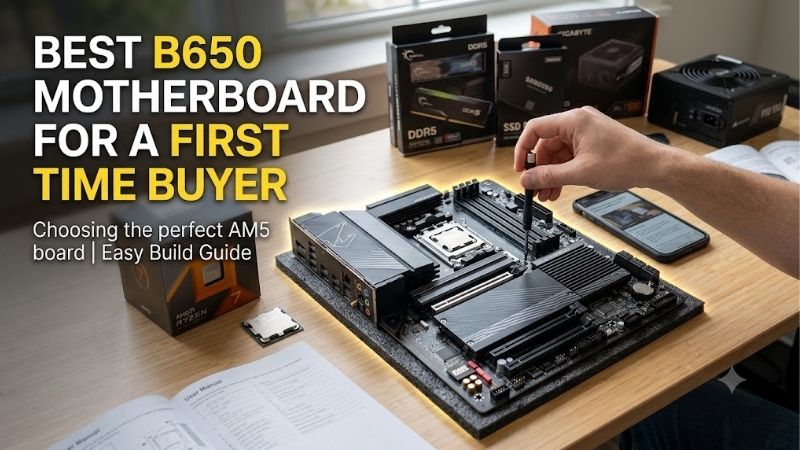
Quick answer: For most people in 2026, the best b650 motherboard for a first time buyer is the MSI MAG B650 Tomahawk WiFi — our #1 rated choice. See the full ranked comparison, alternatives and buying advice below.
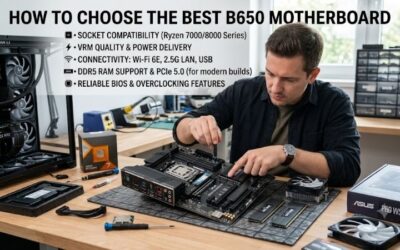
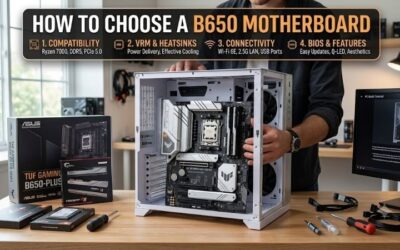
How to Choose a B650 Motherboard
The best b650 motherboard for a first time buyer should remove avoidable build complications, not consume money better spent on your graphics card. This guide compares four genuine B650 models through case compatibility, network access, storage expansion, and setup support, then explains which compromises matter for your first Ryzen desktop.
Case Size and Expansion Space
Motherboard dimensions determine enclosure compatibility and expansion space. ATX suits conventional towers; micro-ATX accommodates shorter compatible cases. Neither format inherently improves gaming performance. Check enclosure specifications before ordering, including graphics-card clearance and whether large cooling obstructs secondary slots.
The MSI PRO B650M-A WiFi measures approximately 244 by 244 mm, suiting a micro-ATX tower. It keeps four memory sockets despite its smaller footprint, prioritizing capacity over multiple expansion cards. Choose the MSI PRO B650M-A WiFi for a smaller desktop without committing to Mini-ITX or abandoning integrated wireless.
Wireless Connectivity and Total Cost
Network requirements should reflect desktop placement rather than advertised speeds. Integrated wireless avoids purchasing an adapter; Ethernet remains convenient beside your router. Consider Bluetooth peripherals alongside internet access, since wireless controllers or headsets may require additional hardware and occupy valuable USB connections.
The ASRock B650M-HDV/M.2 includes 2.5Gb Ethernet but no wireless module, which helps keep a wired configuration simple. Buying adapters later can reduce its value advantage, so compare complete costs first. Choose the ASRock B650M-HDV/M.2 with accessible Ethernet and when integrated Wi-Fi would contribute little to everyday use.
SSD Connections and Storage Expansion
Storage planning involves socket quantity, bandwidth, and shared connections. Two M.2 positions accommodate a boot drive plus later library expansion; three provide another upgrade option. PCIe 5.0 increases bandwidth without guaranteeing proportionally faster everyday applications. Prioritize sufficient SSD capacity before maximum transfer speeds.
The ASUS TUF Gaming B650-PLUS WiFi has three M.2 sockets, with its primary connector supporting PCIe 5.0 x4 using suitable Ryzen processors. Populating M.2_3 disables the secondary long PCIe slot, requiring expansion planning. Choose the ASUS TUF Gaming B650-PLUS WiFi when Gen5 storage capability and multiple SSD positions serve a specific need.
BIOS Preparation and Diagnostic Features
Setup support includes diagnostic indicators and dedicated firmware-flashing functionality. These conveniences help investigate stalled startups or prepare supported processors when older inventory contains outdated firmware. They cannot resolve incompatible hardware. Verify exact processor support rather than assuming universal AM5 compatibility.
The MSI MAG B650 Tomahawk WiFi combines four EZ Debug indicators with a rear Flash BIOS button. That pairing gives a novice clearer troubleshooting clues without requiring an expensive numeric diagnostic display. Choose the MSI MAG B650 Tomahawk WiFi when startup diagnostics and ATX connectivity justify the additional expense.
Top Picks
The best b650 motherboard for a first time buyer depends on surrounding hardware. These recommendations distinguish balanced ATX builds, lean wired desktops, smaller wireless systems, and Gen5 storage expansion. Rankings reflect manufacturer specifications without benchmark claims; compare current bundle totals before declaring any model cheapest.
| Product | Best For | Key Spec | Watch Out For |
|---|---|---|---|
| MSI MAG B650 Tomahawk WiFi | Best Overall | ATX; three Gen4 M.2 sockets; Wi-Fi 6E | No Gen5 M.2 connection |
| ASRock B650M-HDV/M.2 | Best Value | Micro-ATX; two DDR5 sockets; 2.5Gb Ethernet | Wireless module not included |
| MSI PRO B650M-A WiFi | Best For Smaller Wireless Builds | Micro-ATX; four DDR5 sockets; Wi-Fi 6E | No rear USB-C port |
| ASUS TUF Gaming B650-PLUS WiFi | Best For Gen5 Storage Expansion | ATX; three M.2 sockets, including one Gen5 | Third M.2 disables secondary long PCIe slot |
MSI MAG B650 Tomahawk WiFi — Best Overall
The MSI MAG B650 Tomahawk WiFi is the Best Overall choice here for a conventional tower with several peripherals. Its ATX layout provides four DDR5 sockets, three PCIe 4.0 storage M.2 sockets, and six SATA connections. Built-in Wi-Fi 6E and 2.5Gb Ethernet cover both network options without additional wireless hardware.
Its main limitation is missing Gen5 storage, and M2_3 drops to x2 when the shared secondary PCIe slot is occupied. For someone seeking the best b650 motherboard for a first time buyer, its appeal is useful connectivity and setup support. Choose it when those conveniences outweigh a Gen5 SSD requirement or a smaller case. vn.msi.com
ASRock B650M-HDV/M.2 — Best Value
The ASRock B650M-HDV/M.2 is the Best Value candidate for a wired gaming desktop using one matched memory kit. It provides two DDR5 sockets and two storage M.2 connectors, including one PCIe 5.0 x4 connection with a suitable CPU. BIOS Flashback and a preinstalled I/O shield are meaningful conveniences on a board with fewer extras.
The missing wireless module is a genuine drawback if your desk lacks Ethernet access, while two memory sockets require replacing modules for certain capacity upgrades. The best b650 motherboard for a first time buyer on a tight budget should preserve money for essential components. Pick this model when its omissions match your requirements. asrock.com
MSI PRO B650M-A WiFi — Best For Smaller Wireless Builds
The MSI PRO B650M-A WiFi is Best For Smaller Wireless Builds, pairing a micro-ATX footprint with Wi-Fi 6E and 2.5Gb Ethernet. Four DDR5 sockets and two PCIe 4.0 x4 M.2 connectors support a straightforward gaming or home-office setup. Its advantage is avoiding wireless installation while retaining more memory positions than the HDV.
There is no rear USB-C port, although a front USB-C header can connect a compatible case socket. Rear USB-C peripheral users must account for that omission. As the best b650 motherboard for a first time buyer needing micro-ATX and wireless, it makes sense only when its two storage positions and rear connections cover the planned build. vn.msi.com
ASUS TUF Gaming B650-PLUS WiFi — Best For Gen5 Storage Expansion
The ASUS TUF Gaming B650-PLUS WiFi is Best For Gen5 Storage Expansion in an ATX desktop. Three M.2 sockets include a PCIe 5.0 x4 primary connection with Ryzen 7000 or 9000 processors. Its M.2 Q-Latch retention system avoids handling a tiny retaining screw, simplifying compatible SSD installation and replacement during assembly.
Its Wi-Fi 6 implementation lacks the 6GHz connectivity offered by the two MSI picks, and the third SSD position carries an expansion-slot tradeoff. The best b650 motherboard for a first time buyer needing Gen5 storage should justify that feature before paying more. For one ordinary Gen4 drive, the ASUS model’s distinctive advantage matters less. Chi tiết kĩ thuật
Frequently Asked Questions
The best b650 motherboard for a first time buyer also needs compatible surrounding parts and sensible expectations during setup. These answers cover processor support, required memory, storage-speed priorities, and early startup delays. Resolving those questions before checkout reduces the chance of blaming a motherboard for an avoidable mismatch.
Do B650 Motherboards Support Ryzen 9000?
Yes, these B650 boards support Ryzen 9000 processors, but your exact CPU may require an updated BIOS. A retailer’s listing cannot establish which firmware version a particular boxed unit contains. Compare the processor support list with the installed version, or request seller confirmation before purchase for immediate startup.
Firmware preparation should follow the exact model’s Flashback instructions regarding filenames, USB formatting, and designated ports. Maintain uninterrupted power throughout flashing. Processor compatibility does not guarantee identical bandwidth across every socket; examine CPU-specific restrictions before finalizing your storage configuration.
Can I Use DDR4 Memory With B650?
No, DDR4 memory cannot be used with B650 because AM5 requires DDR5. Choose a matched kit with enough capacity for your software, then consult the memory compatibility list for the exact part number. Four sockets enable capacity upgrades, but populating every socket can reduce the memory speeds achievable with your processor.
For a first build, install two modules in the manual’s recommended pair of slots instead of guessing. EXPO is optional memory overclocking, not a guaranteed setting for every combination. Establish a stable baseline before enabling it, and avoid mixing unrelated kits simply because their advertised frequency looks identical.
Do I Need PCIe 5.0 Storage for Gaming?
No, PCIe 5.0 storage is not required for a first gaming PC. A compatible Gen4 SSD remains a sensible purchase when it offers the capacity you need at a better total price. Interface bandwidth describes a transfer ceiling; it does not promise proportionally shorter game loading or faster everyday applications across every workload.
A Gen5-capable socket is worthwhile when you already need a compatible high-bandwidth SSD for substantial transfers or planned upgrades. The ASUS board combines that option with three M.2 positions; the HDV provides it with two. Neither requires a Gen5 drive, so you can choose storage independently of the socket’s maximum rating.
Does a Slow First Boot Mean the Motherboard Is Faulty?
No, delayed startup does not automatically indicate motherboard failure. DDR5 memory training can extend boot time after memory or firmware changes. Observe diagnostic indicators and consult manufacturer documentation instead of repeatedly interrupting power. Persistent CPU or DRAM warnings require investigation before replacing hardware.
If the machine still cannot complete startup, turn off and disconnect power before reseating components. Check the CPU power lead, memory seating, and display connection against manufacturer instructions, testing changes individually. Diagnostic lights identify a troubleshooting area rather than proving that the named component has failed.
Final Thoughts
The best b650 motherboard for a first time buyer is the Tomahawk for balanced ATX builds, the HDV for wired value, the PRO for smaller wireless desktops, or the TUF for Gen5 storage expansion. Confirm your case, processor firmware, and memory kit before checkout. Spend on connections you will use over specification-sheet prestige.
Ready to decide? Our #1 pick for 2026 is the MSI MAG B650 Tomahawk WiFi.
Live price & availability on Amazon.