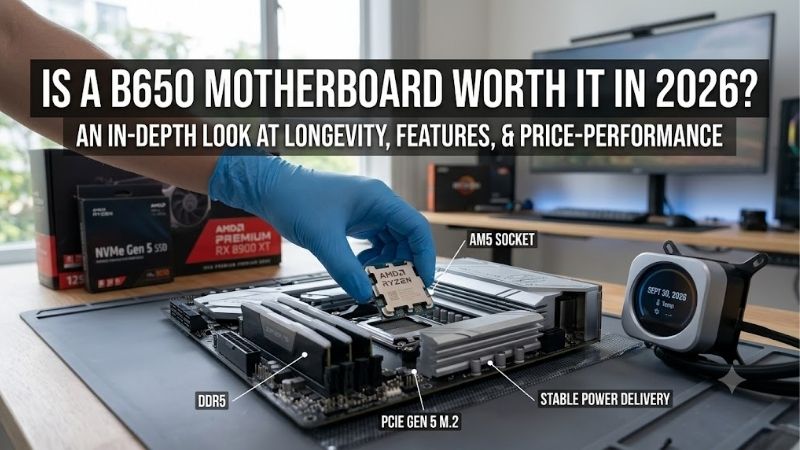
Is a b650 motherboard worth it in 2026? Yes, provided its price undercuts newer alternatives without sacrificing ports your build requires. The purchasing risk is overpriced inventory or an overlooked interface. B650 remains practical for many AM5 systems, but CPU support, storage bandwidth, and delivered pricing determine its value.
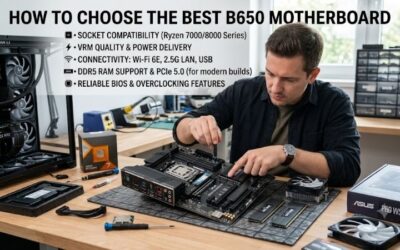
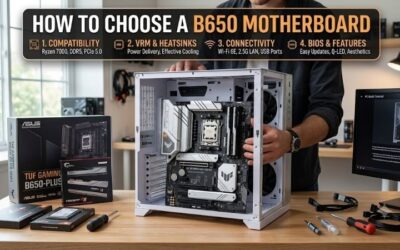
How to Choose a B650 Motherboard
This review answers is a b650 motherboard worth it in 2026 through four recommendations covering different AM5 builds. It examines size, storage bandwidth, ports, and firmware preparation. Recommendations reflect published specs rather than detailed research, so the verdict contains no invented temperatures or performance measurements.
Case Size and Expansion Room
Board size decides chassis compatibility and usable expansion space. ATX holds additional cards in larger enclosures, while Micro-ATX reduces the footprint without demanding specialist components. Mini-ITX serves space-constrained desktops, although its single expansion slot usually becomes unavailable after installing a discrete graphics card.
Choose your enclosure first, then confirm cooler clearance and graphics card size independently. A smaller board cannot guarantee support for oversized components. ASRock B650M Pro RS WiFi suits compact towers needing four memory sockets; MSI MPG B650I EDGE WIFI offers the 170mm-square format required by genuine Mini-ITX enclosures.
Storage Speed and Socket Layout
Storage socket quantity matters only alongside connection bandwidth. Three M.2 positions do not necessarily deliver identical transfer speeds. Large project files can justify faster scratch storage, whereas basic system duties demand less. Determine the intended location of your primary SSD and later upgrades before comparing motherboard specs.
A Gen5 SSD requires compatible processor connectivity and motherboard wiring, rather than merely an AM5 socket. Consider is a b650 motherboard worth it in 2026 through that storage requirement. GIGABYTE B650 AORUS ELITE AX V2 provides a Gen5 primary connection alongside two Gen4 x4 sockets when paired with a compatible Ryzen processor.
USB and Networking Requirements
USB bandwidth becomes valuable when connected devices support it. Keyboards require little throughput, whereas external SSDs benefit from faster interfaces. Count existing devices, including cameras and audio equipment, then compare port locations. Front-panel headers and rear ports can deliver different speeds despite matching connector shapes.
Wi-Fi 6E depends on compatible networking equipment and local conditions; it cannot guarantee faster internet access. Exceeding gigabit Ethernet also requires suitable equipment throughout the connection. MSI MAG B650 TOMAHAWK WIFI suits ATX builds combining external storage with internal drives, supplying rear 20Gbps USB-C and six SATA sockets.
Processor Support and BIOS Preparation
An AM5 socket establishes CPU compatibility without guaranteeing that factory-installed firmware recognizes your CPU. Consult the motherboard’s CPU support list and required BIOS version. Older retail inventory deserves attention because its original firmware may predate your CPU, regardless of support advertised on the current product page.
Maintain uninterrupted power during firmware installation and follow model-specific instructions concerning filenames and designated USB ports. CPU-free flashing assists when existing firmware cannot initialize your CPU. MSI MAG B650 TOMAHAWK WIFI combines this recovery capability with full-size ports through its rear Flash BIOS button.
Top Picks
Answering is a b650 motherboard worth it in 2026 requires comparing the actual offer, so these selections represent feature priorities rather than permanent price rankings. All four provide B650 and DDR5 foundations. The table summarizes meaningful differences; CPU-dependent bandwidth restrictions remain relevant for storage and expansion devices.
| Product | Best For | Key Spec | Watch Out For |
|---|---|---|---|
| MSI MAG B650 TOMAHAWK WIFI | Best Overall | Three Gen4 x4 M.2 sockets; six SATA ports | No Gen5 M.2; bandwidth sharing |
| ASRock B650M Pro RS WiFi | Best Value | Micro-ATX; Gen5 x4 primary M.2 | Third M.2 limited to Gen4 x2 |
| GIGABYTE B650 AORUS ELITE AX V2 | Best For Storage Expansion | One Gen5 x4 plus two Gen4 x4 M.2 sockets with Ryzen 7000/9000 | Lower expansion slots run at Gen3 x1 |
| MSI MPG B650I EDGE WIFI | Best For Small Form Factor Builds | 170 x 170mm; two Gen4 x4 M.2 sockets | Two memory sockets; one expansion slot |
MSI MAG B650 TOMAHAWK WIFI: Best Overall
MSI MAG B650 TOMAHAWK WIFI earns Best Overall for full-size systems needing extensive drive ports. Three PCIe 4.0 x4 M.2 sockets and six SATA ports accommodate combinations of SSDs and mechanical storage. Rear 20Gbps USB-C also benefits compatible external drives, making ports the principal justification for this recommendation.
The major compromise is missing Gen5 M.2 connectivity, preventing Gen5 SSDs from achieving their rated bandwidth. Simultaneous occupation of M.2_3 and PCI_E2 also restricts both connections to x2. Accept those limitations and the Tomahawk offers versatile storage configuration without unsupported claims about superior gaming performance.
ASRock B650M Pro RS WiFi: Best Value
ASRock B650M Pro RS WiFi represents Best Value when delivered pricing meaningfully undercuts better-equipped options. Its Micro-ATX setup combines four DDR5 sockets, Wi-Fi 6E, and Gen5 x4 primary storage with compatible CPUs. This spec balance suits compact first builds needing broader memory expansion than two-socket Mini-ITX options.
Its third M.2 link operates at Gen4 x2 instead of x4, and rear USB-C bandwidth tops out at 10Gbps. Buyers asking is a b650 motherboard worth it in 2026 should accept those restrictions only alongside worthwhile savings. Compare complete delivered pricing because a budget-oriented recommendation cannot compensate for overpriced remaining inventory.
GIGABYTE B650 AORUS ELITE AX V2: Best For Storage Expansion
GIGABYTE B650 AORUS ELITE AX V2 earns Best For Storage Expansion in ATX systems using Ryzen 7000 or 9000 processors. Those families enable one Gen5 x4 and two Gen4 x4 M.2 connections. The arrangement accommodates a high-bandwidth primary SSD alongside separate project and gaming drives without occupying an expansion slot.
Its lower expansion slots operate at PCIe 3.0 x1 despite their full-length appearance, limiting suitability for fast accessories. Rear USB-C provides 10Gbps, while 20Gbps connectivity requires the internal front-panel header. Choose the AORUS for its storage arrangement and confirm case compatibility before counting that faster interface as usable.
MSI MPG B650I EDGE WIFI: Best For Small Form Factor Builds
MSI MPG B650I EDGE WIFI earns Best For Small Form Factor Builds through its 170 x 170mm Mini-ITX dimensions. Dual Gen4 x4 M.2 ports accommodate separate operating-system and game storage. Integrated Wi-Fi 6E and rear 20Gbps USB-C deliver practical ports without occupying the single expansion slot needed by most discrete graphics cards.
Two memory sockets and one expansion slot constrain later upgrades after installing RAM and graphics hardware. Both M.2 ports also remain limited to Gen4 bandwidth. Asking is a b650 motherboard worth it in 2026 for a compact computer therefore requires evaluating enclosure needs alongside specs: choose this model for reduced dimensions.
Frequently Asked Questions
Buyers researching is a b650 motherboard worth it in 2026 need clarity about CPU support, newer chipset advantages, gaming performance, and replacement timing. The following answers address those buying decisions directly. They distinguish useful improvements from unnecessary motherboard replacement prompted solely by a newer chipset designation.
Does B650 Support Ryzen 9000 Processors?
Yes, compatible B650 motherboards support Ryzen 9000 CPUs, provided the installed firmware meets the exact CPU’s needs. Current specs for these four selections list Ryzen 9000 support. Older inventory may nevertheless require updating before successful initialization, making the CPU support list more useful than a general AM5 designation.
Verify the exact CPU model instead of assuming identical needs throughout a product family. A seller’s Ryzen-ready description might reference an earlier generation. When installed firmware remains unknown, allow preparation time and prioritize CPU-free updating capability rather than relying on packaging language to establish compatibility.
Should You Buy B650 or B850?
B650 offers better value when its usable ports satisfy your needs at a lower complete buying price. B850 sets Gen5 NVMe connectivity as a platform baseline, but specific motherboard specs still decide usefulness. Certain B650 models already offer Gen5 storage, reducing that distinction for buyers choosing between similarly equipped alternatives.
USB4 availability also requires model-specific checks instead of assumptions about chipset generation. AMD identifies USB4 as optional for B850 and standard for X870 and X870E. Buyers connecting fast docks or devices should select explicitly listed USB4 support. None of these four recommendations should be purchased specifically for that port.
Will B650 Reduce Gaming Performance?
No, the B650 designation alone does not demonstrate inferior gaming performance. CPU configuration, cooling, memory settings, and graphics connectivity influence results. Quantifying motherboard differences requires controlled testing. This review assigns no universal frame-rate penalty or advantage to B650 versus newer chipset alternatives.
CPU selection can still alter graphics bandwidth. These boards offer Gen4 x16 ports with supported Ryzen 7000 and 9000 CPUs, whereas certain Ryzen 8000 setups expose fewer lanes. Discrete-GPU builders should inspect CPU-specific bandwidth documents because a physically full-length expansion slot does not prove its actual electrical link.
Should You Replace an Existing B650 Board?
No, automatic replacement is unnecessary. For owners asking is a b650 motherboard worth it in 2026, CPU support, available ports, and workload stability matter most. Replacement adds rebuilding effort and purchase costs. An upgrade should resolve a concrete limitation, such as insufficient expansion capacity or missing connections.
Unreleased CPU compatibility requires confirmation through the motherboard’s support documentation. Used purchases also warrant socket inspection, accessory checks, and clear return conditions. Attractive pricing becomes less persuasive when missing components, unknown firmware, or damaged contacts introduce replacement costs and troubleshooting.
Final Thoughts
So, is a b650 motherboard worth it in 2026? Yes, provided pricing matches useful features. Choose Tomahawk for mixed-drive towers, Pro RS WiFi for budget-conscious builds, AORUS ELITE AX V2 for storage expansion, or B650I EDGE WIFI for compact enclosures. Prefer a similarly priced newer option when it supplies a connection your setup actually requires.