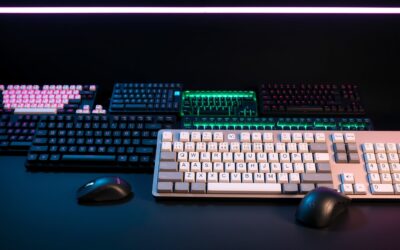
Is a mechanical keyboard worth it in 2026 for modern remote setups? Standard membrane keys stay cheap, yet mechanical options deliver superior tactile feedback and longevity. Customizing modular sockets allows effortless switch tuning and long-term repairs. Investing in quality gear boosts daily productivity and overall desk comfort.
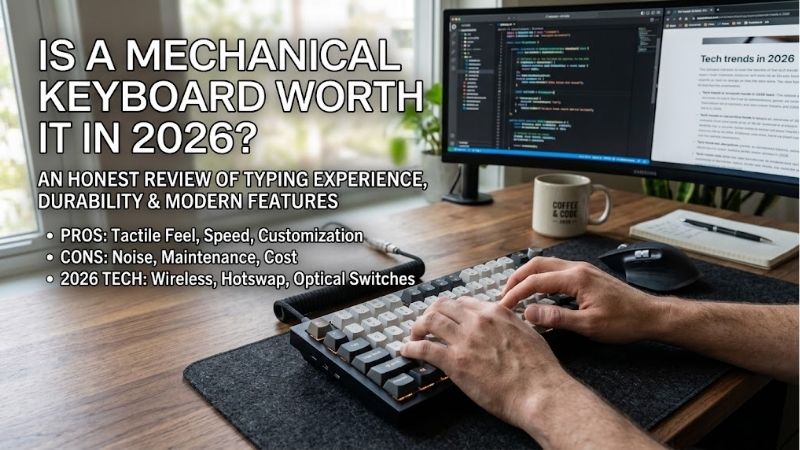
How to Choose the Right Mechanical Keyboard
When asking: is a mechanical keyboard worth it in 2026, you must evaluate key actuation, layout choices, and chassis material. While membrane boards offer quiet typing, enthusiast options elevate comfort through precise switch response. Understanding these factors helps you select a model tailored to your daily desk workflow.
Selecting the Ideal Switch Type
Selecting the right switch determines your overall typing experience across daily tasks. Linear switches deliver smooth, silent actuation preferred by rapid gamers, while tactile switch options offer a subtle physical bump for typing accuracy. Clicky switches provide loud audible feedback that many writers enjoy during long sessions.
Modern mechanical boards feature hot-swappable switches, allowing effortless socket replacements without soldering irons. This modulaar flexibility lets you test different spring weights and stem designs over time. Investing in hot-swappable switches ensures your peripheral evolves alongside your changing preferences and typing style.
Determining Layout and Form Factor
Choosing a layout depends heavily on desk space and numerical entry needs. Full-size layouts include dedicated numpads for data entry, whereas compact 75 percent or tenkeyless designs free up valuable mouse space. Compact form factors promote an ergonomic design that reduces shoulder strain during extended desk sessions and gaming.
When considering if a purchase makes sense, is a mechanical keyboard worth it in 2026 for productivity? Selecting an ergonomic design helps keep wrists in a natural position, mitigating repetitive strain over long hours. Pick a size that balances your daily workflow requirements with available physical desk real estate.
Evaluating Build Quality and Materials
Build materials directly impact chassis rigidity, acoustic resonance, and board longevity. High-end aluminum cases offer substantial weight that keeps the board anchored during intense typing sessions. Incorporating a gasket mount internal design dampens harsh bottom-out vibrations, producing a pleasant acoustic signature and flex.
Keycap materials also play a critical role in daily feel and long-term surface wear. Textured PBT keycaps resist shine and oils far better than cheap ABS plastic keycaps over years of typing. Combining a sturdy aluminum case with premium PBT keycaps guarantees exceptional structural durability and an ultra-satisfying typing feel.
Checking Wireless and Cable Connectivity
Connectivity options determine how seamlessly your keyboard transitions between devices. Multi-device wireless connectivity via Bluetooth 5.1 and 2.4GHz USB dongles offers clean desk setups without cable clutter. Low-latency wireless modes deliver sub-millisecond response rates that rival traditional detachable USB-C wired cables.
High-capacity rechargeable batteries keep wireless models running for weeks with backlighting disabled. Modern wireless connectivity allows instant switching between desktop setups, laptops, and tablets with shortcut keys. Choosing versatile connection modes ensures your keyboard stays functional across all your daily hardware devices.
Top Mechanical Keyboards on Amazon
If you wonder: is a mechanical keyboard worth it in 2026? We compared top Amazon picks to find out. Selecting top-tier models from Amazon ensures verified reliability, fast delivery, and robust customer support. The comparison table below highlights key specs before diving into detailed reviews of each top-rated peripheral model.
| Model | Form Factor | Switch Type | Connectivity | Best For |
| Keychron Q1 Max | 75% Layout | Gateron Jupiter (Hot-swappable) | 2.4GHz / Bluetooth / USB-C | Enthusiast Typists & Developers |
| Razer BlackWidow V4 Pro 75% | 75% Layout | Razer Tactile Orange | 2.4GHz / Bluetooth / USB-C | Competitive & Customization Gamers |
| Keychron C3 Pro | Tenkeyless (TKL) | Red Linear | Wired USB-C | Budget-Conscious First Buyers |
| Logitech G PRO X TKL | Tenkeyless (TKL) | GX Tactile / Linear | Lightspeed 2.4GHz / Bluetooth | Esports & Competitive Gaming |
| Epomaker TH80 Pro | 75% Layout | Gateron Pro Yellow | 2.4GHz / Bluetooth / USB-C | Custom Acoustics on a Budget |
Keychron Q1 Max Wireless Mechanical Keyboard
The Keychron Q1 Max is an ideal choice for programmers and writers seeking a custom mechanical keyboard experience. It features a full aluminum body, gasket mount construction, and triple-mode wireless connections. Pre-lubed Gateron switches provide exceptionally smooth strokes, making every typing session remarkably comfortable.
The heavier aluminum case makes this model less suited for daily travel in a backpack. However, its hot-swappable PCB and double-shot PBT keycaps justify the premium price tag. The Q1 Max delivers an unmatched custom mechanical keyboard typing feel right out of the box with zero modifications required from the user.
Razer BlackWidow V4 Pro 75% Keyboard
The Razer BlackWidow V4 Pro 75% is built for enthusiasts and competitive gamers wanting premium features. It boasts hot-swappable orange tactile switches, a programmable command dial, and vivid chroma RGB lighting. This model bridges the gap between commercial gaming keyboards and enthusiast-grade custom keyboard options effortlessly.
Razer Synapse software can consume noticeable system memory when running complex lighting profiles in the background. Nevertheless, its hot-swappable design, padded wrist rest, and crisp tactile switch response make it a fantastic flagship keyboard. It remains a top choice for desktop gamers seeking peak customization.
Keychron C3 Pro Wired Mechanical Keyboard
The Keychron C3 Pro serves as the absolute best budget option for first-time buyers wanting reliable quality. Featuring a compact 87-key layout, acoustic dampening foam, and red linear switches, it offers smooth typing performance. It proves that entering the mechanical ecosystem does not require spending hundreds of dollars.
Its fixed USB-C cable and lightweight plastic housing feel less premium compared to high-end aluminum models. However, double-shot shine-through keycaps and QMK firmware support provide incredible value under fifty dollars. The C3 Pro is an unbeatable entry-level choice that easily outclasses standard membrane office boards.
Logitech G PRO X TKL Lightspeed Keyboard
The Logitech G PRO X TKL Lightspeed targets esports competitors requiring rapid wireless performance. Equipped with LIGHTSPEED 2.4GHz technology, dedicated media controls, and durable double-shot PBT keycaps, it excels under tournament pressure. Its compact tenkeyless form factor creates extra room for low-DPI mouse movements.
The non-hot-swappable PCB prevents replacing individual key switches if you prefer custom aftermarket stems later on. Still, exceptional battery life and pro-grade wireless connectivity make this one of the most reliable gaming keyboards available. It is a workhorse peripheral designed for high-stakes competitive gaming setups.
Epomaker TH80 Pro Wireless Keyboard
The Epomaker TH80 Pro appeals to budget-conscious hobbyists wanting feature-rich versatility. It packs Bluetooth, 2.4GHz wireless, a metal volume knob, and hot-swappable switches into a sleek 75 percent frame. Pre-lubed linear switches and sound-absorbing foam create a deep acoustic profile that rivals expensive custom boards.
Configuring custom key mappings via proprietary software requires patience during initial desk installation setup. However, long battery capacity and smooth keystroke performance yield extraordinary everyday value. The TH80 Pro proves that feature-packed wireless custom designs can remain affordable for mainstream buyers.
Frequently Asked Questions
When questioning if is a mechanical keyboard worth it in 2026 for daily tasks, reviewing core technical queries helps. We answered frequent user inquiries regarding long-term value, typing comfort, gaming advantages, and price differences. Read on to determine if upgrading from membrane models aligns with your computing routine.
Are Mechanical Keyboards Good for Typing?
Yes, mechanical switches offer vastly superior keystroke consistency and tactile feedback compared to squishy rubber dome keypads. Dedicated switch springs cushion each stroke, reducing finger fatigue during lengthy typing sessions. Writers and programmers report significantly higher typing accuracy and speed on mechanical keys.
Selecting a gentle tactile switch provides crisp physical confirmation without creating loud clicky noise in shared offices. Pairing high-quality switches with durable PBT keycaps ensures long-lasting comfort across daily remote work routines. Modern mechanical layouts remain the gold standard for daily typing performance.
Do Mechanical Keyboards Improve Gaming Performance?
You might ask: is a mechanical keyboard worth it in 2026 for competitive gaming? Mechanical boards deliver faster actuation points and lower latency, providing a competitive edge. Keyboards designed for gaming keyboards feature anti-ghosting and full N-key rollover, ensuring every simultaneous key press registers accurately.
Smooth linear switches allow rapid double-tapping without physical tactile resistance obstructing quick movement inputs. High polling rates and responsive switches give gamers consistent mechanical control in competitive titles. Investing in a gaming-focused board enhances precision across all interactive gaming genres.
How Long Do Mechanical Keyboards Last?
High-grade mechanical switches are rated for 50 to 100 million individual key presses before experiencing performance degradation. In contrast, standard membrane keyboards usually fail after 5 to 10 million strokes due to decaying rubber domes. Exceptional keystroke durability ensures your board lasts for many years of heavy daily use.
Modularity plays a major role in overall peripheral longevity on modern hot-swappable keyboard setups. If an individual key switch fails, you simply swap out that single component rather than replacing the entire unit. Exceptional keystroke durability guarantees long-term value for demanding office and gaming environments.
Why Are Mechanical Keyboards So Expensive?
When weighing long-term costs: is a mechanical keyboard worth it in 2026 over membrane? Higher price points reflect premium structural materials, complex switch mechanisms, and advanced manufacturing processes. CNC-machined aluminum cases, internal dampening foams, and hot-swappable PCBs elevate manufacturing costs significantly.
Furthermore, inclusion of tri-mode wireless connectivity, custom RGB lighting, and pre-lubed switches adds production value. Investing in high-grade switches delivers long-term durability and ergonomic design benefits that offset the higher upfront cost. Quality mechanical hardware remains a lasting investment for your desk.
Final Thoughts
Is a mechanical keyboard worth it in 2026 for daily typing and modern desktop gaming? Considering superior keystroke durability, hot-swappable modular versatility, and customizable acoustic profiles, the answer is a resounding yes. Upgrading your daily peripheral setup delivers tangible ergonomic benefits and lasting productivity gains.