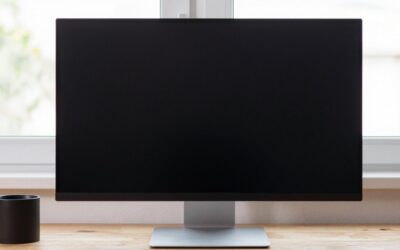
- Top Pick: Dell 27 Monitor S2725QS, 4K UHD IPS, 120Hz, 5ms, FreeSync Premium
- Best Value: Dell 27 Monitor S2725QC, 4K UHD IPS, 120Hz, 99% sRGB, 4ms, FreeSync Premium
- Premium Choice: Dell 27 Plus Monitor – S2725HSM – 27-inch FHD (1920×1080) 144Hz 1ms Display, 2 x 3W Speakers, HDMI Connectivity, Height/Tilt/Pivot/Swivel Adjustability, AMD FreeSync – Ash White
The Dell 27 Plus 4K Monitor – S2725QS sits at the center of a confusing lineup. Dell uses the “Plus” branding across FHD, QHD, and 4K panels at nearly the same screen size, so the real question a buyer faces is not whether Dell makes a good 27-inch monitor — it is which resolution, refresh rate, and feature set matches the way you actually use a display. A gamer chasing smooth motion has different needs than a designer who requires color coverage, and paying a premium for 4K only to play titles that cannot drive 3840×2160 at high framerates is a common mistake.
Comparing published specs and aggregated owner feedback narrows things down quickly. Panel type separates IPS units with wide viewing angles from VA panels with deeper contrast. Connectivity determines whether a monitor handles a laptop, a console, and a desktop without adapter juggling. Ergonomic adjustability affects whether the screen lives at one angle forever or moves with you. The eight displays below represent the most relevant options at this size and price bracket heading into 2026, and the differences between them are more meaningful than the marketing suggests.
As an Amazon Associate we earn from qualifying purchases at no extra cost to you.





Quick Picks
| Product | Best for | Price |
|---|---|---|
| Dell S2725QS | 4K value and high refresh | Check on Amazon |
| Dell S2725QC | Color accuracy plus USB-C | Check on Amazon |
| Dell S2725HSM | Full ergonomics on a budget | Check on Amazon |
| Dell S2725DSM | QHD sweet spot for gaming | Check on Amazon |
| Dell S3225QS | Immersive 4K on a larger panel | Check on Amazon |
| Dell SE2726H | Minimum viable 144Hz display | Check on Amazon |
| Dell S2425HSM | Compact height-adjustable FHD | Check on Amazon |
| LG 27US500-W | 4K productivity, non-gaming focus | $219.9 |
How We Compared
We filtered for displays that a buyer would realistically cross-shop against the S2725QS: 27-inch class monitors with at least a 120Hz refresh rate, FreeSync or G-Sync compatibility, and a street price under $330. Color coverage specs, panel technology, and connectivity options (HDMI version, DisplayPort, USB-C) determined where each unit landed. Ergonomic range and built-in speakers served as tiebreakers, since they materially affect daily comfort and desk cable clutter over months of use.
The 8 Best Dell 27 Plus 4K Monitor – S2725QS in 2026
Dell S2725QS
The S2725QS is the monitor this article is named after, and for good reason. At around $250 it delivers a 4K IPS panel at 120Hz with FreeSync Premium, a combination that was firmly in $400 territory a generation ago. Owner feedback consistently praises text sharpness and smooth motion in titles that can hit high framerates at Ultra HD.
- Pro: 4K UHD resolution paired with 120Hz refresh is rare at this price point, giving future headroom for consoles and PC gaming alike.
- Pro: IPS panel provides wide, consistent viewing angles, so colors hold up even when several people share the screen.
- Con: 5ms response time is respectable but trails the 4ms QHD sibling, which may matter to competitive players.
Skip this one if you are primarily a competitive shooter player who values the lowest possible input latency over resolution density; a QHD panel at higher refresh will serve you better.
Dell S2725QC
The S2725QC trades the S2725QS’s slightly lower response time for 99% sRGB coverage and typically USB-C connectivity. The $50 premium is modest given the color and convenience upgrades. Owners highlight the clean single-cable laptop setup as a daily driver advantage.
- Pro: 99% sRGB makes this a credible choice for photo editing and content work alongside gaming.
- Pro: 4ms response time shaves a full millisecond off the S2725QS, noticeable in fast camera pans.
- Con: The price creeps toward the 32-inch S3225QS, making size-versus-features a genuine dilemma.
Skip the S2725QC if your GPU cannot reliably drive 4K at high refresh in your favorite titles; you will not exploit the resolution advantage over the cheaper QHD option.
Dell S2725HSM
At around $150, the S2725HSM offers full height, tilt, pivot, and swivel adjustability at an FHD resolution most competitive gamers already run. The 144Hz panel and 1ms response time target esports titles where motion clarity trumps pixel density.
- Pro: Ergonomic range at this price is exceptional; very few competitors bundle a height-adjustable stand under $150.
- Pro: Built-in 2x3W speakers eliminate the need for a soundbar on a compact desk.
- Con: FHD at 27 inches results in a visibly lower pixel density; text and UI elements appear softer than at QHD or 4K.
Skip this if you spend meaningful time reading documents or editing media; the FHD resolution on a 27-inch canvas looks coarse compared to anything above.
Dell S2725DSM
The S2725DSM hits what many consider the practical sweet spot: QHD resolution at 144Hz with a 1ms panel, HDMI and DisplayPort 1.4 inputs, and the same full ergonomic stand as its FHD sibling. The around $190 price is a reasonable bridge between budget FHD and premium 4K.
- Pro: DisplayPort 1.4 ensures full bandwidth for QHD at 144Hz without compression artifacts that some HDMI implementations introduce.
- Pro: Ash White finish and clean stand design suit lighter desk setups better than the utilitarian black of the S-series.
- Con: 90Hz is still smoother than 60Hz, but 144Hz QHD is harder for mid-tier GPUs to sustain at high settings than 144Hz FHD.
Skip the S2725DSM if your workflow demands true color-accurate 4K for creative production; this is a gaming-first panel.
Dell S3225QS
The S3225QS steps up to 32 inches with a VA panel, which changes the character of the image significantly. Deeper blacks and higher native contrast give dark-room immersion that IPS units cannot match. At around $330 it is the most expensive entry here but offers the largest screen.
- Pro: VA contrast delivers noticeably deeper blacks in cinematic games and HDR content compared to the IPS 4K siblings.
- Pro: Eye Comfort features reduce strain during long sessions, a point echoed across owner reviews.
- Con: 32 inches demands a deeper desk and greater viewing distance; at a typical 24-inch desk depth the bezels crowd your peripheral vision.
Skip the S3225QS if desk space is tight or if you have experienced VA ghosting on other panels and want to avoid it.
Dell SE2726H
The SE2726H is the lowest-priced entry at around $110 and proves you do not need Dell’s “Plus” tier to get a usable 144Hz IPS panel. TUV-certified low blue light and two HDMI ports make it a practical secondary display or a first monitor for a tight budget.
- Pro: 1ms response time at FHD 144Hz is genuinely competitive for the price, matching panels that cost twice as much.
- Pro: Two HDMI inputs with TUV certification make it an easy plug-and-play option for console and laptop sharing.
- Con: Tilt-only stand means you need a monitor arm or a riser to achieve comfortable eye height.
Skip the SE2726H if you already own a monitor arm and want the S2725HSM instead; the $38 difference buys a full ergonomic stand and speakers, eliminating the arm requirement.
Dell S2425HSM
At 23.8 inches the S2425HSM is physically smaller than the others on this list, but it retains the full ergonomic stand, 144Hz refresh, and 2x3W speakers found in the 27-inch S2725HSM. For buyers with shallow desks or dual-monitor plans where width matters, the smaller footprint is a genuine advantage.
- Pro: Height, tilt, pivot, and swivel adjustability at around $120 undercuts most competitors that offer a fixed stand at this price.
- Pro: 23.8-inch size is ideal for tight desk depths or vertical pivot workflows like coding.
- Con: FHD at 24 inches still produces noticeable pixel visibility at close viewing distances; this is a gaming panel, not a reading screen.
Skip the S2425HSM if you prefer a single large display over dual monitors; the extra three inches of the S2725HSM are worth $27 for most setups.
LG 27US500-W
The LG 27US500-W is the only non-Dell entry here and the cheapest 4K IPS option at $219.9. It targets productivity and media consumption rather than gaming, with a borderless design and Reader Mode. HDR10 support is present but its brightness ceiling means HDR content looks flat compared to dedicated gaming HDR panels.
- Pro: Borderless IPS 4K at under $220 makes sharp text and color a realistic budget goal for office use.
- Pro: Flicker Safe and Reader Mode reduce eye strain during long text-heavy sessions better than most gaming-oriented panels.
- Con: Standard 60Hz refresh means it cannot keep up with FreeSync gaming or provide the motion smoothness of the Dell S-series.
Skip the LG 27US500-W entirely if you game; its 60Hz limitation is disqualifying next to the 120-144Hz Dells at similar prices.
Buying Guide
Resolution and Panel Size: Matching Pixels to Distance
At 27 inches, FHD (1920×1080) produces roughly 81 pixels per inch, while QHD hits about 109 PPI and 4K reaches 163 PPI. The practical difference: FHD text has visible softness at typical desk distances, QHD looks clean for most tasks, and 4K gives you console-grade sharpness for media and dense spreadsheets. However, 4K at 120Hz demands a GPU with enough power to push that pixel count in your actual games; otherwise you are paying for resolution you cannot use at high framerates.
Refresh Rate and Adaptive Sync: Where Smoothness Comes From
A 60Hz panel renders each frame for 16.7 milliseconds; a 120Hz panel cuts that to 8.3 ms, and 144Hz to roughly 6.9 ms. The perceptual jump from 60Hz to 120Hz is dramatic, while 120Hz to 144Hz is subtler. FreeSync Premium compatibility ensures the GPU and monitor agree on variable frame delivery, eliminating tearing without the input lag that older V-Sync implementations introduced. For console gaming, confirm your specific console supports 120Hz output over HDMI at your target resolution.
Ergonomics and Connectivity: The Daily-Use Factors
Height adjustment alone is worth the price difference between a tilt-only stand and a full ergonomic base. Monitor arms solve this, but they add cost and require a desk with enough edge depth to clamp. Connectivity-wise, DisplayPort 1.4 is preferred for PC gaming because it carries the full bandwidth for QHD or 4K at high refresh without relying on display compression. HDMI 2.1 matters only if you are connecting a current-gen console; otherwise HDMI 2.0 covers the FHD and QHD options here without compromise.
Our Verdict
The Dell S2725QS is the top pick for anyone shopping specifically for a Dell 27 Plus 4K Monitor – S2725QS experience: it delivers the resolution, refresh rate, and panel quality most buyers want at a price that undercuts previous-generation 4K IPS displays. For the budget pick, the Dell SE2726H at around $110 provides 144Hz IPS gaming at FHD for the cost of a meal out. One condition where another product wins decisively: if you game competitively at settings your GPU can only sustain at QHD rather than 4K, the Dell S2725DSM at around $190 gives you 144Hz with headroom to actually use it, plus a superior ergonomic stand.
FAQ
Is the Dell S2725QS worth it over the S2725DSM for gaming?
Only if your GPU can drive your target titles at 4K and 120Hz or higher. If you typically play competitive games at medium or low settings where QHD 144Hz is achievable, the S2725DSM delivers more usable frames per dollar. The S2725QS rewards players in cinematic single titles or anyone whose GPU has genuine 4K headroom.
Do I need a monitor arm if I buy the SE2726H?
Not strictly, but the SE2726H ships with a tilt-only stand, which limits you to a fixed height. If your desk happens to place the screen at comfortable eye level, tilt alone works. Most users find they need at least a couple of inches of height adjustment for proper posture, making an arm or a riser a practical add-on for this model specifically.
Will the 4K Dell monitors work well with a PS5 or Xbox Series X?
Yes, both the S2725QS and S2725QC accept HDMI input and can display 4K content from current-gen consoles. The 120Hz refresh applies when the console outputs at that rate, which currently requires selecting a supported game mode. HDR performance on these IPS panels is limited compared to mini-LED or OLED alternatives, so dark scenes will look flatter than on higher-end displays.
What is the real difference between the S2725QS and S2725QC?
The S2725QC adds 99% sRGB color coverage and a faster 4ms response time compared to the S2725QS’s 5ms, and typically includes USB-C connectivity for single-cable laptop docking. For pure gaming the S2725QS is nearly identical in experience and costs $50 less. The S2725QC earns its premium when creative color work or laptop convenience factors into the purchase decision.
Top picks from this guide
 DellDell 27 Monitor S2725QS, 4K UHD IPS, 120Hz, 5ms, FreeSync…$280 \xc2\xb7 98/100
 DellDell 27 Monitor S2725QC, 4K UHD IPS, 120Hz, 99% sRGB,…$330 \xc2\xb7 96/100
 LGLG 27US500-W Ultrafine Monitor 27-Inch 4K UHD (3840x2160) HDR10 IPS…$236 \xc2\xb7 95/100
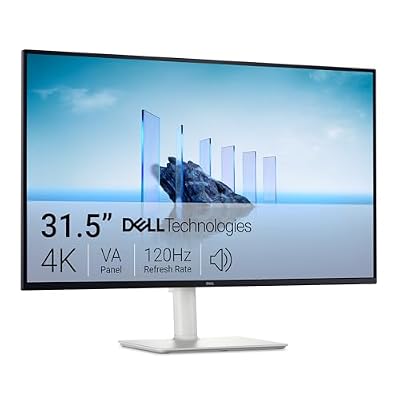 DellDell 32 Monitor S3225QS, 4K UHD VA, 120Hz, FreeSync Premium,…$329 \xc2\xb7 95/100