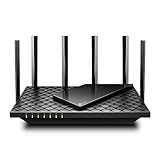
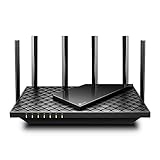
- Top Pick: TP-Link Deco X55 AX3000 WiFi 6 Mesh System – Covers up to 6500 Sq.Ft, Replaces Wireless Router and Extender, 3 Gigabit Ports per Unit, Supports Ethernet Backhaul, Deco X55(3-Pack)
- Best Value: TP-Link Deco S4 Mesh AC1900 WiFi System – Up to 5,500 Sq.ft. Coverage, Replaces WiFi Router and Extender, Gigabit Ports, Works with Alexa, Deco S4(3-Pack)
- Premium Choice: TP-Link Deco 7 BE23 Dual-Band BE3600 WiFi 7 Mesh Wi-Fi System | 4-Stream 3.6 Gbps, 160 Mhz | Covers up to 6,500 Sq.Ft | 2× 2.5G Ports Wired Backhaul | VPN,MLO,AI-Roaming, HomeShield, 3-Pack
Dead zones in the back bedroom, buffering in the basement, a garage office with one bar of signal: these are the frustrations a whole-home router or mesh system is built to erase. Instead of a single box fighting to blanket every corner, mesh spreads several nodes across your house to deliver consistent coverage everywhere.
We researched a range of TP-Link Deco mesh systems and standalone routers to figure out which whole-home solution actually delivers on the promise. Here is our review of the standouts, how they perform, and how to choose the right one for your square footage and budget.
As an Amazon Associate we earn from qualifying purchases at no extra cost to you. Product prices and availability are accurate as of the date shown and are subject to change.





🎮 Get More From Your Setup — Free
Prime Gaming gives you free PC games every month, in-game loot, and a free Twitch channel sub — plus fast free shipping on all the gear above. New members get a 30-day free trial.
Watch: Whole Home Router: Review & Buyer’s Guide — Video Review
Design & Build
Mesh systems trade the aggressive antenna-covered look of gaming routers for discreet, rounded towers that blend into a shelf or countertop. The TP-Link Deco X55 and Deco S4 nodes are compact and unobtrusive, each carrying multiple Gigabit ports so you can hardwire a console or NAS at any node. The newer Deco 7 BE23 and Deco 7 Pro BE63 step up to WiFi 7 with 2.5G and even 10G ports for wired backhaul, which keeps node-to-node traffic off your wireless bands. Setup across all of them runs through a phone app that walks you through placement and gives you a genuinely clean, modern experience. Standalone options like the TP-Link BE6500 keep a more traditional router shape for households that only need to cover a couple thousand square feet from one spot.
Performance
Coverage is where these systems shine. The three-pack Deco X55 blankets up to 6,500 square feet with AX3000 WiFi 6 speeds, and Ethernet backhaul support means you can wire the nodes together for rock-solid stability in larger or multi-story homes. For big households chasing WiFi 7, the Deco 7 Pro BE63 pushes tri-band BE10000 speeds with 10 Gbps of throughput and four 2.5G ports, ideal if you have gigabit-plus internet and lots of devices. Budget-conscious buyers get excellent value from the AC1900 Deco S4, which still covers thousands of square feet and handles streaming and browsing across a full family without breaking a sweat. In every case, the seamless roaming as you walk from room to room, without the connection dropping, is the real win over range extenders.
Pros & Cons
- Whole-home coverage that eliminates dead zones across multiple floors.
- Seamless roaming so devices stay connected as you move.
- Easy app-based setup and ongoing management.
- Ethernet backhaul support for maximum stability in larger homes.
- Higher cost than a single router, especially WiFi 7 systems.
- WiFi 7 benefits require compatible devices and fast internet to shine.
Alternatives to Consider
If your home is smaller or single-story, a powerful standalone router like the TP-Link BE6500 (BE400) covers up to 2,400 square feet and around 90 devices for less than a full mesh kit. Households on a tight budget can start with the two-pack Deco S4 and add nodes later. Conversely, if you have a very large home with gigabit-plus service and dozens of smart devices, investing in the Deco 7 Pro BE63 future-proofs your network for years.
Frequently Asked Questions
How many mesh nodes do I need?
As a rule of thumb, a two-pack suits homes up to about 3,000–4,000 square feet, while a three-pack covers up to 6,500. Multi-story homes and thick walls may need an extra node.
Is WiFi 7 worth it right now?
Only if you have WiFi 7 devices and internet faster than a gigabit. Otherwise a WiFi 6 system like the Deco X55 delivers excellent performance for far less money.
What is Ethernet backhaul and why does it matter?
It means wiring your nodes together with Ethernet instead of relying on wireless links between them. This frees up bandwidth and dramatically improves stability in larger homes.
Can I mix a mesh system with my existing router?
You can run the mesh in access-point mode behind an existing router, but for best results let the mesh system handle routing directly to enable seamless roaming.
Verdict
For most homes plagued by dead zones, the TP-Link Deco X55 three-pack is the sweet spot, offering huge WiFi 6 coverage, Ethernet backhaul, and simple setup at a fair price. Budget buyers should grab the Deco S4, and anyone with a large home and fast internet will love the future-proof Deco 7 Pro BE63. Whichever you pick, mesh will transform how your whole house connects.