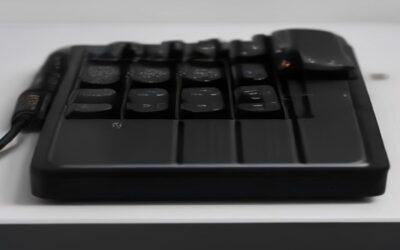
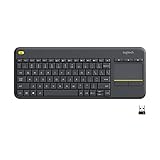
- Top Pick: Logitech K400 Plus Wireless Touch TV Keyboard for Media Control – Black
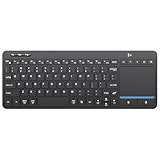
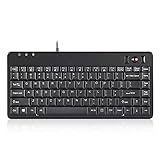
- Best Value: Vilros 15 Inch USB Keyboard with Touchpad-Great For Raspberry Pi
- Premium Choice: Arteck 2.4G Wireless Touch TV Keyboard with Easy Media Control and Built-in Touchpad Mouse Solid Stainless Ultra Compact Full Size Keyboard -Connected Computer, Smart TV, HTPC
A keyboard with a mouse built in collapses two peripherals into one, and for the right setup that is a genuine upgrade in convenience. Whether you are controlling a TV-connected PC from the sofa, running a presentation, or simply decluttering a tight desk, an integrated touchpad means you never reach for a separate mouse or hunt for a flat surface to roll it on.
These all-in-one boards range from tiny living-room controllers to compact ergonomic desk units, so the best choice depends on where and how you use it. This review breaks down the trade-offs and highlights the top picks.
As an Amazon Associate we earn from qualifying purchases at no extra cost to you. Product prices and availability are accurate as of the date shown and are subject to change.





🛒 Best Price Today on Amazon
Prime members get fast, free shipping on everything above, plus member-only deals. New members get a 30-day free trial — cancel anytime.
Design & Build
The dominant design pairs a compact keyboard with a touchpad set to one side. The Logitech K400 Plus is the benchmark, a lightweight wireless board built for media rooms, while the Arteck 2.4G stainless model adds a solid, ultra-compact full-size feel with built-in touchpad and media controls. The Adesso AKB-450UB takes an ergonomic wired approach with an integrated touchpad for desk use, and multi-device Bluetooth boards like the Bnnwa QWERTY model let one unit control several gadgets. The Vilros USB board serves the maker crowd building around small single-board computers.
Performance
Touchpad responsiveness and wireless range define the experience. The K400 Plus and Arteck boards track smoothly and reach comfortably across a living room, making them ideal HTPC companions. The Adesso ergonomic model prioritizes typing comfort at a desk with a reliable wired connection, and multi-device Bluetooth options excel for users juggling a laptop, tablet, and phone. As with all integrated pointers, the touchpads suit navigation and media control rather than precision gaming or detailed design work, where a dedicated mouse still rules.
Pros & Cons
- One-device convenience with no separate mouse required.
- Great for couches and presentations, led by the K400 Plus.
- Ergonomic wired options like the Adesso suit tidy desks.
- Multi-device Bluetooth models control several gadgets at once.
- Touchpads lack precision for gaming and design tasks.
- Compact layouts can feel cramped for fast touch typing.
- Battery-powered models need occasional recharging or new cells.
Alternatives to Consider
For a media-room PC, the Logitech K400 Plus is the safe, proven pick, while the Arteck stainless model offers a more solid full-size feel. Desk users who want ergonomics should look at the Adesso AKB-450UB with its wired reliability. Those managing multiple devices will appreciate a multi-device Bluetooth board like the Bnnwa. And if precise cursor control is non-negotiable, pairing a standard compact keyboard with a dedicated mouse remains the better route.
Related Guides
- Best Budget Mechanical Keyboard For Gaming (2026)
- Best Budget Mechanical Keyboard For Gaming (2026)
- What Are The Best Gaming Keyboards (2026)
- Wooting 60he Gaming Keyboard (2026)
Frequently Asked Questions
Is the built-in mouse good enough for everyday use?
For browsing, media, and general navigation, yes. For gaming or graphic design, a separate mouse offers the precision these touchpads cannot match.
Which model is best for a home theater PC?
The Logitech K400 Plus is the standard recommendation thanks to its couch-friendly range and dependable touchpad.
Are there wired options?
Yes. The Adesso AKB-450UB and Vilros USB boards connect by cable for setups that prefer no batteries or wireless dongles.
Can one keyboard control multiple devices?
Multi-device Bluetooth models can pair with and switch between several gadgets, ideal for a phone, tablet, and laptop workflow.
Verdict
A keyboard with a mouse built in is the tidiest solution for living-room PCs and space-conscious desks. The Logitech K400 Plus leads for media use, the Arteck stainless board offers a sturdier feel, and the Adesso AKB-450UB wins for ergonomic desk work. Choose based on your environment, and enjoy the simplicity of leaving the mouse behind.