
- Top Pick: 15.6" Laptop Screen Extender, 1080P FHD Triple Portable Monitor for Laptops, Ultra-Slim Travel Dual Monitor Fit for 12"-17.3" Laptops, USB-C Plug&Play Extended Screen Compatible with Win/Mac/Android
- Best Value: Vixtan 14" Triple Laptop Screen Extender, 3.0 lbs Lightweight FHD IPS Portable Monitor for Laptop, USB-C Plug & Play Multi Screen Attachment for 13-17.3" laptops with Windows/Mac/Chrome
- Premium Choice: Synnov 15.6“ Laptop Screen Extender, 1080P FHD Ultra Light & Portable Triple Monitor for Laptops, Fit for 12"-17.3" Laptops, Plug & Play Travel Monitor Extender Compatible with Wins/MacOS/Chrome
The triple-monitor laptop extender has quietly become one of the most useful accessories a mobile professional can own. By folding two extra IPS panels out from your laptop lid, it recreates a three-screen desktop wherever you happen to be, whether that is a hotel desk, a coffee shop, or a cramped home office corner.
The market is now crowded with capable options, so the decision comes down to weight, cable count, panel quality, and how smoothly each one cooperates with your operating system. This review compares the leading triple-screen extenders to help you find the one that suits your laptop and the way you work.
As an Amazon Associate we earn from qualifying purchases at no extra cost to you.



🎮 Get More From Your Setup — Free
Prime Gaming gives you free PC games every month, in-game loot, and a free Twitch channel sub — plus fast free shipping on all the gear above. New members get a 30-day free trial.
Watch: Triple Monitor Laptop — Video Review
Design & Build
Weight is the first thing you notice, and it varies more than you might expect. The Vixtan 14-inch triple tips the scales at just over three pounds, making it one of the lighter options and a favorite for frequent travelers. The Synnov 15.6-inch and VueForge 15.6-inch add larger panels for more screen area at the cost of some heft, with the VueForge using a two-cable USB-C and HDMI arrangement. The 235-degree rotating dual/triple model adds a detachable, rotating panel for presenting to others, while the KYY quad extender pushes toward a four-screen workstation. All use aluminum-heavy construction to stay rigid without overloading the hinge.
Performance
Panel quality is uniformly good: 1080p FHD IPS displays with wide viewing angles that handle documents, browsers, and video calls with ease. The single-cable models simplify life enormously, carrying video and power over one USB-C line, though larger triple setups like the VueForge sometimes need a second cable or more port bandwidth than a thin laptop offers. Windows machines are generally plug-and-play, while macOS often needs a DisplayLink driver to light up more than one external panel. Refresh sits at 60Hz, perfect for productivity and media but not aimed at competitive gaming. The Vixtan’s low weight makes it the least fatiguing to carry and mount day after day.
Pros & Cons
- Three screens on the go, transforming any laptop into a portable workstation.
- Lightweight options like the Vixtan for travelers who count every ounce.
- Single-cable USB-C designs keep setup fast and clutter-free.
- Sharp FHD IPS panels with strong viewing angles across the board.
- Lid weight can stress thinner laptop hinges over time.
- macOS driver requirement for multiple panels on Apple Silicon.
- Two-cable models like the VueForge add a little setup friction.
Alternatives to Consider
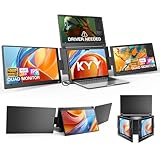
If you only occasionally need extra space, a lighter dual extender saves weight and money. Users tethered to one desk get more from full-size external monitors on an arm. And for a maximal portable setup, the KYY quad extender adds a fourth panel, though it asks more of your laptop’s ports and battery than a standard triple.
Related Guides
Frequently Asked Questions
Will a triple extender work with my laptop?
Most fit 12 to 17-inch laptops and connect over USB-C or HDMI. Confirm your USB-C port supports video output before buying.
Does it work on a MacBook?
Yes, but Apple Silicon typically needs DisplayLink software to run more than one external screen. Windows laptops are usually true plug-and-play.
How heavy are these on the lid?
Lighter models like the Vixtan sit near three pounds, while larger 15.6-inch triples weigh more. Thin ultrabooks pair best with the lightest options.
Can it run all three screens on one cable?
Some single-cable USB-C models can, but larger triples often need a second cable or external power to run reliably.
Verdict
A triple-monitor laptop extender is a legitimate productivity multiplier, and the right pick depends on your priorities. The Vixtan 14-inch wins for travelers who value low weight, while the Synnov 15.6-inch offers bigger panels for a stationary setup. Verify your laptop’s USB-C video support and OS compatibility, and you will carry a three-screen desk in your bag.









