Shopping for a light gaming laptop in 2026 means wading through a sea of nearly identical spec sheets, vague marketing terms like “gaming-ready,” and price points that swing wildly for reasons that aren’t always clear. Most buyers in this category aren’t chasing 4K ray tracing—they want smooth 1080p performance in popular titles, a machine that can also handle work, school, or streaming, and a price that doesn’t rival a gaming desktop.
This guide breaks down six current options ranging from budget-friendly AMD-powered laptops built for everyday gaming and multitasking, up to a genuine high-performance rig for buyers who want serious frame rates. We’ll cover what actually matters when choosing one of these machines, review each pick’s strengths, and help you land on the right laptop for your budget and use case.
As an Amazon Associate we earn from qualifying purchases.






How to Choose a Laptop For Light Gaming (2026)
- GPU and CPU pairing: Integrated graphics like Radeon 660M/680M/780M handle esports titles and older AAA games well, but a dedicated GPU like an RTX 5060 is necessary for modern titles at higher settings.
- RAM and storage: 16GB RAM is the practical minimum for gaming plus multitasking; 512GB SSD or larger avoids constant file-juggling as game libraries grow.
- Display quality: Look for FHD IPS panels with wide viewing angles at minimum; higher refresh rates (120Hz+) make a noticeable difference in fast-paced games.
- Thermal design and portability: Thin-and-light chassis are great for travel but can throttle under sustained load—check for adequate cooling if you plan long gaming sessions.
- Ports and connectivity: USB-C/USB4 for fast charging and docking, HDMI for external monitors, and Wi-Fi 6 or better all matter for a laptop that pulls double duty as a workstation.
The Best Laptop For Light Gaming (2026)s Reviewed
NIMO 15.6″ Ryzen 5 6600H
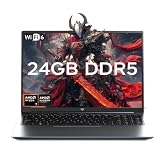
A well-balanced entry point with a capable 6-core Ryzen 5 and Radeon 660M graphics, this NIMO handles esports titles and light-to-moderate gaming smoothly. The 100W Type-C charging and fingerprint reader are nice touches rarely seen at this price.
NIMO 17.3″ Ryzen 7 8745HS
With 32GB of RAM, a 1TB SSD, and Radeon 780M graphics, this is the most powerful integrated-graphics option here, comfortably handling multitasking, streaming, and content creation alongside gaming. The larger 17.3″ display and USB4 support make it a strong desktop replacement.
NIMO Thin & Light Ryzen 7 7735HS
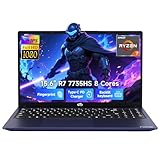
This model pairs a fast 7735HS processor with Radeon 680M graphics in a genuinely portable chassis, making it a great fit for students or professionals who need gaming capability without sacrificing travel-friendly weight. The 180° hinge is a small but practical bonus.
Light Gaming Laptop Ryzen 7 5700U
The most budget-conscious pick, this 5700U laptop trades some raw gaming muscle for excellent battery efficiency and snappy multitasking thanks to its 8-core/16-thread design. It’s best suited for older or less demanding titles rather than current AAA releases.
NIMO 15.6″ Ryzen 5 6600H (256GB)
Nearly identical to the 16GB/512GB NIMO variant but with a smaller 256GB SSD, this configuration suits buyers who prioritize storing games on external drives or cloud services while keeping upfront cost down. Radeon 660M graphics again deliver reliable performance in lighter titles.
Frequently Asked Questions
Do I need a dedicated GPU for light gaming?
Not necessarily. Modern integrated GPUs like the Radeon 680M and 780M handle popular esports titles and older AAA games at 1080p reasonably well, though a dedicated GPU like the RTX 5060 offers noticeably better performance in demanding modern titles.
How much RAM is enough for light gaming and multitasking?
16GB is the practical baseline in 2026, letting you run a game alongside Discord, a browser, and streaming software without slowdown. 32GB is worth considering if you frequently multitask heavily or do content creation.
Will a thin-and-light gaming laptop overheat?
Thinner chassis designs generally run warmer under sustained load and may throttle performance during long sessions, but for casual or moderate gaming most modern thin-and-light laptops manage heat adequately.
Is it worth paying more for a dedicated GPU laptop like the ROG Strix?
If you play graphically demanding or competitive titles at higher settings and frame rates, yes—the performance gap between integrated graphics and a dedicated GPU like the RTX 5060 is substantial and will extend the laptop’s useful lifespan for gaming.
Final Thoughts
For most buyers, the NIMO 17.3″ Ryzen 7 8745HS offers the best all-around value with its powerful integrated graphics and generous RAM/storage, while the NIMO Thin & Light Ryzen 7 7735HS is the top pick for portability-focused users. If budget allows and gaming performance is the priority, the ASUS ROG Strix G16 with its RTX 5060 is the clear upgrade pick for serious frame rates.