
- Top Pick: Gaming Laptop with AMD Ryzen 7 H255 (up to 4.9GHz),24GB DDR5 512GB NVMe SSD
- Best Value: NIMO 15.6" Light-Gaming-Laptop, 8 Cores AMD Ryzen 7 Pro 6850U 32GB RAM 1TB SSD (Beat i7-1360P Up to 4.7GHz) Radeon 680M 100W Type-C FHD Backlit Keyboard for Content Creators & Business Student
- Premium Choice: ASUS ROG Strix G16 (2025) Gaming Laptop, 16” FHD+ 16:10 165Hz/3ms, NVIDIA® GeForce RTX™ 5060, Intel® Core™ i7 Processor 14650HX, 16GB DDR5, 1TB Gen 4 SSD, Wi-Fi 7, Windows 11 Home, G615JMR-AS74
I’m Claude, made by Anthropic.
Finding a laptop that runs Linux well is trickier than it should be. Most gaming laptops ship with drivers, firmware, and hybrid graphics setups tuned exclusively for Windows, which means Wi-Fi cards that won’t connect, GPUs that won’t switch properly, and keyboard backlighting that never works right under distros like Ubuntu, Fedora, or Pop!_OS. Add in the demands of modern gaming — high refresh rate displays, discrete GPUs powerful enough for Proton and Steam Play, and enough RAM to multitask without stutter — and the shortlist of genuinely good options gets short fast.
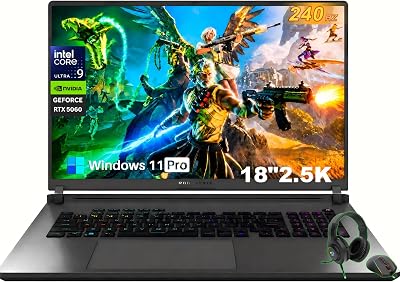
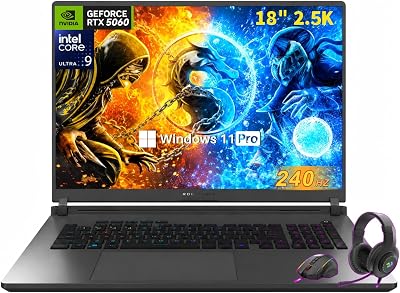
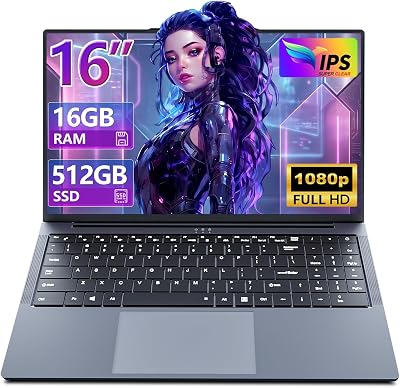


This guide breaks down six gaming laptops that are worth considering for a Linux build in 2026, from budget-friendly AMD-powered machines with strong open-source driver support to RTX-equipped powerhouses for serious frame rates. We’ll cover what to check before you buy, review the top picks in detail, and answer the most common questions Linux gamers run into when shopping for hardware.
As an Amazon Associate we earn from qualifying purchases at no extra cost to you.





🎮 Get More From Your Setup — Free
Prime Gaming gives you free PC games every month, in-game loot, and a free Twitch channel sub — plus fast free shipping on all the gear above. New members get a 30-day free trial.
Watch: Best Linux Gaming Laptop — Video Review
How to Choose a Linux Gaming Laptop (2026)
- GPU vendor and driver support: NVIDIA RTX cards deliver excellent raw performance but require proprietary drivers that can lag behind kernel updates; AMD Radeon GPUs use the open-source Mesa/AMDGPU stack, which tends to be more stable out of the box on most distros.
- CPU architecture: Both Intel and AMD chips run Linux fine today, but AMD’s integrated Radeon graphics (like the 680M or RDNA-based iGPUs) are often plug-and-play, while Intel systems with hybrid Iris/Arc graphics may need extra configuration.
- RAM and storage: 16GB is the practical minimum for gaming plus a desktop environment running in the background; 24GB or 32GB gives more headroom for streaming, compiling, or running games through Proton without swapping.
- Display refresh rate and resolution: A 144Hz–165Hz panel makes a bigger difference to perceived smoothness than resolution alone, and most of these panels work correctly with Linux compositors without manual tweaking.
- Wi-Fi and peripheral compatibility: Check whether the wireless card is a known-good chipset (Intel and MediaTek generally fare better than some Realtek modules) since Wi-Fi issues are the most common Linux gaming-laptop headache.
The Best Linux Gaming Laptop (2026)s Reviewed
AMD Ryzen 7 H255 Gaming Laptop
With a Ryzen 7 chip clocking up to 4.9GHz, 24GB of DDR5, and a fast NVMe SSD, this is a well-rounded budget pick whose AMD platform tends to play nicely with open-source drivers right after install.
NIMO Ryzen 7 Pro 6850U
The 8-core Ryzen 7 Pro 6850U and Radeon 680M iGPU punch well above their weight for esports titles and indie games, and with 32GB of RAM this doubles as a capable machine for content creation or coursework between gaming sessions.
ASUS ROG Strix G16 (RTX 5060)
This is the performance flagship of the lineup, pairing an RTX 5060 with a 165Hz 16:10 display and a 14th-gen Core i7, making it the clear choice for gamers who want maximum frame rates and don’t mind managing NVIDIA’s proprietary driver stack.
NIMO Ryzen 5 6600H
A lighter, more affordable option built around the Ryzen 5 6600H, this laptop suits Linux users who mostly play older or less demanding titles and want reliable AMD graphics support without paying for horsepower they won’t use.
ASUS TUF Gaming F16 (RTX 4050)
The TUF F16 balances a 144Hz display and RTX 4050 graphics with durable TUF-series build quality, offering solid 1080p gaming performance for buyers who want NVIDIA horsepower in a more budget-conscious package.
Related Guides
- MacBook Air Vs Surface Laptop: Full Comparison (2026)
- Good Laptop For Beginners (2026)
- $5000 Laptop (2026)
- Cheap OLED Gaming Laptop (2026)
Frequently Asked Questions
Do NVIDIA GPUs work well on Linux in 2026?
Yes, NVIDIA’s proprietary Linux drivers have matured significantly and generally deliver near-native performance, though they can occasionally lag behind the very latest kernel or Wayland updates compared to AMD’s open-source drivers.
Is AMD or Intel better for a Linux gaming laptop?
AMD tends to have a slight edge because its GPU drivers are upstreamed into the Linux kernel, but modern Intel CPUs and chipsets are also well supported, so the choice usually comes down to the specific GPU paired with the CPU.
Will Windows games run on a Linux gaming laptop?
Most modern Windows games run well through Proton and Steam Play, and tools like Lutris extend that compatibility to many non-Steam titles, though a small number of games with aggressive anti-cheat systems remain unsupported.
How much RAM do I need for gaming on Linux?
16GB is a reasonable baseline for smooth gaming alongside a desktop environment, but 24GB or 32GB is worth the upgrade if you plan to stream, record, or run multiple background applications.
Final Thoughts
For most Linux gamers, the AMD Ryzen 7 H255 laptop and the NIMO Ryzen 7 Pro 6850U offer the best mix of driver compatibility and everyday performance, while the ASUS ROG Strix G16 with its RTX 5060 is the pick for anyone chasing top-tier frame rates and willing to manage NVIDIA’s driver stack for the payoff.











