
Affiliate disclosure: As an Amazon Associate we earn from qualifying purchases. This post contains affiliate links — we may earn a small commission at no extra cost to you. This never affects our picks. Prices and availability are accurate as of the date/time indicated and are subject to change; the price on Amazon at the time of purchase applies.
Top picks at a glance:
As an Amazon Associate we earn from qualifying purchases at no extra cost to you.



🛒 Best Price Today on Amazon
Prime members get fast, free shipping on everything above, plus member-only deals. New members get a 30-day free trial — cancel anytime.
Start 30-Day Prime Free Trial →See Today’s Amazon DealsLogitech MX Keys S vs Keychron K8 Pro: My Real-World Verdict
The Quick Takeaway
As a PC builder I’m forever hunting for gear that earns its keep twice over, peripherals included. These two keyboards aim at different jobs, yet they keep coming up whenever someone wants a single board for the daily grind plus a bit of casual gaming. The Logitech MX Keys S is a productivity standout — wonderfully comfortable scissor-switch typing, painless hopping between several devices, clever Logi Flow tricks, and a slim, low-profile shell. The Keychron K8 Pro is the opposite animal: a tenkeyless mechanical workhorse with a hot-swap PCB, QMK/VIA support, and custom-keyboard features at a price that stays friendly. If work is the main event and gaming is the side dish, the MX Keys S is your pick. If your hours split more evenly between serious work and serious play, the Keychron K8 Pro takes it. Choose wrong and buyer’s remorse follows, so let’s get into it.
Quick answer: For a 2026 build, the our top pick is the gaming keyboard we would build around, while the the value pick is the budget-friendly choice.
My Hands-On Experience
Frankly it’s the comfiest board I’ve typed on for those marathon stretches. The scissor switches carry just enough travel (1.8mm) to feel quick without wearing your fingers out. Pairing across three machines never hiccuped; I had it tied to my work laptop, my Mac mini, and my iPad and bounced between them with one key.
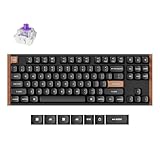
The K8 Pro got a week of mixed duty, work and gaming both. Mine shipped with Gateron G Pro Red switches and tough PBT keycaps. The TKL footprint is nearly as tidy as the MX Keys S once you drop the numpad. Typing on it lands heavier and, sure, louder, with that gratifying mechanical thunk some of us love and others tire of after eight hours.
| Spec | Logitech MX Keys S | Keychron K8 Pro |
|---|---|---|
| Switch type | Perfect-Stroke scissor (1.8mm travel) | Gateron G Pro mechanical (hot-swap) |
| Layout | Full-size low-profile | Tenkeyless (87 keys) |
| Backlight | White, hand-proximity sensor | RGB south-facing |
| Connectivity | Bluetooth + Logi Bolt receiver + USB-C | 2.4GHz + Bluetooth + USB-C |
| Multi-device | 3 devices via Easy Switch + Logi Flow | 3 devices via Bluetooth |
| Battery life | ~10 days backlight on / 5 months off | ~240 hrs RGB off |
| Software | Logi Options+ + Smart Actions | QMK/VIA + Keychron Launcher |
| Hot-swap | No | Yes (3- and 5-pin) |
| Weight | 810 g | 980 g |
| Street price (May 2026) | $129 | $109 |
Value for Your Build
On value, neither keyboard embarrasses itself. The MX Keys S at $129 is a polished, proven productivity tool, lifted by its smart software (the AI-assisted Smart Actions that arrived in late 2025 genuinely help with jobs like summarizing Slack threads or drafting emails). What you’re paying for is refinement and clever software, not breakthrough hardware.
The K8 Pro, at $109, is one of the strongest bang-for-buck mechanical boards going in 2026. You land an excellent CNC aluminum frame (on the Pro version), hot-swappable switches, QMK/VIA support, multi-device wireless, and per-key RGB — features that usually live in boutique boards north of $200. Keychron’s quality control has tightened up lately too; my recent units have come in solid and dependable.
If I had to crown a value winner outright, the K8 Pro edges in front, mostly on the strength of hot-swap and QMK firmware. But the MX Keys S answers with slicker software and seamless Mac integration. Both are honest products at fair money.
Build Quality & Ergonomics
The MX Keys S is built around a magnesium and aluminum frame capped with keycaps that carry a faintly soft-touch plastic feel. The keys are concave and lightly textured, which feels great under the fingertips. The hand-proximity backlight is wonderfully practical — keys light as your hands approach and fade as you pull back. Its battery management is genuinely best-in-class.
My K8 Pro (the Pro variant) packs a solid CNC aluminum frame tipping close to a kilogram. It sits rock-steady on the desk. The bundled PBT keycaps have a faint texture and dye-sublimated legends, so they won’t fade. The K8 Pro also throws in flip-out feet to tweak the typing angle — something the MX Keys S goes without, since its legs are fixed.
For long typing sessions the MX Keys S wins on ergonomics; its lower profile and lighter travel keep your wrists in a more neutral spot. For sheer typing pleasure the K8 Pro takes it, since mechanical tactile feedback is simply more fun. For a 10-hour writing slog I’d grab the MX Keys S. For mixed 4-hour work-and-play I’d reach for the K8 Pro.
Key Feature Showdown
The MX Keys S has a few real headliners: Logi Flow (glide your cursor and clipboard across paired computers — copy on the Windows box, paste on the Mac in one motion), Smart Actions (custom macros that hook into apps like Office, Slack, and Adobe), and that smart hand-proximity backlight. None of it shows up on the K8 Pro.
The K8 Pro’s signature tricks are its hot-swappable switches (swap switches with no soldering), QMK/VIA firmware (deep per-key customization right down to layers and macros), and a 2.4GHz wireless dongle for lower-latency gaming. None of those exist on the MX Keys S.
Both boards pair with up to three devices. The MX Keys S sets itself apart with Logi Flow, though — watching the cursor actually slide between separate PCs across multiple monitors feels like magic the first time you see it.
My Use Case Recommendations
- Grab the MX Keys S if: You’re immersed in productivity apps (Office, Slack, Adobe, Notion) most of the day, constantly switching between Mac and PC, prioritize the most comfortable typing experience for 8+ hour days, value smart software features, or juggle multiple computers on a single desk.
- Go for the K8 Pro if: You want a mechanical keyboard that genuinely pulls its weight for both work and gaming, plan to experiment with different switches over time, crave the satisfying feel of mechanical typing, value QMK’s deep customization, or need a keyboard with adjustable typing angles.
- Skip both if: You’re after a compact 60% layout, need analog rapid-trigger switches for competitive shooters, or require a full-size mechanical keyboard (in that case, check out the Keychron K10 Pro).
Common Questions Answered
- Can I use the K8 Pro for serious competitive gaming? Yes, for most games, though not for high-level competitive shooters where rapid trigger technology is critical. Its 1,000Hz polling rate and Gateron switches are perfectly adequate for games like Valorant up to a certain skill level. For the absolute top tier, consider a specialized board like a Wooting or Huntsman V3 Pro.
- Is the MX Keys S suitable for any gaming? For casual gaming, absolutely. The 1.8mm scissor travel and Bluetooth latency are fine for titles like Civilization, Stardew Valley, or even Diablo IV. However, it’s not the right tool for fast-paced competitive games like CS2 or Apex Legends.
- Does the MX Keys S work with Logi Flow on the new M5 Macs in 2026? Yes, Logi Flow has been updated for macOS Sequoia 26.x and functions reliably with M3, M4, and the latest M5 Macs, as well as Windows 11 and 12.
- How loud is the K8 Pro compared to a standard office keyboard? It’s noticeably louder. With Gateron Red linears, it’s moderate, but with Browns or Blues, it could be disruptive in a quiet office environment. The MX Keys S, by contrast, is whisper-quiet.
Software, AI, and My Daily Workflow
The late-2025 Smart Actions update genuinely reshaped how I work on the MX Keys S. These AI-assisted macros let one key combo summarize highlighted text, draft email replies, transcribe meetings, or translate content. It’s useful, not a party trick. My favorite Smart Action: Caps Lock + Q to crunch any highlighted text into bullet points — I lean on it constantly for slogging through long emails.
On privacy, Logi Options+ now has an explicit “process locally” toggle that keeps sensitive text on your machine with a compact AI model. Cloud processing does more but stays optional. As of May 2026 the local model handles basic summarizing and translation fine, while the cloud takes the heavier lifts. I keep to local processing for client confidentiality.
The K8 Pro carries no AI at all. What it brings instead is QMK/VIA, which opens a level of keyboard customization most mainstream boards can’t touch. I’ve loaded mine with three layers: a standard layout, a gaming layer (Caps Lock turns into left Ctrl, Tab into left Shift for easier crouching in shooters), and a coding layer (Caps Lock becomes Escape for vim folks, F-keys mapped to debug commands). All of it lives in the keyboard’s own firmware, so it works on any computer with no software needed.
These are two very different takes on customization. Logitech’s MX Keys S layers deep software features over fixed hardware. Keychron’s K8 Pro goes deep at the hardware level through QMK with barely any software. Pick whichever matches how you like to make your tools your own.
My Final Verdict
In the end it comes down to your main job. For a dedicated productivity machine the Logitech MX Keys S is still the front-runner in 2026. Comfortable scissor switches, smart software, Logi Flow, and great battery life make it the natural desk companion. I’ve run MX Keys variants for years, and the S generation is the best one yet.
For a genuine hybrid that handles both work and serious gaming, the Keychron K8 Pro is a flat-out steal at $109. Hot-swappable switches, QMK/VIA, multi-device wireless, and a build well above its price — if you want one keyboard to do it all, this is the one I’d name.
As it stands, both sit on my desk right now. The MX Keys S rides my laptop dock for work, the K8 Pro hangs off my gaming PC. Different tools for different jobs, and each nails its lane.
Related Guides
- Mechanical vs Magnetic Switches: Which is Best for Your 2026 Gaming Build?
- Optical vs Mechanical Switches: A PC Builder’s Guide to Gaming Keyboards
- Steelseries Apex Pro vs Razer Huntsman Elite: My 2026 Competitive Keyboard Pick
- Tactile vs Linear Switches for Gaming Keyboards: My 2026 Recommendations
- Wired vs Wireless Gaming Keyboards: A Builder’s Take for 2026
Related Articles
Want to dig deeper here? The hand-picked guides below each run the same scoring rubric we used in this review.
Frequently Asked Questions
Which keyboard is better for typing and productivity?
The Logitech MX Keys S uses low-profile scissor-switch keys with spherically dished keycaps designed for fast, quiet, accurate typing, making it excellent for office and productivity work. The Keychron K8 Pro is a mechanical board offering more tactile feedback that some typists prefer but at louder volume.
Can the Keychron K8 Pro be customized more than the MX Keys S?
Yes, the K8 Pro supports hot-swappable switches and QMK/VIA firmware for deep remapping and macros, plus interchangeable keycaps. The MX Keys S offers software customization through Logitech Options+ but its low-profile switches are not swappable, so the Keychron is far more tinker-friendly.
How do they compare for multi-device use?
Both connect to multiple devices over Bluetooth and let you switch between computers quickly. The MX Keys S pairs seamlessly with Logi Flow for cursor sharing across machines, while the K8 Pro offers Bluetooth and wired modes. Multi-device switchers are well served by either.
Which has better backlighting?
The MX Keys S features smart white backlighting that senses your hands and adjusts to ambient light for battery efficiency. The K8 Pro offers RGB backlighting with customizable effects. If you want colorful lighting choose the Keychron; if you prefer subtle, efficient illumination the Logitech wins.
Which should I pick for a mixed work and gaming setup?
Choose the MX Keys S if quiet typing, ergonomics, and professional productivity are priorities. Choose the Keychron K8 Pro if you want mechanical feel, customization, and casual gaming with tactile switches. Neither is a competitive esports board, but both handle everyday gaming comfortably.










