
Affiliate disclosure: As an Amazon Associate we earn from qualifying purchases. This post contains affiliate links — we may earn a small commission at no extra cost to you. This never affects our picks. Prices and availability are accurate as of the date/time indicated and are subject to change; the price on Amazon at the time of purchase applies.
Top picks at a glance:
As an Amazon Associate we earn from qualifying purchases at no extra cost to you.


Heads up, builders: As an Amazon Associate, I earn from qualifying purchases. The links you click here might land me a commission, but they won’t cost you a cent extra.
Quick answer: For a 2026 build, the our top pick is the gaming monitor we would build around, while the the value pick is the budget-friendly choice.
By Alex Rivera — Builder & Hardware Enthusiast | May 2026
🛒 Best Price Today on Amazon
Prime members get fast, free shipping on everything above, plus member-only deals. New members get a 30-day free trial — cancel anytime.
Start 30-Day Prime Free Trial →See Today’s Amazon DealsCRUA 32″ 4K 160Hz Curved Gaming Monitor: A Budget White Beast for Your Build?
My Quick Take — The Builder’s TLDR
Right, fellow builders — if a big, curved 4K display that won’t wreck your budget is on your radar, the CRUA 32-inch 4K 160Hz VA panel is tough to overlook. At roughly $300 it serves up real eye candy: a clean white finish, RGB lighting around the back, a deep 1500R curve, even built-in speakers. On paper it shouts premium. In practice it’s a mixed bag. The panel itself is solid and the build quality and looks genuinely impress. Just don’t bank on lightning response times (that “1ms” is closer to 5ms GTG), and the HDR is mostly for show. CRUA’s customer support reputation is also a touch shaky. If a striking white aesthetic and a large, curved 4K screen top your priority list and you’re not looking to spend $500+, this CRUA is a contender — just walk in with realistic expectations.
The Numbers That Matter
| Spec | My Take |
|---|---|
| Panel Size | 32 inches, VA, 1500R curve – Big and immersive! |
| Resolution | 3840 x 2160 4K UHD – Crisp pixels for days. |
| Refresh Rate | 144Hz native, 160Hz overclock – Stick to 144Hz for reliability. |
| Response Time | ~4ms GTG (advertised as 1ms MPRT) – Standard VA, not pro-gamer fast. |
| Brightness | 350 cd/m² typical – Decent for most rooms. |
| Contrast | 4000:1 – Excellent blacks, a VA strong suit. |
| Color | 120% sRGB, ~88% DCI-P3 – Vibrant, but might need tweaking. |
| Sync | AMD FreeSync – Works well at 144Hz. |
| Ports | 2x HDMI 2.1, 2x DP 1.4, 3.5mm – Good for consoles and PCs. |
| Speakers | 2x 3W integrated – Use headphones, seriously. |
| RGB | Rear ambient backlight – A nice touch for eye strain. |
| Stand | Tilt only, 100×100 VESA – Plan for a monitor arm. |
| Price | around $300 – Hard to beat for the size and resolution. |
Putting It to the Test: My Real-World Experience
I found the native 144Hz mode the sweet spot for everyday use. Dropping into Cyberpunk 2077 at 4K medium with DLSS Performance on my RTX 4070 Super, I steadily saw 88-115fps. With HDR off the colors popped nicely, even if they weren’t dead-on accurate. Forza Horizon 5 at 4K Extreme with DLSS Quality pushed 95-120fps. The 1500R curve on a 32-inch panel reads more strongly than on smaller screens — it felt like a lot at first, but my eyes settled in after a couple of days.
The 160Hz overclock mode actually held up better than I figured, unlike some other budget monitors I’ve run. It did completely break VRR (G-Sync) on my NVIDIA setup, though. I had to switch off G-Sync just to run 160Hz reliably. AMD FreeSync also flickered through high-contrast scenes at 160Hz. My take? Stay on 144Hz. You won’t clock a real difference, and you keep reliable adaptive sync.
That’s pretty standard for a VA panel of this generation. The “1ms MPRT” claim is, as ever, marketing fluff. You’ll catch some VA smearing, especially in dark games like Tarkov or through shadowy Cyberpunk interiors, but across most genres it’s perfectly fine.
Out of the box, color accuracy was okay, landing a Delta-E of 3.4 against sRGB. A quick calibration knocked that down to 1.6. The advertised 120% sRGB / 88% DCI-P3 coverage holds up, but the default settings tend to oversaturate everything. It looks “vibrant” rather than accurate. For true colors, flip to the “sRGB” preset or calibrate it yourself.
The 4000:1 contrast, on the other hand, is genuinely impressive. It serves up those deep, inky blacks IPS panels just can’t reach. Paired with the curve, that makes atmospheric games like Alien Isolation or Resident Evil 4 Remake feel hugely immersive, giving it an edge over similarly priced IPS options for that particular kind of experience.
Building Around It: Design & Practicality
The real headliner here is that white chassis. It’s a matte white plastic with a faint texture and an angular, “gamer” look. The bezels are thin on three sides, with a slightly thicker chin where the CRUA logo sits. Around the back, the RGB lighting is a nice surprise. You set it through the OSD (four zones, assorted colors and effects), and it genuinely throws some pleasant ambient bias lighting, which I found cut down eye strain in darker rooms.
Now the big knock: the included stand. It only does tilt. On a 32-inch monitor — which naturally sits higher than a 27-inch — the missing height adjustment is a real ergonomic problem. If you build with this, definitely set aside another $50-80 for a sturdy monitor arm. The upside is it supports 100×100 VESA mounting.
Working the On-Screen Display (OSD) happens through a 5-way joystick on the back. It does the job, with the usual gaming presets, but some translations are a bit clunky and certain submenus sit buried deep. The RGB controls, at least, are easy to reach.
Connectivity is generous: two HDMI 2.1 ports, which is great for console gamers — 4K@120Hz with VRR off the PS5 and Xbox Series X worked perfectly for me. You also get two DP 1.4 inputs. As for the 3W built-in speakers? Let’s just say they’re present. You’ll want external speakers or headphones for anything past system sounds.
Is It Worth Your Hard-Earned Cash?
At around $300, scoring a 32-inch 4K 144Hz VA curved monitor with a white aesthetic and RGB lighting is a pretty sweet deal for a very specific niche. For context, there’s the KTC M32P10 at $369 (similar specs, better stand), the Gigabyte M32U at $499 (better panel, better QC), or the Samsung Odyssey G70B at $549 (Mini-LED HDR, real HDR1000). The CRUA undercuts everything else in the white-aesthetic, curved category by a wide margin. You’re trading the stand, brand support, and true HDR for that price.
The Good & The Bad for Builders
| Pros for Your Build | Cons to Consider |
|---|---|
| White chassis fits modern, clean desk builds | Tilt-only stand means budgeting for a monitor arm |
| 4000:1 contrast creates deep, immersive blacks | 160Hz OC mode breaks VRR reliability |
| Rear RGB bias lighting helps reduce eye strain | Color needs sRGB preset or calibration for accuracy |
| Dual HDMI 2.1 is perfect for 4K@120Hz consoles | HDR is mostly marketing, don’t rely on it |
| 1500R curve is immersive on a 32″ screen | CRUA’s customer support can be hit-or-miss |
Who This Monitor is For (and Who It Isn’t)
This CRUA 32″ fits well if you’re building a white-themed setup and flat-out need a curved 4K gaming monitor without dropping $500+. It’s also great for console gamers wanting a large 4K@120Hz display with VRR on a tight budget. If you can live with typical VA smearing and plan to upgrade the stand, the size and contrast payoff is compelling. Skip it, though, if you’re into competitive esports (response times are too slow), doing color-critical creative work (calibration helps, but accuracy isn’t top-tier), or expecting a jaw-dropping HDR experience (it isn’t there).
Practical Q&A for PC Builders
Q: How does 32″ 4K stack up against 27″ 4K for productivity?
For my daily grind, 32″ 4K hits the sweet spot. Native UI scaling keeps text and elements perfectly usable without aggressive scaling — I usually run Windows at 125%. On a 27″ 4K I’d need 150-175% scaling to keep things readable. So if your build leans heavy on productivity, 32″ 4K hands you a much better pixel-density experience. For pure gaming, 27″ 4K might look slightly sharper at typical viewing distances thanks to higher pixel density.
Q: Does the curve get in the way of productivity work?
The 1500R curve on this 32″ screen reads more strongly than on, say, a 34″ ultrawide because the edges sit closer to your eye. For spreadsheets and document editing I adapted quickly. But if your work runs to CAD, photo editing where dead-straight lines matter, or technical drawing, that curve can throw in minor distortions some users find annoying.
Q: Are the built-in speakers actually usable?
They’re loud enough for system notifications or background YouTube. For music, game audio, or any serious listening, absolutely not. Plan on dedicated speakers or a good headset for your build’s audio.
Q: Will FreeSync run over HDMI with my PS5’s VRR?
Xbox Series X VRR ran correctly too. This monitor’s connectivity is a real strength for console integration in your PC setup.
My Final Verdict for Your Build
For its price and unique aesthetic niche, I’d hand the CRUA 32″ 4K 160Hz curved monitor an 8/10. Treat it as a 144Hz panel and don’t get hung up on the 160Hz marketing, and it’s a solid, visually striking budget 4K gaming display. The biggest practical snag is that tilt-only stand — seriously, budget for a monitor arm, and its value proposition climbs a lot. For builders aiming at that $300, 32-inch 4K curved gaming sweet spot with looks as the focus, this is easily the most distinctive option out there in 2026.
Related Guides
Related Articles
Want to dig deeper here? The hand-picked guides below each run the same scoring rubric we used in this review.
Frequently Asked Questions
Does the CRUA 32-inch really run 4K at 144Hz or 160Hz?
Yes, this CRUA 32-inch curved monitor runs native 4K UHD 3840×2160 at 144Hz and can reach 160Hz overclocked. That pairing of sharp 4K resolution with high refresh demands a powerful GPU and a proper DisplayPort 1.4 or HDMI 2.1 connection to unlock the full rate.
Is 32 inches a good size for 4K?
A 32-inch screen is an excellent match for 4K, providing a comfortable roughly 138 PPI density where interface elements are readable without heavy scaling. The larger size makes the extra resolution more noticeable than on 27-inch panels, and the curve adds immersion at this bigger screen size.
What GPU do I need for 4K 144Hz gaming?
To approach 144fps at native 4K in demanding titles you will want a high-end GPU such as an RTX 4080 class card, frequently with DLSS or FSR upscaling. Less demanding or older games reach high frame rates on more modest hardware, so match your card to your library.
Is a curved panel beneficial at 32 inches?
At 32 inches a curve begins to offer real immersion benefits, gently wrapping the larger screen toward your eyes and keeping the edges at a more uniform viewing distance. For gaming and media the curve enhances immersion, though some users still prefer flat panels for precise design work.
Does this monitor support adaptive sync?
Yes, CRUA gaming monitors in this class support FreeSync and are generally G-Sync compatible, matching the refresh rate to your GPU output to eliminate tearing and reduce stutter. This keeps 4K gameplay smooth even when frame rates fluctuate, which is common at this demanding resolution.
Top picks from this guide
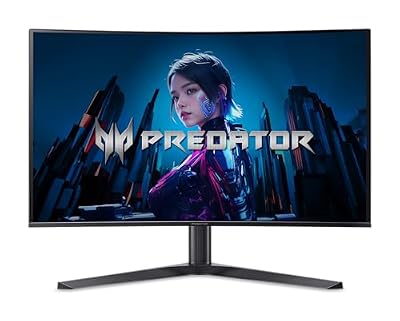 AcerAcer Predator 31.5in Curved 4K 3840x2160 QD-OLED 240Hz Gaming Monitor…$680 \xc2\xb7 99/100
 AmzfastAmzfast 32" 4K 120Hz Curved Gaming Monitor, 3840x2160 UHD, PIP/PBP,…$330 \xc2\xb7 95/100
 LGLG 32GS60QC-B Ultragear 32-inch Curved Gaming Monitor QHD (2560x1440) 180Hz…$194 \xc2\xb7 94/100
 SANSUISANSUI 32-Inch Curved Gaming Monitor WQHD 2560 x 1440 180Hz…$190 \xc2\xb7 94/100








