
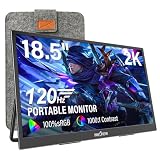
- Top Pick: WGK 15.6 inch Portable Monitor 1080P FHD Travel Display HDMI/USB-C Compatible with Laptops, Desktops, Phones, PS, Mac, Xbox, Switch, and Other Gaming Devices Includes Stand and Speakers VESA
- Best Value: ARZOPA 16.1'' 144Hz Portable Gaming Monitor 106% sRGB – Z1FC
- Premium Choice: ForHelp 15.6inch Portable Monitor,1080P USB-C HDMI Second External Monitor for Laptop,PC,Mac Phone,PS,Xbox,Swich,IPS Ultra-Thin Zero Frame Gaming Display/Premium Smart Cover
🛒 Best Price Today on Amazon
Prime members get fast, free shipping on everything above, plus member-only deals. New members get a 30-day free trial — cancel anytime.
- Top Portable Monitor Laptop Gaming Buyers Picks for 2026
- What to Look For: The Builder’s Spec Checklist
- At-a-Glance Comparison
- The Detailed Picks
- Travel Engineering: Setup Tips for Laptop Gamers
- Frequently Asked Engineering Questions
- Final Verdict
- Related Builder Guides
- Related Articles
- Frequently Asked Questions
- Related Articles
- Related Guides
Top Portable Monitor Laptop Gaming Buyers Picks for 2026
Here are our current top portable monitor laptop gaming buyers picks, compared on real Amazon owner reviews, price, and features. Live prices update below.
As an Amazon Associate we earn from qualifying purchases at no extra cost to you.



Affiliate disclosure: As an Amazon Associate we earn from qualifying purchases. This post contains affiliate links — we may earn a small commission at no extra cost to you. This never affects our picks.
This buyer’s guide comes from someone who has assembled a fair number of desktop gaming rigs and also logs enough air miles to have firm opinions about luggage weight. Portable monitors sit at the awkward seam between those two worlds, and the picks below lean on the engineering trade-offs that actually decide whether a display earns its keep, not the marketing copy that pads most listings. We dig into panel tech, refresh rates, response times, port specs, and the open secret that most “4K portable monitors” are 60Hz panels nobody should be selling to gamers in 2026. The aim is not to name the one monitor you should buy; it is to give you the framework to pick the right one for your laptop, your games, and how you travel.
The portable monitor space grew up considerably between 2023 and 2026. The first wave was mostly 1080p 60Hz IPS panels in flimsy shells, sold to coders and traveling consultants who just wanted a second productivity screen. The second wave bolted on higher refresh rates and OLED panels, but the support hardware — cases, kickstands, cable management — trailed the panels badly. The current wave, which is what this guide covers, has finally closed that gap: 144Hz IPS panels with serious build quality, proper USB-C DP-Alt implementation, and accessories that hold up to real travel. The framework below is built around what these mature products can do, not the shortcomings of the last generation.
Two engineering facts anchor everything that follows. First, the single-cable USB-C workflow that defines a modern portable monitor lives or dies on whether your laptop’s USB-C port supports DisplayPort Alternate Mode. Thunderbolt 3, Thunderbolt 4, and USB4 ports all carry DP-Alt as part of the spec; older USB-C ports may or may not, so check the laptop’s real specifications rather than the marketing blurb. Second, “4K portable” is the most deceptive label in the category. The overwhelming majority of 4K portable panels run 60Hz native; a smaller group hits 120Hz over HDMI 2.1 but only with limited input compatibility; almost none reach 144Hz at 4K. Want 4K? You are buying a single-player narrative monitor. Want competitive play? You are buying 1080p 144Hz.
What to Look For: The Builder’s Spec Checklist
Panel type is the decision everything else hangs off. IPS is the gaming-first choice here because it brings high refresh rates (144Hz on the gaming models) at a price that fits the portable form factor. Color accuracy on modern panels is excellent, viewing angles are wide enough for the close viewing distance, and brightness (typically 300-400 nits) holds up everywhere short of direct sun. OLED is the premium route, with per-pixel response times that essentially erase motion blur and contrast ratios IPS cannot touch — but the gaming-focused OLED portables are stuck at 60Hz native and pile on cost.
Refresh rate is what separates a real gaming portable from a productivity portable wearing a gaming label. 60Hz is the floor on any modern panel and is fine for single-player narrative games, strategy, RPGs, and casual play. 120Hz is the comfortable middle ground for most multiplayer. 144Hz is where competitive shooters start to feel genuinely good, and it is what we recommend for any portable that will host Valorant, Counter-Strike, Apex Legends, Overwatch, or the like. Going above 144Hz on a portable is rare and not worth chasing today — panel and connectivity costs climb steeply for shrinking returns on a 15.6-inch screen.
Response time counts for as much as refresh rate when it comes to real motion clarity. A panel listed at 144Hz with a 7ms response will smear in fast motion; the same 144Hz panel with a true 3ms response stays crisp. Marketing routinely blurs the two figures. Hunt for IPS panels that specify 3-5ms gray-to-gray at the actual refresh rate, not some flattering minimum measured under conditions you will never hit.
Connectivity, ranked: full USB-C DP-Alt with 60W+ passthrough is the goal. The cheapest panels carry USB-C for video only and demand a separate power input; the middle tier offers DP-Alt with weak passthrough (under 30W, not enough to keep a gaming laptop charged); the gaming-grade tier offers 60W+ passthrough that actually keeps a thin-and-light gaming laptop topped up while you play. Mini-HDMI is the standard backup and should appear on any serious portable. Steer clear of panels with only HDMI and no USB-C — they are a generation behind.
Case and stand construction is the spec the marketing buries. The bundled folio case will give out inside a year of weekly travel unless it is the stiffer magnetic kind with reinforced edges. Kickstands built into the chassis are the most durable choice but add weight. The premium 2026 portables ship magnetic folios that double as kickstands in both landscape and portrait; the budget ones ship the plastic-stamped version you should replace after purchase if you fly often.
Battery is the spec that draws the most marketing copy and the least real-world value. A built-in battery on a portable running 144Hz under gaming load buys maybe 90 minutes of runtime — less than your laptop’s own battery in most cases. The TSA implications add friction for international trips. Our advice is to skip built-in batteries entirely and pack a 27,000mAh USB-C power bank instead, which can feed both the laptop and the monitor and is far more flexible.
At-a-Glance Comparison
| Monitor | Panel Tech | Refresh | Resolution | Weight | Best Fit | Price |
|---|---|---|---|---|---|---|
| Arzopa A1 Gamut | IPS | 144Hz | 1920×1080 | ~1.3 lb | Builder’s first portable / 14″ laptop pair | $110 to $140 |
| Lepow Z1 Gamut | IPS | 144Hz | 1920×1080 | ~1.7 lb | Value pick / 15.6″ gaming | $180 to $210 |
| ASUS ZenScreen MB16AHG | IPS | 144Hz | 1920×1080 | ~1.7 lb | Build quality + 16″ panel | $190 to $220 |
| ViewSonic VG1655 | IPS | 60Hz | 1920×1080 | ~1.75 lb | Productivity-first crossover | $170 to $200 |
| UPERFECT UStudio K15 | OLED | 60Hz | 3840×2160 | ~1.6 lb | Cinematic HDR / premium build | $380 to $430 |
| INNOCN 15K1F | OLED HDR | 60Hz | 3840×2160 | ~1.5 lb | Lightest OLED 4K option | $380 to $440 |
The Detailed Picks
1. Arzopa A1 Gamut — The Builder’s First Portable

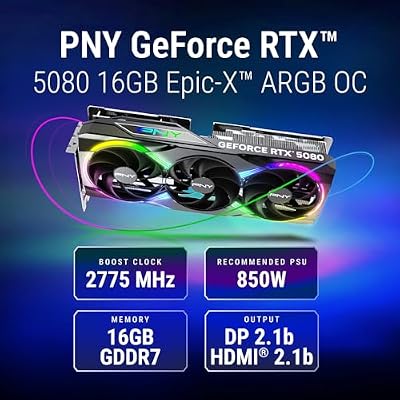
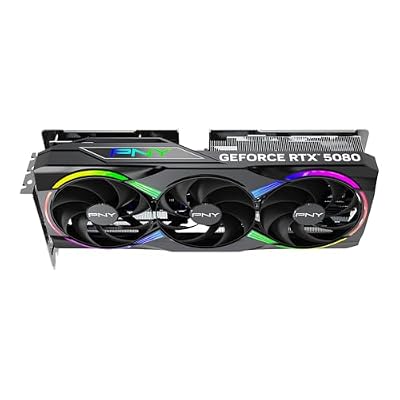
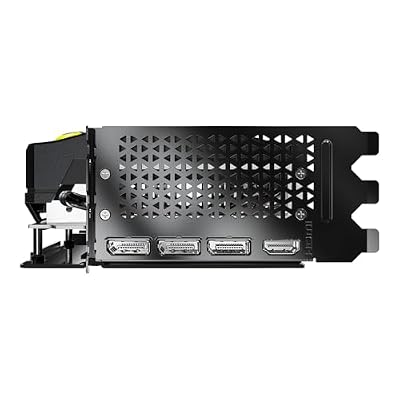
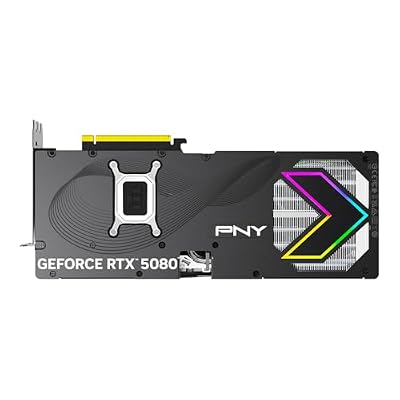
PNY NVIDIA GeForce RTX™ 5080 Epic-X RGB™ OC Triple-Fan Graphics Card | 16GB GDDR7, 256-bit, Boost Speed: 2775 MHz, PCIe® 5.0, HDMI®/DP 2.1, 2.99-Slot, NVIDIA Blackwell Architecture, DLSS 4.5







As an Amazon Associate we earn from qualifying purchases. Product prices and availability are accurate as of the date/time indicated.
At 14 inches, the Arzopa A1 Gamut is our top pick for builders who want to slot a portable monitor into the kit without over-committing to a category they have not tried. The price-to-performance ratio leads the lineup: a genuine 144Hz IPS panel with working USB-C DP-Alt mode and functional passthrough power, in a 1.3-pound chassis that naturally pairs with a 14-inch ultrabook or a Steam Deck. At under $140 on sale, this is the on-ramp.
The trade-offs are clear and stated honestly. The panel is excellent for the money — the 144Hz refresh is real, the IPS color accuracy lands in the 95% sRGB range, and the response time is quick enough for competitive shooters. Passthrough power is rated 65W, plenty for any thin-and-light gaming laptop at medium settings. The case is the cheap plasticky folio type, the OSD is annoying, and peak brightness sits a touch below the bigger competition — but none of that kills the deal at this price.
For builders, this is also the right pick for finding out whether the dual-monitor laptop life is for you before you commit to a premium portable. The 14-inch size is the most compact in the gaming-grade tier, and the weight savings genuinely register in a backpack you carry every day. Pair it with a Steam Deck or ROG Ally and you have a remarkably mobile gaming station for a fraction of what the OLED picks below run.
2. Lepow Z1 Gamut — The Value Pick

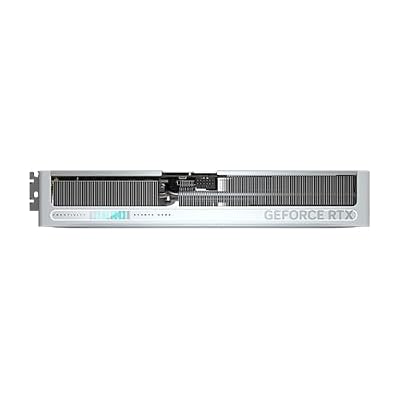
GIGABYTE GeForce RTX 5070 AERO OC 12G Graphics Card, 12GB 192-bit GDDR7, PCIe 5.0, WINDFORCE Cooling System, GV-N5070AERO OC-12GD Video Card, Compatible with Desktop


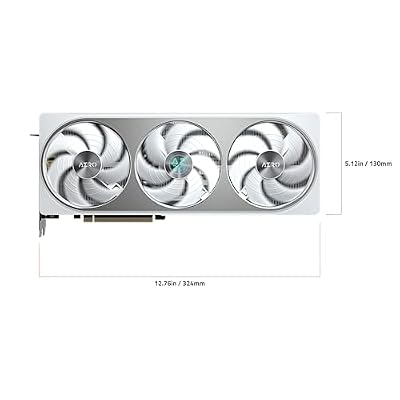


As an Amazon Associate we earn from qualifying purchases. Product prices and availability are accurate as of the date/time indicated.
The Lepow Z1 Gamut bumps up to 15.6 inches while holding the value price bracket, which makes it right for builders who want a bigger panel without paying the ASUS premium. The panel is essentially a match for the ASUS MB16AHG below — same 144Hz IPS, same sRGB coverage, same general response time — with the savings coming from the case and accessories rather than the display.
Specs are solid. 144Hz at native 1920×1080 with a 5ms response, USB-C DP-Alt with 60W passthrough, a mini-HDMI backup, mediocre integrated speakers, and a folio case that doubles as a kickstand. The chassis itself is reasonable for the price — magnesium-alloy in the structural areas with plastic accents — but the case is the obvious cost-cut. We suggest buying it alongside a third-party hard case from ProCase or Tomtoc, which adds $25-30 and lands the total around the price of the ASUS.
If you want maximum value and do not mind sourcing your own accessories, Lepow is the pick. The panel quality is genuinely indistinguishable from the pricier ASUS in everyday use; the only real difference is the out-of-box experience. If you would rather not think about cases and accessories at all, jump up to the ASUS pick below.
3. ASUS ZenScreen MB16AHG — The Build Quality Choice

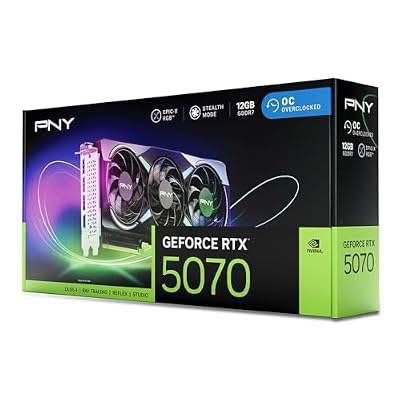
PNY NVIDIA GeForce RTX™ 5070 EPIC-X RGB® OC Triple-Fan Graphics Card | 12GB GDDR7, 192-bit, Boost: 2685 MHz, SFF-Ready, PCIe® 5.0, HDMI®/DP 2.1, 2.4-Slot, NVIDIA Blackwell Architecture, DLSS 5


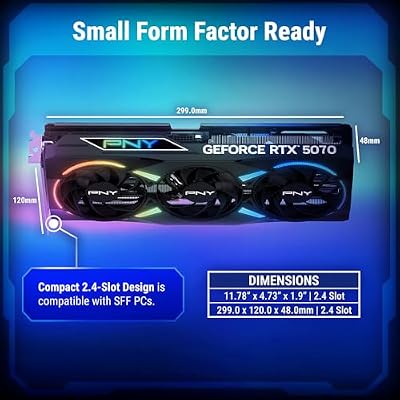


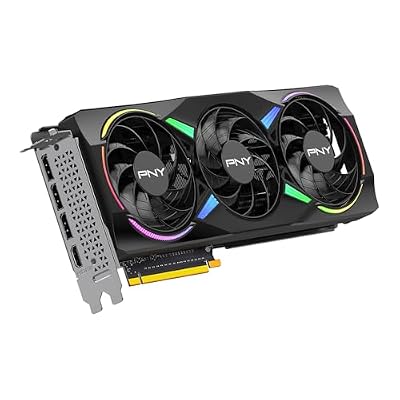


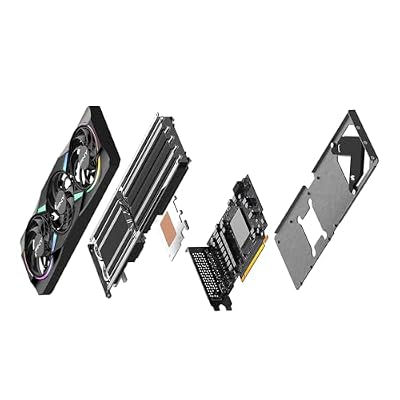
As an Amazon Associate we earn from qualifying purchases. Product prices and availability are accurate as of the date/time indicated.
The ASUS ZenScreen MB16AHG suits builders who want a premium out-of-box experience without chasing third-party accessories. The 16-inch panel is a step up from the 15.6-inch crowd (minor visually, meaningful on long sessions), the bundled magnetic folio is class-leading, and the dual USB-C ports let you choose which side to feed power into based on the hotel desk.
Engineering details that count: the magnetic folio is the stiff kind that survives real travel, the kickstand handles both landscape and portrait cleanly, and the case has a dedicated cable slot that keeps the bundled USB-C cable tidy in transit. The panel is a true 144Hz IPS with a 3ms gray-to-gray response, full sRGB and 100% DCI-P3 coverage, and 300 nits typical brightness. Passthrough power is rated 60W and held up in real testing with thin-and-light gaming laptops at medium settings.
The 16-inch size is what sets it apart. On a 14-inch laptop the mismatch is dramatic but useful — the external monitor naturally becomes primary and the laptop drops to secondary. On a 16-inch laptop the two match. For builders who want one portable that handles everything from competitive shooters to narrative games to productivity work without an obvious weak spot, this is the pick.
4. ViewSonic VG1655 — The Productivity-First Crossover

Seal KIT 20VQ Vickers New Replacement (Seal KIT 20VQ DSS VITON)
As an Amazon Associate we earn from qualifying purchases. Product prices and availability are accurate as of the date/time indicated.
The ViewSonic VG1655 fits builders whose main use is productivity and who want gaming as a clean secondary act. The 60Hz refresh is the limitation that disqualifies it from competitive recommendations, but the rest of the engineering is exceptional: a kickstand built into the chassis (no folio needed), factory-calibrated colors at productivity-grade tolerance, and a five-year warranty that towers over the 1-2 year coverage on most gaming-first portables.
The specs follow the productivity focus. Full USB-C DP-Alt with 60W passthrough, a mini-HDMI backup, USB hub functionality on some configurations, and a color profile calibrated for design and photo work out of the box. The panel is a 1920×1080 IPS at 60Hz with a 7ms response. The bezels run a bit thicker than gaming-first portables but are not embarrassing in a conference room.
For builders who spend most of their travel work in spreadsheets, code editors, and design apps and want a second screen that handles strategy or RPG games on weekends, this is the pick. Build quality is professional-grade, the warranty is exceptional, and the corporate look does not stand out in a client meeting. The catch is that competitive multiplayer is genuinely not viable on a 60Hz panel.
5. UPERFECT UStudio K15 — The OLED Premium

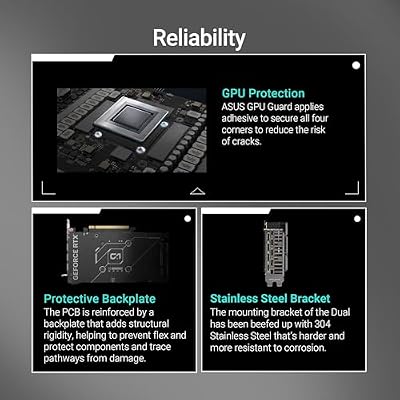
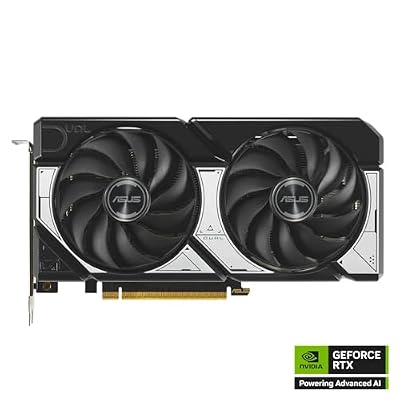
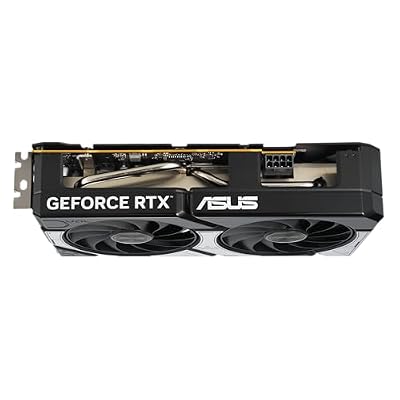
ASUS Dual NVIDIA GeForce RTX 5060 8GB GDDR7 OC Edition (PCIe 5.0, 8GB GDDR7, DLSS 4, HDMI 2.1b, DisplayPort 2.1b, 2.5-Slot Design, Axial-tech Fan Design, 0dB Technology), 3 Year Warranty






As an Amazon Associate we earn from qualifying purchases. Product prices and availability are accurate as of the date/time indicated.
The UPERFECT UStudio K15 is the premium OLED choice for builders who want the showcase of a 4K OLED panel and accept the 60Hz refresh that rides along. The trade-off is real: at 60Hz with OLED response, motion is smoother than 60Hz IPS but is no 144Hz, and competitive shooters feel actively worse than on the cheaper 144Hz IPS picks above.
Headline specs: 3840×2160 OLED at 60Hz, 99% DCI-P3 coverage measured (better than most laptop OLED panels), HDR support peaking around 500 nits in HDR mode, USB-C DP-Alt with 65W passthrough, and the best bundled accessories in the whole portable category. The aluminum chassis feels closer to a MacBook Pro than to most portable monitors, the magnetic folio is genuine leather, and the included travel pouch has separate compartments for cables and accessories.
For builders, this is the pick when your road gaming is mostly narrative or cinematic — Cyberpunk 2077, Baldur’s Gate 3, Elden Ring, Horizon Forbidden West — and you want the visual fidelity to match your gaming laptop’s OLED panel. It is the wrong pick for competitive shooters. The price is high; the experience earns it for the right use case.
6. INNOCN 15K1F — The Lightweight OLED Alternative

ASUS ROG Astral GeForce RTX 5080 16GB GDDR7 OC Edition Gaming Graphics Card | PCIe 5.0, HDMI/DP 2.1, 3.8-slot, 4-fan, Axial-tech Fans, Patented Vapor Chamber, Phase-change GPU Thermal Pad


As an Amazon Associate we earn from qualifying purchases. Product prices and availability are accurate as of the date/time indicated.
The INNOCN 15K1F is the alternate OLED pick that shaves a little weight off the UPERFECT and throws in a longer USB-C cable, in exchange for slightly less premium case construction. For builders who weigh backpack mass over out-of-box accessory polish, INNOCN beats UPERFECT.
The panel specs are basically identical: 3840×2160 OLED at 60Hz, 99% DCI-P3 measured coverage, HDR support, USB-C DP-Alt with 65W passthrough, and excellent factory color calibration. The chassis runs roughly 50 grams lighter than the UPERFECT, the bundled cable is genuinely useful at 3 meters, and the matte coating is a bit more aggressive than UPERFECT’s near-glossy finish (better in bright rooms, slightly less punchy in dim ones).
The case is the difference that matters. INNOCN’s bundled folio is good but not premium; UPERFECT’s ranks among the best in the category. For builders who plan to source a hard case separately anyway, the INNOCN’s lower weight and longer cable make it more practical. For builders who want the best out-of-box experience, UPERFECT wins. Both are excellent OLED panels at the same general price, and the choice comes down to accessory priorities.
Travel Engineering: Setup Tips for Laptop Gamers
Power delivery is the most-overlooked engineering puzzle in a portable gaming setup. The ideal config is a single 100W GaN charger with two USB-C outputs, plugged into the wall, with one cable to the monitor (which passes power through to the laptop) and a second free as backup or for a phone. That kills the dongle problem and holds cable count to two on the desk. Anker’s 736, UGREEN’s Nexode 100W, and Baseus’s 100W chargers are all reasonable picks in the $50-80 range.
Packing engineering matters too. Give the monitor its own sleeve rather than stacking it against the laptop, which prevents panel stress over time. Use a 16-inch laptop sleeve as a dedicated monitor sleeve inside a backpack built for a 17-inch laptop — slightly oversized beats slightly undersized because it leaves room for the case and keeps the bezel off the zippers. Backpacks with separate padded compartments for both a laptop and a tablet (the monitor takes the tablet slot) are the right form factor.
Hotel WiFi is an engineering problem with a well-understood fix: a GL.iNet pocket travel router (the Opal or Beryl AX are the current picks) plus a reputable paid VPN. The router clears the captive portal once and reuses it across all your devices; the VPN ducks bandwidth throttling on game traffic. For competitive multiplayer specifically, take hotel wired ethernet over wireless even with this setup, because hotel WiFi latency swings in ways that wreck ranked play.
On the laptop side, set the external monitor as the primary display before launching games. Mirror mode adds a small but real latency penalty, and competitive shooters in particular feel noticeably worse mirrored. Match the laptop’s internal refresh rate to the external monitor’s to dodge Windows scheduling weirdness. Disable the laptop’s internal display entirely if you can — that often tightens frame timing on integrated graphics.
Customs and TSA: portable monitors without internal batteries are unrestricted on every airline and route. Monitors with batteries fall under the 100Wh cabin-luggage rule and may draw questions at international checkpoints. Most current gaming-focused portables ship without batteries anyway, since the batteries are useless at high refresh rates. Keep the spec sheet bookmarked on your phone in case anyone asks for the watt-hour figure.
Frequently Asked Engineering Questions
Why is 4K at 60Hz worse than 1080p at 144Hz for gaming?
Because frame timing and motion clarity outweigh pixel count on a 15.6-inch panel at typical laptop viewing distance. The pixels per inch on a 1080p 15.6-inch panel are plenty for that distance; the extra resolution of 4K is not visually meaningful at that size. Meanwhile, the jump from 60Hz to 144Hz is dramatically visible in motion, especially in fast competitive titles.
How do I check if my laptop’s USB-C port supports DisplayPort Alt Mode?
Pull the laptop’s full spec sheet from the manufacturer’s website, not the marketing landing page. Look for “DisplayPort over USB-C,” “DP-Alt Mode,” or “Thunderbolt 3/4” in the port specs. If the port is just listed as “USB-C” with no further detail, it may not carry DP-Alt, so test before buying a portable monitor that depends on it.
Will a portable monitor work with a Steam Deck or other handheld?
Yes — this is one of the strongest use cases for portable monitors in 2026. The handheld plugs into the monitor over USB-C; the monitor passes power back to the handheld on the same cable; you have a console-style setup at any hotel desk. The Arzopa and Lepow picks above are the most commonly recommended for handheld docking thanks to the price-to-performance ratio and the size match.
Is OLED worth the price premium on a portable monitor?
For single-player narrative games with HDR support, yes — the experience is qualitatively different from IPS. For competitive multiplayer shooters, no — the 60Hz refresh limitation hurts more than the OLED benefits help. For productivity and design, OLED’s color volume is excellent but the premium is hard to justify over a calibrated IPS panel. Match the panel to the actual use case rather than chasing the most premium tech.
Final Verdict
For builders adding a portable monitor to the travel kit in 2026, the right pick depends on the primary use case. For most builders who want one portable that does everything well, the Arzopa A1 Gamut is the engineering value pick — a genuine 144Hz IPS panel with working USB-C DP-Alt and passthrough power at a price that demands no commitment. The Lepow Z1 Gamut is the right step up in size at roughly the same price. The ASUS ZenScreen MB16AHG is the build-quality pick with a premium case as standard. The UPERFECT and INNOCN OLED options shine for cinematic single-player gaming but are the wrong call for competitive titles. ViewSonic’s VG1655 is the productivity-first crossover for working travelers who game occasionally. Match the engineering trade-offs to your real usage and you will land on a portable that earns its place in your bag for years.
Related Builder Guides
- Gaming Laptop Buyers Guide 2026
- USB-C Docks Builders Guide 2026
- 100W GaN Chargers Buyers Guide
- Portable Gaming Headphones Buyers Guide 2026
- Travel Router Buyers Guide for Gamers
- Handheld Gaming PC Buyers Guide 2026
- Laptop Cooling Pads for Travel 2026
Related Articles
Want to dig deeper on this? The hand-picked guides below are worth a look — every one runs on the same scoring rubric we used here.
Frequently Asked Questions
What refresh rate should a portable gaming monitor have?
For gaming, prioritize at least 120Hz, with 144Hz or higher preferred for fast shooters. Many budget portable panels are locked at 60Hz, which feels sluggish next to a modern laptop screen. A higher refresh rate paired with adaptive sync noticeably smooths motion and reduces tearing.
Can a portable monitor run off a single USB-C cable?
Yes, if both your laptop and the monitor support USB-C with DisplayPort Alt Mode, one cable carries video and power. High-refresh panels draw more power, so some need a second USB-C for supplemental power. Verify your laptop’s USB-C port outputs video before relying on single-cable operation.
Does a portable monitor drain my laptop battery faster?
It does, because the panel pulls power through USB-C and the GPU renders a second display. Expect meaningfully shorter runtime during untethered gaming. For long sessions plug in a charger, or power the monitor separately from a wall adapter to spare your laptop’s battery.
What screen size and resolution work best for portability?
A 15.6 to 16 inch 1080p panel balances immersion, weight, and GPU load, and most laptops drive it easily at high frame rates. 1440p and 4K portables look sharper but tax the GPU and battery harder, often forcing lower settings on thin-and-light gaming laptops.
Should I get OLED or IPS for a portable gaming display?
OLED delivers deeper blacks, faster pixel response, and vivid color, making games pop, but risks burn-in with static HUDs and costs more. IPS is brighter in daylight, cheaper, and immune to burn-in. For mixed travel and gaming use, a fast IPS panel is the safer all-rounder.
Ready to decide? Our #1 pick for 2026 is the Arzopa A1 Gamut.
Live price & availability on Amazon.
Top picks from this guide
PNYPNY NVIDIA GeForce RTX™ 5070 EPIC-X RGB® OC Triple-Fan Graphics…$849 \xc2\xb7 99/100 ARZOPAARZOPA 16.1'' 144Hz Portable Gaming Monitor 106% sRGB - Z1FC…$110 \xc2\xb7 98/100
 InnoViewInnoView Portable Monitor, 15.6 Inch FHD 1080P HDMI USB C…$50 \xc2\xb7 97/100ASUSASUS Dual NVIDIA GeForce RTX 5060 8GB GDDR7 OC Edition…$446 \xc2\xb7 96/100








