The best wireless controller for PC in 2026 is one with Hall effect or TMR sticks, a 2.4 GHz USB dongle and native XInput support, because that combination solves the three most common PC gamepad complaints: stick drift, Bluetooth lag and games that do not recognize the controller. Budget models such as the 8BitDo Ultimate 2C Wireless and GameSir Nova Lite already offer magnetic sticks, while the Xbox Wireless Controller remains the zero-hassle default if you can live with traditional sticks.
Stick Technology: Why It Matters More Than Anything Else
Stick drift, where the camera or character moves on its own, is the number one reason PC gamepads get replaced. It comes from the sensor inside the stick, so the sensor type is the first thing to check.

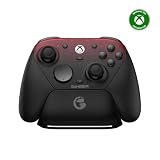
8Bitdo Ultimate 2C Wireless Controller for Windows PC and Android, with 1000 Hz Polling Rate, Hall Effect Joysticks and Triggers, and Remappable L4/R4 Bumpers (Transparent Black)
Included for 'Best Wireless Controller for PC: Hall Effect, TMR and Compatibility Guide' because the listing specifies with 1000 Hz Polling Rate and Hall Effect Joysticks and Triggers, details this guide uses to compare options.
View on Amazon
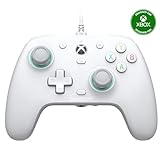
8Bitdo Ultimate 2C Wireless Controller for Windows PC and Android, with 1000 Hz Polling Rate, Hall Effect Joysticks and Triggers, and Remappable L4/R4 Bumpers (Green)
Included for 'Best Wireless Controller for PC: Hall Effect, TMR and Compatibility Guide' because the listing specifies with 1000 Hz Polling Rate and Hall Effect Joysticks and Triggers, details this guide uses to compare options.
View on Amazon
8Bitdo Ultimate 2 Wireless Controller for PC, Apple, Steam & Android, Black | TMR Joysticks, Hall/Tactile Triggers, 8Speed 2.4G, 1000Hz Polling Rate, Motion Control, RGB Fire Ring, Charging Dock
Included for 'Best Wireless Controller for PC: Hall Effect, TMR and Compatibility Guide' because the listing specifies Apple and Steam & Android, details this guide uses to compare options.
View on Amazon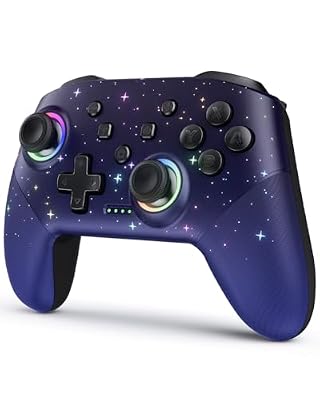
VOYEE Switch Controllers for Switch/Lite/OLED/PC Windows, RGB Star LED | Wireless Pro Controller, Programmable, One-key Pairing, Wake-up, Turbo, Vibration, 6-Axis Gyro Control, 10-15H Runtime
Included for 'Best Wireless Controller for PC: Hall Effect, TMR and Compatibility Guide' because the listing specifies RGB Star LED and Wireless Pro Controller, details this guide uses to compare options.
View on Amazon| Stick type | How it senses | Drift risk over time | Typical sensor power draw | Usual controller price range |
|---|---|---|---|---|
| Potentiometer (ALPS-style) | Wiper sliding on a resistive track | High; contact wear and dust | Very low | usually $30–$70 |
| Hall effect | Magnet and Hall sensor, no contact | Very low | A few milliamps per axis sensor | usually $30–$200 |
| TMR (tunnel magnetoresistance) | Magnet and TMR sensor, no contact | Very low | Microamp range, far below Hall | usually $45–$200 |
Hall effect controllers solved drift but cost some battery life, because Hall sensors draw noticeably more current than potentiometers. TMR sensors keep the no-contact benefit while drawing a fraction of the power, which is why newer premium and mid-range pads are moving to TMR.
Worked Example: Stick Sensors and Battery Life
Consider a controller with a 1,000 mAh battery and a base draw of 30 mA for the radio, chip and buttons, with rumble and lighting off.
- Potentiometer sticks add almost nothing: 30 mA total, so about 1,000 ÷ 30 = 33 hours.
- Hall effect sticks with four sensors at about 3 mA each add 12 mA: 42 mA total, so about 24 hours.
- TMR sticks with four sensors drawing well under 0.1 mA each add almost nothing: about 30 mA total, so roughly 33 hours again.
Turn on heavy rumble and RGB, and average draw can double, roughly halving every figure. For a controller you charge on a dock every night, this does not matter. For a pad you take with a laptop or handheld PC, TMR is a real advantage.
Connectivity and Compatibility Matrix
A PC gamepad can connect several ways, and not every controller works the same way in every launcher. This matrix covers the common combinations.
| Controller type | Steam games | Xbox app / Game Pass | Epic and other launchers | Emulators |
|---|---|---|---|---|
| Xbox Wireless Controller | Works natively | Works natively | Works natively | Works natively |
| Dongle controller in XInput mode | Works natively | Works natively | Works natively | Works natively |
| DualSense / DualSense Edge | Full support via Steam Input | Limited without extra software | Varies by game | Usually supported |
| Switch-style or DirectInput pad | Works via Steam Input | Often not recognized | Often not recognized | Usually supported |
The rule is simple: if you play outside Steam, buy a controller that offers an XInput mode. As a controller for Steam games only, almost anything works because Steam Input translates it.
Controllers Worth a Look
Budget: 8BitDo Ultimate 2C Wireless and GameSir Nova Lite
Both bring Hall effect sticks to the low end of the market, usually $25–$40. They connect over a 2.4 GHz dongle and appear as Xbox-style controllers on Windows. Build quality and triggers are basic, but drift resistance at this price is a big step forward.
Mid-range: 8BitDo Ultimate 2 Wireless
TMR sticks, Hall effect triggers, extra back buttons, a charging dock and 2.4 GHz plus Bluetooth connectivity, usually in the $50–$70 range. A strong all-rounder for a desktop or couch PC.
Enthusiast: Flydigi Vader 4 Pro
Aimed at players who want force-adjustable triggers, extra programmable buttons and a high polling rate over its dongle. It needs companion software for the deepest features and usually sits around $70–$90.
Default choice: Xbox Wireless Controller
Traditional potentiometer sticks and AA batteries, but perfect compatibility and a familiar shape. If you dislike configuring things and replace controllers every few years anyway, it is still sensible at usually $50–$65.
Setting Up a Dongle Controller Correctly
- Choose the mode before pairing. Many multi-mode pads select XInput, Switch or Bluetooth with a switch or button combo at power-on. Use XInput for Windows games.
- Use a front or desk-level USB port. A dongle on the rear I/O behind a steel side panel can lose signal at couch distance. A short USB extension to the desk surface keeps it in line of sight.
- Keep the dongle away from USB 3 ports with busy drives. USB 3 can emit interference around 2.4 GHz; a USB 2 port often gives a cleaner link.
- Update the firmware. Manufacturers fix latency and compatibility bugs through their desktop apps; run the updater once after unboxing.
- Set deadzones low on magnetic sticks. Hall effect and TMR sticks return to center precisely, so in-game deadzones around 2–5% are usually enough, compared with 8–10% for worn potentiometer sticks.
- Check Steam Input per game. If inputs double up or prompts are wrong, open the game’s controller settings in Steam and toggle Steam Input to the opposite state.
Which Hall Effect Controller Is Right for You?
| If you… | Pick |
|---|---|
| Want drift resistance on a tight budget | 8BitDo Ultimate 2C Wireless or GameSir Nova Lite |
| Want a do-everything pad with a dock | 8BitDo Ultimate 2 Wireless |
| Want adjustable triggers and lots of macros | Flydigi Vader 4 Pro |
| Play mainly Game Pass and want zero setup | Xbox Wireless Controller |
| Play Sony’s PC ports for haptics | DualSense, wired for full features |
Bottom Line
Prioritize magnetic sticks, a 2.4 GHz dongle and an XInput mode, and you will avoid nearly every frustration people associate with PC gamepads. Pick the price tier based on how many extra buttons and adjustments you genuinely want.