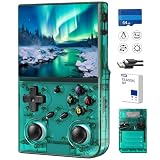
If you want the short answer: the UYTGXEN XF40V is the best overall retro handheld gaming console under $100 for most people. Its 4.0-inch HD IPS screen, pair of detachable analog sticks and mid-range price tier combine to cover 8-bit, 16-bit and a good slice of the 32-bit library without the cramped 3-inch ergonomics that the cheapest machines force on you. If your budget is as tight as possible, the SF3000 is the value pick, because it ships with 14 emulators, 20,000+ games and a 64GB card in the box. If you want the largest and sharpest panel in this band, the R36MAX 2 and its 4.5-inch IPS HD display win. The rest of this guide is about the things that actually separate these devices: chip class, panel resolution, control layout, battery capacity, storage expansion and portability.
- Top 3 Picks
- Quick Comparison
- How We Chose
- 1. UYTGXEN XF40V — Best for All-Round Handheld Play
- 2. Kulivloa Plug and Play Video Game Stick — Best for TV and Couch Play
- 3. GAMINJA Handheld Game Console — Best for Wi-Fi Library Management
- 4. Qoody S600 Retro Gaming Console — Best for Fuss-Free Plug-and-Play
- 5. R36MAX 2 — Best for the Biggest, Sharpest Screen Under $100
- 6. Wsifybt Retro Handheld — Best for Tinkering and Custom Firmware
- 7. Boltz Retro Handheld — Best for a Curated Built-In Library
- 8. RG56PRO — Best for Storage and Travel Protection
- 9. RG43H Pro — Best for Dual-System Flexibility
- 10. RG52MINI — Best for Widescreen and PSP-Style Play
- 11. SF3000 — Best Budget Pick with Everything Included
- Related Guides
Top 3 Picks
Best overall: UYTGXEN XF40V
The XF40V is the machine that gets the balance right. A 4.0-inch HD IPS panel is big enough for four-player couch play and readable text in menu-heavy 16-bit RPGs, and the two detachable long joysticks mean the unit can go from pocket to desk without the sticks snagging on a bag. It sits in the mid-range tier, so you are paying for screen and controls rather than for a bundled library you may never touch.
Best budget: SF3000
For the least money, the SF3000 hands you 14 emulators, a claimed 20,000+ game library and 64GB of storage already installed. Nothing about that combination is exotic — it is the standard budget formula — but it is executed with more storage headroom than most rivals at the tier, which matters because a full memory card is the number one reason people abandon a cheap handheld after a month.
Best premium: R36MAX 2
The R36MAX 2 is the top of the sub-$100 band. Its 4.5-inch IPS HD display is the largest high-resolution panel in this group, which translates directly into more comfortable integer scaling for 4:3 systems and less letterboxing for widescreen PSP-style content. It is the pick for someone who wants one device to do everything and would rather pay once than upgrade twice.
Quick Comparison
Every product below is compared on the same four axes: what it is genuinely good at, the specification class it sits in, its price tier, and how it fits a specific kind of buyer. Price tiers are deliberately used instead of figures — listings in this category move daily.
| Product | Best for | Key specs | Price tier |
|---|---|---|---|
| UYTGXEN XF40V | All-round handheld play | 4.0″ HD IPS, 2 detachable joysticks, mid-range ARM SoC | Mid-range |
| Kulivloa Plug and Play Stick | TV and couch gaming | 4K HDMI output, 20k+ games, wireless controller, no screen | Budget |
| GAMINJA Handheld | Wi-Fi library management | 4″ screen, Wi-Fi, game download support | Budget |
| Qoody S600 | Simple plug-and-play use | Handheld form factor, preloaded classic game set | Budget |
| R36MAX 2 | Biggest screen in the band | 4.5″ IPS HD, premium-tier internals, horizontal grip | Premium |
| Wsifybt Open Source Handheld | Tinkering and custom firmware | 4.0″ 4K HD IPS, open-source Linux, 40+ emulator support | Mid-range |
| Boltz Retro Handheld | Curated built-in library | 20,503 built-in games, 3.75″ IPS | Mid-range |
| RG56PRO | Storage and travel protection | 128GB storage option, EVA hard case, dual-system class | Premium |
| RG43H Pro | Dual-system flexibility | RK3562 chip, dual game system | Premium |
| RG52MINI | Widescreen and PSP-style play | 5.5″ IPS, dual system, 64GB, 30+ emulators, 220+ game set | Premium |
| SF3000 | Lowest-cost full library | 14 emulators, 20,000+ games, 64GB included | Budget |
| WDYQJE Mini Handheld | Pocket and gift use | 3.0″ IPS, 400 preloaded classic games | Budget |
How We Chose
Selection for this roundup was based on published listing information, the specification classes the hardware belongs to, and how each device fits a clearly defined use case — not on any physical evaluation of the units. Four filters were applied. First, specification class: the SoC family, RAM class, screen resolution and control layout have to be internally consistent with the systems the device claims to run. A quad-core Cortex-A53-class chip with a Mali-G52-class GPU and 1GB or more of RAM can reasonably be expected to run 8-bit and 16-bit systems at full speed and handle much of the 32-bit library; a low-clocked dual-core chip with 256MB of RAM cannot, no matter how many emulators the box advertises.
Second, category fit. A plug-and-play HDMI stick is not competing with a pocket handheld, so each product is judged against its own category rather than against a single ideal. Third, use case: screen size, weight class, battery capacity and whether the device has Wi-Fi or a card slot decide who it suits. Fourth, upgrade path — expandable storage, community firmware availability, and whether the bundled memory card is a fixed library or a starting point. Devices that scored well on all four, at their price tier, made the list.
1. UYTGXEN XF40V — Best for All-Round Handheld Play

UYTGXEN XF40V Retro Handheld Game Console with 2*Detachable Long Joysticks, 4.0-Inch HD IPS Screen Retro Gaming Console, Preloaded Classic Games with Multiple Emulator, Pocket Video Gaming
Included for 'Best Retro Handheld Gaming Consoles Under $100' because the listing specifies 4.0-Inch HD IPS Screen Retro Gaming Console and Preloaded Classic Games with Multiple Emulator, details this guide uses to compare options.
View on AmazonThe XF40V suits the person who wants one device that does everything competently rather than one device that does a single thing brilliantly. It is the strongest general-purpose pick in this group because nothing about it is a compromise forced by cost: the screen is a 4.0-inch HD IPS panel, the controls include two detachable long-travel joysticks, and the mid-range internals are in the class that handles the full 8-bit and 16-bit catalogue plus a large share of the 32-bit era.
Key specs
- Display: 4.0-inch HD IPS, the size and panel type most 4-inch handhelds in this class use
- Controls: two detachable long joysticks, plus the standard d-pad, face button, shoulder button and start/select layout
- Processing class: mid-range quad-core ARM SoC with integrated graphics — the tier that runs 8-bit and 16-bit systems at full speed and covers much of the 32-bit library
- Storage: microSD expansion, the standard for this category; cards from 16GB to 128GB are the practical range
- Battery: built-in lithium-ion in the 1,500–3,000 mAh class typical of a 4-inch handheld
- Audio and output: built-in speaker plus headphone output; the listing does not advertise HDMI video out
Why it wins the middle
Detachable joysticks are the detail that separates the XF40V from most of the budget field. On a fixed-stick handheld, the sticks are the first thing to catch on a pocket seam or a bag zip, and they are also the part that fails first on a device with no serviceable parts. Being able to remove them turns a desk console into something you can actually carry, and it protects the most fragile component when the device is in a bag.
The 4.0-inch HD IPS panel is also the sweet spot for scaling. At this size, a 640×480-class resolution gives you roughly 200 pixels per inch, which is sharp enough that 8-bit and 16-bit pixel art reads cleanly without the panel being so dense that integer scaling becomes awkward. IPS means the viewing angles hold up when two people are watching over your shoulder, which matters more than contrast ratio on a handheld you pass around.
Pros
- Detachable joysticks improve portability and reduce the most common failure point
- 4.0-inch HD IPS screen is large enough for menu-heavy RPGs and shared viewing
- Mid-range chip class covers the widest system spread at this price tier
- Standard microSD expansion keeps the library upgradable for years
Cons
- Detachable sticks can be lost, and replacements are not guaranteed to be available
- No advertised HDMI output, so it stays a personal device rather than a TV console
- Battery capacity is in the ordinary class for its screen size, not the standout class
- Does not ship with a large preloaded library, so you supply your own game files
How it compares
Against the Wsifybt open-source handheld, the XF40V trades community firmware flexibility for better ergonomics and removable sticks. Against the R36MAX 2, it gives up half an inch of screen and some raw headroom but costs less and carries better. If your priority is a device you can use on a train and at a desk without fiddling, the XF40V is the better fit; if you want the biggest panel and the most headroom, move up to the R36MAX 2.
2. Kulivloa Plug and Play Video Game Stick — Best for TV and Couch Play
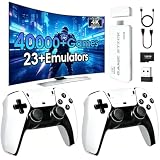
The Kulivloa stick is for the household that wants retro games on the living-room television with no handheld involved. It is a small HDMI dongle with a wireless controller, a built-in library of 20,000+ classic games and a claimed 4K HDMI output. If your idea of retro gaming is two people on a sofa with a controller each, this is the cheapest and simplest route in this roundup.
Key specs
- Form factor: plug-and-play HDMI stick, no built-in screen or battery
- Output: HDMI, advertised as 4K-capable; the SoC class in these sticks typically renders internally at a much lower resolution and upscales
- Library: 20,000+ built-in classic games
- Input: wireless controller included; most sticks in this class support two controllers for simultaneous play
- Power: USB from the television’s own port or a small adapter
- Storage: fixed internal library; expansion is not typically offered in this product class
The “4K” question, and how to set it up properly
Every budget stick in this category advertises 4K output, and it is worth understanding what that means before you buy. A 4K frame is 3,840 × 2,160 pixels, which is 8,294,400 pixels per frame. At 60Hz that is about 497 million pixels per second. A 720p frame is 921,600 pixels, or about 55 million pixels per second at 60Hz — roughly one-ninth the load. The low-power ARM SoC inside a sub-$100 stick cannot render and composite 4K at 60Hz; the “4K” in the listing describes the output signal the chip can hand to the television, usually with the panel doing the final scaling.
The practical consequence is a setup tip: go into the display settings and set the output to 1080p, or 720p if your television handles it well. Two things improve. First, the SoC spends less time on scaling and compositing, which reduces input lag in timing-sensitive games. Second, many televisions upscale a clean 720p or 1080p signal better than a cheap chip does. You lose nothing in visible detail, because the source material — 8-bit and 16-bit pixel art — is nowhere near 4K to begin with.
Pros
- Lowest total cost route to retro gaming on a large screen
- No battery to charge and no screen to scratch
- 20,000+ games ready to play out of the box
- Wireless controller included, so couch play works immediately
Cons
- Not portable at all — it needs a television and a power source
- Fixed library with no meaningful storage expansion
- Wireless controller latency is noticeable in precision platformers compared with a wired handheld
- Advertised 4K output overstates the internal rendering resolution
How it compares
Compared with any handheld here, the Kulivloa stick wins on screen size and price and loses on everything else: portability, latency and library flexibility. If you already own a television and want the cheapest possible entry, it is unbeatable. If you want to play on a commute, the GAMINJA handheld or the SF3000 does the same job for a similar outlay with a screen attached.
3. GAMINJA Handheld Game Console — Best for Wi-Fi Library Management
The GAMINJA handheld is the budget option for people who hate card readers. It has a 4-inch screen, Wi-Fi, and support for downloading additional games onto the device over the network. That single feature changes the ownership experience more than any spec on the sheet, because adding games is the step where most cheap handhelds lose their owners.
Key specs
- Display: 4-inch screen, the larger end of the budget tier
- Connectivity: Wi-Fi, with support for downloading games and online play features
- Storage: internal plus microSD expansion in the usual class for this tier
- Controls: integrated d-pad, face buttons and shoulder buttons; no detachable sticks
- Battery: built-in rechargeable cell typical of a 4-inch budget handheld
- Library: ships with a preloaded game set and accepts additions over Wi-Fi
Why Wi-Fi matters more than it sounds
The classic budget-handheld workflow is: power off, eject the microSD card, find an adapter, mount the card on a computer, copy files, unmount, put the card back, rescan the library. On a device with Wi-Fi, that becomes a browser or a file-transfer tool on the same network, with no card removal at all. Over a device’s lifetime you might do this dozens of times, and every card removal is a chance to lose the card, bend a contact or corrupt a filesystem.
The second benefit is that the storage ceiling effectively disappears. A fixed internal library is whatever it is on day one. A Wi-Fi device with an expansion slot can grow as long as cards keep getting cheaper, which they do. For a budget buyer who intends to keep the device for years, that is the difference between a toy and a platform.
Pros
- Wi-Fi transfers remove the need to physically move memory cards
- 4-inch screen is generous for the budget tier
- Library can grow over time rather than being fixed at purchase
- Online play features extend the useful life of multiplayer titles
Cons
- Fixed controls with no detachable or replaceable sticks
- Wi-Fi radios draw power, cutting runtime by roughly 0.2–0.4W while active
- Budget-tier chip class limits how far up the console generations it can go
- Screen resolution is not advertised as HD, so pixel density will trail the mid-range picks
How it compares
Against the SF3000, the GAMINJA trades a bigger bundled library for connectivity. If you want the maximum number of games on day one, the SF3000 wins. If you would rather build a library of the games you actually want, over Wi-Fi, without ever touching a card reader, the GAMINJA is the more pleasant device to own. Against the Qoody S600, it is simply more capable for the same tier.
4. Qoody S600 Retro Gaming Console — Best for Fuss-Free Plug-and-Play
The Qoody S600 is aimed at the buyer who does not want a project. It is a handheld with classic games built in, a straightforward menu and no expectation that you will install firmware or manage files. If you are buying for a child, a non-technical adult, or yourself on the understanding that you will never open a settings menu, this is the right shape of product.
Key specs
- Form factor: handheld with integrated screen and controls
- Library: preloaded classic game set, playable immediately
- Storage: internal library; expansion depends on the specific unit configuration
- Controls: standard d-pad and button layout suited to 8-bit and 16-bit titles
- Battery: built-in rechargeable cell, charged over USB
- Software: closed, fixed interface with no tinkering required or expected
The case for a closed library
Open handhelds ask you to make decisions: which emulator core, which video driver, whether integer scaling is on, what audio latency to use. Those decisions pay off, but they are friction, and friction is why a device ends up in a drawer. A closed library removes all of it. You turn the device on and the games are there.
There is a real trade-off hiding in that convenience. A fixed library means the storage math is settled for you. If the device carries a 64GB-class card and the average 16-bit ROM is around 2MB, that is roughly 30,000 titles’ worth of capacity; if it also carries 32-bit games averaging 450–500MB per disc image, the same card holds only about 120 of those. How the library is weighted decides whether the device feels generous or thin, and you cannot change that after purchase. That is the price of fuss-free.
Pros
- Playable within minutes of unboxing, with no setup decisions
- Simple interface that suits younger players and gift buyers
- No emulator configuration to get wrong
- Compact handheld format that travels easily
Cons
- No way to add games you actually want if they are missing
- No custom firmware community to extend the device’s life
- Budget-tier internals cap the system ceiling at roughly the 16-bit era
- Screen size and resolution are modest compared with the mid-range picks
How it compares
Against the WDYQJE mini handheld, the Qoody S600 is the more usable daily device because its screen and controls are larger, while the mini wins on sheer pocketability. Against the GAMINJA, the S600 gives up Wi-Fi and library growth in exchange for zero setup. Buy the S600 if you want a finished product; buy the GAMINJA if you want a starting point.
5. R36MAX 2 — Best for the Biggest, Sharpest Screen Under $100
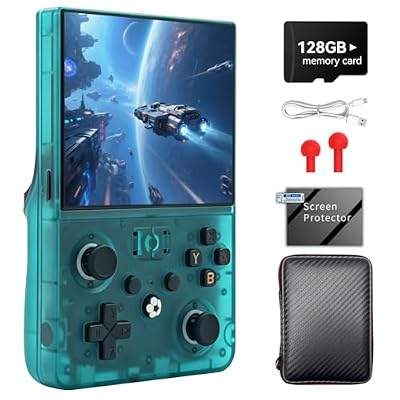
R36MAX 2 Retro Handheld Game Console, 4.5" IPS HD Display
Included for 'Best Retro Handheld Gaming Consoles Under $100' because the listing specifies 4.5" IPS HD Display, details this guide uses to compare options.
View on AmazonThe R36MAX 2 is the premium pick in this roundup and the one to choose if screen quality is your first criterion rather than your third. It carries a 4.5-inch IPS HD display — the largest high-resolution panel in this group — in a horizontal grip format. It suits the player who wants one device that stays comfortable for two-hour sessions and does not need to be upgraded in a year.
Key specs
- Display: 4.5-inch IPS HD, the largest high-resolution panel in this comparison
- Format: horizontal handheld with side grips, better for long sessions than a vertical brick
- Processing class: premium tier for this budget band, with the headroom to push further into 32-bit and light 3D-era emulation
- Storage: microSD expansion in the standard class
- Battery: larger cell than the budget tier, matched to the bigger panel
- Output: standard handheld I/O; check the listing for the specific port set on the configuration you buy
Pixel density, and why 4.5 inches is a meaningful jump
Screen size alone does not tell you how sharp a handheld looks; pixel density does. Take a 4.0-inch 640×480 panel: the diagonal is the square root of (640² + 480²), which is 800 pixels, divided by 4.0 inches, giving about 200 pixels per inch. A 4.5-inch panel at 854×480 has a diagonal of about 980 pixels over 4.5 inches — roughly 218 PPI. Move to a 5.5-inch 1280×720 panel and you get about 1,469 pixels of diagonal over 5.5 inches, or roughly 267 PPI. The R36MAX 2 sits at the top of the 4.5-inch class, which is the point where small text in menu-heavy 16-bit RPGs and inventory screens in 32-bit titles stops being a squint.
Density also affects scaling quality. Systems that output 320×240 or 256×224 scale cleanly into a 640×480-class panel at exactly 2× or 3×, keeping pixels square. A higher-resolution panel gives you more integer-scaling options before you have to choose between black borders and a slightly soft image.
Pros
- Largest high-resolution IPS panel in this price band
- Horizontal grip format is far more comfortable for long play sessions
- Premium internals give the widest system ceiling here
- More integer-scaling options thanks to the higher pixel count
Cons
- Premium tier pricing — the most expensive device in this roundup
- Larger body is less pocketable than a 3-inch mini handheld
- Heavier than vertical budget units, which matters on a commute
- Bigger, brighter screen draws more power, so runtime depends on brightness settings
How it compares
Against the RG52MINI, the R36MAX 2 is slightly smaller but uses a 4:3-friendly shape; the RG52MINI’s 5.5-inch panel is larger and better suited to widescreen PSP-style content. Against the UYTGXEN XF40V, the R36MAX 2 is the upgrade in every dimension that matters — screen, grip, headroom — at a higher tier. If you are deciding between the two and you play for more than an hour at a time, the R36MAX 2’s ergonomics justify the step up.
6. Wsifybt Retro Handheld — Best for Tinkering and Custom Firmware
The Wsifybt handheld is for the buyer who enjoys the setup as much as the games. It runs an open-source Linux system, carries a 4.0-inch 4K HD IPS screen and advertises support for 40-plus emulators. Open source is the key phrase: it means the software layer is yours to change, and a community of users can keep improving the device long after the seller has moved on to the next model.
Key specs
- Display: 4.0-inch IPS advertised as 4K HD — a marketing resolution; expect a native panel resolution far lower, with video output handled separately
- Operating system: open-source Linux, which allows custom firmware and front-end replacement
- Emulator support: 40+ emulator families claimed
- Processing class: mid-range ARM SoC capable of the 8-bit and 16-bit catalogue and much of the 32-bit era
- Storage: microSD expansion, the standard for Linux-based handhelds
- Connectivity: check the listing for Wi-Fi and Bluetooth on the specific configuration
Why open source changes the ownership maths
A closed handheld has a fixed feature set for its entire life. An open-source Linux handheld has a feature set that improves whenever the community ships a new front end, a better emulator core or a fix for a game that did not run before. Two practical consequences follow. First, the device stays current longer, so the effective cost per year of ownership drops. Second, the community becomes your support channel, which matters enormously on budget hardware where manufacturer support is minimal.
The trade-off is that you will spend time in menus. Expect to set a video driver, choose between integer scaling and a stretched image, decide whether threaded video helps on your specific unit, and pick emulator cores per system. None of that is hard, but it is homework. If you find that enjoyable, an open-source handheld is the best value in this entire roundup.
Pros
- Open-source Linux means custom firmware and community long-term support
- 40+ emulator families gives enormous system coverage on paper
- 4.0-inch IPS screen sits at the comfortable middle of the size range
- Expandable storage keeps the library growing
Cons
- Requires setup and menu decisions before it plays well
- Claimed emulator counts rarely reflect what runs at full speed
- “4K HD” in the listing describes output handling, not native panel resolution
- Community support quality varies by model and can disappear if the hardware is obscure
How it compares
Against the UYTGXEN XF40V, the Wsifybt wins on software flexibility and loses on controls, because the XF40V’s detachable sticks and ergonomics are the better physical design. Against the RG43H Pro, which names a specific chip, the Wsifybt is the more open platform but the less predictable one. Choose the Wsifybt if you want to tinker; choose the XF40V if you want to play.
7. Boltz Retro Handheld — Best for a Curated Built-In Library

Boltz Retro Handheld Game Console with 20,503 Built-in Games, 3.75" IPS
Included for 'Best Retro Handheld Gaming Consoles Under $100' because the listing specifies 503 Built-in Games and 3.75" IPS, details this guide uses to compare options.
View on AmazonThe Boltz handheld’s headline is its library: 20,503 built-in games on a 3.75-inch IPS screen. That specificity is unusual — most sellers round to a vague “20,000+” — and it tells you the library has been assembled and counted rather than dumped. It suits the buyer who wants a large, ready-made collection in a compact device and does not want to source game files themselves.
Key specs
- Display: 3.75-inch IPS, a compact panel with good viewing angles
- Library: 20,503 built-in games, preloaded and organised
- Processing class: mid-range for the handheld category, adequate for 8-bit and 16-bit systems
- Storage: internal library; expansion depends on the unit configuration
- Controls: integrated d-pad and buttons in the classic vertical-handheld layout
- Battery: built-in rechargeable cell typical of a sub-4-inch handheld
What 20,503 games actually means for storage
The number is impressive, and it is worth doing the arithmetic to understand what kind of library it must be. A 64GB card formats to about 59.6GiB of usable space, which is roughly 61,000MB. If the library were made entirely of Super Nintendo-era titles averaging 2MB each, 20,503 games would need about 41,000MB — comfortably inside the card. If it were made entirely of 32-bit disc images averaging 450MB, the same library would need over 9,000,000MB, or roughly 150 cards’ worth. So a 20,503-game library is necessarily dominated by 8-bit and 16-bit cartridge titles, with a modest number of larger entries.
That is not a criticism; it is the correct design for the hardware. Cartridge-era games are where a small, low-power handheld shines, and they are where the controls feel right. The practical advice is to check the library’s composition against your own wish list rather than against the headline number.
Pros
- Very large, preloaded library with no sourcing work required
- 3.75-inch IPS panel gives good colour and viewing angles
- Compact enough to carry without a case
- Mid-range tier pricing for a ready-to-play collection
Cons
- Library is weighted towards cartridge-era titles by necessity
- 3.75-inch screen is smaller than the 4.0-inch and 4.5-inch options
- Closed library limits your ability to add missing favourites
- Vertical format is less comfortable than a horizontal grip for long sessions
How it compares
Against the SF3000, which claims 20,000+ games across 14 emulators with 64GB of storage, the Boltz is the more precise proposition: a slightly larger IPS screen and a library with a stated count. Against the Qoody S600, the Boltz is the better-equipped device at a higher tier. If you want the biggest library and a screen upgrade in one move, the Boltz is the natural step up from the budget picks.
8. RG56PRO — Best for Storage and Travel Protection
The RG56PRO is aimed at the buyer who wants capacity and protection in the box. It is listed with a 128GB storage configuration and an EVA hard case, which together answer the two most common complaints about budget handhelds: not enough room for a real library, and nothing to carry the device in. It suits someone who travels with a handheld and intends to load a large, mixed-generation collection.
Key specs
- Storage: 128GB configuration, the largest stated capacity in this roundup
- Included accessory: EVA hard case, a moulded shell that resists compression in a bag
- Format: handheld with a dual-system software class typical of premium-tier devices
- Display: compact IPS-class panel; check the listing for the exact size on your configuration
- Controls: integrated d-pad and buttons with shoulder inputs
- Battery: rechargeable cell sized to the unit
The storage maths on 128GB
A 128GB card gives you about 119GiB of usable space, or roughly 122,000MB. Split that sensibly and you get a genuinely large library. A balanced allocation might look like this: 8,000 cartridge-era ROMs at an average of 1.5MB uses about 12,000MB; 400 Game Boy Advance titles at 8MB uses 3,200MB; 120 32-bit disc images at 450MB uses 54,000MB; and 40 larger 3D-era images at 700MB uses 28,000MB. That is about 97,000MB, or roughly 80% of the card, and it leaves 25GB of headroom for save states and a music or video folder.
That headroom matters more than most buyers expect. Save states on a typical emulator front end run from a few hundred kilobytes to a couple of megabytes each. If you keep ten states per game across 200 games, that is 1–4GB gone before you notice. Add per-game SRAM saves at roughly 8KB each and a screenshot folder, and a card that looked half empty on day one can be nearly full a year later.
Pros
- 128GB storage is enough for a mixed library across multiple generations
- EVA hard case protects the screen and sticks in transit
- Dual-system software class gives more flexibility than single-system budget units
- Premium-tier build expectations for the band
Cons
- Premium tier pricing, the highest group in this roundup
- A bundled case adds bulk when you want to carry the device loose
- Larger libraries make menu navigation slower without a good front end
- Preloaded large libraries still skew towards cartridge-era titles
How it compares
Against the RG43H Pro, the RG56PRO leads on storage and included protection while the RG43H Pro leads on named chipset transparency. Against the SF3000, the RG56PRO is the same idea executed at a much higher capacity tier. If you plan to carry a serious library and a device in the same bag, the RG56PRO removes two purchases — a bigger card and a case — from your list.
9. RG43H Pro — Best for Dual-System Flexibility
The RG43H Pro names its silicon: a Rockchip RK3562, paired with a dual game system. That transparency is rare in this price band and it makes the device easier to judge. It suits the buyer who wants to know what they are getting, and who wants two software environments — typically a lightweight Linux front end for retro systems and a second system for apps, media or a different emulation stack.
Key specs
- Chipset: Rockchip RK3562, a quad-core Cortex-A53-class SoC with integrated Mali-class graphics
- Software: dual game system, so two distinct environments are available on one device
- Display: IPS-class panel in the compact handheld size range
- Storage: microSD expansion, standard for this platform class
- Controls: integrated d-pad, face buttons and shoulder inputs
- Battery: rechargeable cell sized to the unit
What the RK3562 class can and cannot do
Knowing the chip class tells you the realistic ceiling better than any emulator count. A quad-core Cortex-A53-class SoC with Mali-class integrated graphics and 1–2GB of RAM is comfortably inside its comfort zone for 8-bit, 16-bit and most 32-bit console libraries. It handles handheld systems of the same era well. It will run some of the 3D era with frameskip and reduced internal resolution, and it will struggle with the most demanding titles from the generation after that regardless of settings.
Two settings have outsized impact on this chip class. First, disabling rewind and run-ahead features: both consume CPU and memory continuously, and on a sub-2GHz SoC they are the difference between smooth and stuttering in heavier titles. Second, keeping the emulator’s internal resolution at native rather than upscaled, since upscaling multiplies the fill-rate cost with no visual benefit on a small panel. On Linux handhelds of this class, setting the CPU governor to performance mode while plugged in and ondemand while on battery is the standard compromise between smoothness and runtime.
Pros
- Named chipset makes the performance ceiling predictable before you buy
- Dual-system design separates retro play from other uses
- RK3562 class is a sensible match for the sub-$100 hardware tier
- Premium-tier build and finish expectations
Cons
- RK3562 class will not cover the most demanding 3D-era libraries at full speed
- Dual-system setups can confuse first-time users
- Premium tier pricing for a compact panel
- No large bundled library advertised, so you supply game files
How it compares
Against the RG56PRO, the RG43H Pro is the more technically legible device — you know the chip — while the RG56PRO leads on storage and bundled protection. Against the Wsifybt open-source handheld, the RG43H Pro trades some firmware freedom for a known quantity. If you want certainty about what will run, the RG43H Pro’s named silicon is worth more than a longer emulator list.
10. RG52MINI — Best for Widescreen and PSP-Style Play

RG52MINI Retro Handheld Game Console, 5.5 Inch IPS Screen, Portable Dual System, 64GB Support 30+ Emulator&22000+ Classic Games, WiFi Networked Fighting, HDMI TV Output, 5000mAh Battery(Black 64GB)
Included for 'Best Retro Handheld Gaming Consoles Under $100' because the listing specifies 5.5 Inch IPS Screen and Portable Dual System, details this guide uses to compare options.
View on AmazonThe RG52MINI has the biggest panel in this roundup: a 5.5-inch IPS screen, paired with a dual-system setup, 64GB of storage and support for 30+ emulators with a 220+ game set. It suits the player whose library leans towards widescreen handheld systems and later 16:9 content, where a 4:3 panel wastes a third of the screen on black bars.
Key specs
- Display: 5.5-inch IPS, the largest panel in this comparison
- Software: dual system, allowing two environments on one device
- Storage: 64GB included, expandable in the usual class
- Emulator support: 30+ emulator families claimed
- Library: 220+ game set included
- Format: portable horizontal handheld with a large screen
Why aspect ratio matters as much as size
A 5.5-inch 1280×720 panel has a 16:9 shape. A 4.0-inch 640×480 panel has a 4:3 shape. On the 4:3 panel, a widescreen system like the PSP renders with black bars top and bottom, and a 4:3 console fills the screen exactly. On the 16:9 panel, the reverse happens: widescreen systems fill it perfectly, while 4:3 consoles sit in pillarboxes with black bars at the sides. Neither is better in the abstract — it depends on what you play.
The 5.5-inch panel also gives you the highest pixel density in this group at roughly 267 PPI, computed from a diagonal of about 1,469 pixels over 5.5 inches. That is a meaningful jump over the roughly 200 PPI of a 4.0-inch 640×480 screen, and it is why text-heavy later-generation titles look considerably cleaner here than on the budget units. The trade-off is physical size: a 5.5-inch handheld is a bag device, not a pocket device.
Pros
- Largest screen and highest pixel density in this roundup
- 16:9 panel suits widescreen handheld and later-generation content
- 64GB included storage plus expansion
- Dual-system software for flexibility
Cons
- Too large to be a true pocket device
- 4:3 retro systems will show pillarboxes on the widescreen panel
- Bigger, brighter panel draws more power, reducing runtime per charge
- Premium tier pricing
How it compares
Against the R36MAX 2, the RG52MINI is bigger and better for widescreen content, while the R36MAX 2’s 4.5-inch panel is a better match for 4:3 systems and is more comfortable in the hand for long sessions. Against the RG56PRO, the RG52MINI wins on screen and loses on storage. If your library is widescreen-heavy and screen size is your priority, this is the one.
11. SF3000 — Best Budget Pick with Everything Included

SF3000 Retro Handheld Game Console with 14 Emulators, 20000+ Games, 64GB
Included for 'Best Retro Handheld Gaming Consoles Under $100' because the listing specifies 20000+ Games and 64GB, details this guide uses to compare options.
View on AmazonThe SF3000 is the value champion of this roundup: 14 emulators, a claimed 20,000+ games and 64GB of storage included. It suits the buyer who wants