The best Google TV for most people in 2026 is a 65-inch mini-LED from TCL’s QM6K/QM7K series: 4K at up to 144Hz, VRR, Dolby Vision and at least one HDMI 2.1 input for roughly $600–$1,000. If picture quality outranks price, Sony’s Bravia 8 OLED is the stronger panel — 120Hz, two HDMI 2.1 ports, per-pixel contrast — at roughly $1,300–$2,000 for 65 inches. And if you already own a good TV, a Google TV Streamer (about $100) delivers the same interface without replacing the screen.
Quick answer: For most people in 2026, the best tvs with google tv is the Sony Bravia 8 (OLED) — our #1 rated choice. See the full ranked comparison, alternatives and buying advice below.
Quick comparison
| Pick | Best for | Key specs (per manufacturer spec sheets) | Typical price |
|---|---|---|---|
| Sony Bravia 8 (OLED) | Best overall picture | 4K OLED, 120Hz, 2× HDMI 2.1, Dolby Vision, Google TV, 55–77″ | ~$1,200–$2,600 |
| TCL QM6K / QM7K (mini-LED) | Best value | 4K mini-LED, up to 144Hz VRR, HDMI 2.1, Dolby Vision, 50–98″ | ~$500–$2,500 |
| Hisense U6 / U7 series | Best budget | 4K full-array LED, 60Hz (U6) or 120Hz class (U7), Dolby Vision, 43–85″ | ~$350–$1,000 |
| 85–98″ mini-LED class | Best for big rooms | 4K mini-LED, 120–144Hz, high peak brightness, wide local-dimming arrays | ~$1,800–$4,000 |
| Google TV Streamer + your current TV | Best upgrade path | 4K60 HDR, Dolby Vision and Atmos, Matter/Thread hub | ~$100 |
Best overall: Sony Bravia 8 (OLED)
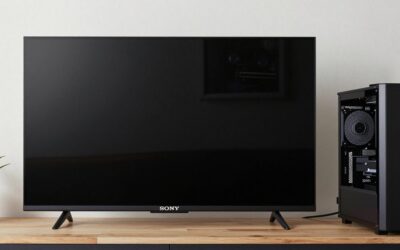
Sony has shipped Google TV longer than anyone, and the Bravia 8 is the cleanest expression of it: a 4K OLED panel at 120Hz with two HDMI 2.1 inputs, Dolby Vision, and Sony’s own picture processing. Two full-bandwidth 48 Gbps ports matters more than it sounds — it means you can run a PS5 or Xbox at 4K120 and still have a second port free for a PC or a second console without swapping cables.
Who it suits: dark or dimly lit rooms, film-first viewers, and anyone who wants the Google TV launcher to feel fast rather than tolerated. Main trade-off: price per inch, and OLED’s long-term risk of permanent image retention if you leave a static HUD, scoreboard or news ticker on for hours daily. Vary content and let the panel run its pixel-refresh cycle when you’re done for the day.
Best value: TCL QM6K / QM7K (mini-LED)
This is the pick that makes the most sense for the most households. Mini-LED backlighting with a high dimming-zone count gives you HDR highlights that OLED can’t reach at this price, refresh rates up to 144Hz with VRR, HDMI 2.1 on the higher-end sizes, and Dolby Vision — all in a size range stretching from 50 to 98 inches.
Who it suits: bright living rooms, mixed gaming and streaming, and anyone shopping by the inch. Main trade-off: blooming — bright objects against black backgrounds get a faint halo — and contrast that falls off quickly once you sit more than about 30 degrees off-centre. If your sofa is wide, sit the TV lower and closer to the middle of the seating, or step up to an OLED.
Best budget: Hisense U6 / U7 series
Hisense’s US Google TV models are the cheapest way to get a real HDR picture with Dolby Vision support. The U6 tier is a 60Hz full-array LED set — fine for streaming and casual console play — while the U7 tier moves to a 120Hz-class panel with HDMI 2.1, which is the minimum you want if a PS5 or Xbox Series X is involved.
Who it suits: bedrooms, second rooms, and buyers who want Google TV on a sub-$600 budget. Main trade-off: fewer dimming zones, lower peak brightness and weaker off-axis performance than the picks above. Buy the U7 tier if gaming matters at all; the U6 tier will cap you at 60Hz.
Best for big rooms: 85–98 inch mini-LED
At this size, OLED becomes rare and expensive, so the class to shop is large mini-LED. TCL’s QM-series reaches 98 inches, and comparable 85-inch mini-LED sets are available from most Google TV licensees. Brightness is the reason to go this route: mini-LED sets in this tier routinely hit 1,500–4,000+ nits on small highlights, which is what keeps HDR readable in a room with big windows and no curtains.
Who it suits: dedicated media rooms with 8 feet or more of seating distance, and anyone who watches sports in daylight. Main trade-off: weight and wall-mount cost. A 98-inch set can exceed 130 lbs before the mount, so budget for a heavy-duty bracket and a second pair of hands.
Already own a good TV? Buy the streamer instead
Google retired the Chromecast with Google TV when it launched the Google TV Streamer in 2024, and the Streamer is the sensible answer for anyone with a perfectly good 4K TV running a slower or more ad-heavy smart platform. It handles 4K60 with Dolby Vision and Atmos, doubles as a Matter and Thread hub, and costs about $100 — roughly one-tenth of a new 65-inch set. It won’t fix a bad panel, but it will fix a bad interface.
How to choose (with numbers)
Match the size to your seating distance
The old “distance in feet equals diagonal in inches divided by ten” rule was written for 1080p. At 4K the useful range is 2 to 3.5 times the screen height, which puts you much closer than most people sit.
| Screen size | Screen height (16:9) | Comfortable 4K distance | Too close / too far |
|---|---|---|---|
| 55″ | 27.0″ | 4.5–7.8 ft | <3.4 ft / >11 ft |
| 65″ | 31.9″ | 5.3–9.3 ft | <4.0 ft / >13 ft |
| 75″ | 36.8″ | 6.1–10.7 ft | <4.6 ft / >15 ft |
| 85″ | 41.7″ | 7.0–12.2 ft | <5.2 ft / >17 ft |
Panel type decides everything downstream
| Your situation | Choose | Why |
|---|---|---|
| Dark room, movies first, no long static HUDs | OLED / QD-OLED | Per-pixel contrast; near-zero blooming |
| Bright room, daytime sports, big windows | Mini-LED (VA) | 1,500–4,000+ nits peak brightness |
| Wide seating, people sitting off-centre | OLED or IPS/ADS | VA panels lose contrast past ~30° off-axis |
| Mixed gaming and streaming, one TV | Mini-LED, 120Hz+, VRR | Bright HDR with no burn-in risk |
The bandwidth calculation that settles 4K120
Do the arithmetic before you trust a spec badge. 4K at 120Hz in 10-bit RGB 4:4:4 needs 3840 × 2160 × 120 × 30 bits ≈ 30 Gbps of raw pixel data, which only fits HDMI 2.1’s 48 Gbps pipe. For comparison, 4K60 in 8-bit RGB is 3840 × 2160 × 60 × 24 ≈ 12 Gbps, which squeezes into HDMI 2.0’s 14.4 Gbps payload. So a Google TV with only HDMI 2.0 ports is a 4K60 TV, full stop — 4K120 on those inputs requires 4:2:0 chroma subsampling, which visibly softens text and fine colour edges on a desktop.
Check the chipset and RAM, not just the OS logo
Google TV runs on 2GB of RAM on some budget sets and 3GB or more on better ones, and the difference shows up as launcher lag within a year of app updates. If you can, demo the remote’s responsiveness in the store before buying; a slow launcher on a good panel is a five-year annoyance.
Settings to change on day one
- Enable the enhanced HDMI format per input. On Sony: Settings → Channels & Inputs → External inputs → HDMI signal format → Enhanced format. On TCL and Hisense it’s usually an “HDMI 2.1” or “Enhanced” toggle. Reason: 4K120 and VRR stay locked out until you do this, even on a 48 Gbps port.
- Rename the input to “Game console” or “PC”. Most Google TV sets auto-switch to the low-latency picture mode when the label matches. Reason: you get low input lag without disabling the processing you want for movies.
- Turn off motion smoothing. Look for Motionflow, MEMC or LED Motion Clarity and set it off; use Filmmaker or Cinema mode instead. Reason: interpolation causes the soap-opera effect and adds input lag in game mode.
- Leave brightness at maximum in HDR, dial it down in SDR. Around 40–60% backlight or OLED light is comfortable in a dark room for SDR. Reason: HDR is mastered to use the full brightness range; SDR is not, and a maxed SDR backlight washes out blacks.
- Enable 4:4:4 chroma on PC inputs. Reason: without it, coloured text on dark backgrounds gets fringed, which is obvious in menus and spreadsheets.
- Turn on Apps only mode in Google TV settings. Reason: it strips the recommendation row and sponsored tiles from the home screen, which speeds up the launcher and reduces what gets tracked.
- Test VRR before you commit to it. On a few models, enabling VRR reduces or disables local dimming, which costs you HDR punch in exchange for smoother frame pacing. Compare both states with the same game scene.
Frequently Asked Questions
Is Google TV good for gaming?
Google TV itself adds no meaningful input lag — lag comes from the panel and the picture mode, not the operating system. What matters is that the set has HDMI 2.1, 120Hz, VRR and ALLM, and that you enable the enhanced HDMI format and game mode. Sony, TCL and Hisense all ship Google TV sets with those features in their mid and upper tiers.
Do I need HDMI 2.1 on a Google TV?
Only if you plan to game at 4K120 on a PS5, Xbox Series X or a PC. For streaming at 4K60, HDMI 2.0 is sufficient and you can save money. The calculation is simple: 4K120 at 10-bit RGB needs roughly 30 Gbps, which HDMI 2.0’s 14.4 Gbps payload cannot carry.
How much does a cheap Google TV slow down over time?
Sets with 2GB of RAM and a low-end SoC tend to feel sluggish after a couple of years of app updates, mainly in the launcher and app switching. Sets with 3GB or more stay responsive much longer. If the panel is good but the interface is slow, a Google TV Streamer for about $100 is cheaper than replacing the TV.
Can I add Google TV to a TV I already own?
Yes. The Google TV Streamer plugs into any HDMI input and runs the full Google TV interface, including Dolby Vision and Atmos passthrough where your TV supports them. It’s the cheapest way to get the platform if your current TV’s smart system is slow or lacks apps.
Is 120Hz worth paying for on a Google TV?
For gaming, yes — 120Hz with VRR is the difference between smooth and juddery frame pacing, and it’s the feature you can’t add later. For film viewing it also helps: 120 divides evenly by 24, so 24fps content plays with even cadence instead of 3:2 pulldown judder. If you only stream TV shows and never game, 60Hz is fine.
Will an OLED Google TV burn in from game HUDs?
Modern OLED panels are far more resistant than early models, but permanent retention is still possible with hundreds of hours of the same static HUD, ticker or logo. Vary your content, lower the OLED light for SDR, and let the panel run its automatic pixel refresh. If your household leaves a news channel on all day, a mini-LED set is the safer choice.
Ready to decide? Our #1 pick for 2026 is the Sony Bravia 8 (OLED).
Live price & availability on Amazon.