Gaming monitor Valorant buyers often face a mismatch: impressive advertised refresh, but unstable match FPS during utility-heavy fights. Another trap is paying for cinematic looks despite a focus on ranked play. These four picks connect screen speed, motion clarity, and resolution to your computer’s sustainable performance.
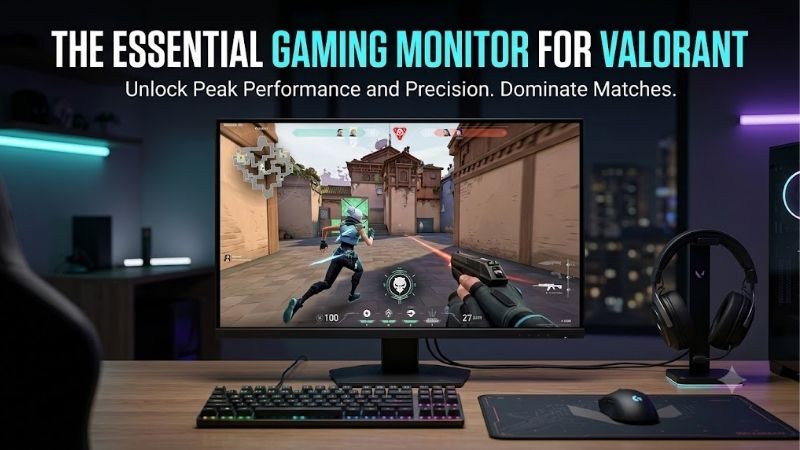
Quick answer: Our top pick in 2026 is the BenQ ZOWIE XL2566X+ — our #1 rated choice. See the full ranked comparison, alternatives and buying advice below.
How to Choose a Valorant Gaming Monitor
This gaming monitor Valorant guide compares four models using verified specifications and clearly defined tradeoffs, without claiming firsthand testing. The recommendations separate a fast tournament-style display, a conditional value option, a lower-refresh motion-clarity specialist, and a premium OLED option for shooters and other games.
Refresh Rate and Sustainable FPS
Refresh rate sets how often the screen presents a fresh image. At 240Hz, updates arrive about every 4.17 milliseconds; 400Hz reduces that interval to 2.5 milliseconds. Faster presentation requires consistently delivered fresh frames, but a monitor cannot repair processor limits or substantial frame-time instability during combat.
Evaluate actual-match performance beyond an empty practice range, including busy fights where minimum frame rates drop. A gaming monitor Valorant players buy should match that sustained output. Choose BenQ ZOWIE XL2566X+ when your system regularly approaches 400fps; choose Dell G2524H for comparatively accessible high-refresh performance.
Motion Clarity and Panel Technology
Motion clarity depends on pixel transitions as well as refresh rate. LCD overdrive can accelerate transitions but may create bright or dark trails at aggressive settings. OLED pixels change rapidly without LCD-style overdrive adjustments. Manufacturer response-time figures alone cannot establish moving-target visibility throughout actual gameplay.
Backlight strobing briefly pulses illumination to reduce perceived persistence blur, but visible flicker does not suit every player. On ZOWIE’s DyAc 2 models, variable refresh works with DyAc disabled, so you must choose between those modes. Choose BenQ ZOWIE XL2546X+ for strobing, or ASUS ROG Swift OLED PG27AQDP for fast OLED transitions.
Screen Size and Native Resolution
Screen size changes how much space the image fills from your chair. A compact 24-inch-class display suits close seating, while 27-inch alternatives provide greater physical immersion. Native resolution determines detail and rendering demand; stretching a lower-resolution image across a larger screen cannot increase detail.
Choose BenQ ZOWIE XL2566X+ for its compact 24.1-inch 1080p format when consistent ranked play is your main priority. Choose ASUS ROG Swift OLED PG27AQDP at native 1440p for sharper detail across varied games. The gaming monitor Valorant players prefer should reflect seating distance and graphics capability, not screen size alone.
Stand Design and Everyday Usability
An adjustable stand lets you align the display without books or boxes underneath the screen. Stand-base depth also matters with angled keyboards and expansive mouse movements. Check physical dimensions rather than just the screen size, especially when comparing compact esports hardware against premium OLED alternatives.
Everyday use adds another consideration: TN viewing angles are less forgiving than IPS when leaning or sharing the screen. Dell G2524H combines Fast IPS with height, swivel, tilt, and pivot adjustment, supporting varied desktop applications. Choose it when adaptable positioning and mixed desktop use matter alongside competitive refresh rates.
Top Picks
The gaming monitor Valorant shortlist gives each pick a distinct purchasing role beyond its refresh number. Best Overall assumes competitive PC play is the priority, while Best Value depends on available stock and checkout pricing. Compare exact model codes carefully, especially ZOWIE versions distinguished by their plus suffix.
| Product | Best For | Key Spec | Watch Out For |
|---|---|---|---|
| BenQ ZOWIE XL2566X+ | Best Overall | 24.1-inch Fast TN; 1080p 400Hz; DyAc 2 | Restricted viewing angles and modest desktop detail |
| Dell G2524H | Best Value | 24.5-inch Fast IPS; 240Hz, overclockable to 280Hz | Limited availability; value depends on seller pricing |
| BenQ ZOWIE XL2546X+ | 280Hz Motion Clarity | 24.1-inch Fast TN; 1080p 280Hz; DyAc 2 | Lower refresh ceiling than XL2566X+ |
| ASUS ROG Swift OLED PG27AQDP | Premium OLED Gaming | 26.5-inch viewable WOLED; 1440p 480Hz | Burn-in risk and demanding performance target |
BenQ ZOWIE XL2566X+: Best Overall
BenQ ZOWIE XL2566X+ is Best Overall for dedicated ranked players with 400Hz-capable computers. Its 24.1-inch Fast TN panel runs at 1920 x 1080, with DyAc 2 available for motion clarity. Compact dimensions and comparatively lower rendering demands at native resolution suit desks built for fast shooters rather than cinematic games.
The substantial compromise is image versatility: TN viewing angles and 1080p detail are limiting during shared viewing and extensive productivity. Maximum 400Hz operation uses DisplayPort 1.4, so verify your computer’s output before purchase. Buy this model for its competitive feature set, without expecting the best picture for every task.
Dell G2524H: Best Value
Dell G2524H is Best Value when authorized retailers substantially discount remaining inventory. Its 24.5-inch Fast IPS panel provides 1080p at 240Hz, with an optional overclock to 280Hz. This gaming monitor Valorant players select for everyday browsing favors flexible viewing angles over the specialized TN approach of the ZOWIE picks.
Adaptive-sync support and an adjustable stand strengthen its mixed-use appeal, but availability is meaningful: Dell’s US listing currently marks it unavailable. Its LCD contrast does not deliver OLED’s deep blacks. Compare seller warranty eligibility and the final price; scarce remaining inventory can erase its conditional value advantage.
BenQ ZOWIE XL2546X+: Best for 280Hz Motion Clarity
BenQ ZOWIE XL2546X+ is Best for 280Hz Motion Clarity, pairing a 24.1-inch 1080p Fast TN panel with DyAc 2. It suits players targeting 280Hz performance with a clear preference for blur reduction. Native 280Hz requires no optional Dell-style overclock, while retaining the compact format suited to competitive workstations.
The drawback is paying for a specialized TN display with restricted viewing angles while sacrificing the XL2566X+’s higher refresh ceiling. Its maximum 1080p 280Hz mode uses DisplayPort. Choose it when the price difference and sustained performance justify this compromise; otherwise, the faster ZOWIE is worth a closer look.
ASUS ROG Swift OLED PG27AQDP: Best for Premium OLED Gaming
ASUS ROG Swift OLED PG27AQDP is Best for Premium OLED Gaming, offering 2560 x 1440 at 480Hz on a 26.5-inch viewable WOLED panel. Rapid pixel transitions and pixel-level blacks serve fast shooters and visually rich games. It suits discerning buyers seeking competitive responsiveness alongside a sharper picture across other games.
Extra resolution and 480Hz headroom ask more of your computer, while OLED introduces burn-in risk from repeated static content. Keep panel-care features enabled and verify US warranty coverage before purchasing. This model is the strongest picture-quality alternative here, but its benefits cannot guarantee improved competitive outcomes.
Frequently Asked Questions
The gaming monitor Valorant decision usually raises four practical questions: whether 240Hz is sufficient, which panel type fits, 1440p GPU rendering requirements, and what hardware can change about aiming. These answers separate useful display improvements from unrealistic expectations surrounding competitive performance.
Is 240Hz Enough for Valorant?
Yes, 240Hz is enough for serious Valorant play with consistent frame delivery. It offers substantially more frequent updates than 60Hz or 144Hz, without requiring the sustained output needed for 400Hz or 480Hz. A higher ceiling remains useful, but consistent performance and moving-image visibility remain equally significant.
If your current system struggles to hold 240fps during combat, prioritize reducing frame-time instability before paying mainly for extra refresh speed. A gaming monitor Valorant setup can still benefit below its maximum refresh, especially with variable refresh enabled, but unused headroom is a weaker purchase reason than sustainable performance.
Should You Choose TN, IPS, or OLED?
Choose TN for a focused esports feature set, IPS for wider viewing angles, or OLED for rapid transitions and stronger black levels. Panel technology alone does not tell you which model wins. Poorly optimized LCD overdrive can still show artifacts, while rapid OLED transitions cannot eliminate perceived persistence blur.
For this group, ZOWIE supplies the specialized TN choices, Dell offers IPS flexibility, and ASUS provides the premium OLED alternative. Consider static-content exposure between competitive sessions. If maintenance and burn-in concerns dominate your routine, an LCD may be easier to live with despite OLED’s presentation advantages.
Is 1080p Better Than 1440p for Valorant?
1080p is often practical for prioritizing competitive frame rates, but 1440p is not inherently unsuitable for Valorant. Higher resolution improves fine detail while increasing graphics workload. The FPS impact depends on your graphics hardware and settings; a CPU-limited system may gain less from resolution reductions.
Compare both resolutions on your own computer before assuming you need a major upgrade. Keep other settings consistent for meaningful performance comparisons. Select the ASUS for native 1440p detail with sufficient performance headroom; select a 1080p recommendation when competitive frame stability or total cost dominates.
Does a Faster Monitor Improve Your Aim?
A faster monitor can make feedback more immediate and moving targets easier to follow, but it cannot teach crosshair placement or correct poor timing. The display is one component within total system latency. Mouse behavior, game performance, and your decisions still influence the result, regardless of refresh capabilities.
After connecting a new screen, select its intended refresh rate in Windows and verify Valorant’s display settings without assuming every mode activates automatically. Compare tracking and visual comfort during the return period. Keep practice conditions consistent; simultaneous sensitivity adjustments complicate meaningful display comparisons.
Final Thoughts
The gaming monitor Valorant players choose depends on sustainable performance and everyday requirements. Pick XL2566X+ for focused 400Hz competition, XL2546X+ for 280Hz DyAc 2, or PG27AQDP for premium 1440p OLED speed. Choose G2524H only when meaningfully discounted. Match the screen to your computer before paying for speed you will rarely use.
Ready to decide? Our #1 pick for 2026 is the BenQ ZOWIE XL2566X+.
Live price & availability on Amazon.