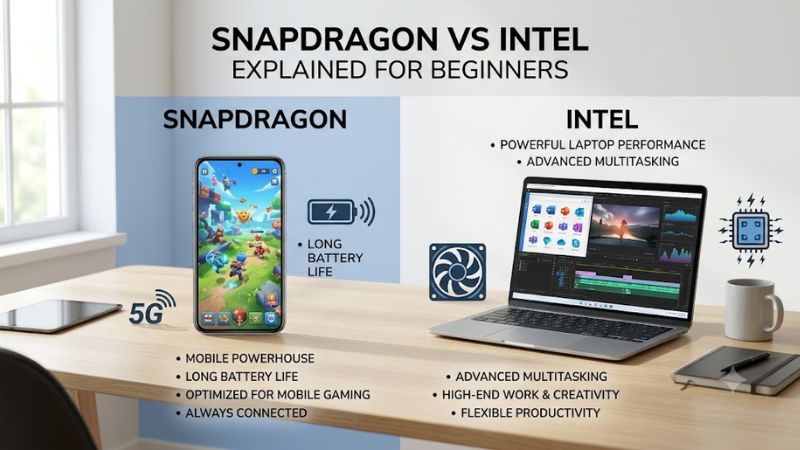
Snapdragon vs intel explained for beginners starts with one practical question: do you value maximum Windows compatibility or longer unplugged efficiency? Snapdragon laptops use ARM-based chips, while Intel models use the familiar x86 ecosystem. This guide compares both through four real laptops so first-time buyers can choose with fewer surprises.
How to Choose a Snapdragon or Intel Laptop
For snapdragon vs intel explained for beginners, processor architecture matters less than what you actually run every day. Snapdragon systems shine when battery efficiency, quiet operation, and modern productivity are priorities, while Intel remains the safer choice for broader software and peripheral compatibility. The four picks below show where each approach makes sense.
Check Your App Compatibility First
Windows on Snapdragon can run many familiar applications natively or through Microsoft’s emulation layer, but specialized utilities, older drivers, games, and business software may still behave differently. Surface Laptop 7 and Yoga Slim 7x suit users centered on browsers, Microsoft 365, communication apps, media, and mainstream creative tools.
Intel remains easier for people who cannot risk compatibility surprises with legacy software or unusual accessories. That advantage makes the Dell XPS 13 9350 and ASUS Zenbook S 14 safer choices for mixed professional workloads. For beginners unsure about one critical application, verifying that program before choosing Snapdragon is smarter than relying on general compatibility claims.
Match Battery Efficiency to Your Routine
Snapdragon systems are attractive because ARM processors can deliver strong everyday responsiveness while using power efficiently during light and moderate work. Lenovo equips the Yoga Slim 7x with a 70Wh battery, while Microsoft’s Surface Laptop 7 combines Snapdragon X processors with a design aimed at mobile productivity, making both compelling for frequent travelers.
Intel’s newer Core Ultra chips have also improved substantially in efficiency, so choosing x86 no longer automatically means accepting poor endurance. The Dell XPS 13 9350 and ASUS Zenbook S 14 pair efficient Core Ultra processors with highly portable designs. Snapdragon vs intel explained for beginners therefore comes down to workflow, not simply which chip promises more hours.
Consider Display Quality and Portability
Screen size affects portability more than beginners sometimes expect. Lenovo’s Yoga Slim 7x uses a 14.5-inch 3K OLED touchscreen with a 90Hz refresh rate, giving creators generous workspace and rich contrast. ASUS offers a 14-inch 3K OLED option at 120Hz on the Zenbook S 14, making it especially appealing for visual work and smooth scrolling.
The Surface Laptop 7 offers 13.8-inch and 15-inch choices, letting buyers prioritize compactness or workspace, while Dell’s XPS 13 9350 stays highly travel friendly with a 13.4-inch display. Anyone carrying a laptop daily should consider the smaller Surface or Dell, while Yoga and Zenbook better serve buyers who value display area and image quality.
Decide How Much Memory You Need
Memory is especially important because several thin premium laptops use soldered RAM that cannot be upgraded later. Lenovo lists Yoga Slim 7x configurations with 16GB or 32GB LPDDR5X memory, while Dell’s XPS 13 9350 supports 16GB or 32GB depending on processor configuration. Buying enough memory initially avoids an expensive replacement later.
ASUS pairs some Zenbook S 14 configurations with 32GB alongside the Core Ultra 7 258V, making it attractive for heavier multitasking. Surface Laptop 7 also comes in multiple configurations depending on processor and market. For snapdragon vs intel explained for beginners, 16GB is a sensible baseline, while 32GB is preferable for creative work or long ownership.
Top Picks
These four laptops make snapdragon vs intel explained for beginners easier because they represent distinct buying priorities rather than four nearly identical machines. Surface Laptop 7 is the balanced Snapdragon option, Yoga Slim 7x emphasizes OLED productivity, Dell XPS 13 favors compact Intel compatibility, and Zenbook S 14 combines Intel with a premium OLED display.
| Product | Best For | Key Spec | Watch Out For |
|---|---|---|---|
| Microsoft Surface Laptop 7 | Best Overall | Snapdragon X Elite, 13.8-inch or 15-inch | ARM compatibility should be checked for specialized apps |
| Lenovo Yoga Slim 7x Gen 9 | Best Value | Snapdragon X Elite, 14.5-inch 3K OLED 90Hz | Soldered memory limits future upgrades |
| Dell XPS 13 9350 | Best For Business Compatibility | Core Ultra 7 258V, up to 32GB LPDDR5X | Limited physical ports |
| ASUS Zenbook S 14 UX5406 | Best For OLED Productivity | Core Ultra 7 258V, 14-inch 3K OLED 120Hz | Premium display can increase configuration cost |
Microsoft Surface Laptop 7 — Best Overall
Microsoft Surface Laptop 7 is the easiest Snapdragon recommendation for buyers who want a polished Windows experience without chasing unusual specifications. Snapdragon X Elite configurations use a 12-core processor, while the chassis provides two USB-C ports plus USB-A. The main drawback is that specialized x86 software deserves compatibility checking before purchase.
For snapdragon vs intel explained for beginners, Surface Laptop 7 demonstrates why Snapdragon attracts everyday users: it combines modern Windows features, strong portability, and an efficient ARM platform without feeling like an experimental device. It suits students, office users, travelers, and browser-heavy professionals who mainly rely on current mainstream applications.
Lenovo Yoga Slim 7x Gen 9 — Best Value
Lenovo Yoga Slim 7x Gen 9 pairs the Snapdragon X Elite X1E-78-100 with 16GB or 32GB LPDDR5X memory and a 14.5-inch 2944 × 1840 OLED touchscreen running at 90Hz. Its 70Wh battery and vivid display make it appealing for mobile creators. The tradeoff is soldered memory, so buyers must choose capacity carefully.
The Yoga is particularly strong for people who want a premium screen without stepping back to a heavier workstation. Its combination of OLED contrast, touch input, modern wireless connectivity, and an efficient ARM processor fits writing, presentations, video consumption, photo organization, and cloud workflows. Buyers dependent on niche Windows utilities should still confirm ARM support first.
Dell XPS 13 9350 — Best For Business Compatibility
Dell XPS 13 9350 offers Intel Core Ultra Series 2 options, including the eight-core Core Ultra 7 258V, with configurations reaching 32GB of LPDDR5X memory. Buyers can select high-resolution displays while retaining the familiar x86 Windows software ecosystem. Its real compromise is connectivity, because the slim chassis relies heavily on USB-C and Thunderbolt.
Snapdragon vs intel explained for beginners becomes clearer with the XPS: Intel is attractive when familiar software behavior matters more than maximizing ARM efficiency. The XPS suits consultants, developers, business travelers, and users with older peripherals or corporate applications. It keeps the system compact while reducing uncertainty around legacy Windows compatibility.
ASUS Zenbook S 14 UX5406 — Best For OLED Productivity
ASUS Zenbook S 14 UX5406 is a strong Intel choice for buyers who prioritize screen quality. Core Ultra 7 258V configurations pair an eight-core processor with Intel Arc graphics, while available 14-inch OLED panels reach 2880 × 1800 resolution and 120Hz. Some versions include 32GB of memory, although premium configurations can become expensive.
The Zenbook suits photographers, content workers, researchers, and multitaskers who want Intel compatibility without giving up an upscale display. Its OLED panel provides excellent contrast and a wide working canvas in a portable format. Compared with the Dell, it places greater emphasis on multimedia experience rather than achieving the smallest possible footprint.
Frequently Asked Questions
Common questions about snapdragon vs intel explained for beginners usually involve software compatibility, gaming, battery life, and longevity. Neither platform wins every category. Snapdragon is compelling for efficient mobile computing and modern productivity, while Intel remains reassuring for traditional Windows workloads, broader gaming support, and software that depends on older x86 components.
Is Snapdragon Better Than Intel for Everyday Use?
Snapdragon can be better for everyday use when your routine revolves around web browsing, email, documents, video calls, streaming, and modern productivity software. Systems such as Surface Laptop 7 and Yoga Slim 7x are designed around those workloads, where efficient performance and low-power operation can matter more than maximum compatibility.
Intel is the safer everyday option when “everyday” includes older Windows utilities, specialized drivers, uncommon peripherals, or software from smaller vendors. Beginners should list the few programs they absolutely cannot replace. If all are ARM-compatible, Snapdragon becomes appealing; if one critical tool is uncertain, an Intel laptop removes that concern.
Can Snapdragon Windows Laptops Run Normal Programs?
Yes, many normal Windows applications run on Snapdragon laptops either as native ARM versions or through Windows emulation. Browsers, Microsoft productivity tools, communication software, and many mainstream applications are increasingly well supported. The main issue is not ordinary software but programs requiring unsupported drivers, extensions, or low-level system components.
For snapdragon vs intel explained for beginners, the safest method is checking the developer’s current compatibility information for every essential program before ordering. Emulation can solve many situations, but it should not be treated as a guarantee for specialized professional applications. Intel remains the lower-risk choice when software requirements are unknown.
Is Intel Better for Gaming Than Snapdragon?
Intel is generally the easier recommendation for Windows gaming because the x86 PC gaming ecosystem, drivers, launchers, anti-cheat systems, and accessories were historically built around conventional Windows processors. An Intel laptop such as the XPS or Zenbook therefore presents fewer compatibility variables, although neither model here is intended as a high-end gaming machine.
Snapdragon gaming has improved as Windows on ARM matures, but game compatibility varies more widely than ordinary productivity software. Casual and supported games may work well, while demanding titles can encounter limitations. Buyers primarily interested in gaming should prioritize a dedicated gaming laptop and examine GPU performance instead of choosing solely between Snapdragon and Intel CPUs.
Which Platform Is Better for Keeping a Laptop Several Years?
Both platforms can remain useful for years when memory, storage, software support, and build quality match your needs. Intel offers continuity with the enormous existing x86 Windows catalog, while Snapdragon benefits from Microsoft’s growing investment in Windows on ARM. Choosing at least 16GB of memory is especially important because many thin models cannot be upgraded.
A 32GB configuration is worth considering for heavier multitasking, development, creative applications, or a long replacement cycle. Snapdragon vs intel explained for beginners should not become a prediction contest about which architecture wins eventually. Buy around the software you need now, then leave enough memory and storage capacity for workloads to grow.
Final Thoughts
Snapdragon vs intel explained for beginners has a simple conclusion: choose Snapdragon for efficient mobile productivity when your essential apps support ARM, and choose Intel when maximum Windows compatibility matters more. Surface Laptop 7 is the balanced pick, Yoga Slim 7x excels for OLED mobility, XPS 13 favors compatibility, and Zenbook S 14 suits display-focused work.