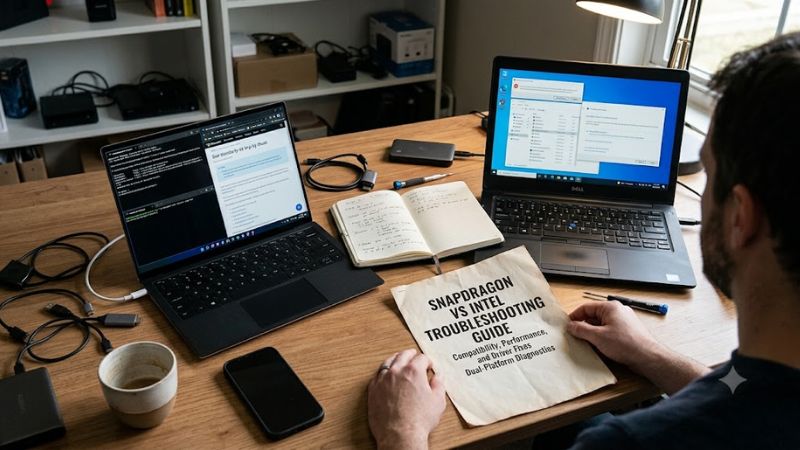
Snapdragon vs intel troubleshooting guide is useful when a Windows laptop runs an app, accessory, or driver differently than expected. The real split is architecture: Snapdragon uses Arm64, while Intel uses x86-64, so an apparently simple setting can actually be an architecture-compatibility problem before choosing a model.
Quick answer: Our top pick in 2026 is the Lenovo Yoga Slim 7x 14 — our #1 rated choice. See the full ranked comparison, alternatives and buying advice below.
How to Choose Windows Laptops
For a snapdragon vs intel troubleshooting guide, architecture is the first buying filter. Windows 11 on Arm runs many x86/x64 apps through emulation, but drivers still need native Arm64 support. Intel is safer for legacy utilities and specialty hardware; Snapdragon works best when your core software already has a native Arm64 build.
Architecture And App Compatibility
Check the exact app and driver, not just the publisher. Native Arm64 builds avoid emulation overhead and behave more predictably in practice. This matters for security tools, virtualization, device utilities, and hardware software. For mixed libraries, Dell XPS 13 9350 is safer; Lenovo Yoga Slim 7x suits an Arm-first stack.
An x64 app can run on Arm, but a kernel-mode driver cannot be emulated, so a printer, scanner, VPN, anti-cheat tool, or engineering device may fail. That favors Dell XPS 13 9350 for legacy stacks and Lenovo Yoga Slim 7x for modern Arm software in field service.
Ports And Peripheral Access
Port selection matters during diagnosis because direct connections remove one layer of variables. ASUS Vivobook S 15 S5507 has two USB4 Type-C ports, two USB-A ports, HDMI 2.1, and a microSD reader, making peripheral isolation easier without a dock. That makes ASUS the strongest pick for hands-on device testing.
There is a portability-versus-connectivity trade-off. Lenovo Yoga Slim 7x has three full-function USB-C ports, while Dell XPS 13 9350 has two Thunderbolt 4 ports. Both are fast, but older USB-A/HDMI gear needs an adapter, so ASUS wins for direct access while Dell suits a lean field setup for diagnostics during field use.
Battery And Thermal Endurance
Battery and thermals matter during long update, install, and test cycles. Lenovo lists a 70Wh battery with up to 23.8 hours of 1080p video, while Dell uses a 55Wh pack. Those are controlled test results, not guarantees, but they make Lenovo the stronger choice for mobile diagnostics and extended unplugged sessions over repeated sessions.
Larger batteries do not automatically mean better serviceability. A lighter laptop helps when you carry it between networks and work areas. Lenovo Yoga Slim 7x is the endurance pick, while Dell XPS 13 9350 starts around 2.7 pounds; choose Lenovo for stamina and Dell for portability plus Intel compatibility when mobility matters.
Display And Form Factor
Display and form factor can change troubleshooting speed. A touch panel helps when testing Windows controls, while a clamshell stays simple for desk work. HP OmniBook Ultra Flip 14 combines a 2.8K OLED touch display with a 360-degree hinge, making it the best pick for touch-focused diagnostics and flexible service workflows.
High-resolution OLED can bring more glare and power demand, especially with reflective glass. ASUS uses a 15.6-inch 3K 120Hz OLED, while HP uses a 2.8K 120Hz OLED convertible. Pick HP for touch/tablet modes, or ASUS for the larger testing canvas and broader physical-port selection without adding a dock in daily work.
Top Picks
These four picks cover the main troubleshooting paths without treating Snapdragon and Intel as interchangeable. Two are Arm-based for efficient modern Windows use; two are Intel-based for broader legacy compatibility. For a snapdragon vs intel troubleshooting guide, choose based on app architecture, ports, endurance, or touch workflow.
| Product | Best For | Key Spec | Watch Out For |
|---|---|---|---|
| Lenovo Yoga Slim 7x 14 | Best Overall | Snapdragon X Elite, 14.5″ 3K 90Hz OLED, 70Wh | USB-C-only port mix; soldered RAM |
| ASUS Vivobook S 15 S5507 | Best Value | Snapdragon X Plus/X Elite, 15.6″ 3K 120Hz OLED, 70Wh | Larger chassis; specialized drivers still matter (ASUS Global) |
| Dell XPS 13 9350 | Best For Legacy Windows Apps | Core Ultra 7 258V, up to 32GB, up to 2TB | Only two Thunderbolt 4 ports; RAM not upgradeable (Dell) |
| HP OmniBook Ultra Flip 14 | Best For Touch And 2-in-1 Work | Core Ultra 7 258V, 14″ 2.8K OLED touch, 47 TOPS NPU | More mechanical complexity; limited classic ports (Hỗ Trợ HP) |
Lenovo Yoga Slim 7x 14 — Best Overall
Lenovo Yoga Slim 7x 14 earns Best Overall with a 12-core Snapdragon X Elite, 16GB/32GB LPDDR5X, 70Wh battery, and 14.5-inch 3K 90Hz OLED touchscreen. For a snapdragon vs intel troubleshooting guide reader, it is the strongest Arm-first option when core apps run well on Windows 11.
Its advantage is an unusually strong mix of endurance and display quality in a portable chassis. The drawback is connectivity: all three built-in ports are USB-C, so legacy USB-A/HDMI devices need an adapter. Memory is soldered, so the RAM choice deserves attention before purchase for long-term service work too.
ASUS Vivobook S 15 S5507 — Best Value
ASUS Vivobook S 15 S5507 is Best Value for buyers who want an OLED and direct troubleshooting ports. Configurations include Snapdragon X Plus or X Elite, up to 32GB LPDDR5X, up to 1TB SSD, a 15.6-inch 3K 120Hz OLED, and a 70Wh battery. That makes snapdragon vs intel troubleshooting guide testing easier when peripherals are the problem.
Its standout advantage is practical I/O: two USB4 Type-C, two USB-A, HDMI 2.1, and microSD. The trade-off is a larger 15.6-inch chassis, while specialized-device compatibility still depends on Arm64 drivers. For desk-heavy diagnostics, those ports can be more useful than another small benchmark gain.
Dell XPS 13 9350 — Best For Legacy Windows Apps
Dell XPS 13 9350 is Best For Legacy Windows Apps because Intel Core Ultra Series 2 keeps the familiar x86-64 environment. Dell lists Core Ultra 7 258V options, up to 32GB LPDDR5X, and 512GB/1TB/2TB SSDs. In a snapdragon vs intel troubleshooting guide, it is the low-friction pick for legacy-service tools used by support teams.
Its biggest advantage is compatibility breadth in a compact 13.4-inch design. The drawback is a two-port layout: both are Thunderbolt 4 USB-C, so older accessories may require a dock. Integrated RAM is not upgradeable, with 16GB or 32GB options tied to the processor, so buy enough memory for the full service lifecycle.
HP OmniBook Ultra Flip 14 — Best For Touch And 2-in-1 Work
HP OmniBook Ultra Flip 14 is Best For Touch and 2-in-1 Work in this snapdragon vs intel troubleshooting guide, using an Intel Core Ultra 7 258V, Intel Arc graphics, and a 47 TOPS NPU. Its 14-inch 2.8K OLED touch panel runs 48Hz-120Hz, creating a flexible surface for testing touch controls, pen input, and convertible layouts.
Its standout benefit is workflow flexibility: troubleshoot at a desk, in tablet mode, or in tent mode without changing platforms. The downside is greater mechanical complexity and fewer classic ports than a conventional business laptop, with configurations centered on USB-C/Thunderbolt. Choose it when touch behavior is part of the work.
Frequently Asked Questions
In this snapdragon vs intel troubleshooting guide, most troubleshooting questions reduce to one check: can the software, driver, and accessory operate on the chosen architecture? The answers below focus on Windows on Arm versus Intel and architecture-specific app issues before fleet-wide support standardization overall.
Can Snapdragon Laptops Run Older Windows Apps?
Can Snapdragon laptops run older Windows apps? Yes. Windows 11 on Arm can run many x86/x64 applications through emulation, and Windows 11 24H2 uses Prism to improve that experience. The key exception is drivers: kernel-mode components must be native Arm64, so driver-dependent software needs a compatibility check before purchase.
Identify every app that talks directly to hardware, security software, or a virtual machine. If one needs a non-Arm driver, choose Intel instead of assuming emulation covers it. For Office, browsers, and many creative apps, Windows on Arm is now far less restrictive than early Arm PCs, especially when native versions are available.
Does Intel Avoid All Troubleshooting Problems?
Does Intel avoid all troubleshooting problems? No. Intel laptops can still hit driver, BIOS, Windows, docking, or application conflicts, but they avoid the architecture-specific layer added by Arm emulation. That makes Dell XPS 13 9350 easier to recommend for mixed fleets built around older Windows software and peripherals.
Start with Windows, firmware, and manufacturer-driver updates before treating a repeatable issue as a hardware fault. Intel also makes it easier to reuse established x64 installers, service utilities, and peripheral software, reducing diagnostic branching in older environments where technicians already have proven procedures.
Are Snapdragon Laptops Better For Battery Life?
Are Snapdragon laptops better for battery life? Often, but the laptop design matters as much as the processor label. Lenovo rates Yoga Slim 7x at up to 23.8 hours of 1080p video playback, while Microsoft rates the 13.8-inch Surface Laptop 7th Edition at up to 20 hours. Treat both as controlled test claims.
Real workloads, brightness, wireless activity, and background software can move those numbers sharply. For long diagnostic sessions away from outlets, Lenovo is the safer endurance bet here. When troubleshooting stays desk-based, prioritize port access and compatibility over chasing the highest laboratory battery figure for its own sake.
Which Architecture Is Better For IT Troubleshooting?
Which architecture is better for IT troubleshooting? Intel is usually simpler when the toolkit includes older admin utilities, specialty drivers, virtualization components, or device-firmware tools. Snapdragon is strong for modern Windows software with native Arm64 builds and efficiency goals. The answer depends on your supported toolset.
For a mixed-toolkit, keep one Intel system available even if most users move to Snapdragon. That separates an app problem from an architecture problem without forcing every machine onto the older platform. For an Arm-first fleet, verify drivers and compatibility before deployment, then standardize approved software versions.
Final Thoughts
Match architecture to irreplaceable software before purchase. Lenovo Yoga Slim 7x is the top Arm-first balance, ASUS Vivobook S 15 is the value choice for ports, Dell XPS 13 9350 is the safer legacy-software pick, and HP OmniBook Ultra Flip 14 wins for touch workflows. Use this snapdragon vs intel troubleshooting guide when buying.
Ready to decide? Our #1 pick for 2026 is the Lenovo Yoga Slim 7x 14.
Live price & availability on Amazon.