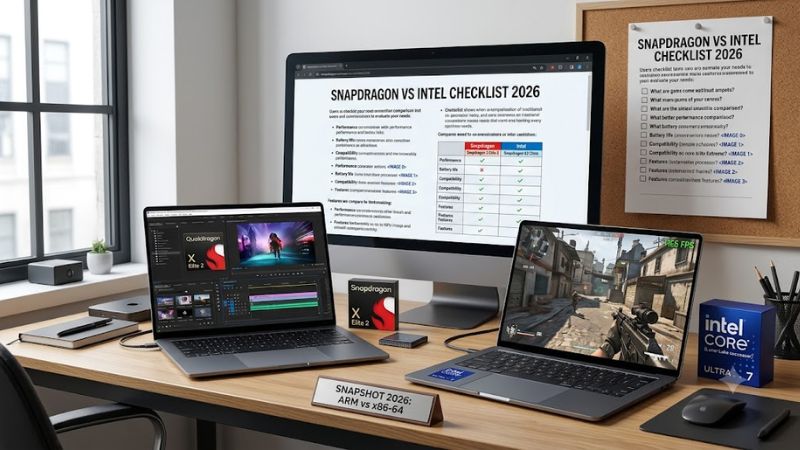
Snapdragon vs intel checklist 2026 matters because Windows laptops can now look similar while behaving differently underneath. Snapdragon systems use Arm, Intel systems use x86, and that difference can affect app compatibility, battery life, graphics, and peripherals. The right choice depends on your daily software, not the logo.
Quick answer: Our top pick in 2026 is the ASUS Zenbook A14 (UX3407) — our #1 rated choice. See the full ranked comparison, alternatives and buying advice below.
How to Choose Snapdragon Vs Intel Laptops
A buyer facing Snapdragon versus Intel should first identify the software and hardware that cannot be compromised. This snapdragon vs intel checklist 2026 focuses on four decision points: application support, efficiency and mobility, AI capability, and graphics or expansion needs. Each point maps directly to the four laptop picks below.
Application Compatibility
Application compatibility is the first filter. Windows 11 on Arm can run many x86 and x64 apps through Prism, while native Arm versions generally provide the best performance and efficiency. Driver-dependent tools and some games remain a risk, so legacy-heavy workflows should favor Intel unless every critical app is confirmed.
This matters most for specialized utilities, older plug-ins, enterprise drivers, and games with kernel-level anti-cheat. Microsoft notes that drivers must be designed for Windows on Arm, while native Arm applications avoid emulation overhead. For broad software confidence, ASUS Vivobook S14 with Intel Core Ultra 7 355 is the safer pick.
Battery And Mobility
Battery and mobility are separate from raw CPU speed. Look at the whole laptop, including battery capacity, display power, chassis weight, and processor behavior on battery. This snapdragon vs intel checklist 2026 favors the ASUS Zenbook A14 when travel weight is a priority because its Snapdragon X2 Elite design keeps the machine under 2.18 pounds.
The ASUS Zenbook A14 combines an 18-core Snapdragon X2 Elite with a 14-inch OLED panel, 32GB memory, and a 1TB SSD in the listed configuration. ASUS rates the platform for up to 33 hours of battery life, though actual runtime varies by workload. Choose it when portability matters more than workstation expansion or upgrade flexibility.
AI Capability
AI specifications need context. NPU TOPS indicate dedicated AI throughput, but software support determines whether those resources matter to you. Snapdragon X2 Elite reaches up to 80 TOPS, while Intel Core Ultra Series 3 can reach 50 NPU TOPS on selected chips. Compare the applications you actually use before paying for AI headroom.
For a large-screen, AI-focused mobile system, ASUS Vivobook S16 pairs Snapdragon X2 Elite with an OLED display, 1TB storage, and a lighter productivity-oriented design than a workstation. Its strength is efficient everyday AI and multitasking; its compromise is Arm software compatibility. Pick it when mobility and battery are central.
Graphics And Expansion
Graphics and expansion can outweigh CPU branding. Intel’s higher-end Core Ultra Series 3 parts can use Arc graphics, while Snapdragon systems rely on integrated Adreno graphics. This snapdragon vs intel checklist 2026 favors Intel for workloads that lean on graphics acceleration, peripherals, or workstation connectivity. Cooling matters too.
Dell Pro Precision 5 16 is the most workstation-oriented pick here, using Core Ultra 7 366H with 16 cores, up to 4.8GHz, 50 TOPS NPU capability, and integrated Arc Pro graphics in its listed configuration. It is less travel-friendly than the thin Snapdragon models, but that trade-off fits demanding professional workloads.
Top Picks
The four laptops below represent the practical middle ground between Snapdragon efficiency and Intel compatibility. In this snapdragon vs intel checklist 2026, the ASUS Zenbook A14 is Best Overall, ASUS Vivobook S16 is Best Value, Dell Pro Precision 5 16 is Best For Workstations, and ASUS Vivobook S14 is Best For Compatibility.
| Product | Best For | Key Spec | Watch Out For |
|---|---|---|---|
| ASUS Zenbook A14 (UX3407) | Best Overall | Snapdragon X2 Elite, 18 cores, 80 TOPS NPU, 32GB, 1TB | Arm compatibility and soldered memory |
| ASUS Vivobook S16 (S3607) | Best Value | Snapdragon X2 Elite, 18 cores, 80 TOPS NPU, 16-inch OLED, 1TB | Arm compatibility; check memory configuration |
| Dell Pro Precision 5 16 | Best For Workstations | Core Ultra 7 366H, 16 cores, 50 TOPS NPU, Arc Pro graphics | Larger workstation-oriented design |
| ASUS Vivobook S14 (S3407) | Best For Compatibility | Core Ultra 7 355, 8 cores, 4.7GHz, 49 TOPS NPU | Less CPU and graphics headroom than higher-end Intel options |
ASUS Zenbook A14 (UX3407)
ASUS Zenbook A14 (UX3407) — Best Overall. The 2026 model uses Snapdragon X2 Elite X2E88100, with 18 cores, up to 4.7GHz single-core boost, 53MB cache, and an 80 TOPS NPU. The selected specification carries 32GB LPDDR5X and 1TB PCIe 4.0 storage in a sub-2.2-pound chassis, making it a strong premium mobile package for travel.
Its biggest advantage is the combination of very low weight, OLED quality, and strong local AI hardware. The compromise is non-upgradable onboard memory and the Arm software ecosystem. Buyers using mainstream Microsoft, browser, communication, and native creative applications get the cleanest fit; buyers needing obscure drivers should choose Intel unless every dependency is verified.
ASUS Vivobook S16 (S3607)
ASUS Vivobook S16 (S3607) — Best Value. This model pairs Snapdragon X2 Elite with a 16-inch WUXGA OLED display, 1TB SSD, and a listed 16GB LPDDR5X configuration. ASUS rates the design for up to 31 hours of battery life, making it attractive for students and mobile workers who want a larger screen without moving to a workstation-class machine.
For this snapdragon vs intel checklist 2026, the advantage is screen size without moving to a bulky workstation, plus the efficient Snapdragon platform. The limitation is that the 16GB configuration gives less memory headroom than the 32GB Zenbook A14, while Arm compatibility still needs checking. Choose it for productivity and media.
Dell Pro Precision 5 16
Dell Pro Precision 5 16 — Best For Workstations. Its Intel Core Ultra 7 366H provides 16 cores, up to 4.8GHz, and a 50 TOPS NPU, while the listed system uses integrated Intel Arc Pro graphics. A 16-inch WUXGA display, 32GB memory option, and 512GB Gen4 SSD suit professional deployment and sustained multitasking for business workloads.
Its advantage is the familiar Intel software environment combined with stronger workstation-oriented graphics and business features. The downside is size: this class of machine is less attractive for frequent travel than the Zenbook A14. Pick it for development tools, engineering applications, business deployments, and heavier local workloads.
ASUS Vivobook S14 (S3407)
ASUS Vivobook S14 (S3407) — Best For Compatibility. The 2026 version can use Intel Core Ultra 7 355, an 8-core chip with up to 4.7GHz and a 49 TOPS NPU, paired with a 70Wh battery and a 14-inch WUXGA OLED display. It is designed as a mainstream thin-and-light Intel option for study, office work, and everyday Windows software.
The main advantage is familiar x86 software behavior without moving to a heavier workstation platform. The trade-off is lower CPU core count than Dell’s Core Ultra 7 366H and less graphics muscle than Intel’s top Series 3 parts. Choose it when everyday Windows software and portability matter more than maximum throughput.
Frequently Asked Questions
The questions below focus on the points that most often change the buying decision after specifications are compared. This snapdragon vs intel checklist 2026 keeps the answers practical: check your applications first, then weigh battery, AI acceleration, graphics, drivers, and the kind of workload you expect to run every week.
Is Snapdragon Better Than Intel For Windows Laptops?
Snapdragon is not automatically better than Intel for every Windows laptop. It can be the better choice for people who prioritize low weight, efficient mobile use, and strong integrated AI, especially with current native Arm software. Intel remains the safer platform when compatibility with older tools, drivers, or games is critical.
The exception is a user whose workload is Arm-friendly. Microsoft says many common applications now have native Arm64 versions, while Prism handles many x86 and x64 programs. Even then, confirm specialized drivers and game anti-cheat support before buying a Snapdragon laptop, especially when peripherals depend on custom software. Verify first.
Are Snapdragon Laptops Better For Battery Life?
Snapdragon laptops can suit battery-focused travel systems, but a specific laptop can erase that advantage with a bright OLED panel, large display, or aggressive settings. Compare the whole design rather than assuming the processor alone decides battery life. Display brightness and refresh rate can change practical runtime during travel.
The ASUS Zenbook A14 shows why the platform works well in this category: its X2 Elite configuration stays under 2.18 pounds while offering 32GB memory and a 1TB SSD. Intel can also deliver strong battery life in efficient designs, so use measured reviews as a check before treating platform claims as guarantees, especially with OLED-heavy models.
Is Intel Safer For Older Software And Drivers?
Intel is usually the safer choice when you depend on older Windows software, device drivers, development tools, or games that are sensitive to architecture. Windows on Arm has improved substantially, but Microsoft still notes that incompatible drivers and some anti-cheat systems can prevent full support. Check those dependencies first.
There is no need to avoid Snapdragon if your important applications are native Arm or confirmed to work well under Prism. The practical rule is simple: identify your three most important applications and peripherals, verify support, then choose the platform. That prevents a theoretical compatibility concern from overriding a real workflow.
Which Platform Is Better For Graphics-Heavy Work?
For gaming or graphics-heavy creative work, Intel becomes more attractive when the laptop uses a stronger Arc implementation or a discrete GPU. This snapdragon vs intel checklist 2026 does not mean every Intel laptop wins, because chassis cooling and GPU configuration still matter more than the CPU name, especially in demanding sustained workloads.
For professional productivity without a dedicated graphics card, the Dell Pro Precision 5 16 offers a stronger workstation profile than thin Snapdragon models. For lightweight travel, the Zenbook A14 is easier to carry. Match the system to the workload instead of assuming one architecture is universally faster. The use case should decide.
Final Thoughts
The smart purchase is the platform that matches your software and mobility needs, not the one with the most impressive specification. Use this snapdragon vs intel checklist 2026 to verify compatibility first, then compare battery design, AI features, graphics, weight, and expansion before choosing the laptop that fits your daily workload.
Ready to decide? Our #1 pick for 2026 is the ASUS Zenbook A14 (UX3407).
Live price & availability on Amazon.