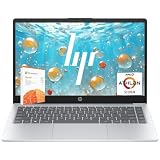
A good laptop for home use is a thin, quiet machine with a modern 6-core or 8-core processor, 16GB of RAM, a 512GB SSD, and a screen bright enough to work near a window. In practice that means something like an Apple MacBook Air M4, a Lenovo IdeaPad Slim 5, or an HP Pavilion Aero 13 — machines in the $600 to $1,100 range that handle browsing, streaming, video calls, homework, spreadsheets and light photo editing without ever spinning a fan up to jet-engine volume. You do not need a gaming GPU, you do not need 32GB of RAM, and you almost certainly do not need to spend $2,000.
The mistake most families make is buying at the very bottom of the market, where 4GB of RAM and slow eMMC storage turn a brand-new laptop into a frustrating machine within a year. The second mistake is overbuying — paying for discrete graphics that sit idle while the battery drains. This guide walks through what actually matters, compares eight shipping models, and answers the questions people ask most often.
As an Amazon Associate I earn from qualifying purchases.
| Product | Key Spec | Best For | Rating |
|---|---|---|---|
| Apple MacBook Air 13 (M4) | M4 10-core, 16GB, 256GB–512GB SSD | Best all-round home laptop | 4.8 / 5 |
| Lenovo IdeaPad Slim 5 16 | Ryzen 7 8845HS, 16GB, 1TB SSD | Big screen on a budget | 4.5 / 5 |
| HP Pavilion Aero 13 | Ryzen 7, 16GB, 512GB, 2.2 lb | Lightest everyday carry | 4.4 / 5 |
| Acer Aspire 5 15 | Core i5-1335U, 16GB, 512GB SSD | Value family machine | 4.3 / 5 |
| ASUS Vivobook 16 | Ryzen 5, 16GB, 512GB, 16″ 1200p | Spreadsheets and homework | 4.2 / 5 |
| Dell Inspiron 14 2-in-1 | Core 7 150U, 16GB, touchscreen | Couch and kitchen use | 4.2 / 5 |
| Lenovo Yoga 7i 14 | Core Ultra 7, 16GB, OLED option | Media and photo work | 4.5 / 5 |
| Apple MacBook Pro 14 (M4) | M4 Pro option, 16GB+, 120Hz mini-LED | Home office that doubles as studio | 4.9 / 5 |
🛒 Best Price Today on Amazon
Prime members get fast, free shipping on everything above, plus member-only deals. New members get a 30-day free trial — cancel anytime.
How to choose a laptop for home use
Start with RAM, because it is the single spec that decides how long the machine stays pleasant. 16GB is the 2026 baseline for anyone who keeps twenty browser tabs open, and on most Windows laptops it is soldered, meaning you cannot fix a bad decision later. Storage comes second: 512GB of NVMe SSD is the sweet spot, and you should refuse eMMC or UFS storage entirely. The processor matters less than people assume — any current Ryzen 5, Core 5/i5, Core Ultra 5, or Apple M-series chip is comfortably fast enough for home workloads, so buy the cheapest one that comes attached to good RAM and a good screen.
Screen quality is where cheap laptops still cut corners. Look for at least 1920×1080 resolution, 300 nits of brightness, and an IPS or OLED panel; TN panels and 250-nit screens look washed out in a bright kitchen. Battery life should be 10 hours or more of real mixed use, which currently means Apple silicon, Snapdragon X, or a low-power U-series Intel/AMD chip rather than an H-series gaming part. Finally, check the port list: one USB-C with charging and display output, one USB-A for the printer, and HDMI if you plan to plug into a TV. Our laptop buying checklist covers the rest, and the budget prebuilt PC guide is worth reading if a desktop would actually serve you better.
What is a good laptop for home use if you mostly browse and stream?
If your household use is web, email, YouTube, Netflix and the occasional document, almost any 16GB machine on the table above will feel instant, and you should optimize for screen, keyboard and battery instead of raw speed. The MacBook Air M4 is the easy recommendation because it is fanless, lasts 15+ hours, and stays fast for years. On Windows, the Acer Aspire 5 with 16GB and a 512GB SSD does the same job for roughly half the money.
What is a good laptop for home use with school-age kids?
Durability beats specs here. Choose an aluminum or reinforced-plastic chassis, a spill-resistant keyboard, and a 14 to 16 inch screen so two people can share it. The ASUS Vivobook 16 and Acer Aspire 5 are both easy to open and service, and both accept a second SSD or extra RAM stick in many configurations, which extends useful life. Add a cheap USB mouse and an external keyboard so the built-in ones do not wear out.
What is a good laptop for home use that also handles working from home?
Hybrid workers should prioritize the webcam, the microphone array and the display. A 1080p webcam is now standard on mid-range machines and makes a visible difference on Teams and Zoom; the Lenovo Yoga 7i and MacBook Air both ship with good ones. You also want Wi-Fi 6E or Wi-Fi 7 so a crowded home network does not choke your calls, plus a Thunderbolt or USB4 port for a single-cable dock.
What is a good laptop for home use if you edit photos or video?
Light Lightroom and iMovie work runs fine on integrated graphics as long as you have 16GB of RAM and a color-accurate screen. Step up to the MacBook Pro 14 with M4 Pro or a Yoga 7i with an OLED panel if you export video weekly. For anything heavier — 4K multicam, Blender, or DaVinci Resolve with noise reduction — a desktop is a better use of the money, and our cheap and good gaming PC build guide doubles as a creator machine.
What is a good laptop for home use under $600?
Under $600 the rule is simple: 16GB RAM, 512GB SSD, 1080p IPS screen, and nothing else matters much. Acer, ASUS and Lenovo all sell configurations that hit that target during sales. Avoid the $300 tier entirely; those machines ship with 4GB or 8GB of soldered RAM and slow storage, and they are the reason people believe laptops “get slow.”
What is a good laptop for home use with the longest battery life?
Apple silicon still leads, with the MacBook Air realistically delivering 14 to 18 hours of mixed use. Snapdragon X Windows laptops are close behind. Among x86 machines, U-series Intel and low-power Ryzen chips paired with a 60Wh or larger battery are your best bet — and turning the screen down from 100% to 60% brightness typically buys another two hours regardless of platform.
What is a good laptop for home use that will last five years?
Longevity comes from three things: enough RAM at purchase, an SSD you can replace, and a manufacturer that ships firmware updates. Buy 16GB minimum, pick a model with a user-accessible M.2 slot, and prefer brands with a documented BIOS update cadence. Replacing the battery around year four is normal and cheap; replacing soldered RAM is impossible. If you want a machine you can genuinely upgrade, our SSD upgrade guide and best SSD brand comparison explain what drops into most laptops.
Frequently Asked Questions
Is 8GB of RAM still enough for a home laptop in 2026?
For a Mac running macOS with light workloads, 8GB is survivable but no longer recommended, and on Windows it is genuinely limiting. Modern browsers, Teams, Spotify and a PDF viewer running together will regularly push past 8GB, forcing the system to swap to the SSD and causing stutter. Since RAM is usually soldered, pay the small upgrade cost at purchase and buy 16GB — it is the cheapest way to add two or three years of comfortable life to any laptop.
Should I buy a Windows laptop or a MacBook for home use?
Choose macOS if you value battery life, silence, resale value and a low-maintenance experience, and if your household already uses iPhones and iPads. Choose Windows if you need specific software, want a touchscreen or 2-in-1 hinge, plan to game occasionally, or want the most hardware for the money. Both platforms handle everyday home tasks equally well; the deciding factors are ecosystem, budget and whether any required application is platform-locked.
Do I need a laptop with a dedicated graphics card at home?
Almost certainly not. Integrated graphics from Apple, AMD and Intel now handle 4K video playback, video calls, photo editing and casual games without difficulty. A discrete GPU adds cost, weight, heat and fan noise, and it cuts battery life roughly in half under load. The only home users who benefit are people who game seriously or render 3D, and those users are generally better served by a desktop with a proper cooling system.
How much storage does a home laptop actually need?
512GB is the practical minimum for a shared family machine once Windows or macOS, applications, photos and downloads accumulate. 256GB works only if you store photos and documents in cloud services and rarely install large applications. Many Windows laptops include a spare or replaceable M.2 slot, so a 1TB drive can be added later for well under $80, which is usually cheaper than paying the manufacturer’s storage upgrade price at checkout.
Is a refurbished laptop a good idea for home use?
Manufacturer-refurbished machines from Apple, Dell and Lenovo are often excellent value, typically carrying a full warranty and costing 15 to 25 percent less than new. The risk is battery wear, so confirm the listing states a new or tested battery and check the cycle count on arrival. Avoid unbranded third-party refurbishers with no return policy, and always verify the model ships with at least 16GB of RAM rather than an older 8GB configuration. See our budget CPU guide for how older chips compare.
As an Amazon Associate we earn from qualifying purchases at no extra cost to you.